Introduction
This manual provides detailed instructions for the installation, operation, and maintenance of the Alarm Controls TS-18 Under Desk Surface Mount Push Button. Please read this manual thoroughly before installation and use to ensure proper function and safety.
Продукт бүттүview
The Alarm Controls TS-18 is a robust, surface-mount push button designed for various control applications. It features an SDT (Single-Pole, Double-Throw) momentary switch, providing reliable contact closure for activation. Its design allows for convenient under-desk or other surface mounting.
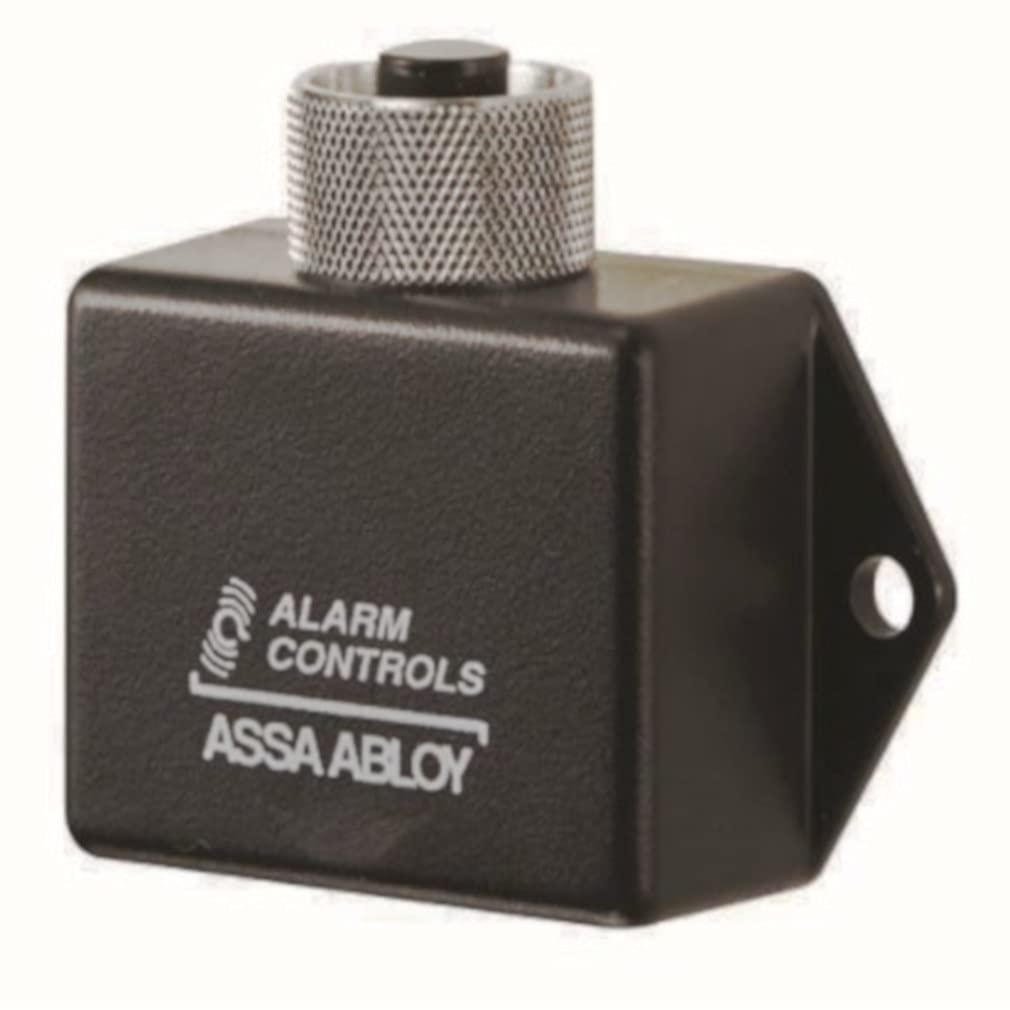
1-сүрөт: Alarm Controls TS-18 Under Desk Surface Mount Push Button. This image shows the compact design of the push button, suitable for discreet installation.
Негизги өзгөчөлүктөрү:
- SDT Momentary Switch: Provides a temporary contact closure when pressed.
- Байланыш рейтинги: 4A @ 28VDC, suitable for low-voltage башкаруу схемалары.
- Бетке орнотуу дизайны: Easy installation on various surfaces, including under desks.
Техникалык шарттар
| Өзгөчөлүк | Деталь |
|---|---|
| Модель номери | TS-18 |
| Которуу түрү | SDT Momentary |
| Байланыш рейтинги | 4A @ 28VDC |
| Монтаж түрү | Surface Mount (Under Desk) |
| Продукциянын өлчөмдөрү | 3 x 5 x 2 дюйм |
| Бренд | Ойготкучту башкаруу |
| Өндүрүүчү | ОЙГОЛГОН БАШКАРУУ |
| ASIN | B008UTF8RS |
| UPC | 765066001988 |
Орнотуу жана орнотуу
The TS-18 push button is designed for surface mounting. Proper installation is crucial for reliable operation. It is recommended that installation be performed by a qualified technician, especially when connecting to existing electrical systems.
Орнотуу кадамдары:
- Монтаждоо ордун тандоо: Select a flat, stable surface, such as the underside of a desk or counter, where the button will be easily accessible but protected from accidental activation.
- Агрегатты коопсуздандырыңыз: Use appropriate screws (not included) to securely fasten the TS-18 to the chosen surface. Ensure the unit is firmly attached to prevent movement during operation.
- Зымдар:
- Identify the appropriate wiring terminals on the TS-18. As an SDT (Single-Pole, Double-Throw) switch, it typically has common, normally open (NO), and normally closed (NC) terminals.
- Connect the control wires from your system (e.g., access control panel, alarm system) to the corresponding terminals on the TS-18. Refer to your system's documentation for specific wiring requirements.
- Кыска туташуунун алдын алуу үчүн бардык туташуулардын коопсуз жана туура изоляцияланганын текшериңиз.
- Сыноо функциясы: After installation and wiring, test the button's operation with the connected system to confirm it functions as intended.
Маанилүү: Always disconnect power to the system before performing any wiring to prevent electrical shock or damage to components.
Иштөө нускамалары
The TS-18 is a momentary push button. Its operation is straightforward:
- Жандандыруу: Press the button firmly. The internal switch contacts will change state (e.g., Normally Open contacts will close, Normally Closed contacts will open) for as long as the button is held down.
- Өчүрүү: Release the button. The internal switch contacts will return to their original state.
The specific action triggered by pressing the button (e.g., unlocking a door, activating an alarm) depends on the system to which the TS-18 is connected.
Техникалык тейлөө
The Alarm Controls TS-18 push button requires minimal maintenance to ensure long-term reliability.
- Тазалоо: Periodically wipe the surface of the button with a soft, dry cloth to remove dust and debris. Avoid using abrasive cleaners or solvents, which may damage the finish.
- Текшерүү: Annually inspect the mounting screws and wiring connections to ensure they remain secure. Check for any signs of wear or damage to the button or its housing.
- Функционалдык текшерүү: Periodically test the button's operation to confirm it activates the connected system reliably.
Проблемаларды чечүү
If the TS-18 push button is not functioning as expected, consider the following common issues:
| Көйгөй | Мүмкүн себеп | Чечим |
|---|---|---|
| Button does not activate system |
|
|
| Button feels stuck or unresponsive |
|
|
For persistent issues, contact Alarm Controls customer support or a qualified technician.
Кепилдик жана колдоо
For information regarding warranty coverage, technical support, or replacement parts for your Alarm Controls TS-18 push button, please contact Alarm Controls directly or refer to their official webсайт. Кепилдик дооматтары үчүн сатып алуу дүмүрчөгүңүздү сактаңыз.
Өндүрүүчү: ОЙГОЛГОН БАШКАРУУ


