Introduction
This manual provides instructions for the proper setup, operation, and maintenance of your Black Box USB to Serial Cable, model IC199A-R3. This cable is designed to facilitate communication between devices with a DB9 serial port and computers equipped with a USB Type-A port. Please read this manual thoroughly before using the product to ensure optimal performance and longevity.
Продукт бүттүview
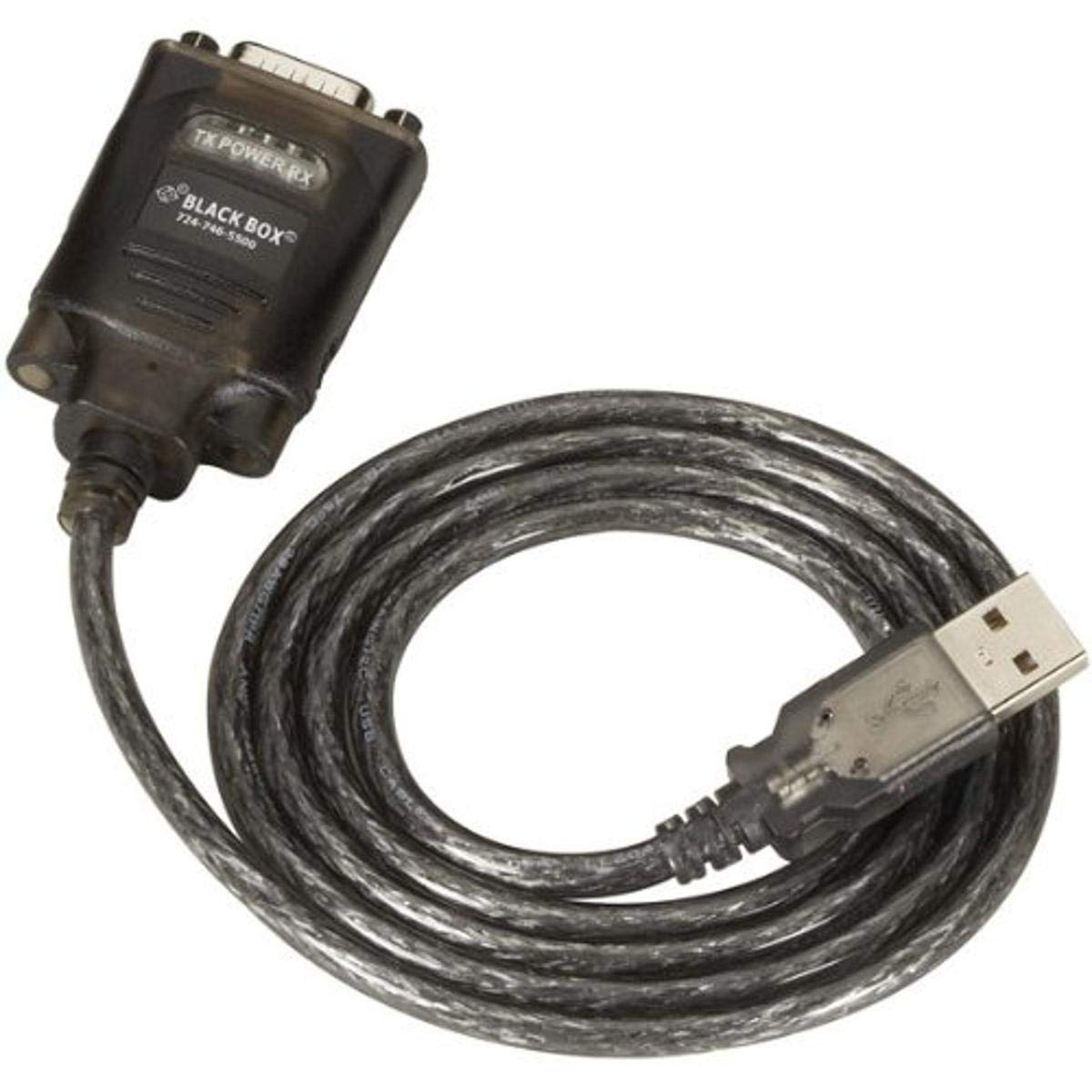
Figure 1: Black Box USB to DB9 Serial Cable (IC199A-R3)
This image displays the Black Box USB to DB9 Serial Cable, featuring a USB Type-A male connector on one end and a DB9 male serial connector on the other. The cable is black and designed for connecting serial devices to a computer's USB port.
The Black Box IC199A-R3 is a reliable solution for connecting legacy serial devices, such as modems, to modern computers that typically lack dedicated serial ports. Its robust design ensures stable data transmission.
Орнотуу нускамалары
- Туташтыргычтарды аныктоо: Locate the USB Type-A male connector and the DB9 male serial connector on the cable.
- Компьютерге туташуу: Insert the USB Type-A male connector into an available USB port on your computer.
- Connect to Serial Device: Connect the DB9 male serial connector to the DB9 female port on your serial device (e.g., modem). Ensure a secure connection.
- Драйверди орнотуу: In most modern operating systems (Windows 10/11, macOS, Linux), the necessary drivers should install automatically upon connection. If the device is not recognized, you may need to manually install drivers. Refer to your operating system's documentation or the Black Box support website for driver downloads if required.
- Байланышты текшерүү: After connecting, check your computer's Device Manager (Windows) or System Information (macOS/Linux) to confirm that the USB to Serial adapter is recognized and functioning correctly. It typically appears as a "USB Serial Port" or similar entry.
Иштөө нускамалары
Once the Black Box IC199A-R3 cable is properly installed and recognized by your computer, it functions as a standard serial port.
- Программанын конфигурациясы: Open the serial communication software or application you intend to use (e.g., HyperTerminal, PuTTY, minicom, or specific device configuration software).
- COM портун тандаңыз: Within your software, select the virtual COM port assigned to the USB to Serial adapter. This port number can usually be found in your computer's Device Manager (under "Ports (COM & LPT)").
- Configure Serial Settings: Set the appropriate serial communication parameters (baud rate, data bits, parity, stop bits, flow control) to match the requirements of your connected serial device. Refer to the documentation of your serial device for these settings.
- Байланышты баштоо: Once configured, you can initiate data transfer or communication with your serial device through the software.
Техникалык тейлөө
To ensure the longevity and reliable performance of your Black Box USB to Serial Cable, follow these simple maintenance guidelines:
- Сактагыч: Store the cable in a cool, dry place away from direct sunlight and extreme temperatures when not in use.
- Колдонуу: Avoid bending or kinking the cable sharply, especially near the connectors, as this can damage internal wires.
- Тазалоо: Зарыл болсо, кабелди жана туташтыргычтарды жумшак, кургак, мамыксыз чүпүрөк менен акырын сүртүңүз. Суюк тазалоочу каражаттарды же эриткичтерди колдонбоңуз.
- Туташуу/ажыратуу: Кабелди сайганда же сууруп алганда, ар дайым туташтыргычтын корпусун кармаңыз, кабелдин өзүн тартпаңыз.
Проблемаларды чечүү
If you encounter issues with your Black Box USB to Serial Cable, consider the following troubleshooting steps:
- Cable Not Recognized:
- USB туташтыргычы компьютердин USB портуна толугу менен сайылганын текшериңиз.
- Компьютериңиздеги башка USB портун колдонуп көрүңүз.
- Компьютериңизди өчүрүп күйгүзүңүз.
- Check Device Manager (Windows) or System Information (macOS/Linux) for any error messages or unrecognized devices. Reinstall drivers if necessary.
- No Communication with Serial Device:
- Verify that the DB9 connector is securely attached to your serial device.
- Confirm that the correct COM port is selected in your serial communication software.
- Double-check that the serial communication parameters (baud rate, data bits, parity, stop bits, flow control) in your software match those of your serial device.
- Ensure the serial device itself is powered on and functioning correctly.
- Try using a different serial communication software to rule out software-specific issues.
- Үзгүлтүксүз туташуу:
- Кабелдин көрүнгөн бузулууларын же эскирген зымдарын текшериңиз.
- Бардык байланыштардын бекем жана бош эмес экенине ынаныңыз.
- Avoid placing the cable near sources of strong electromagnetic interference.
Техникалык шарттар
| Бренд | Кара куту |
| Модель номери | IC199A-R3 |
| Connector Type (Computer) | USB Type A эркек |
| Туташтыргычтын түрү (түзмөк) | DB9 Male Serial |
| Кабель түрү | USB - сериялык |
| Шайкеш түзмөктөр | модем |
| Өзгөчө өзгөчөлүк | Tangle Free |
| Түс | Кара |
| Pins саны | 9 (on DB9 connector) |
| Элемент Салмагы | 0.24 фунт (болжол менен 3.84 унция) |
| Продукциянын өлчөмдөрү (упаковка) | 6.75 x 1.5 x 4 дюйм |
| Өндүрүүчү | BLACK BOX CORPORATION |
Кепилдик жана колдоо
For information regarding warranty coverage, technical support, or to download the latest drivers, please visit the official Black Box webсайтка же кардарларды тейлөөгө кайрылыңыз. Кепилдик дооматтар үчүн сатып алуу дүмүрчөгүңүздү сактаңыз.


