1. Киришүү
This manual provides essential information for setting up, operating, maintaining, and troubleshooting your HP LaserJet Pro M1218nfs Multi-Function Monochrome Laser Printer. Please read these instructions carefully to ensure optimal performance and longevity of your device.
2. Продукт бүтүп калдыview
The HP LaserJet Pro M1218nfs is a versatile multi-function device designed for efficient monochrome printing, copying, scanning, and faxing. It features built-in wireless connectivity, allowing for flexible placement and mobile printing capabilities.
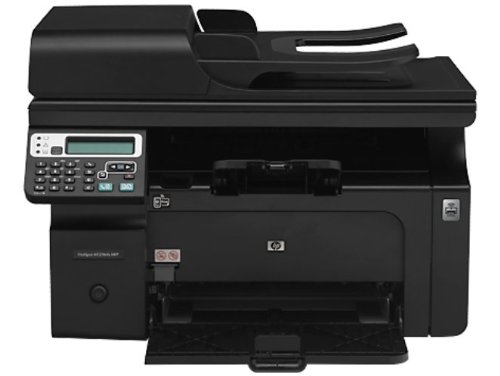
Сүрөт 2.1: Алдыңкы view of the HP LaserJet Pro M1218nfs Multi-Function Monochrome Laser Printer.
Негизги өзгөчөлүктөрү:
- Көп функциялуулугу: Print, copy, scan, and fax from a single device.
- Зымсыз туташуу: Built-in wireless hotspot for convenient printing from various devices.
- Мобилдик басып чыгаруу: Print directly from mobile devices.
- HP Smart Install: Simplifies initial setup and driver installation.
- Автоматтык документ берүүчү (ADF): 35-page ADF for efficient multi-page scanning and copying.
- Monochrome Laser Printing: Delivers crisp, professional black and white documents.
3. Камтылган компоненттер
Verify that all items listed below are present in the product packaging:
- HP LaserJet Pro M1218nfs Multi-Function Monochrome Laser Printer
- Электр шнур(лары)
- Phone cord(s)
- 150 барактуу киргизүү науасы
- Чыгуу лоток
- Introductory HP LaserJet toner cartridge (~700 pages)
- CD(s) with software and documentation
- Орнотуу боюнча колдонмо
- Колдоо баракчасы
- Каталар барагы
- Discovery Sheet
- Ferrite with flyer
- Warranty Guide (where applicable)
- USB кабели
- Readiris PRO text recognition software
4. Орнотуу
4.1 Пакеттен чыгаруу жана жайгаштыруу
- Принтерди таңгагынан этияттык менен чыгарыңыз.
- Принтерден бардык таңгактоочу материалдарды, ленталарды жана коргоочу пленкаларды алып салыңыз.
- Принтерди туруктуу, тегиз жана жетиштүү желдетүү бар бетке коюңуз.
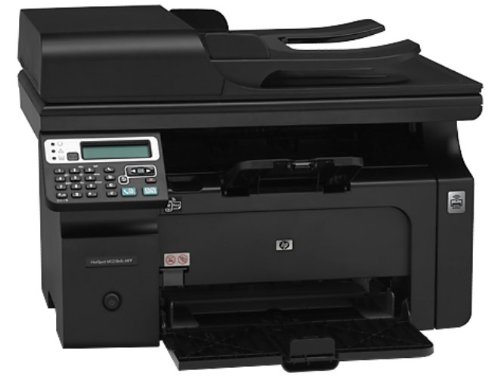
Сүрөт 4.1: Алдыңкы view of the printer with the input tray open, ready for paper loading.
4.2 Принтерди туташтыруу
- Кубат туташуу: Электр шнурду принтерге, анан жерге туташтырылган электр розеткасына туташтырыңыз.
- USB туташуу (кошумча): Түз туташуу үчүн принтерди компьютериңизге туташтыруу үчүн берилген USB кабелин колдонуңуз.
- Тармакка туташуу (милдеттүү эмес): For wired network access, connect an Ethernet cable from the printer's RJ-45 port to your network router or switch.
- Fax Connection (Optional): Connect the phone cord to the RJ-11 fax port on the printer and to your telephone wall jack.
4.3 Программалык камсыздоону орнотуу
The HP LaserJet Pro M1218nfs supports HP Smart Install, which simplifies driver installation. Insert the provided CD into your computer's optical drive and follow the on-screen instructions. Alternatively, download the latest drivers from the official HP support webсайт.
Системалык талаптар:
- Microsoft Windows XP (32-bit and 64-bit): Pentium 233MHz, 512MB RAM, 350 MB free disk space, Internet Explorer 7.0.
- Microsoft Windows Vista (Starter Edition, 32-bit, and 64-bit): 1GHz or faster 32-bit (x86) or 64-bit (x64) processor, 1 GB (32-bit) or 2 GB (64-bit) RAM, 920MB free disk space, Internet Explorer 7.0.
- Microsoft Windows 7 (32-bit and 64-bit): 1GHz or faster 32-bit (x86) or 64-bit (x64) processor, 1GB (32-bit) or 2GB (64-bit) RAM, 920MB free disk space, Internet Explorer 8.0.
- Mac OS X v10.4, v10.5, v10.6, and higher: 256MB RAM, 150MB free disk space.
5. Принтерди иштетүү
5.1 Кагазды жүктөө
- Киргизүү лотогун ачыңыз.
- Кагаз багыттоочуларды туура кагаз өлчөмүнө тууралаңыз (мисалы, A4).
- Load up to 150 sheets of plain paper, envelopes, or card stock into the input tray.
- Ensure the paper is flat and fits snugly against the guides.
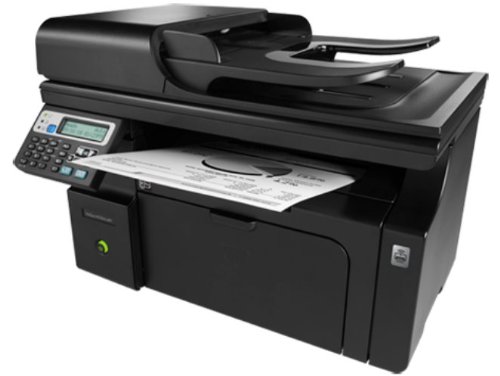
5.1-сүрөт: Бурчтуу view of the printer showing paper exiting into the output tray.
5.2 Документтерди басып чыгаруу
From your computer, open the document you wish to print. Select 'Print' from the application's menu, choose the HP LaserJet Pro M1218nfs as your printer, and adjust settings as needed (e.g., number of copies, paper size). Click 'Print'. The printer supports monochrome printing at up to 18 pages per minute (ppm) with a resolution of 600 x 600 dpi.
5.3 Документтерди көчүрүү
- Документти сканердин айнегине жүзүн ылдый каратып же Документти автоматтык бергичке (ADF) өйдө каратып коюңуз.
- On the printer control panel, select the 'Copy' function.
- Adjust settings such as number of copies or darkness.
- Press the 'Start Copy' button. The printer can copy at up to 7.4 ppm with a resolution of 600 x 600 dpi.
5.4 Документтерди сканерлөө
- Place the document on the flatbed scanner glass or in the ADF.
- From your computer, open the scanning software (e.g., HP Scan or Readiris PRO).
- Select the HP LaserJet Pro M1218nfs as the scanner.
- Choose scan settings (e.g., resolution, color mode, destination folder).
- "Скандоону" чыкылдатыңыз.
5.5 Документтерди факс менен жөнөтүү
- Документти ADFке жүктөңүз же сканер айнегине коюңуз.
- On the printer control panel, select the 'Fax' function.
- Баскычтоп аркылуу алуучунун факс номерин киргизиңиз.
- Press the 'Start Fax' button. The printer supports fax speeds up to 33.6kbps.
5.6 Зымсыз байланыш
The HP LaserJet Pro M1218nfs features a built-in wireless hotspot (802.11bgn) that allows you to connect mobile devices and PCs directly to the printer for printing. Refer to the printer's network configuration settings on the control panel to set up and manage the wireless hotspot. This enables printing from smartphones and other compatible devices without needing an existing network infrastructure.
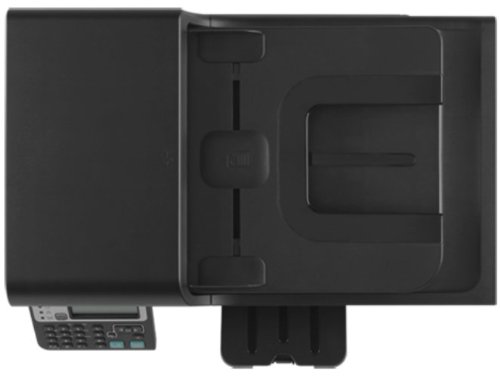
5.2-сүрөт: Жогорку view of the printer, showing the ADF and control panel.
6. Техникалык тейлөө
6.1 Тонер-картриджди алмаштыруу
When print quality degrades or the toner low indicator appears, it is time to replace the toner cartridge. The compatible cartridge for this model is HP CE285A.
- Принтердин алдыңкы кирүү эшигин ачыңыз.
- Эски тонер картриджди кылдаттык менен чыгарып алыңыз.
- Unpack the new HP CE285A toner cartridge and gently shake it to distribute the toner.
- Жаңы картриджди принтерге чыкылдагыча кыстарыңыз.
- Алдыңкы кирүү эшигин жабыңыз.
6.2 Принтерди тазалоо
- Сырткы: Сырткы беттерди жумшак, түксүз чүпүрөк менен сүртүңүз dampсуу менен бүттү. Абразивдүү тазалагычтардан алыс болуңуз.
- Сканер айнек: Сканер айнегин жумшак чүпүрөк жана абразивдүү эмес айнек тазалагыч менен тазалаңыз.
- ADF роликтери: Periodically clean the ADF rollers to prevent paper jams and ensure proper feeding. Refer to the printer's on-screen menu or software for specific instructions on cleaning ADF rollers.
7. Кыйынчылыктарды
7.1 Жалпы маселелер жана чечимдер
- Принтер жооп бербей жатат:
- Электр байланыштарын текшериңиз.
- Verify USB or network cable connections.
- Ensure the printer is online and not in an error state.
- Принтерди жана компьютериңизди өчүрүп күйгүзүңүз.
- Кагаз тыгылыштары:
- Бардык кирүү эшиктерин ачып, тыгылып калган кагаздарды кылдаттык менен алып салыңыз.
- Кагаз туура жүктөлгөндүгүн жана ашыкча толтурулбаганын текшериңиз.
- Начар басып чыгаруу сапаты:
- Тонер картриджинин деңгээлин текшерип, аз болсо алмаштырыңыз.
- Ensure correct paper type is selected in print settings.
- Принтердин башкаруу панелинен же программалык камсыздоосунан басып чыгаруу сапатынын диагностикасын аткарыңыз.
- Зымсыз туташуу маселелери:
- Verify the wireless hotspot is enabled on the printer.
- Ensure your device is connected to the printer's wireless network.
- Башка зымсыз түзмөктөрдөн кандайдыр бир тоскоолдук бар экенин текшериңиз.
7.2 Кошумча жардам
If you encounter issues not covered in this manual, please refer to the HP support webсайтка же кошумча жардам алуу үчүн HP кардарларды тейлөө кызматына кайрылыңыз.
8. Техникалык шарттар
| Өзгөчөлүк | Спецификация |
|---|---|
| Модель номери | M1218nfs (Laser-1218) |
| Функциялар | Басып чыгаруу, көчүрүү, сканерлөө, факс |
| Басма технологиясы | Монохромдук лазер |
| Басып чыгаруу ылдамдыгы (монохромдуу) | 18 промиллеге чейин |
| Басып чыгаруу чечими (макс.) | 600 x 600 dpi (Effective 1200 x 1200 dpi) |
| Биринчи бет чыгуу (кара) | 8.5 секундадай тез |
| Көчүрүү ылдамдыгы (монохромдуу) | 7.4 промиллеге чейин |
| Copy Resolution (Max) | 600 x 600 dpi |
| Сканер түрү | Планшет, ADF |
| ADF кубаттуулугу | 35 барак |
| Факс ылдамдыгы | 33.6 kbps чейин |
| Байланыш | Hi-Speed USB 2.0, RJ-11 Fax, RJ-45 Network, Wi-Fi (802.11bgn) |
| Киргизүү лоток сыйымдуулугу | 150 барак |
| Колдоого алынган медиа түрлөрү | Paper (plain), Envelopes, Card stock |
| Медиа өлчөмдөрү колдоого алынат | A4, A5, B5, C5, DL, Postcard |
| Шайкеш картридж | HP CE285A Black LaserJet Toner Cartridge |
| RAM өлчөмү | 64 MB |
| Операциялык системалар | Windows 7, Windows Vista, Windows XP, Mac OS X v10.4 and higher |
| Продукциянын өлчөмдөрү (LxWxH) | 26.5 x 43.5 x 30.6 см |
| Элемент Салмагы | 8.3 кг |
9. Кепилдик жана колдоо
9.1 Продукциянын кепилдиги
This HP LaserJet Pro M1218nfs Multi-Function Monochrome Laser Printer comes with a 1 жылдык кепилдик from the date of purchase. Please retain your proof of purchase for warranty claims. For detailed terms and conditions, refer to the Warranty Guide included in your product packaging or visit the official HP webсайт.
9.2 Кардарларды колдоо
Техникалык колдоо, драйверди жүктөө же кошумча продукт маалыматы үчүн, расмий HP колдоо бөлүмүнө баш багыңыз webсайт: www.hp.com/support.