1. Киришүү
This manual provides essential information for the proper installation, operation, and maintenance of your AMD Richland A8 6600K Black Edition Processor. Please read this guide thoroughly before proceeding with installation to ensure optimal performance and system stability. The AMD A8-6600K is an Accelerated Processing Unit (APU) combining a quad-core CPU with an integrated Radeon HD 8570D graphics processor on a single die, designed for the FM2 socket.
2. Коопсуздук маалыматы
Observe the following safety precautions to prevent damage to the processor or other components, and to ensure personal safety:
- Компоненттерди орнотуудан же алып салуудан мурун ар дайым компьютериңизден кубат менен камсыздоону ажыратыңыз.
- Wear an anti-static wrist strap or frequently touch a grounded metal object (e.g., the computer chassis) to discharge static electricity before handling the processor. Electrostatic discharge (ESD) can severely damage electronic components.
- Handle the processor by its edges. Avoid touching the gold contacts or the pins (if applicable) on the underside of the processor.
- Ашыкча ысып кетүүнүн алдын алуу үчүн компьютериңиздин корпусунун ичинде туура желдетүүнү камсыз кылыңыз.
- Keep the processor and all computer components away from liquids and excessive moisture.
- Do not attempt to open or modify the processor. This will void the warranty and may cause damage.
3. Пакеттин мазмуну
Пакетиңизде төмөнкү заттар бар экенин текшериңиз:
- AMD Richland A8 6600K Black Edition Processor
- AMD Stock CPU Cooler (Heatsink and Fan)
- Installation Guide / Warranty Information (this document or similar)
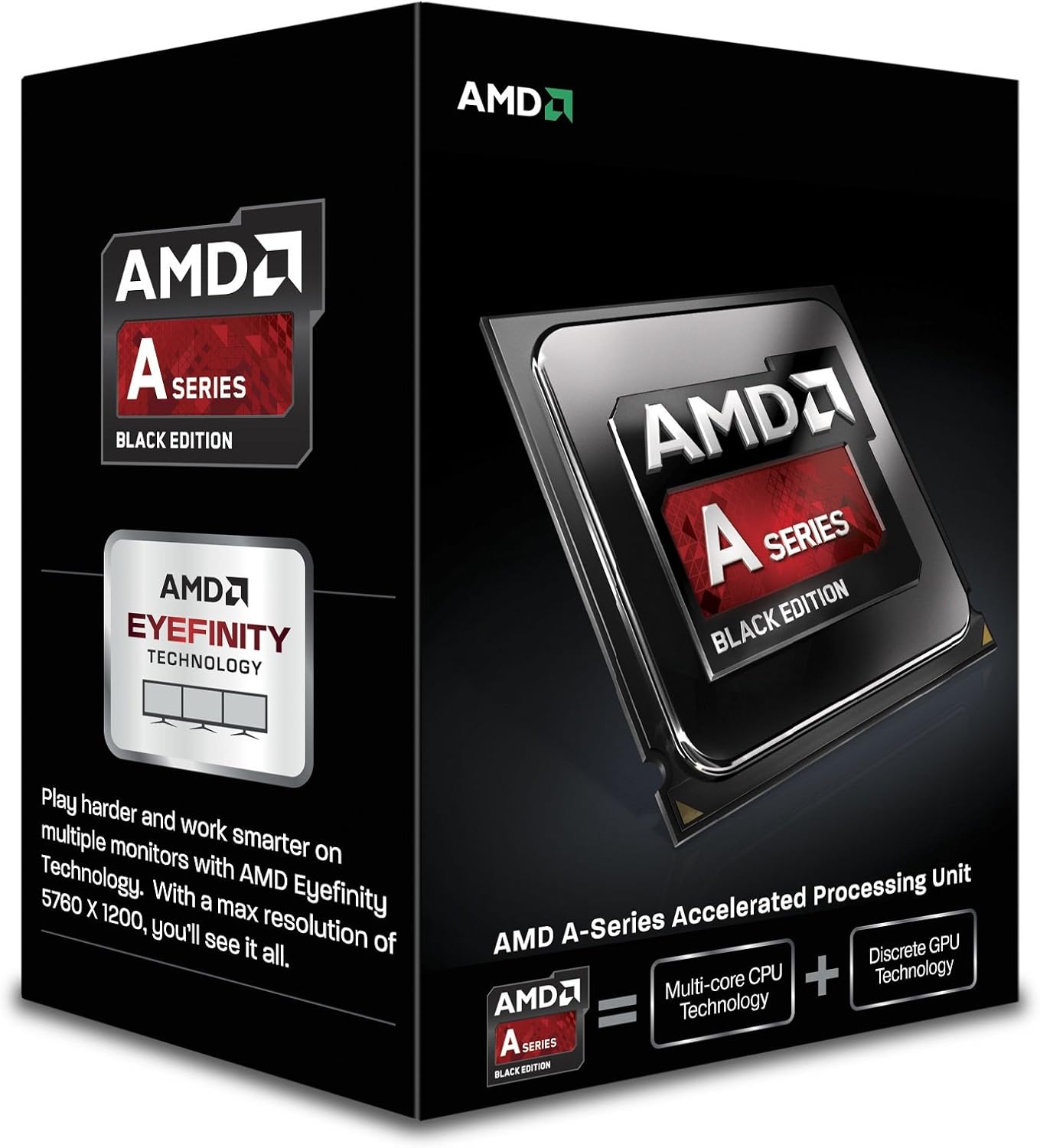
Figure 3.1: Retail packaging for the AMD A-Series Black Edition Processor. The box typically includes the processor, a heatsink/fan unit, and documentation.
4. Орнотуу колдонмосу
4.1. Орнотуудан мурун
Сизде төмөнкүлөр бар экендигин текшериңиз:
- Compatible Motherboard with an FM2 socket.
- Thermal paste (if not pre-applied on the cooler).
- Screwdriver (Phillips head).
- Таза, жакшы жарыктандырылган жумуш орду.
- Anti-static wrist strap.
4.2. Орнотуу кадамдары
- Motherboard даярдоо: Place the motherboard on a non-conductive, flat surface. Locate the FM2 CPU socket.
- Open the Socket Lever: Gently push down and away the small metal lever on the side of the CPU socket to open it.
- Процессорду тегиздөө: Carefully align the processor with the socket. The processor has a golden triangle or arrow on one corner that must match the corresponding triangle/arrow on the socket. Do not force the processor into the socket; it should drop in easily.
- Процессорду коргоо: Once the processor is seated correctly, close the socket lever by pushing it back into its original position. This will secure the processor.
- Термикалык пастаны колдонуу (зарыл болсо): Эгерде сиздин CPU муздаткычыңызда алдын ала колдонулган термикалык паста жок болсо, CPUнун интеграцияланган жылуулук чачкычынын (IHS) ортосуна буурчактын көлөмүндөй бир аз термикалык паста сүйкөңүз.
- CPU муздаткычын орнотуу: Place the CPU cooler onto the processor, ensuring the mounting clips or screws align with the motherboard's retention mechanism. Secure the cooler according to its specific instructions (usually involving clips or screws). Ensure firm contact between the cooler and the CPU.
- Муздаткыч желдеткичти туташтырыңыз: Connect the CPU cooler's fan cable to the 'CPU_FAN' header on the motherboard.

Сүрөт 4.1: Жакын пландан view of the AMD A-Series processor chip. Note the gold contacts on the underside and the alignment arrow on the corner.
5. Иштөө принциптери
The AMD A8 6600K processor, once correctly installed, functions as the central processing unit and graphics processor for your computer system. Upon powering on your computer, the BIOS/UEFI firmware will detect and initialize the processor. The operating system will then load, utilizing the processor's cores and integrated graphics for all computing tasks. Ensure your motherboard's BIOS/UEFI is updated to support the Richland generation APUs for optimal compatibility and performance.
The 'Black Edition' designation indicates that this processor has an unlocked multiplier, allowing for easier overclocking by advanced users. Any overclocking should be done with caution and adequate cooling, as it can increase heat output and potentially reduce component lifespan if not managed properly.
6. Техникалык тейлөө
Процессоруңуздун узак жана туруктуу иштешин туура тейлөө камсыз кылат:
- Чаңды тазалоо: Periodically clean dust from the CPU cooler's heatsink and fan using compressed air. Dust accumulation can impede airflow and lead to higher temperatures.
- Термикалык паста: The thermal paste between the CPU and its cooler can degrade over time. If you notice consistently high temperatures, consider reapplying fresh thermal paste. This typically involves removing the cooler, cleaning off old paste, and applying new paste.
- Системалык желдетүү: Ensure your computer case has adequate airflow. Keep intake and exhaust vents clear of obstructions.
- BIOS/UEFI жаңыртуулары: Keep your motherboard's BIOS/UEFI firmware updated. Manufacturers often release updates that improve CPU compatibility, stability, and performance.
7. Кыйынчылыктарды
Эгер көйгөйлөргө туш болсоңуз, төмөнкү жалпы көйгөйлөрдү жана чечимдерди караңыз:
| Көйгөй | Мүмкүн себеп | Чечим |
|---|---|---|
| Система күйгүзүлбөйт же POST кылынбайт. | CPU not seated correctly, CPU power cable not connected, incompatible motherboard BIOS. | Re-seat the CPU, ensure all power cables are connected, update motherboard BIOS (if possible, using an older compatible CPU). |
| System powers on but no display output. | Monitor cable not connected to motherboard (for integrated graphics), incorrect BIOS settings, faulty RAM. | Ensure monitor is connected to the motherboard's video output. Check BIOS settings for integrated graphics. Test with one RAM stick at a time. |
| System crashes or freezes frequently. | Overheating CPU, unstable overclock, insufficient power supply, faulty RAM. | Check CPU temperatures. Reset BIOS to default settings. Ensure power supply meets system requirements. Test RAM. |
| Жогорку CPU температурасы. | Improperly installed CPU cooler, insufficient thermal paste, dust accumulation, poor case airflow. | Verify cooler installation, reapply thermal paste, clean heatsink/fan, improve case ventilation. |
8. Техникалык шарттар
Key technical specifications for the AMD Richland A8 6600K Black Edition Processor:
| Өзгөчөлүк | Деталь |
|---|---|
| Өндүрүүчү | AMD |
| Модель номери | AD660KWOHLBOX |
| CPU сериясы | AMD A8 (Richland) |
| Cores / Threads | 4 өзөк / 4 жип |
| Сааттын негизги ылдамдыгы | 3.9 ГГц |
| Max Turbo Frequency | 4.2 ГГц |
| CPU розетка | FM2 |
| Интегралдык графика | AMD Radeon HD 8570D |
| L2 кэш | 4 MB |
| TDP | 100 Вт |
| Unlocked Multiplier | Yes (Black Edition) |
| Дата биринчи жеткиликтүү | 29-июль, 2013-жыл |
9. Кепилдик жана колдоо
For warranty information regarding your AMD processor, please refer to the documentation included with your purchase or visit the official AMD webсайт. Кепилдиктин шарттары аймакка жана сатуучуга жараша өзгөрүшү мүмкүн.
For technical support, driver downloads, and additional resources, please visit the official AMD Support webсайт:
When contacting support, please have your processor model number (AD660KWOHLBOX) and system configuration details readily available.


