1. Киришүү
The Alarm Controls TS-20 is a robust, alternate action pushbutton designed for reliable door release applications, typically mounted under a counter or desk. This device features Single Pole Double Throw (SPDT) contacts rated at 4 Amperes, providing versatile control for various access control systems. Its alternate action mechanism means the button latches in the 'on' position when pressed and releases to the 'off' position when pressed again. This manual provides essential information for the safe installation, operation, and maintenance of your TS-20 pushbutton.
2. Коопсуздук маалыматы
- Электр коркунучу: Installation should only be performed by qualified personnel. Ensure all power to the circuit is disconnected before wiring.
- Туура колдонуу: Use this device only for its intended purpose as a door release pushbutton within specified electrical ratings.
- Экологиялык шарттар: Түзмөктү ашыкча нымдуулукка, экстремалдык температурага же коррозиялуу чөйрөлөргө дуушар кылбаңыз.
- Өзгөртүүлөр: Do not attempt to modify or repair the device. Unauthorized modifications may void the warranty and create safety hazards.
3. Пакеттин мазмуну
Сураныч, орнотууну баштоодон мурун бардык компоненттер бар экендигин текшериңиз:
- 1x Alarm Controls TS-20 Pushbutton (surface mounted box with switch)
- Монтаждоо бурамалар (адатта камтылган)
4. Орнотуу жана орнотуу
The TS-20 is designed for surface mounting. Follow these steps for proper installation:
- Жайгашкан жерди тандоо: Select a suitable, secure location under a counter or desk where the button is easily accessible but discreet. Ensure there is sufficient space for the 2 x 3 x 2 inch surface-mounted box.
- Кубатты өчүрүү: Before making any electrical connections, ensure that all power to the access control system or door locking mechanism is completely disconnected at the circuit breaker.
- Кутучаны орнотуу: Secure the surface-mounted box to the chosen location using the provided mounting screws. Ensure it is firmly attached to prevent movement during operation.
- Зымдар: The TS-20 features SPDT (Single Pole Double Throw) contacts. This means it has a Common (C), Normally Open (NO), and Normally Closed (NC) terminal. Connect the appropriate wires from your access control system or door locking mechanism to these terminals based on your system's requirements. Refer to your access control system's manual for specific wiring diagrams.
- Common (C): The shared terminal for the switch.
- Адатта ачык (ЖОК): The circuit is open (no current) when the button is in its default (released) state and closes when pressed.
- Normally Closed (NC): The circuit is closed (current flows) when the button is in its default (released) state and opens when pressed.
- Коопсуз зымдар: Ensure all wire connections are secure and insulated to prevent short circuits.
- Күчтү калыбына келтирүү: Бардык туташуулар орнотулуп, бекитилгенден кийин, системаны электр менен камсыз кылууну калыбына келтириңиз.
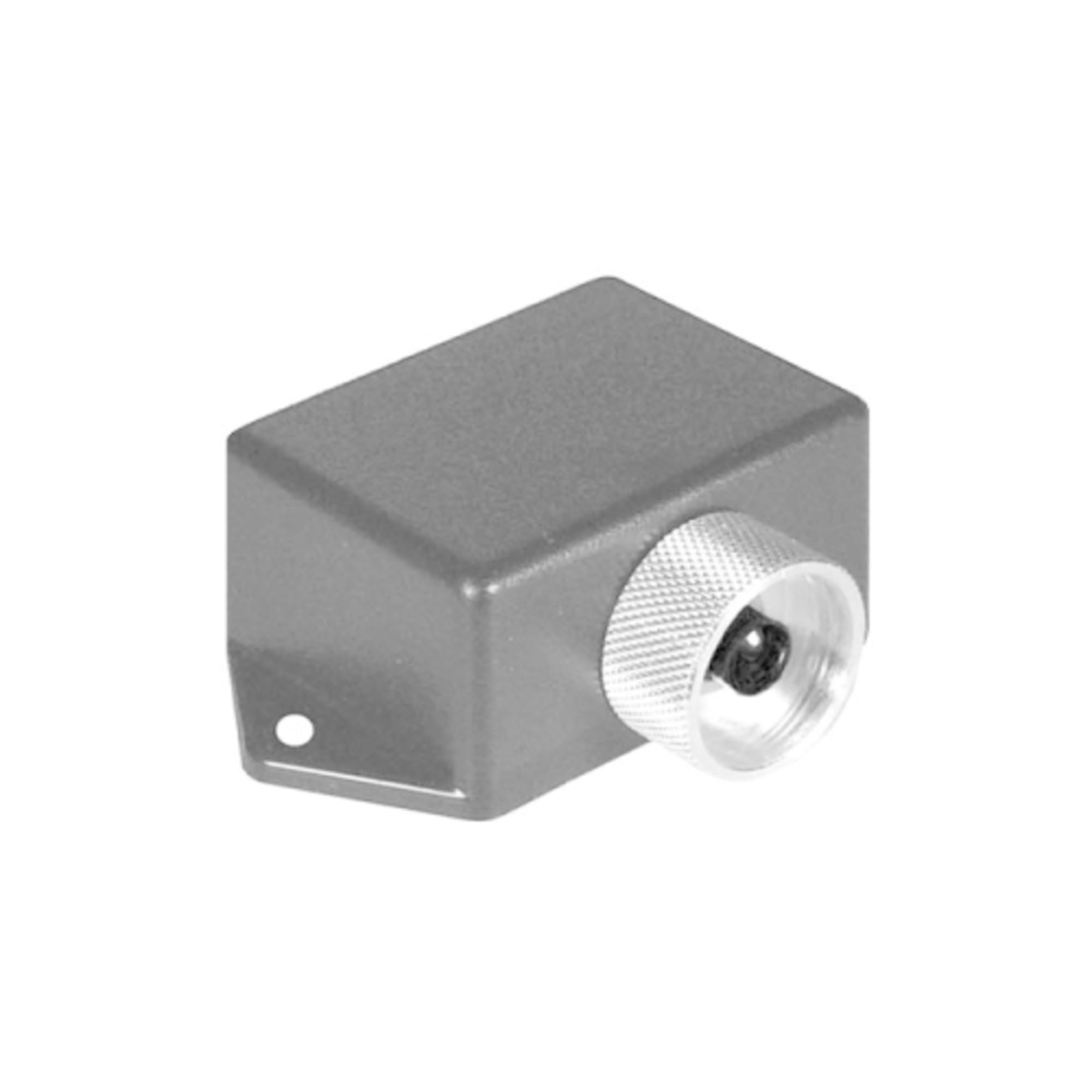
Сүрөт 1: Алдыңкы view of the Alarm Controls TS-20 Under Counter/Desk Door Release Pushbutton. This image shows the button and the surface-mounted enclosure.
5. Иштөө нускамалары
The TS-20 features an alternate action switch. This means its state changes with each press:
- Биринчи басма: Press the pushbutton once. The button will latch in the 'in' position, changing the state of the SPDT contacts (e.g., NO contacts will close, NC contacts will open). This action typically activates the door release.
- Экинчи басма: Press the pushbutton a second time. The button will release to the 'out' position, returning the SPDT contacts to their original state (e.g., NO contacts will open, NC contacts will close). This action typically deactivates the door release.
Confirm the desired operation with your specific access control system.
6. Техникалык тейлөө
The Alarm Controls TS-20 is designed for minimal maintenance. To ensure optimal performance and longevity:
- Тазалоо: Periodically wipe the surface of the pushbutton and enclosure with a soft, dry cloth. Avoid using abrasive cleaners or solvents, which can damage the finish.
- Текшерүү: Occasionally check the mounting screws for tightness and inspect the wiring for any signs of wear or damage.
- Функционалдык тест: Periodically test the pushbutton's operation to ensure it latches and releases correctly and that the door release mechanism responds as expected.
7. Кыйынчылыктарды
If you encounter issues with your TS-20 pushbutton, consider the following:
- Баскыч жооп бербейт:
- Check if power is supplied to the connected system.
- Verify all wiring connections are secure and correct according to your system's diagram.
- Ensure the button mechanism is not obstructed or jammed.
- Door Not Releasing:
- Confirm the pushbutton is correctly wired to the door release mechanism (e.g., using the NO contacts for activation).
- Test the door release mechanism independently if possible to rule out issues with the lock or strike.
- Check the power supply to the door release mechanism.
- Button Not Latching/Unlatching:
- The alternate action mechanism may be worn or damaged. If this occurs, the unit may need replacement.
If troubleshooting steps do not resolve the issue, contact Alarm Controls technical support or a qualified technician.
8. Техникалык шарттар
| Модель номери | TS-20 |
| Байланыш түрү | SPDT (Бир таякчалуу кош ыргытуу) |
| Байланыш рейтинги | 4 Amperes |
| Аракетти которуу | Alternate Action (Push-On, Push-Off) |
| Монтаждоо | Үстүнө орнотулган куту |
| Өлчөмдөрү (Куту) | 2 x 3 x 2 дюйм (болжол менен) |
| Продукциянын өлчөмдөрү | 2 x 2 x 1 дюйм; 1 фунт |
9. Кепилдик жана колдоо
Alarm Controls products are manufactured to high standards. For specific warranty information, please refer to the documentation provided with your purchase or visit the official Alarm Controls website. For technical support or assistance with installation and troubleshooting, please contact Alarm Controls customer service directly.


