Introduction
This user manual provides comprehensive instructions for the RCA RTS7010BR6 37-inch Home Theater Sound Bar with Bluetooth. Please read this manual thoroughly before operating the device to ensure proper use, optimal performance, and safety. Keep this manual for future reference.
Коопсуздук маалыматы
Өрт, электр тогуна урунуу жана жаракат алуу коркунучун азайтуу үчүн бул продуктуну колдонууда ар дайым негизги коопсуздук чараларын сактаңыз.
- Бул шайманды жамгырга же нымга тийгизбеңиз.
- Эч кандай желдетүүчү тешиктерди жаап албаңыз.
- Электр шнурунун кыпчылып калбагандыгын же басып калбагандыгын текшериңиз.
- Өндүрүүчү тарабынан көрсөтүлгөн тиркемелерди/аксессуарларды гана колдонуңуз.
- Чагылган бороондо же узак убакыт бою колдонбогондо бул шайманды розеткадан ажыратыңыз.
- Бардык тейлөөлөрдү квалификациялуу тейлөө кызматкерлерине тапшырыңыз.
Пакеттин мазмуну
Төмөндө тизмеленген нерселердин баары пакетиңизге камтылганын текшериңиз. Эгерде кандайдыр бир нерселер жок болсо же бузулса, кардарларды колдоо менен байланышыңыз.
- RCA RTS7010BR6 37-inch Home Theater Sound Bar
- Алыстан башкаруу
- Кубаттуу адаптер
- User Manual

Image: The RCA RTS7010BR6 sound bar, its remote control, and power adapter, representing the complete system components.
Продукт бүттүview
The RCA RTS7010BR6 is a 37-inch home theater sound bar designed to enhance your audio experience. It features 30 watts of total power output through four built-in speakers, providing stereo sound. The sound bar supports various connectivity options, including Bluetooth for wireless streaming, and physical inputs such as Aux, Coaxial Digital, and Optical.

Сүрөт: алдыңкы view of the RCA RTS7010BR6 sound bar, showcasing анын жаркыраган, теменку про-file дизайн.

Сүрөт: Арткы view of the RCA RTS7010BR6 sound bar, highlighting the DC IN, AUX IN, LINE IN, OPTICAL IN, and COAXIAL IN ports.
Жайгашуу
1. Жайгаштыруу
Place the sound bar on a stable, flat surface in front of your television or mounted on a wall below it. Ensure there are no obstructions in front of the sound bar for optimal audio projection.
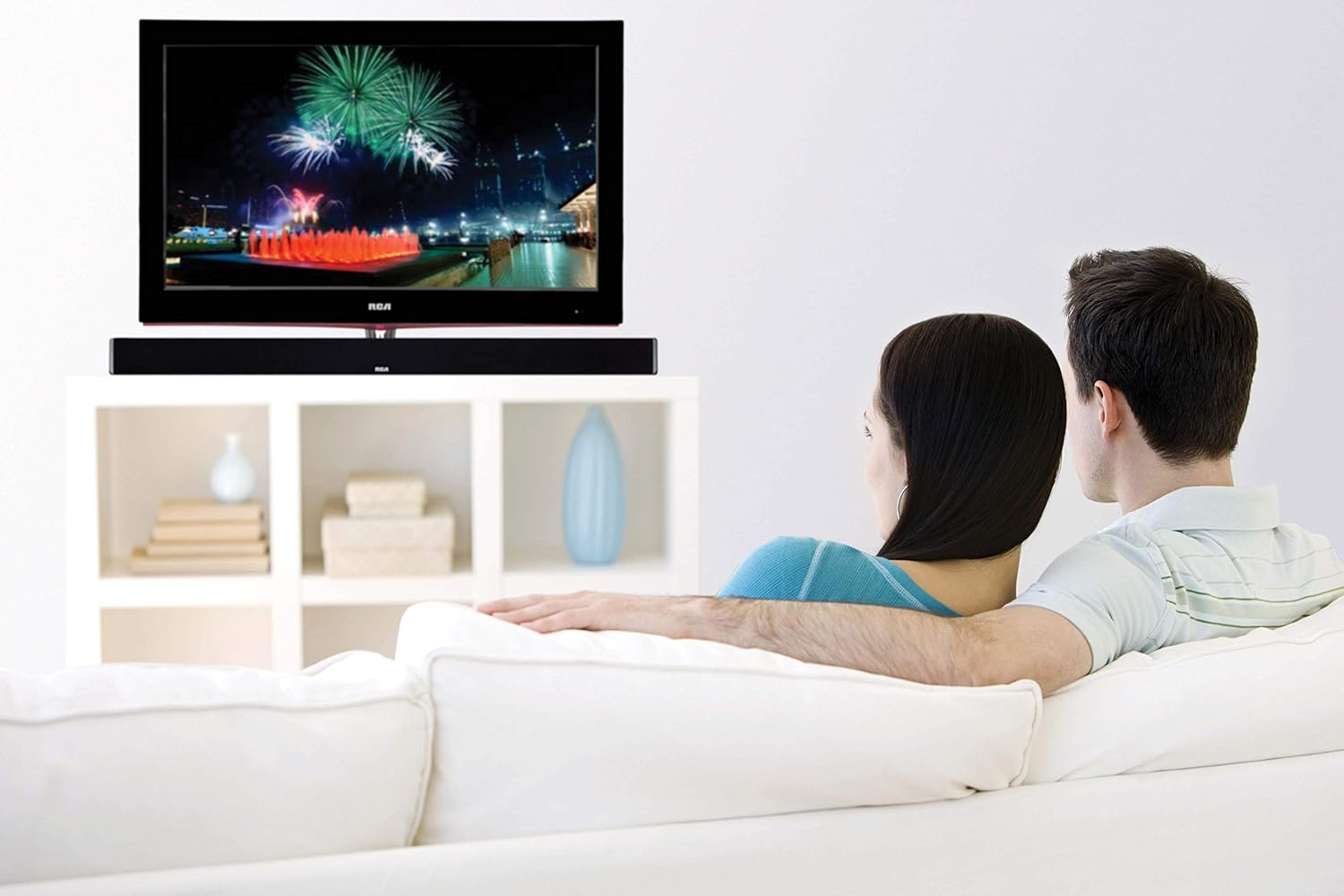
Image: The RCA sound bar positioned beneath a television, demonstrating a typical home theater setup.
2. Кубатка туташуу
- Кубат адаптерин үн тилкесинин арткы жагындагы DC IN портуна туташтырыңыз.
- Кубат адаптеринин экинчи учун розеткага сайыңыз.
3. Аудио байланыштары
Choose one of the following methods to connect your audio source to the sound bar:
- Оптикалык санариптик аудио: Connect an optical cable (not included) from your TV's Optical Out port to the OPTICAL IN port on the sound bar. This provides high-quality digital audio.
- Coaxial Digital Audio: Connect a coaxial cable (not included) from your TV's Coaxial Out port to the COAXIAL IN port on the sound bar. This also provides digital audio.
- Көмөкчү (AUX) киргизүү: Use an RCA stereo audio cable (not included) to connect your audio source (e.g., TV, DVD player) to the AUX IN ports (red for right, white for left) on the sound bar.
- Line-in Input: Use a 3.5mm audio cable (not included) to connect devices like MP3 players or smartphones to the LINE IN port on the sound bar.
- Bluetooth: Зымсыз туташуу үчүн, Иштетүү нускамаларынын астындагы "Bluetooth жупташтыруу" бөлүмүнө кайрылыңыз.
Иштөө нускамалары
Күйгүзүү/өчүрүү
- басыңыз КҮЧ button on the remote control or on the sound bar to turn the unit on or off.
Киргизүүнү тандоо
- басыңыз INPUT button on the remote control or on the sound bar repeatedly to cycle through available input sources (Optical, Coaxial, AUX, Line-in, Bluetooth).
- The indicator light on the sound bar will change to reflect the selected input.
Үндү көзөмөлдөө
- Басыңыз VOL+ көлөмүн көбөйтүү жана VOL- to decrease volume on the remote control or sound bar.
- басыңыз БАСУУ үндү өчүрүү же кайра үнсүз кылуу үчүн алыстан башкаруу пультундагы баскычты басыңыз.
Bluetooth Жупташтыруу
- Turn on the sound bar and select the Bluetooth input. The Bluetooth indicator light will flash, indicating it is in pairing mode.
- Мобилдик түзмөгүңүздө Bluetooth'ду иштетиңиз (смартфон, планшет ж.б.).
- Издөө "RCA Sound Bar" in your device's Bluetooth settings and select it to pair.
- Once successfully paired, the Bluetooth indicator light on the sound bar will stop flashing and remain solid.
- You can now stream audio wirelessly from your device to the sound bar.
Adjusting Treble and Bass
- колдонуу ЖОГОРКУ СУРАТТАР+ / ЖОГОРКУ СУРАТТАР- buttons on the remote control to adjust the high-frequency sound levels.
- колдонуу BASS+ / BASS- buttons on the remote control to adjust the low-frequency sound levels.
Техникалык тейлөө
- Тазалоо: Use a soft, dry cloth to clean the exterior of the sound bar. Do not use liquid cleaners or aerosol sprays.
- Сактагыч: Үн тилкесин узак убакытка сактасаңыз, аны розеткадан сууруп, салкын, кургак жерде сактаңыз.
Проблемаларды чечүү
| Көйгөй | Мүмкүн себеп | Чечим |
|---|---|---|
| Күч жок | Электр зымы туташкан эмес; Электр розеткалары активдүү эмес. | Электр шнурунун бекем туташтырылганын текшериңиз. Розетканы башка аспап менен текшериңиз. |
| Үн жок | Incorrect input selected; Volume too low; Mute function active; Incorrect audio cable connection. | Select the correct input source. Increase volume. Deactivate mute. Check audio cable connections. |
| Bluetooth жупташтыруу ишке ашпай калды | Үн тилкеси жупташтыруу режиминде эмес; Аппарат өтө алыс; Интерференция. | Ensure sound bar is in Bluetooth input and indicator is flashing. Move device closer. Avoid other wireless devices. |
| Пульт иштебей жатат | Батареялар түгөнгөн; Пульт менен үн тактасынын ортосундагы тоскоолдук. | Replace remote control batteries. Remove any obstructions. Ensure remote is pointed at the sound bar's sensor. |
Техникалык шарттар
| Өзгөчөлүк | Деталь |
|---|---|
| Модель аты | RTS7010BR6 |
| Бренд | RCA |
| Динамик түрү | Саундбар |
| Динамик өлчөмү | 37 дюйм |
| Динамиктин максималдуу чыгаруу күчү | 30 Ватт |
| Көлөмдүү үн каналынын конфигурациясы | 2.0 |
| Байланыш технологиясы | Көмөкчү, Bluetooth, Коаксиалдык, Оптикалык |
| Зымсыз байланыш технологиясы | Bluetooth |
| Шайкеш түзмөктөр | Smartphone, Tablet, MP3 Player |
| Башкаруу ыкмасы | Алыстан |
| Power Source | Adaptor-Powered |
| Продукциянын өлчөмдөрү | 7"D x 41.5"W x 6"H |
| Элемент Салмагы | 4.74 фунт |
| Материал | Металл, пластик, жыгач |
| Түс | Кара |
| UPC | 062118470106 |
Кепилдик жана колдоо
This RCA RTS7010BR6 Sound Bar includes a 1-Year limited manufacturer warranty. For warranty claims or technical support, please refer to the contact information provided with your product packaging or visit the official RCA support webсайт.


