Introduction
This manual provides instructions for the proper setup, operation, and maintenance of your Linq IT-H408 4-Port USB 2.0 Hub. This device allows you to expand a single USB port into four, each with an independent on/off switch, facilitating efficient management of connected peripherals.
Продукт бүттүview
The Linq IT-H408 is a USB 2.0 hub designed to provide four additional USB ports. Each port features an individual power switch, allowing you to control power to connected devices independently. It supports data transfer speeds of up to 480 Mbps.
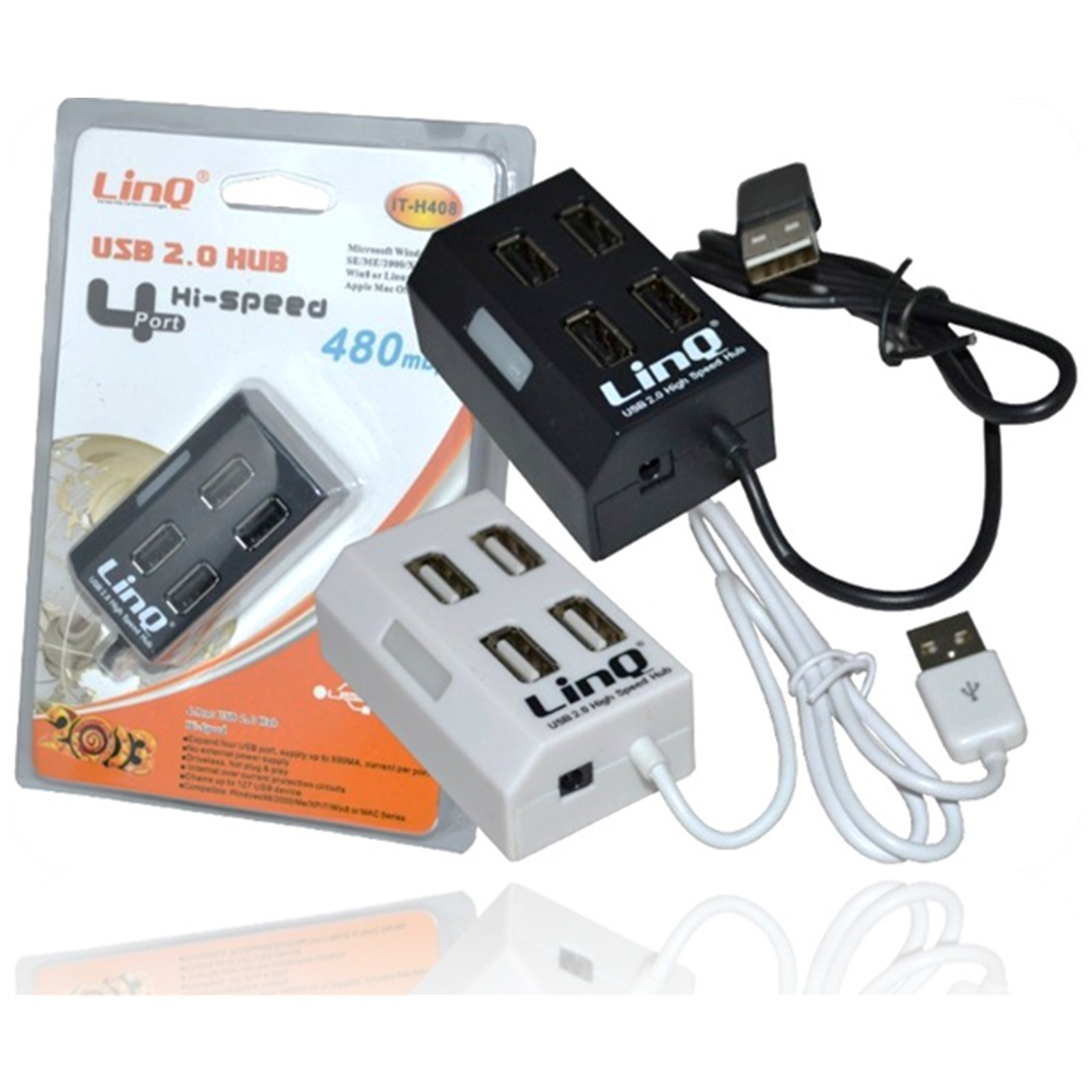
Figure 1: Linq IT-H408 4-Port USB 2.0 Hub. This image displays the hub's compact form factor, highlighting the four USB ports and their corresponding individual power switches, along with the integrated USB cable for connection to a host device.
Орнотуу нускамалары
- Хабды таңгактан чыгаруу: Carefully remove the Linq IT-H408 USB Hub from its packaging.
- Компьютерге туташуу: Plug the integrated USB cable from the hub into an available USB 2.0 or USB 3.0 port on your computer.
- Драйверди орнотуу: The hub is plug-and-play and typically does not require additional driver installation for compatible operating systems (Windows 98/2000/ME/XP/7/8, Mac OS series). Your operating system should automatically detect and configure the device.
- Перифериялык түзүлүштөрдү туташтыруу: Plug your USB devices (e.g., flash drives, keyboards, mice) into the available ports on the Linq IT-H408 hub.
Operating the Hub
- Powering On/Off Ports: Each USB port on the Linq IT-H408 has an independent on/off switch. Press the switch corresponding to the desired port to toggle its power state. An indicator light (if present) will illuminate when the port is active.
- Түзмөктөрдү туташтыруу: Insert your USB device into an available port. Ensure the port is powered on using its individual switch.
- Маалыматтарды өткөрүү: The hub supports USB 2.0 data transfer speeds up to 480 Mbps. Performance may vary based on the connected device and host system.
- Энергияны керектөө: For high-power devices, ensure your computer's USB port can supply sufficient power. If multiple high-power devices are connected, an external power adapter (not included) might be required for optimal performance, if the hub supports it.
Техникалык тейлөө
- Тазалоо: Хабдын сыртын тазалоо үчүн жумшак, кургак чүпүрөктү колдонуңуз. Суюк тазалагычтарды же эриткичтерди колдонуудан алыс болуңуз.
- Сактагыч: Колдонулбаган учурда хабды күн тийбеген жана өтө температурадан алыс салкын, кургак жерде сактаңыз.
- Колдонуу: Avoid dropping the hub or subjecting it to strong impacts. Do not attempt to disassemble the device.
Проблемаларды чечүү
Түзмөк таанылган жок:
- Ensure the hub's USB cable is securely connected to your computer.
- Verify that the individual switch for the connected port is in the "on" position.
- Компьютердеги борборду башка USB портуна туташтырып көрүңүз.
- Test the connected device by plugging it directly into your computer's USB port to rule out device issues.
- Компьютериңизди өчүрүп күйгүзүңүз.
Жай маалымат берүү ылдамдыгы:
- Ensure both the hub and the connected device are USB 2.0 compatible for optimal USB 2.0 speeds.
- Avoid connecting multiple high-bandwidth devices simultaneously if experiencing slowdowns.
- Ensure the hub is connected to a USB 2.0 or higher port on your computer.
Үзгүлтүксүз туташуу:
- Бардык кабелдик байланыштардын боштугун текшериңиз.
- Ensure the hub is not placed near sources of strong electromagnetic interference.
- If using a desktop computer, try connecting the hub to a rear USB port directly on the motherboard.
Техникалык шарттар
| Модель номери | IT-H408 (Internal: 6950029010495) |
| Бренд | Linq |
| Интерфейс | USB 2.0 |
| Порттардын саны | 4 (with individual switches) |
| Маалыматтарды өткөрүү ылдамдыгы | 480 Мбит/сек чейин |
| Шайкеш операциялык системалар | Windows 98 / 2000 / ME / XP / 7 / 8, Mac OS series |
| Түс | Ак, Кара |
| Өлчөмдөрү (болжол менен) | 19 x 11.6 x 5 см (Таңгактын өлчөмдөрү) |
| Салмагы (болжол менен) | 80 грамм |
| Батареялар талап кылынат | Жок |
Кепилдик жана колдоо
Specific warranty information for the Linq IT-H408 USB Hub is typically provided at the point of purchase or within the product packaging. Please refer to your purchase documentation for details regarding warranty coverage and duration.
For technical support or further assistance, please contact your retailer or visit the official Linq webсайт. Сатып алуу квитанциясын кепилдик дооматтары үчүн сатып алуунун далили катары сактаңыз.