1. Киришүү
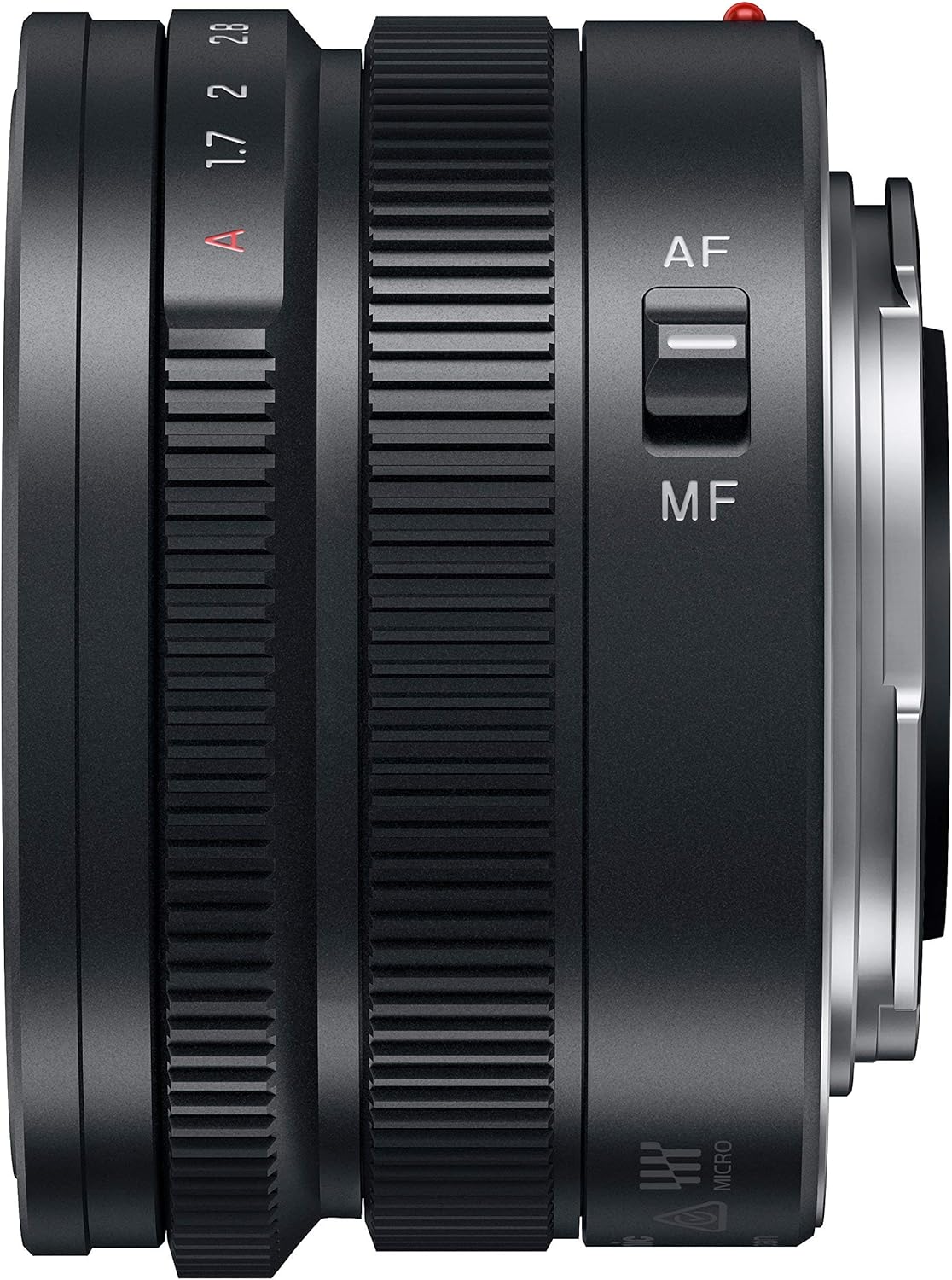
This manual provides essential information for the safe and effective use of your Panasonic Leica DG SUMMILUX 15mm F1.7 ASPH. lens. This F1.7 "SUMMILUX" single focus lens is designed to capture high-resolution images with beautiful bokeh. Its compact and lightweight design enhances portability, making it suitable for various photographic applications. The lens features an aperture ring and an AF/MF switch for intuitive and comfortable operation, complemented by a high-quality metal exterior finish.
2. Продукциянын өзгөчөлүктөрү
- F1.7 "SUMMILUX" single focal lens for high resolution and bokeh.
- Compatible with compact Micro Four Thirds camera bodies.
- Compact and lightweight design for superior portability.
- Equipped with an aperture ring for intuitive control.
- Features an AF/MF (Autofocus/Manual Focus) switch for versatile operation.
- High-quality metal exterior finish.
3. Пакеттин мазмуну
Төмөнкү нерселердин баары пакетиңизге камтылганын текшериңиз:
- Panasonic Leica DG SUMMILUX 15mm F1.7 ASPH. Lens (H-X015-K)
- Алдыңкы линзанын капкагы
- Арткы линзанын капкагы
- Линза капкагы
- Линзалык баштык
- Instruction Manual / Documentation
4. Орнотуу
4.1 Объективди бекитүү
- Линзанын арткы капкагын линзадан, ал эми корпус капкагын камерадан чыгарыңыз.
- Линзанын цилиндриндеги кызыл чекитти камераңыздын линза бекиткичиндеги кызыл чекит менен тегиздеңиз.
- Линзаны камеранын бекиткичине акырын салып, ордуна чыкылдаган үн чыкканча саат жебеси боюнча айландырыңыз. Линзаны күч менен баспаңыз.
4.2 Объективди алып салуу
- Камера өчүк экенин текшериңиз.
- Камераңыздын корпусундагы линзаларды чыгаруу баскычын басып, кармап туруңуз.
- Линзаны камера корпусунан ажырагыча саат жебесине каршы айлантыңыз.
- Линзанын элементтерин коргоо үчүн алдыңкы жана арткы линзанын капкактарын бекитиңиз.
5. Объективди иштетүү
5.1 Автофокус (AF) / Кол менен фокустоо (MF) которгучу
The lens features a switch to select between autofocus and manual focus modes:
- Автофокус (автофокус): The camera automatically adjusts the focus. This is suitable for most shooting situations.
- MF (Кол менен Фокустоо): Allows you to manually adjust the focus by rotating the focus ring on the lens. Use this for precise control over focus, especially in challenging lighting conditions or for creative effects.
Ensure the camera's focus mode setting also matches the lens's setting for optimal performance.
5.2 Aperture Ring
The aperture ring on the lens allows for direct control over the lens's aperture (f-stop). Rotating the ring changes the aperture value, affecting the depth of field and the amount of light entering the camera. The available aperture range is from F1.7 (widest) to F16 (narrowest). For automatic aperture control, set the ring to the 'A' position.
6. Техникалык тейлөө жана кам көрүү
- Линзаны тазалоо: Use a soft, lint-free cloth or a lens brush to remove dust. For smudges, use a specialized lens cleaning solution and a microfiber cloth. Avoid touching the lens elements directly with your fingers.
- Линза корпусун тазалоо: Wipe the lens body with a dry, soft cloth. Do not use organic solvents like thinner or benzene.
- Сактагыч: When not in use, always attach the front and rear lens caps. Store the lens in its pouch in a cool, dry, and well-ventilated place, away from direct sunlight and high humidity. Avoid storing it with mothballs or chemicals that may cause corrosion.
- Температура: Avoid exposing the lens to extreme temperatures. Rapid changes in temperature can cause condensation.
7. Кыйынчылыктарды
Эгерде сиз линзаңыз менен көйгөйлөргө туш болсоңуз, төмөнкү жалпы көйгөйлөрдү чечүү кадамдарын карап көрүңүз:
- Объектив камера тарабынан таанылган жок: Линзанын камеранын корпусуна бекем бекитилгенин текшериңиз. Линзанын жана камеранын электр контакттарын кургак, таза чүпүрөк менен сүртүңүз.
- Автофокус иштебейт: Check if the AF/MF switch on the lens is set to AF. Verify the camera's focus mode settings. Ensure there is sufficient light and contrast for the autofocus system to operate effectively.
- Image quality issues (e.g., blurry images): Check if the lens elements are clean. Ensure the focus is correctly set (either by AF or MF). Verify camera settings such as shutter speed and ISO.
For persistent issues, consult your camera's instruction manual or contact Panasonic customer support.
8. Техникалык шарттар
| Өзгөчөлүк | Деталь |
|---|---|
| Продукциянын өлчөмдөрү | 1.42 x 2.26 x 2.26 дюйм |
| Элемент Салмагы | 4.1 унция |
| Элемент моделинин номери | H-X015-K |
| Бренд | Panasonic |
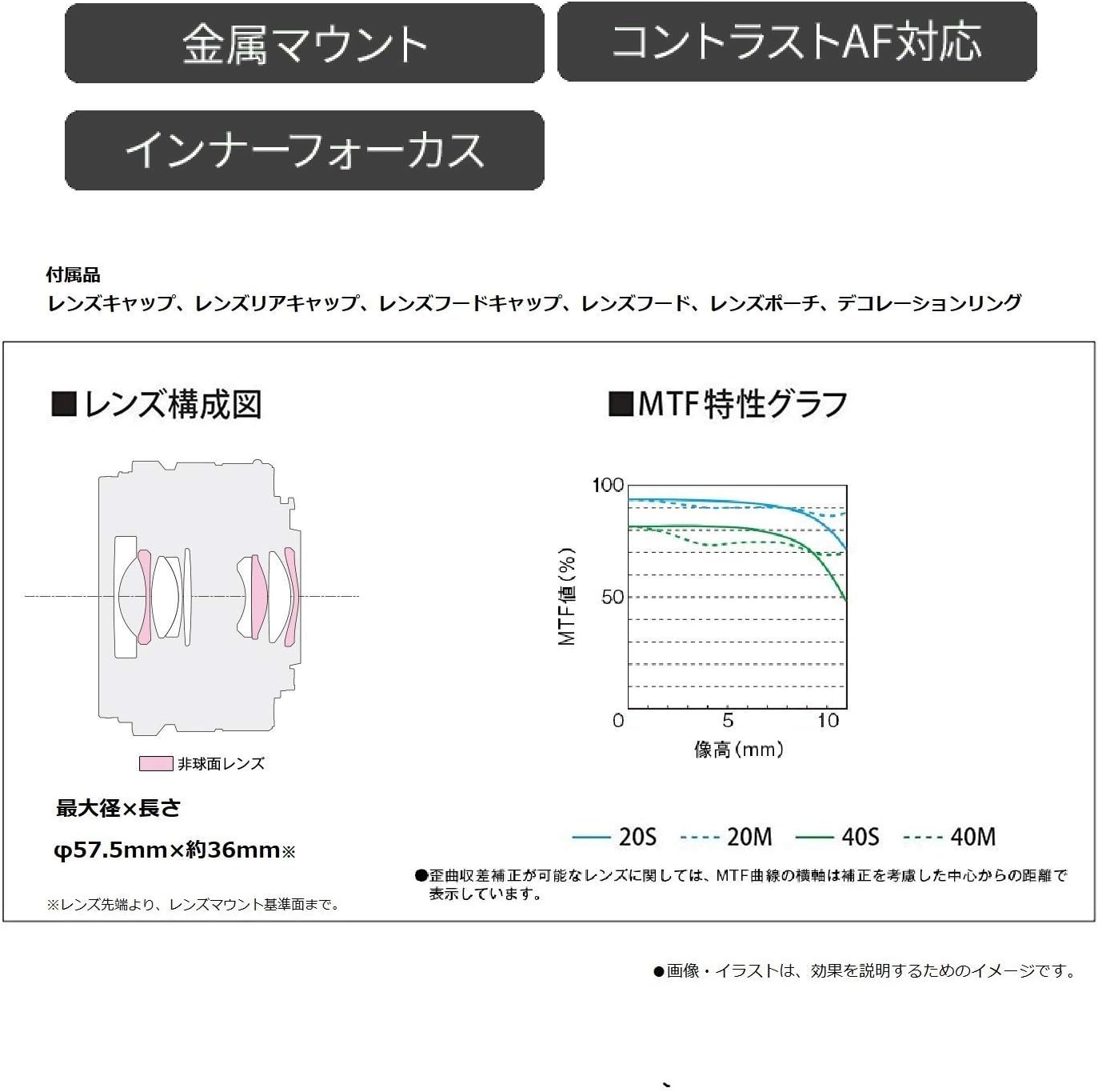
| Линзанын түрү | 9 sheets in 7 groups |
| Шайкеш орнотуулар | Micro Four Thirds |
| Камера объективинин сүрөттөлүшү | Monofocal Lens |
| Максималдуу фокус узундугу | 15 миллиметр |
| Дата биринчи жеткиликтүү | 26-март, 2014-жыл |
| Өндүрүүчү | Panasonic |
9. Кепилдик жана колдоо
This product is manufactured by Panasonic. For warranty information, please refer to the documentation included with your lens. Please note that international versions of products may have different warranty terms or may not be covered by local warranties. For technical support, service, or further inquiries, please visit the official Panasonic support webсайтка же регионуңуздагы кардарларды тейлөө бөлүмүнө кайрылыңыз.
10. Продукциянын визуалдык көрүнүштөрү