1. Киришүү
The Mars Gaming MS1 2.0 Stereo Speakers are designed to deliver clear and powerful audio for your computing and gaming needs. Featuring a compact design and 10W RMS power, these speakers are suitable for various desktop environments. This manual will guide you through the essential steps to get the most out of your speakers.
2. Кутуда эмне бар
Сураныч, пакеттин мазмунун текшерип, бардык буюмдар бар экенин текшериңиз:
- Mars Gaming MS1 2.0 Stereo Speakers (2 units)
- Интеграцияланган USB кубат кабели
- Integrated 3.5mm Audio Jack Cable
- Колдонуучунун Колдонмосу (бул документ)

Image 2.1: Mars Gaming MS1 Speakers showing the connected cables and in-line volume control.
3. Орнотуу нускамалары
Follow these steps to connect your Mars Gaming MS1 speakers:
- Динамиктерди жайгаштыруу: Place the two speaker units on a stable surface, such as your desk, ensuring they are positioned for optimal sound delivery.
- Аудио кабелди туташтыруу: Locate the 3.5mm audio jack cable extending from one of the speakers. Plug this jack into the 3.5mm audio output port on your computer, laptop, or other audio source.
- USB кубатын туташтыруу: Locate the USB-A power cable. Plug this USB connector into an available USB port on your computer or a compatible USB power adapter (5V/1A recommended). The speakers will power on automatically.
- Үндү тууралоо: Use the in-line volume control wheel on the cable to adjust the speaker volume to your desired level. You may also need to adjust the volume settings on your connected device.
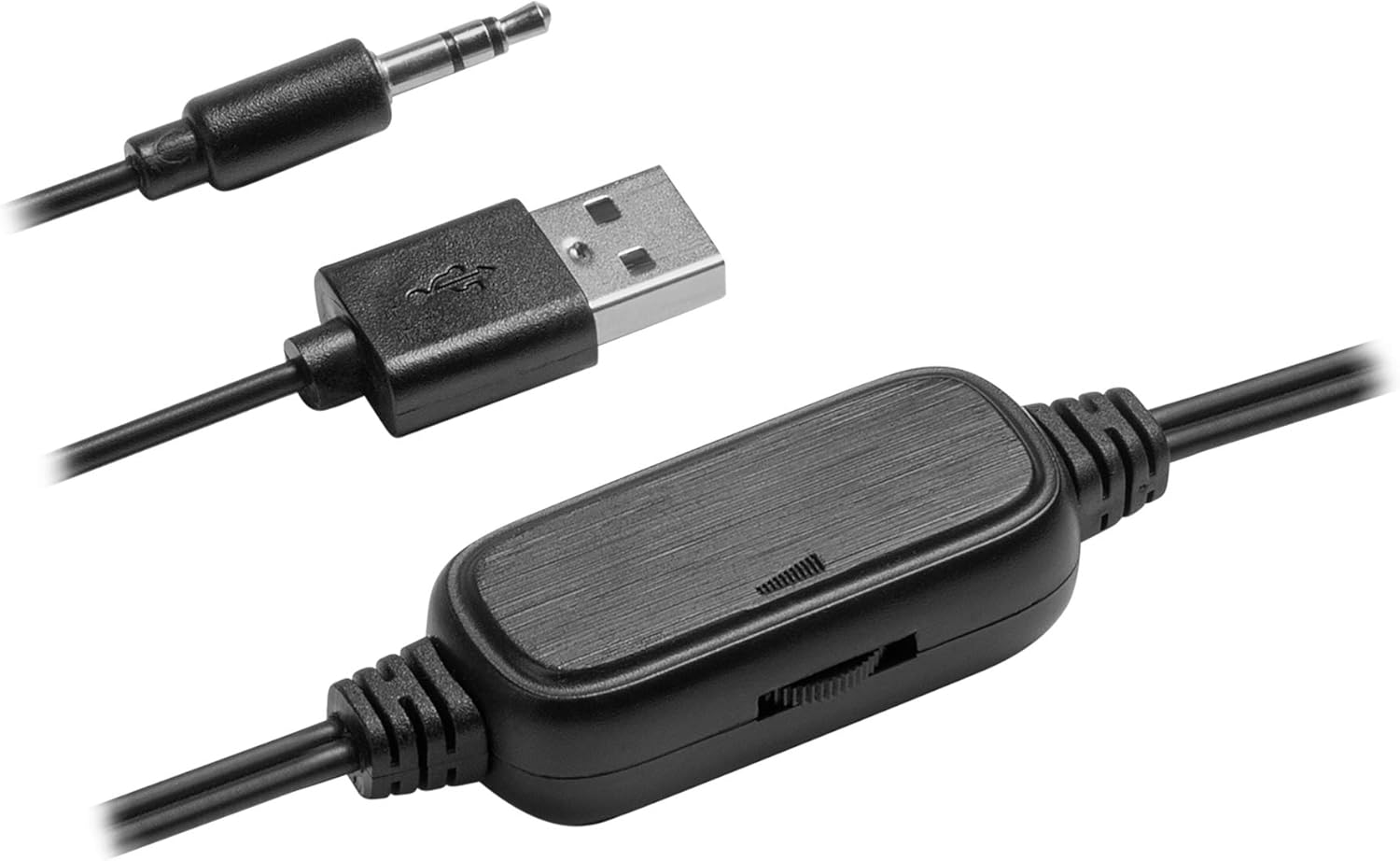
Сүрөт 3.1: Детальдуу view of the in-line volume control, USB power connector, and 3.5mm audio jack for connection.
4. Иштөө нускамалары
The Mars Gaming MS1 speakers are designed for simple plug-and-play operation:
- Күйгүзүү/өчүрүү: The speakers power on automatically when the USB cable is connected to a powered USB port. To turn them off, disconnect the USB power cable.
- Үндү көзөмөлдөө: Adjust the audio output level using the integrated volume control wheel located on the cable. Rotate the wheel to increase or decrease the volume.
- Аудио булагы: Ensure your audio source (computer, laptop, etc.) is playing sound and its volume is also adjusted appropriately.
Video 4.1: Official product video demonstrating the features and design of the Mars Gaming MS1 Speakers. This video showcases the compact size, volume control, and driver configuration.
5. Өзгөчөлүктөрү
- Компакт жана жеңил дизайн: The MS1 speakers feature a reduced size, ideal for small desktops, with a distinctive red and black finish.
- 10W RMS Power: Delivers powerful audio output for an immersive experience.
- 6 Sound Drivers: Equipped with 4 passive drivers and 2 active drivers for enhanced sound quality.
- USB менен иштейт: Conveniently powered via a standard USB port, eliminating the need for an external power adapter.
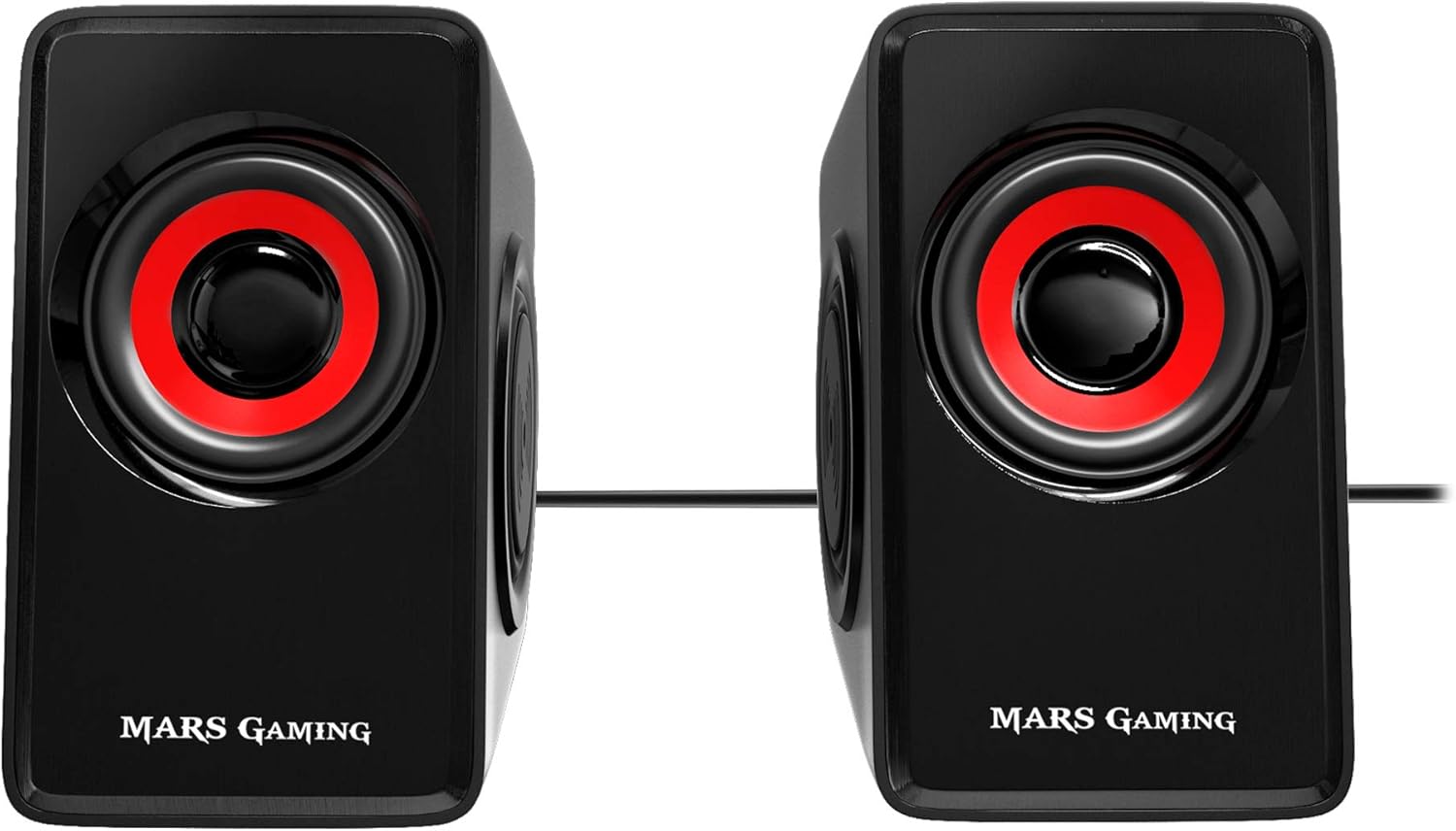
Сүрөт 5.1: Алдыңкы view of the Mars Gaming MS1 speakers, highlighting their compact design and red/black aesthetic.
6. Техникалык шарттар
| Өзгөчөлүк | Спецификация |
|---|---|
| Модел | MS1 |
| Бренд | Mars Gaming |
| Динамик түрү | 2.0 Stereo Speakers (4 passive, 2 active drivers) |
| Аудио чыгаруу режими | Стерео |
| Максималдуу чыгаруу күчү | 10 Ватт RMS |
| Frequency Response | 60 KHz (Note: This value is unusually high for a low-frequency response. Typically, this would be 60 Hz - 20 kHz for full-range speakers.) |
| Сигнал-ызы-чуу катышы (SNR) | 90 дБ |
| Байланыш | 3.5mm Audio Jack (Wired) |
| Power Source | USB (зымдуу электр) |
| Башкаруу ыкмасы | Integrated Volume Control Wheel |
| Продукциянын өлчөмдөрү (ар бир баяндамачы) | 2.56"D x 3.15"W x 4.33"H (6.5cm D x 8cm W x 11cm H) |
| Элемент Салмагы | 1.21 фунт (0.55 кг) |
7. Техникалык тейлөө
To ensure the longevity and optimal performance of your Mars Gaming MS1 speakers, follow these maintenance guidelines:
- Тазалоо: Use a soft, dry cloth to wipe the exterior of the speakers. Avoid using liquid cleaners, aerosols, or abrasive materials, as these can damage the finish or internal components.
- Жайгашкан жери: Кокусунан кулап кетпеши үчүн, динамиктерди туруктуу, тегиз жерге коюңуз. Аларды күн нуру түз тийген жерге, жылуулук булактарынын жанына же нымдуулугу жогору жерлерге койбоңуз.
- Кабельге кам көрүү: Handle the cables gently. Avoid bending, twisting, or pulling the cables excessively, as this can cause internal damage.
- Сактагыч: If storing the speakers for an extended period, disconnect them from power and audio sources and store them in a cool, dry place.
8. Кыйынчылыктарды
If you encounter issues with your Mars Gaming MS1 speakers, refer to the following common problems and solutions:
- Үн жок:
- Ensure the USB power cable is securely connected to a powered USB port.
- Verify the 3.5mm audio jack is fully inserted into the audio output port of your device.
- Check the in-line volume control wheel and ensure it is not set to minimum.
- Confirm that the volume on your connected device (computer, laptop) is not muted or set too low.
- Test the speakers with a different audio source or device to rule out an issue with the original source.
- Бурмаланган үн:
- Reduce the volume on both the speakers and your audio source. High volume levels can cause distortion.
- Бардык кабелдик байланыштар коопсуз экенин текшериңиз.
- Check if the audio source itself is producing distorted sound.
- Speakers Not Powering On:
- Confirm the USB power cable is connected to a functional USB port that provides power. Try a different USB port or a USB wall adapter.
9. Кепилдик жана колдоо
Mars Gaming products are manufactured to high-quality standards. For information regarding warranty coverage, technical support, or service, please refer to the official Mars Gaming webсайтка же түздөн-түз кардарларды колдоо менен байланышыңыз. Сатып алуу квитанциясын кепилдик дооматтары үчүн сатып алуунун далили катары сактаңыз.
Кошумча жардам алуу үчүн төмөнкүгө кириңиз: www.marsgaming.eu


