Introduction
This user manual provides essential information for setting up, operating, maintaining, and troubleshooting your Vibox Standard 3XL Gaming PC. Please read this manual thoroughly before using your computer to ensure proper function and longevity of the product. Keep this manual for future reference.
Коопсуздук маалыматы
- Ensure the PC is placed on a stable, flat surface with adequate ventilation.
- Do not block ventilation openings. Overheating can damage components.
- Keep the PC away from direct sunlight, heat sources, and liquids.
- Use only the power supply unit provided with the PC.
- Тазалоодон же кандайдыр бир техникалык тейлөө иштерин жүргүзүүдөн мурун электр кабелин сууруп салыңыз.
- Do not open the PC casing unless instructed by a qualified technician.
- Avoid placing heavy objects on the PC or its cables.
Пакеттин мазмуну
Төмөндө тизмеленген нерселердин баары пакетиңизде бар экенин текшериңиз:
- Vibox Standard 3XL Gaming PC Tower
- 21.5-inch LED HD Monitor
- UK QWERTY Gamer Keyboard
- Оюнчу чычкан
- Кубат кабели(лери)
- HDMI кабели
- Windows 10 Operating System Disk/License Key
- Колдонуучунун Колдонмосу (бул документ)
Орнотуу колдонмосу
1. Пакеттен чыгаруу жана жайгаштыруу
Carefully remove all components from their packaging. Place the PC tower on a flat, stable surface, ensuring sufficient space around it for airflow. Avoid placing it in enclosed cabinets.

Сүрөт 1: Алдыңкы view of the Vibox Standard 3XL Gaming PC tower, showcasing its design and blue LED accents.
2. Перифериялык түзүлүштөрдү туташтыруу
- Монитор: Connect the HDMI cable from your monitor to the HDMI port on the back of the PC.
- Баскычтоп жана чычкан: Connect the USB cables from your keyboard and mouse to any available USB ports on the back or front of the PC.
- Күч: Connect the power cable to the power supply unit on the back of the PC, then plug the other end into a wall outlet. Connect the monitor's power cable to an outlet as well.
- Тармак (милдеттүү эмес): For a wired internet connection, connect an Ethernet cable from your router to the Ethernet port on the back of the PC. For Wi-Fi, ensure the Wi-Fi antenna (if provided) is connected.

2-сүрөт: жогорудан ылдыйга view of the PC, illustrating the location of top-mounted USB ports and ventilation.
3. Initial Power-On and Windows Setup
- Press the power button on the front of the PC tower.
- Мониторуңузду күйгүзүңүз.
- Follow the on-screen instructions to complete the Windows 10 setup process. This typically involves selecting your region, language, creating a user account, and accepting terms.
- Once Windows 10 is set up, you may need to install drivers for any additional peripherals or update existing drivers.
Иштөө нускамалары
Күйгүзүү/өчүрүү
- Күйгүзүү: ЖКнын алдындагы кубат баскычын басыңыз.
- Жабуу: Click the Start button in Windows 10, then select Power > Shut down. Do not force shut down by holding the power button unless absolutely necessary to prevent data loss.
- Кайра баштоо үчүн: Баштоо баскычын чыкылдатып, андан кийин Кубат > Кайра иштетүүнү тандаңыз.
USB түзмөктөрүн туташтыруу
Your PC is equipped with multiple USB 2.0 and USB 3.0 ports. USB 3.0 ports are typically blue and offer faster data transfer speeds. Simply plug your USB device into an available port.
Картаны окуу куралын колдонуу
The integrated card reader supports various memory card formats. Insert your memory card into the appropriate slot on the PC. The card will appear as a removable drive in 'This PC' (or 'My Computer').
Техникалык тейлөө
Тазалоо
- Сырткы: жумшак колдонуу, damp cloth to wipe the exterior of the PC. Avoid abrasive cleaners or solvents.
- Вентиляция: Periodically use compressed air to clear dust from the ventilation grilles to ensure optimal airflow and prevent overheating. Ensure the PC is powered off and unplugged before doing so.
- Монитор: Use a specialized screen cleaner and a microfiber cloth for the monitor display.
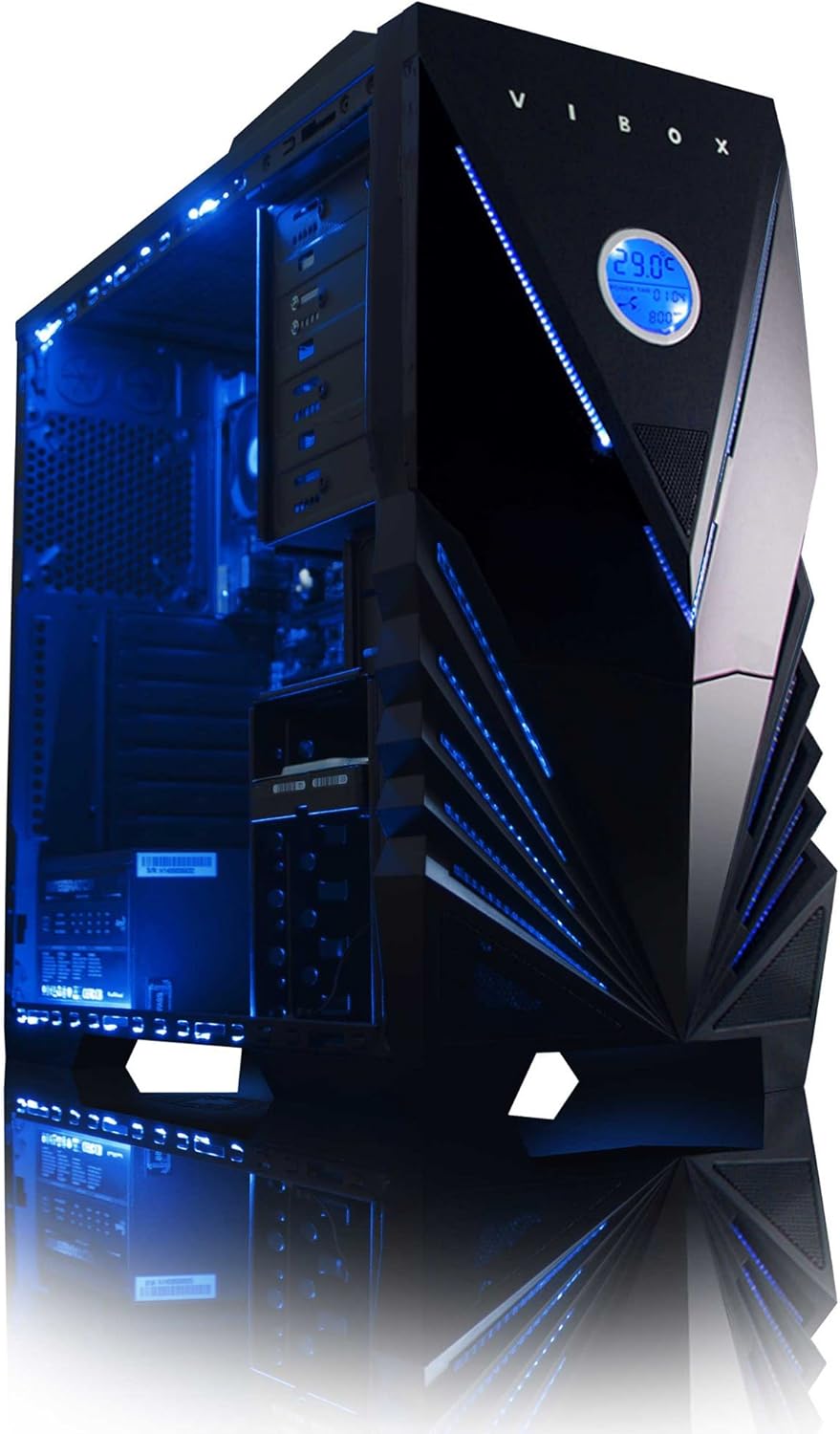
3-сүрөт: Ички view of the Vibox Standard 3XL Gaming PC, highlighting the arrangement of components and cooling system.
Программалык камсыздоо жаңыртуулары
Regularly update your Windows operating system, drivers, and antivirus software to ensure system stability, security, and optimal performance.
Маалыматтын камдык көчүрмөсү
It is recommended to regularly back up important data to an external drive or cloud storage to prevent data loss in case of system failure.
Проблемаларды чечүү
| Көйгөй | Мүмкүн себеп | Чечим |
|---|---|---|
| PC күйбөйт. | Power cable loose, power supply issue, power button malfunction. | Check all power connections. Ensure the wall outlet is functional. Try a different power cable if available. |
| Монитордо дисплей жок. | Monitor not powered, video cable loose, incorrect input selected on monitor. | Ensure monitor is powered on and connected. Check video cable connections. Select correct input source on monitor (e.g., HDMI). |
| PC is running slow. | Too many programs running, insufficient RAM, hard drive full, malware. | Close unnecessary applications. Check disk space. Run antivirus scans. Consider upgrading RAM if consistently slow. |
| Перифериялык түзүлүштөр (клавиатура/чычкан) жооп бербей жатат. | USB туташуусу бошоп калды, драйверде көйгөй бар. | Reconnect the peripheral to a different USB port. Restart the PC. Check device manager for driver issues. |
Бул жерде каралбаган маселелерге туш болсоңуз же кошумча жардам керек болсо, Колдоо бөлүмүнө кайрылыңыз.
Техникалык шарттар
| Өзгөчөлүк | Деталь |
|---|---|
| Бренд | Vibox |
| Модель номери | VBX-PC-6450 |
| Сериялар | VIBOX Standard |
| Операция системасы | Windows 10 |
| Процессор бренди | AMD |
| Процессордун түрү | Athlon 64 FX (AMD A8 Quad-Core) |
| Процессордун ылдамдыгы | 3.1 ГГц (3.8 ГГц турбо) |
| Өзөктөрдүн саны | 4 |
| RAM | 32 ГБ DDR3 1600 МГц |
| Максималдуу эс тутум колдоого алынат | 32 ГБ |
| Катуу дисктин өлчөмү | 2000 ГБ (2 ТБ) |
| Катуу диск технологиясы | HDD (7200 RPM, Serial ATA 600) |
| Графикалык чипсет бренди | Radeon |
| Графикалык картанын сүрөттөлүшү | AMD Radeon R7 (интегралдык) |
| Дисплей технологиясы | Тийбестик |
| Screen Size (Included Monitor) | 21.5 дюйм |
| Screen Resolution (Included Monitor) | 1920 x 1080 (1080p Full HD) |
| Аспект катышы | 16:9 |
| Байланыш түрү | Wi-Fi (802.11bgn) |
| Bluetooth шайкеш | Жок |
| HDMI порттору | 1 |
| USB 2.0 порттору | 6 |
| USB 3.0 порттору | 3 |
| Ethernet порттору | 1 |
| Өзгөчөлүктөр | Card Reader |
| Өлчөмдөрү (L x W x Y) | 51.5 x 19 x 44 см |
| Продукт Салмагы | 16 Grams (PC Tower only) |
Кепилдик маалымат
Your Vibox Standard 3XL Gaming PC comes with a Өмүр бою кепилдик. This warranty covers manufacturing defects and hardware failures under normal use conditions. For specific terms and conditions, please refer to the warranty documentation included with your purchase or contact Vibox customer support.
To claim warranty service, you will typically need your proof of purchase and the product's serial number. Do not attempt to repair the product yourself, as this may void your warranty.
Кардарларды колдоо
For technical assistance, troubleshooting beyond this manual, or warranty inquiries, please contact Vibox customer support. You can usually find contact information (phone number, email, or support webсайт) өндүрүүчүнүн расмий сайтында webсайтында же таңгактоо материалдарында.
When contacting support, please have your product model number (VBX-PC-6450) and serial number ready to expedite the service process.


