1. Киришүү
The Betron DC950 in-ear headphones are designed to provide a high-fidelity audio experience with deep bass. Featuring an ergonomic design for comfort and passive noise isolation, these wired earphones are suitable for various audio content and activities. This manual provides essential information for setup, operation, maintenance, and troubleshooting to ensure optimal performance and longevity of your headphones.

Image: Betron DC950 in-ear headphones, showcasing their sleek black and silver design with red accents on the cable.
2. Пакеттин мазмуну
Төмөндө тизмеленген нерселердин баары пакетиңизге камтылганын текшериңиз:
- Betron DC950 наушник
- Extra Ear Cushions (various sizes)
- Коргоочу кап
- Колдонуучунун Колдонмосу (бул документ)
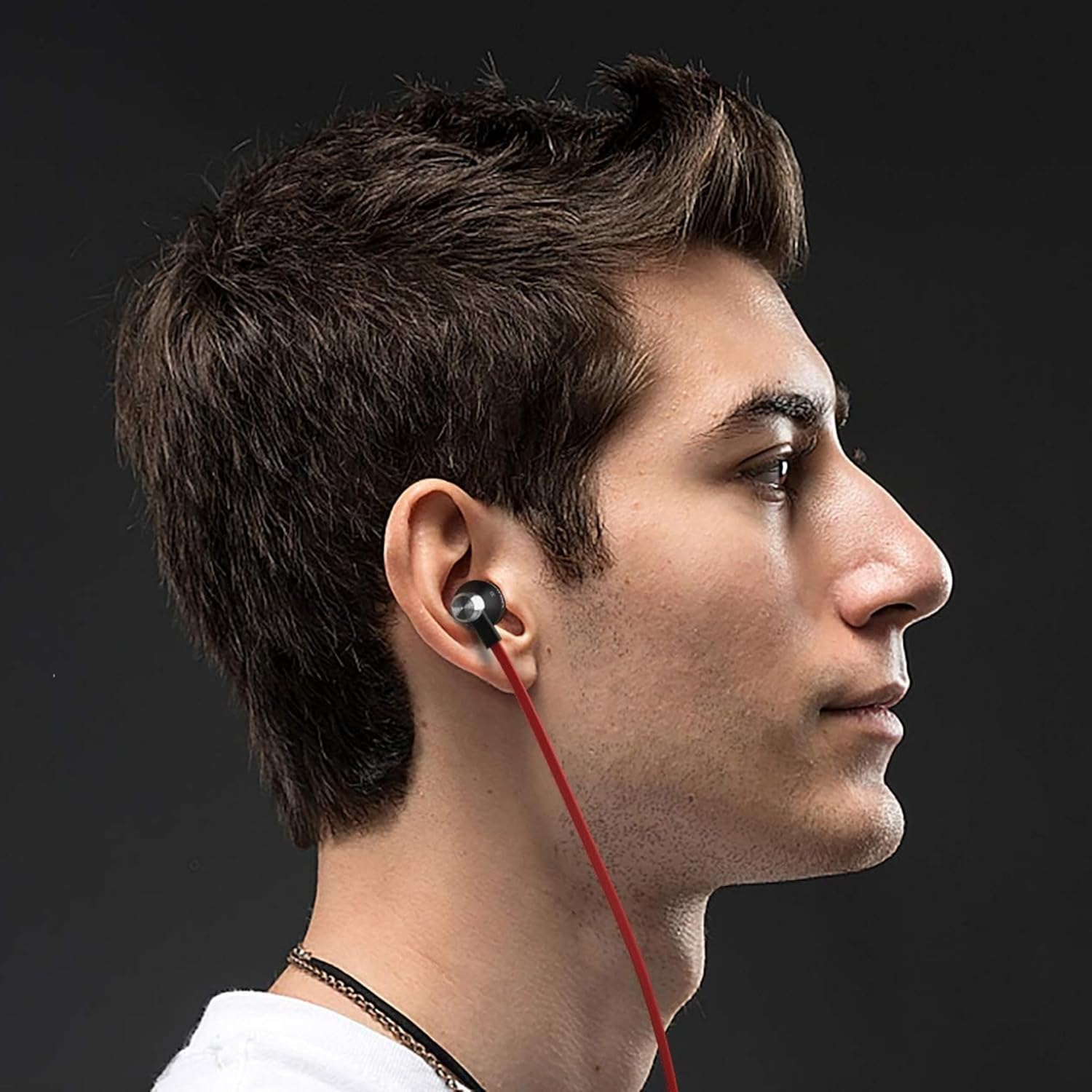
Image: Contents of the Betron DC950 package, including the earphones, multiple sets of ear cushions, a cable clip, and a black drawstring pouch.
3. Орнотуу
3.1 Choosing the Right Ear Cushions
For optimal sound quality and comfort, select the ear cushions that best fit your ears. The package includes multiple sizes (Small, Medium, Large) to ensure a secure and comfortable fit. A proper seal is crucial for effective passive noise isolation and deep bass response.
- Experiment with different sizes to find the best fit.
- The earphone should sit snugly in your ear canal without causing discomfort.

Сүрөт: жакын план view of the Betron DC950 earbuds, highlighting the ergonomic design and the ear cushions.
3.2 Түзмөгүңүзгө туташуу
The Betron DC950 earphones feature a universal 3.5mm audio jack for broad compatibility. Simply plug the 3.5mm connector into the headphone port of your audio device.
- Compatible devices include smartphones, tablets, laptops, and gaming consoles.
- Ensure the connector is fully inserted into the port.
- Some newer devices may require a separate 3.5mm adapter (not included).

Image: The L-shaped gold-plated 3.5mm audio jack of the Betron DC950 headphones, designed for durability and compatibility.
4. Иштөө нускамалары
4.1 Негизги аудио ойнотуу
Once connected, your Betron DC950 earphones will play audio directly from your device. Adjust the volume using your device's controls. These earphones are designed for audio listening and do not include an inline microphone or control buttons.
4.2 Passive Noise Isolation
The ergonomic design and proper fit of the ear cushions provide passive noise isolation, effectively reducing ambient noise. This allows for a clearer and more immersive listening experience without the need for active noise cancellation technology.
Video: An official Betron video demonstrating the features of the DC950 earphones, including their bass-driven sound and stylish metal housing.
5. Техникалык тейлөө
Proper care will extend the life and performance of your Betron DC950 earphones.
- Тазалоо: Gently wipe the earphones and ear cushions with a soft, dry cloth. Do not use harsh chemicals or abrasive materials.
- Кабельге кам көрүү: The 1.2-meter flat cable is designed to be tangle-free. Avoid excessive pulling or sharp bends to prevent internal damage.
- Сактагыч: Use the included protective case for storage and transport to prevent damage from impacts or tangling with other items.
- Терге чыдамдуу дизайн: While sweatproof, avoid submerging the earphones in water. Wipe off sweat after use, especially during intense activities.

Image: Betron DC950 earphones neatly stored inside their protective carrying case, emphasizing portability and protection.
6. Кыйынчылыктарды
If you encounter issues with your Betron DC950 earphones, refer to the following common solutions:
| Көйгөй | Мүмкүн себеп | Чечим |
|---|---|---|
| Үн жок же үнү төмөн | Байланыш бош, түзмөктүн үнү өтө төмөн, түзмөктө туура эмес аудио чыгышы тандалды. | Ensure the 3.5mm jack is fully inserted. Increase device volume. Check device audio settings. |
| Үн сапатынын начардыгы (мисалы, бастын жоктугу) | Improper fit of ear cushions, ear cushions are dirty or damaged. | Adjust ear cushions for a secure seal. Try different sized ear cushions. Clean or replace ear cushions if necessary. |
| Кулакчындар оңой эле түшүп калат | Incorrect ear cushion size. | Try a larger size of ear cushions to achieve a more secure fit. |
7. Техникалык шарттар
Detailed technical specifications for the Betron DC950 in-ear headphones:
- Модель аты: DC950
- Байланыш технологиясы: Зымдуу
- Наушник уячасы: 3.5 мм Джек
- Аудио драйвер түрү: Динамикалык драйвер
- Аудио драйверинин өлчөмү: 11.5 миллиметр
- Жыштык жообу: 20Hz - 20kHz (implied from 20000 Hz spec)
- Сезимталдуулук: 112 дБ
- Импеданс: 16 Ом
- Ызы-чууну көзөмөлдөө: Үн изоляциясы (пассивдүү)
- Кабель өзгөчөлүгү: Tangle Free
- Материал: Алюминий
- Элемент Салмагы: 16 грамм (0.564 унция)
- Сууга туруктуулук деңгээли: Сууга чыдамдуу (терге чыдамдуу)
- Продукциянын өлчөмдөрү: 0.79 x 0.79 x 0.79 дюйм
- Түсү: Кара
8. Кепилдик жана колдоо
The Betron DC950 earphones come with a 12 айлык кепилдик against manufacturing defects. For warranty claims or technical support, please refer to the contact information provided with your purchase documentation or visit the official Betron webсайт.
Сураныч, кепилдик максаттары үчүн сатып алганыңыздын далилин сактап коюңуз.


