1. Киришүү
The BEHRINGER XD80USB is an 8-piece electronic drum set designed to provide a comprehensive drumming experience. This manual provides essential information for setting up, operating, maintaining, and troubleshooting your drum set, ensuring optimal performance and longevity.
2. Кутуда эмне бар
Your BEHRINGER XD80USB package includes the following components:
- 1 x HDS240USB Sound Module
- 1 x 10-inch Dual-Zone Snare Pad
- 3 x 8-inch Dual-Zone Tom Pads
- 3 x 10-inch Cymbal Pads (Hi-Hat, Crash, Ride)
- 1 x Kick Pad Tower
- 1 x Kick Pedal
- 1 x Hi-Hat башкаруу педалы
- 1 x Drum Rack System (with all necessary bars and clamps)
- 1 x Multi-pin Cable Snake for pad connections
- 1 х кубат адаптери
- 1 x Drum Key
- 1 x барабан таякчаларынын жуптары
- Assembly Hardware and Cable Ties
3. Орнотуу
Электрондук барабан топтомун чогултуу үчүн төмөнкү кадамдарды аткарыңыз:
3.1 Drum Rack Assembly
Begin by laying out all the drum rack components. Assemble the main frame using the provided bars and clamps. Ensure all connections are secure but allow for minor adjustments until the entire rack is complete.

Figure 1: All drum rack components laid out for assembly.
3.2 Mounting Drums
Attach the snare and tom pads to the drum rack using the L-rods. Ensure the pads are positioned comfortably for playing. The snare drum should be mounted on its dedicated lower bar for stability.

Figure 2: The 10-inch snare and 8-inch tom pads.
3.3 Mounting Cymbals
Install the cymbal arms into the designated clamps on the rack. Place the hi-hat, crash, and ride cymbal pads onto their respective arms. Ensure the cymbal pads are secure but allow for natural movement when struck.

Figure 3: The hi-hat, crash, and ride cymbal pads.
3.4 Foot Pedals
Assemble the kick pedal and attach it to the kick pad tower. Position the hi-hat control pedal on the floor. Ensure both pedals are stable and responsive.

Figure 4: Kick pedal and hi-hat control pedal.
3.5 Drum Module Installation
Mount the HDS240USB sound module to the drum rack using the dedicated clamp. Position it for easy access during play.
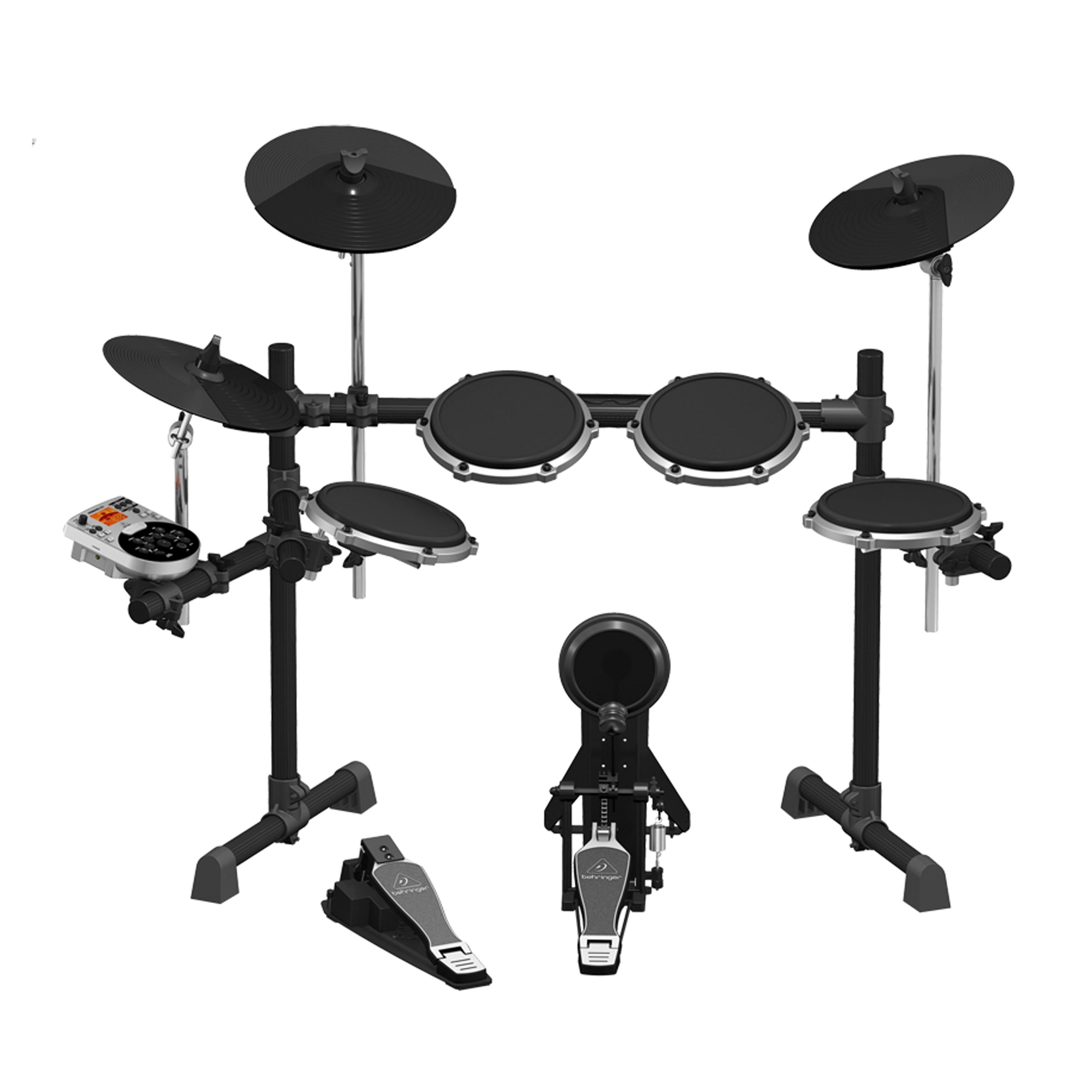
Figure 5: The HDS240USB Sound Module.
3.6 Running Cables
Connect all drum and cymbal pads, as well as the foot pedals, to the HDS240USB sound module using the multi-pin cable snake. Each cable is labeled for easy identification. Use the included cable ties to manage and secure the cables neatly.

6-сүрөт: Арткы view of the HDS240USB module showing connectivity ports.
3.7 Tuning Mesh Heads
Use the drum key to adjust the tension of the mesh heads on the snare and tom pads. Tighten them evenly for a more realistic feel and optimal response. Avoid over-tightening.
4. Иштөө
The HDS240USB sound module is the brain of your electronic drum set, offering a wide range of sounds and features.
4.1 Sound Module Overview
The module features a large LCD display and an icon-driven user interface for easy navigation. Use the various buttons and knobs to control volume, select kits, and adjust settings.
4.2 Үн тандоо
The HDS240USB module comes with 175 studio-grade drum, cymbal, and percussion sounds. It includes 10 factory presets and 5 user-programmable drum sets, allowing you to customize your sound preferences.
4.3 USB/MIDI Connectivity
Utilize the USB and MIDI interfaces to connect your drum set to a computer or other MIDI-compatible devices. This allows for integration with virtual instruments and drum software (not included) for expanded sound possibilities and recording.
5. Техникалык тейлөө
Proper maintenance ensures the longevity and optimal performance of your BEHRINGER XD80USB drum set.
- Тазалоо: Regularly wipe down pads, cymbals, and the module with a soft, dry cloth. Avoid using abrasive cleaners or solvents.
- Кабелдик башкаруу: Periodically check all cable connections for wear and tear. Ensure cables are not pinched or excessively bent.
- Сактагыч: Узак убакыт бою колдонулбаган учурда, барабан топтомун кургак, температурасы көзөмөлдөнгөн чөйрөдө сактаңыз.
6. Кыйынчылыктарды
If you encounter issues with your drum set, refer to the following common troubleshooting tips:
- Үн жок: Check all cable connections to the module and ensure the power adapter is securely plugged in. Verify the module's volume is turned up and headphones/speakers are connected correctly.
- Планшет жооп бербей жатат: Ensure the pad's cable is fully inserted into the correct input on the module. Check the mesh head tension.
- Ыйгарымсыз триггер: Adjust the sensitivity settings for individual pads within the sound module. Ensure mesh heads are evenly tensioned.
- Педал маселелери: Verify pedal cables are connected correctly. Check the beater position on the kick pad and ensure the pedal is securely clampред.
7. Техникалык шарттар
| Элемент Салмагы | 37 фунт |
| Продукциянын өлчөмдөрү | 33.07 x 22.83 x 12.99 дюйм |
| Элемент моделинин номери | XD80USB |
| Түс аты | Кара жана боз |
| Шайкеш түзмөктөр | барабан |
| Туташтыргыч түрү | USB |
| Аппараттык интерфейс | USB |
| Материалдын түрү | Дат баспаган болот |
| Чыгуу Wattage | 80 Ватт |
| Drum Set Piece Quantity | 8 |
| Power Source | Электр зымдары |
8. Кепилдик жана колдоо
For warranty information and technical support, please refer to the documentation included in your product packaging or visit the official Behringer webсайт. Сатып алуу квитанциясын кепилдик дооматтары үчүн сатып алуунун далили катары сактаңыз.


