1. Киришүү
The ZTE Velocity MF923 is a portable 4G LTE mobile Wi-Fi hotspot designed to provide high-speed internet access for multiple devices on the go. This device allows you to create a secure wireless local area network (WLAN) anywhere there is cellular coverage, enabling seamless uploading, downloading, and streaming. With its long battery life, dual-band Wi-Fi, and intuitive touchscreen, the ZTE Velocity offers a reliable and convenient internet solution for personal and business use.

Figure 1.1: ZTE Velocity MF923 Mobile Hotspot
Бул сүрөт алдыңкы жагын көрсөтөт view of the ZTE Velocity MF923 mobile hotspot. The device is white with a black screen displaying network information, including the Wi-Fi name (ATT-WIFI-2388), password, data usage, and battery level. Below the main display, there are touch icons for Wi-Fi, Messages, and Settings.
2. Пакеттин мазмуну
Сураныч, төмөнкү нерселер үчүн кутучаны белгилеңиз:
- ZTE Velocity MF923 Mobile Wifi Hotspot
- 2,800 мАч Батарея
- Дубал заряддагыч
- USB кабели
- Quick Start Guide (this manual provides more detailed information)
- Pre-installed SIM Card (Note: While a SIM card may be pre-installed, activation with your network provider is required.)

Figure 2.1: ZTE Velocity MF923 in Retail Packaging
This image displays the ZTE Velocity MF923 mobile hotspot inside its orange retail box. The device's screen is visible, showing the same network information as in Figure 1.1, confirming the product's appearance.
3. Продукциянын өзгөчөлүктөрү
The ZTE Velocity MF923 offers a range of features designed for optimal mobile connectivity:
- 4G LTE байланышы: Experience high-speed internet with download speeds up to 150Mbps.
- Wi-Fi түйүнү: Connect up to 10 Wi-Fi enabled devices simultaneously.
- Кош тилкелүү Wi-Fi: Supports both 2.4GHz and 5GHz Wi-Fi frequencies for flexible connectivity and reduced interference.
- Батареянын узак иштөө мөөнөтү: Equipped with a 2,800mAh battery, providing up to 10 hours of continuous usage and up to 240 hours of standby time.
- Колдонууга оңой сенсордук экран: Navigate settings, view data usage, and manage connections directly from the device's color touchscreen display (240 x 320 pixels).
- GSM кулпусу ачылды: Compatible with GSM carriers that use SIM cards for service, such as AT&T and T-Mobile. (Note: Will not work with CDMA carriers like Sprint, Verizon, Boost, or Virgin.)
- MicroSD картасы File Бөлүшүү: Бөлүшүү files directly from a MicroSD card inserted into the device.
- Коопсуз Wi-Fi: Features separate Guest Wi-Fi for enhanced security.
4. Орнотуу колдонмосу
4.1. Батареяны жана SIM картаны орнотуу
The ZTE Velocity MF923 uses a Micro SIM card. While a SIM card may be pre-installed, ensure it is properly seated and activated with your chosen GSM network provider.
- Батарея капкагын түзмөктүн арткы бетинен табыңыз.
- Батареянын капкагын акырын алып салыңыз.
- If not already installed, insert the Micro SIM card into the designated SIM card slot with the gold contacts facing down and the notched corner aligned correctly.
- 2,800 мАч батареяны анын бөлүмүнө салып, контакттар бир сызыкта экенин текшериңиз.
- Батарейканын капкагы ордуна чыккыча ордуна коюңуз.

4.1-сүрөт: Каптал View of ZTE Velocity MF923
Бул сүрөттө бир тарабы көрсөтүлгөн view of the ZTE Velocity MF923, highlighting its compact design. This perspective is useful for identifying the location of ports or covers for battery and SIM card access.
4.2. Аппаратты заряддоо
Биринчи колдонуудан мурун, аппаратты толук заряддаңыз.
- Connect the small end of the USB cable to the charging port on the ZTE Velocity.
- Connect the large end of the USB cable to the wall charger.
- Дубалдагы заряддагычты розеткага сайыңыз.
- Түзмөктүн экранында кубаттоо абалы көрсөтүлөт. Толук кубаттоо, адатта, бир нече саатка созулат.
4.3. Күйгүзүү / Өчүрүү
- Күйгүзүү үчүн: Press and hold the Power button (usually located on the side or top) until the screen lights up.
- Өчүрүү үчүн: Press and hold the Power button until the power-off options appear on the screen, then select "Power Off" or slide to power off.
5. Иштөө нускамалары
5.1. Түзмөктөрдү Wi-Fiга туташтыруу
Once the ZTE Velocity is powered on and has established a cellular connection, you can connect your Wi-Fi enabled devices.
- On the ZTE Velocity's touchscreen, note the Wi-Fi аталышы (SSID) жана Купуя сөз негизги экранда көрсөтүлөт.
- On your device (laptop, smartphone, tablet, etc.), go to its Wi-Fi settings.
- Select the Wi-Fi Name (SSID) that matches your ZTE Velocity.
- Суралганда Wi-Fi сырсөзүн киргизиңиз.
- Your device should now be connected to the internet via the ZTE Velocity hotspot.
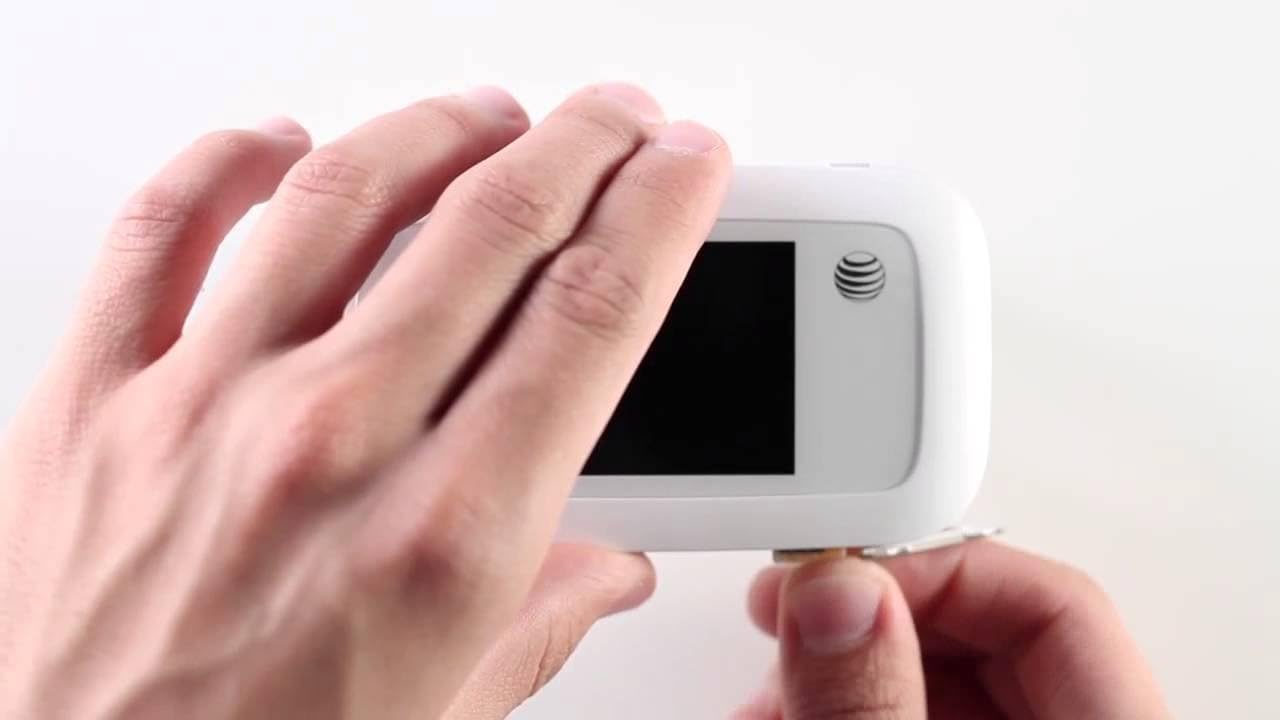
Figure 5.1: Using the ZTE Velocity for Mobile Connectivity
This image illustrates the convenience of using the ZTE Velocity mobile hotspot. A woman is shown working on a laptop in the back seat of a car, demonstrating how the device enables productivity and connectivity even when traveling.
5.2. Сенсордук экран навигациясы
The ZTE Velocity features a responsive touchscreen for easy management.
- Негизги экран: Displays Wi-Fi name, password, data usage, signal strength, and battery level.
- Wi-Fi сөлөкөтү: үчүн таптаңыз view connected devices and manage Wi-Fi settings.
- Кабарлар сөлөкөтү: Access SMS messages (if supported by your carrier and plan).
- Орнотуулар сөлөкөтү: Configure advanced settings such as network mode, Wi-Fi band (2.4GHz/5GHz), security, and device information.
- Swipe left or right to access additional screens or menus.
5.3. MicroSD картасы File Бөлүшүү
The device supports MicroSD cards for file бөлүшүү.
- Insert a MicroSD card (up to 32GB, sold separately) into the dedicated slot.
- Аппаратка кириңиз web interface (usually 192.168.1.1 or similar, check manual or device screen for exact IP) from a connected device.
- Log in using the administrator password (default usually "admin" or found on device label).
- дегенге өтүңүз file sharing section to access and manage fileMicroSD картасында.
6. Кыйынчылыктарды
If you encounter issues with your ZTE Velocity MF923, try the following troubleshooting steps:
| Көйгөй | Мүмкүн чечим |
|---|---|
| Интернет байланышы жок |
|
| Жай Интернет ылдамдыгы |
|
| Түзмөк күйбөй жатат |
|
| Wi-Fi'га туташпай жатат |
|
7. Техникалык шарттар
| Өзгөчөлүк | Деталь |
|---|---|
| Модель номери | MF923-W |
| Өлчөмдөр | 2.5 x 0.7 x 4.5 дюйм |
| Элемент Салмагы | 4.6 унция |
| Батарея | 2,800 мАч литий-ион (кошулган) |
| Колдонуу убактысы | Up to 10 hours (4G LTE streaming) |
| Күтүү убактысы | 240 саатка чейин |
| Процессор | Single-Core Qualcomm MDM9225 |
| RAM | 256 MB |
| Дисплей | Touchscreen, 240 x 320 pixels |
| Wi-Fi стандарты | Dual-Band (2.4 GHz & 5 GHz Radio Frequency) |
| Тармак жыштыктары | LTE bands 2/4/5/17/29; UMTS HSPA 850/1900/2100 |
| Максималдуу туташкан түзмөктөр | 10 |
| SIM карта түрү | Микро SIM |
| MicroSD колдоосу | Yes (for file бөлүшүү) |
| Түс | Ак |
| Өндүрүүчү | ZTE |
8. Коопсуздук маалыматы
Please read the following safety information carefully to ensure proper and safe use of your ZTE Velocity MF923:
- Аппаратты экстремалдык температурага, түз күндүн нуруна же жогорку нымдуулукка дуушар кылбаңыз.
- Түзмөктү түшүрүп алуудан, уруп алуудан же ийүүдөн алыс болуңуз.
- Бекитилген заряддоочу түзүлүштөрдү жана аксессуарларды гана колдонуңуз.
- Түзмөктү өз алдынча бөлүктөргө бөлбөңүз же оңдоого аракет кылбаңыз. Бул кепилдикти жокко чыгарат.
- Аппаратты медициналык аппараттардан алыс кармаңыз, анткени ал алардын иштешине тоскоол болушу мүмкүн.
- Батареяларды жана электрондук тетиктерди жергиликтүү эрежелерге ылайык таштаңыз.
- Айдоодо же оор техниканы иштетип жатканда аппаратты колдонбоңуз.
9. Кепилдик жана колдоо
For warranty information and technical support, please refer to the documentation provided by AT&T or visit the official AT&T support webсайт. Кепилдик дооматтар үчүн сатып алганыңыздын далилин сактаңыз.
For further assistance, you may contact AT&T customer service directly.