1. Киришүү
This manual provides essential information for the proper use and maintenance of your Lexar Professional 128GB 1000x Speed SDXC UHS-II Memory Card. Designed for high-speed performance, this card is ideal for capturing and transferring high-quality photos and 1080p full-HD, 3D, and 4K video. Please read these instructions carefully to ensure optimal performance and longevity of your memory card.
2. Продукт бүтүп калдыview
Негизги өзгөчөлүктөрү
- 128GB storage capacity.
- Read and write speeds up to 150MB/s.
- Leverages UHS-II technology (UHS Speed Class 3 (U3)) for high-speed performance.
- Designed for capturing high-quality photos and 1080p full-HD, 3D, and 4K video.
- Waterproof design for enhanced durability.

Figure 1: Lexar Professional 128GB 1000x SDXC UHS-II Memory Card. This image displays the front of the memory card, highlighting its 128GB capacity, 150MB/s speed rating, SDXC, UHS-II, and Class 10 markings, along with the Lexar Professional branding.
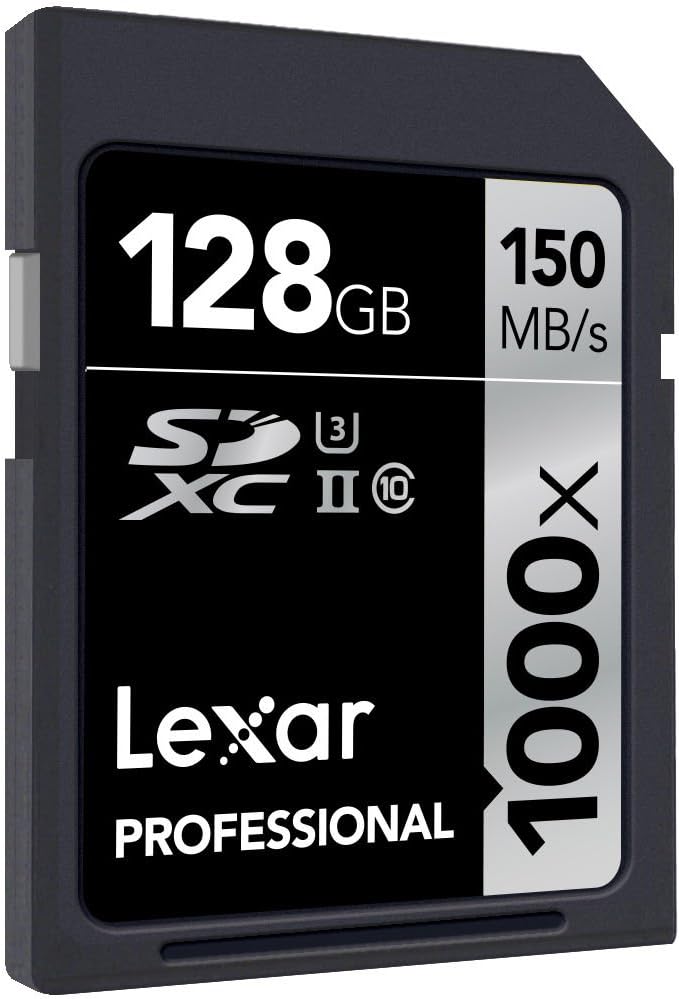
2-сүрөт: Бурчтуу view of the Lexar Professional 128GB 1000x SDXC UHS-II Memory Card, showing its design and labeling from a different perspective.
3. Орнотуу
3.1 Эстутум картасын салуу
- Шайкеш келген түзмөгүңүздөгү (мисалы, санарип камера, видеокамера, ноутбук, карта окугуч) SD карта уячасын табыңыз.
- Эстутум картасынын туура багытта экенин, алтын түстүү контакттары түзмөгүңүздүн колдонмосунда көрсөтүлгөндөй туура багытты каратып турганын текшериңиз.
- Картаны ордуна чыкылдаган үн чыкканча акырындык менен оюкка салыңыз. Картаны күч менен баспаңыз.
- To remove, gently push the card inward until it clicks, then release, and it will eject slightly for removal.
3.2 Шайкештик
For optimal performance, use this Lexar Professional SDXC UHS-II card with devices that support the UHS-II standard. While the card is backward compatible with UHS-I devices, it will operate at UHS-I speeds in such devices. Always refer to your device's manual for specific memory card compatibility.
4. Иштөө нускамалары
4.1 Маалыматтарды өткөрүү
To transfer data to or from the memory card:
- Insert the card into a compatible card reader connected to your computer, or directly into a device with an SD card slot.
- Your computer or device should recognize the card as a removable storage drive.
- Сүйрөп барып таштаңыз files to transfer them. For large files or high volumes of data, using a UHS-II compatible card reader will ensure the fastest transfer speeds, up to 150MB/s.
4.2 Жазуу каражаттары
When used in a compatible camera or video recorder, the Lexar Professional 1000x SDXC UHS-II card enables high-speed continuous shooting and extended recording of high-resolution video formats, including 4K. Ensure your device's settings are configured to utilize the card's full capabilities for optimal recording performance.
5. Техникалык тейлөө жана кам көрүү
5.1 Жалпы кам көрүү
- Keep the memory card clean and free from dust and debris. Avoid touching the gold contacts.
- Store the card in its protective case when not in use to prevent physical damage.
- Avoid exposing the card to extreme temperatures, humidity, or strong magnetic fields.
- Картаны ийбеңиз же ашыкча күч колдонбоңуз.
5.2 Data Recovery
In the event of accidental deletion or data corruption, Lexar Professional line memory cards often include access to Image Rescue software. This software can help recover most photo and select video files, even if they have been erased or the card has been corrupted. Refer to the product packaging or Lexar's official website for details on accessing and using this software.

Figure 3: Packaging for the Lexar Professional 128GB 1000x SDXC UHS-II Memory Card, indicating the inclusion of Image Rescue software.
6. Кыйынчылыктарды
6.1 Жалпы маселелер
- Карта таанылбайт: Ensure the card is fully inserted into the slot. Verify that your device supports SDXC cards and the UHS-II standard. Try the card in another compatible device or card reader to rule out a device issue.
- Жай аткаруу: Confirm that your device and card reader are UHS-II compatible to achieve maximum speeds. Older devices or card readers may limit performance to UHS-I speeds.
- Маалыматтын бузулушу же каталары: If you experience frequent errors, try reformatting the card using your device's formatting function (this will erase all data). If issues persist, the card may be faulty. Use data recovery software before reformatting if data is critical.
- Card Write-Protected: Check the small lock switch on the side of the SD card. Slide it to the unlocked position if it is set to write-protect.
7. Техникалык шарттар
| Өзгөчөлүк | Деталь |
|---|---|
| Модель номери | LSD128CRBEU1000 |
| Кубаттуулугу | 128 ГБ |
| Flash эс тутум түрү | SDXC |
| Аппараттык интерфейс | SDXC |
| Окуу ылдамдыгы | 150 МБ/сек чейин |
| Жазуу ылдамдыгы | 150 МБ/сек чейин |
| Коопсуз санариптик ассоциация ылдамдык классы | UHS-II, U3, Class 10 |
| Өзгөчө өзгөчөлүк | Water Proof |
| Продукциянын өлчөмдөрү (LxWxH) | 1.26 x 0.94 x 0.08 дюйм |
| Элемент Салмагы | 0.035 ounces (1 gram) |
| Түс | Кара |
8. Кепилдик жана колдоо
8.1 Кепилдик маалыматы
All Lexar Professional line memory cards come with a limited lifetime warranty. This warranty covers defects in material and workmanship under normal use. Please retain your proof of purchase for warranty claims.
8.2 Техникалык колдоо
Lexar Professional products are backed by expert technical support. For assistance with product setup, troubleshooting, or warranty inquiries, please visit the official Lexar webсайтка же кардарларды тейлөө бөлүмүнө кайрылыңыз. Көбүрөөк маалымат жана колдоо булактарын бул жерден таба аласыз Lexar Store.


