Introduction
This manual provides comprehensive instructions for the setup, operation, maintenance, and troubleshooting of your PDP Afterglow AGU.50 Wired Headset. Designed for multi-platform compatibility, this headset offers clear audio and communication for an enhanced gaming experience.

Image: The PDP Afterglow AGU.50 Wired Headset, showcasing its design with blue illuminated earcups and attached microphone.
Пакеттин мазмуну
- Afterglow AGU.50 Wired Headset
- Чууну жокко чыгаруучу микрофон
- In-line Control Unit (integrated with cable)
Жайгашуу
Follow these steps to connect your Afterglow AGU.50 headset to your gaming system or PC.

Сүрөт: жарылды view of the Afterglow AGU.50 headset components, showing the main headset, detachable microphone, and the in-line control module.
- Микрофонду бекитүү: Insert the flexible microphone into the designated port on the left earcup until it clicks securely into place. Ensure the microphone is oriented correctly for optimal voice pickup.
- Түзмөгүңүзгө туташуу:
- For Xbox 360, PlayStation 3, and Wii U: Connect the headset's 3.5mm audio jack to the appropriate audio output port on your console or TV. For chat functionality, additional console-specific adapters (not included) may be required depending on your console model and setup.
- For PC Gaming: Connect the headset's 3.5mm audio jack to your computer's audio output (green port) and microphone input (pink port) if your PC has separate jacks. If your PC has a single combined audio jack, you may need a Y-splitter adapter (not included).
- Күйгүзүү (эгер бар болсо): The headset is wired and does not require separate power. Ensure your console or PC is powered on.
Операция
Understanding the controls and features of your headset.

Сүрөт: Side profile of the Afterglow AGU.50 headset, showing the attached flexible microphone and the illuminated earcup.
- Гарнитураны тууралоо: Extend or retract the headband to fit comfortably over your head. The earcups are designed to pivot for a snug fit.
- In-line Controls: The headset features an in-line control unit on the cable for easy access to audio adjustments.
- Master Volume Dial: Rotate the dial to increase or decrease the overall audio volume.
- Game/Chat Balance (if supported by console/PC setup): Some setups allow for separate adjustment of game audio and chat volume. Refer to your console or PC's audio settings for configuration.
- Микрофондун үнүн басуу которгучу: Use the switch to quickly mute or unmute your microphone.
- Микрофонду колдонуу: Position the flexible microphone approximately 1-2 inches from your mouth for optimal voice clarity. The noise-cancelling feature helps reduce background noise.
- Afterglow Illumination: The earcups feature blue LED illumination, which activates when the headset is connected and receiving power through the audio jack.
Техникалык тейлөө
Proper care ensures the longevity and performance of your headset.
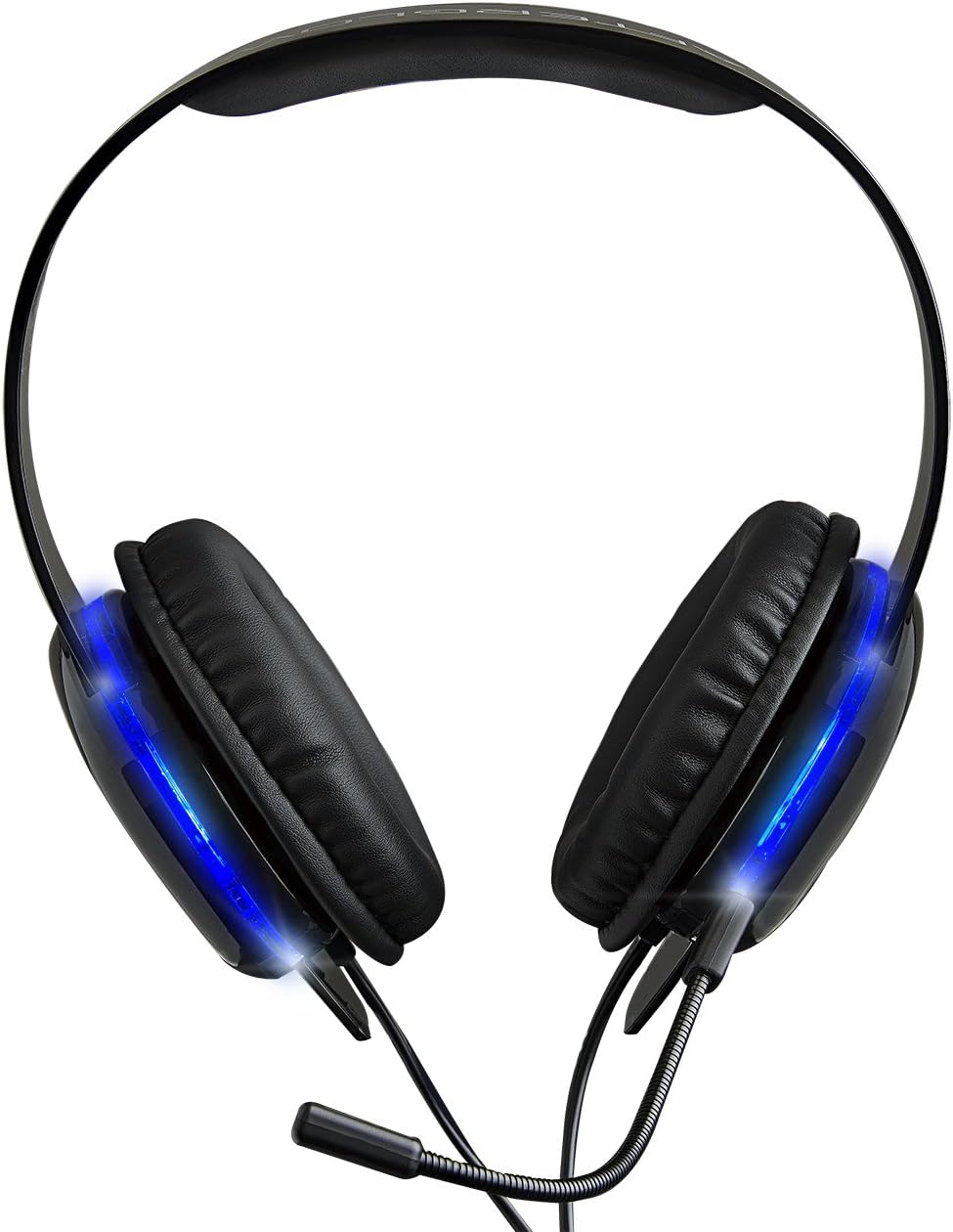
Сүрөт: үстүнкү view of the Afterglow AGU.50 headset, showing the padded headband and earcups.
- Тазалоо: Гарнитураны жумшак, кургак чүпүрөк менен сүртүңүз. Кулакчындар үчүн бир азamp cloth with mild soap can be used, but ensure no moisture enters the speaker grilles. Do not use harsh chemicals or abrasive cleaners.
- Сактагыч: Store the headset in a cool, dry place away from direct sunlight and extreme temperatures. Avoid wrapping the cable too tightly to prevent damage.
- Микрофонго кам көрүү: When not in use, the microphone can be detached and stored separately to prevent bending or damage.
Проблемаларды чечүү
If you encounter issues with your headset, refer to the following common solutions.
| Көйгөй | Чечим |
|---|---|
| Гарнитурадан аудио жок. |
|
| Микрофон иштебей жатат. |
|
| Experiencing static or poor audio quality. |
|
Техникалык шарттар
| Өзгөчөлүк | Деталь |
|---|---|
| Модель номери | 9218 |
| Байланыш | Зымдуу (3.5 мм аудио уячасы) |
| Шайкештик | Xbox 360, PlayStation 3, PC, Wii U |
| Микрофон | Ажыратылуучу, ызы-чууну жокко чыгаруучу |
| Controls | In-line volume control, microphone mute switch |
| Жарыктандыруу | Blue LED Afterglow earcups |
| Кабель өзгөчөлүгү | Тартылуучу |
| Элемент Салмагы | 5.3 унция (0.33 фунт) |
| Продукциянын өлчөмдөрү | 2.88 x 7.4 x 8.74 дюйм |
| Материал | Пластик |
Коопсуздук маалыматы
- Угуу жөндөмүнө зыян келтирбөө үчүн катуу үн менен көпкө угуудан алыс болуңуз.
- Do not expose the headset to extreme temperatures, humidity, or liquids.
- Keep out of reach of small children due to small parts and cables.
- Do not attempt to disassemble or modify the headset, as this will void the warranty and may cause damage.
Кепилдик жана колдоо
Кепилдик жөнүндө маалымат же техникалык колдоо алуу үчүн, расмий PDPге кайрылыңыз webсайтка же кардарларды тейлөө бөлүмүнө кайрылыңыз. Кепилдик дооматтар үчүн сатып алганыңыздын далилин сактаңыз.
ПДПнын расмий өкүлү Webсайт: www.pdp.com


