1. Киришүү
This manual provides instructions for the proper use and care of your INSIGNIA NS-HZ508 Component Video Cable. This cable is designed to transmit video signals through component video jacks, offering improved picture quality compared to S-Video, composite video, and coaxial cable connections. It is compatible with 720p/1080i high-definition video sources. Please note that this cable is not intended for audio connections.
2. Коопсуздук маалыматы
- Ensure all devices are powered off before connecting or disconnecting the cable to prevent electrical damage.
- Do not expose the cable to extreme temperatures, direct sunlight, or moisture.
- Avoid bending or kinking the cable excessively, as this can damage internal wiring.
- Keep the cable away from sources of strong electromagnetic interference.
- This cable is for video signal transmission only. Do not attempt to use it for audio connections.
3. Пакеттин мазмуну
- INSIGNIA NS-HZ508 Component Video Cable (1 unit)
4. Продукт бүтүп калдыview
The INSIGNIA NS-HZ508 is a component video cable designed for high-quality video signal transmission. It features three color-coded coaxial connectors on each end, typically labeled Y, Pb, and Pr, which correspond to the luminance and color difference signals.
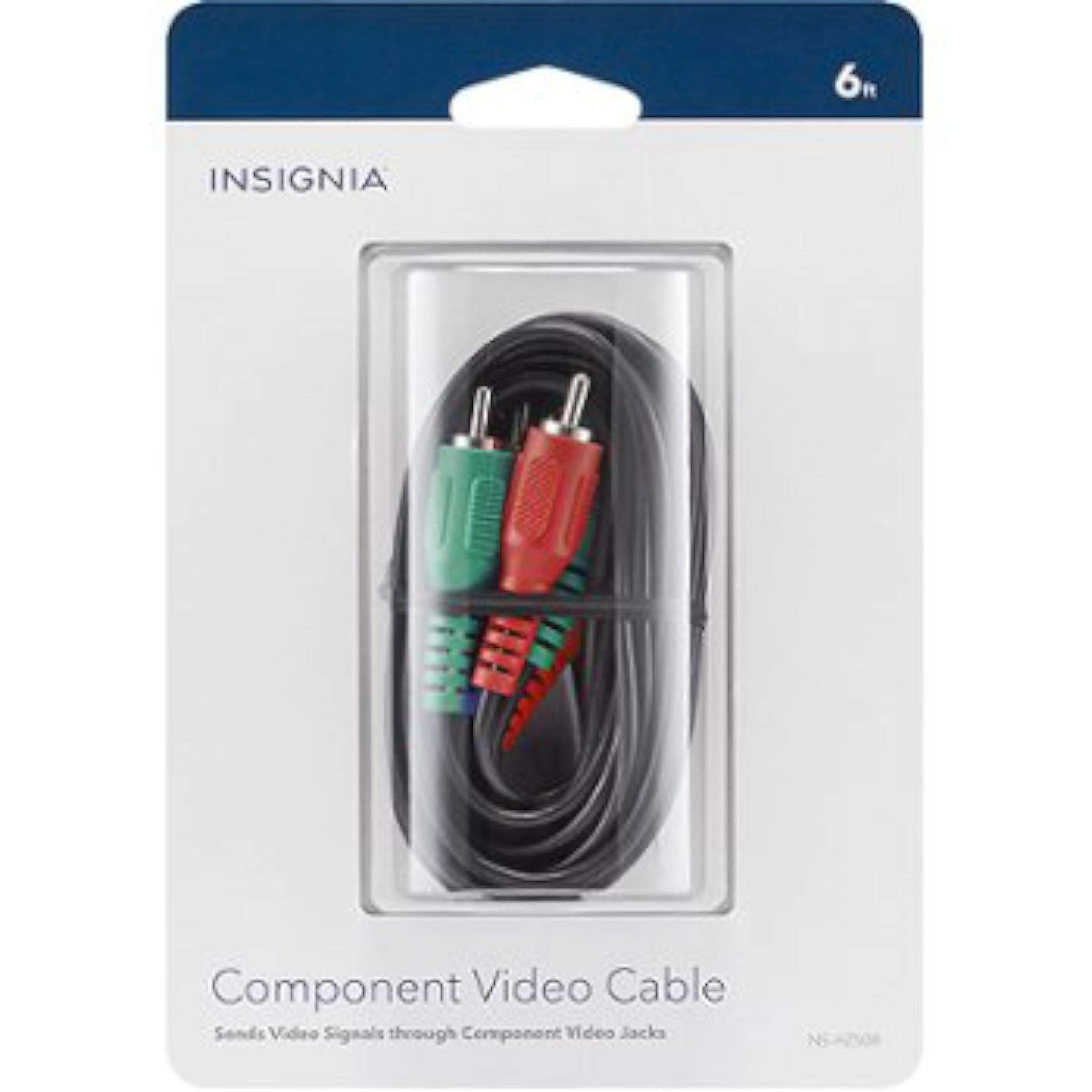
1-сүрөт: INSIGNIA NS-HZ508 Component Video Cable. This image shows the cable with its distinct red, green, and blue connectors, which are used to transmit separate video signals for enhanced picture clarity.
Негизги өзгөчөлүктөрү:
- Component Video Signal Transmission: Sends video signals through dedicated component video jacks.
- Improved Picture Quality: Offers superior video quality compared to S-Video, composite video, and coaxial cable connections.
- High-Definition Compatibility: Compatible with 720p/1080i high-definition video sources.
- Color-Coded Connectors: Features standard Y (green), Pb (blue), and Pr (red) connectors for easy and correct connection.
5. Орнотуу жана туташуу
Follow these steps to connect your INSIGNIA NS-HZ508 Component Video Cable:
- Identify Component Video Ports: Locate the component video output ports on your source device (e.g., DVD player, game console) and the component video input ports on your display device (e.g., TV, projector). These ports are typically labeled "Y," "Pb," and "Pr" and are color-coded green, blue, and red, respectively.
- Өчүрүү түзмөктөрү: Ensure both your source device and display device are powered off before making any connections.
- Түзмөктү туташтыруу: Connect one end of the INSIGNIA NS-HZ508 cable to the component video output ports of your source device. Match the cable's green connector to the "Y" port, the blue connector to the "Pb" port, and the red connector to the "Pr" port.
- Дисплей түзмөгүн туташтырыңыз: Connect the other end of the INSIGNIA NS-HZ508 cable to the component video input ports of your display device. Again, ensure the colors (green to Y, blue to Pb, red to Pr) are matched correctly.
- Түзмөктөрдү күйгүзүү: Once all connections are secure, power on your display device first, then your source device.
- Киргизүүнү тандоо: On your display device, select the correct component video input source (e.g., "Component 1," "YPbPr," or similar).
Эскертүү: This cable transmits video signals only. For audio, separate audio cables (e.g., RCA stereo audio cables) will be required.
6. Иштөө нускамалары
Once the INSIGNIA NS-HZ508 Component Video Cable is correctly connected and the input source is selected on your display device, the video signal from your source device will be transmitted to your display. The cable operates passively, meaning it does not require external power or configuration. The quality of the video displayed will depend on the capabilities of both your source device and your display device, as well as the resolution of the content being played.
- Ensure your source device is outputting a component video signal.
- Verify that your display device is set to the correct component video input.
- Adjust display settings (e.g., brightness, contrast, color) on your TV or monitor for optimal picture quality.
7. Техникалык тейлөө жана кам көрүү
To ensure the longevity and optimal performance of your INSIGNIA NS-HZ508 Component Video Cable, follow these simple maintenance guidelines:
- Тазалоо: Use a soft, dry cloth to gently wipe the cable and connectors. Do not use liquid cleaners or solvents.
- Сактагыч: When not in use, store the cable in a cool, dry place, away from direct sunlight and extreme temperatures. Avoid tightly coiling or kinking the cable.
- Колдонуу: Always grasp the connectors when plugging or unplugging the cable, rather than pulling on the cable itself, to prevent damage to the internal wires.
- Текшерүү: Кабелдин эскирүү, сүрүлүү же туташтыргычтарда бузулуу белгилери бар-жогун мезгил-мезгили менен текшерип туруңуз. Эгерде бузулуу байкалса, колдонууну токтотуңуз.
8. Кыйынчылыктарды
If you encounter issues while using your INSIGNIA NS-HZ508 Component Video Cable, refer to the following troubleshooting tips:
| Көйгөй | Мүмкүн себеп | Чечим |
|---|---|---|
| Экранда сүрөт жок. |
|
|
| Poor picture quality (e.g., distorted colors, blurry image). |
|
|
| Аудио жок. |
|
|
9. Техникалык шарттар
| Бренд | Insignia |
| Модель номери | 4330111535 (NS-HZ508) |
| Туташтыргыч түрү | Coaxial (Component Video) |
| Кабель түрү | Компоненттик видео |
| Connector Gender | Эркектен эркекке |
| Продукциянын өлчөмдөрү | 5.3 x 3.5 x 1.1 дюйм |
| Элемент Салмагы | 1.3 фунт |
| UPC | 600603163876 |
10. Кепилдик жана колдоо
For information regarding the product warranty, please refer to the warranty card included with your purchase or visit the official INSIGNIA website. For technical support or customer service inquiries, please contact INSIGNIA customer support through their official channels.
Эскертүү: Warranty terms and support availability may vary by region and retailer.


