1. Продукт бүтүп калдыview
The D-Link DCS-8635LH is an outdoor Wi-Fi camera designed for surveillance, offering 2K QHD (1440p) video resolution. It features night vision capabilities, a motorized pan function for wide area coverage, and advanced AI-based detection for persons, vehicles, and glass breaks. The camera is equipped with a 90 dB siren for deterrence and boasts an IP65 rating for outdoor weather resistance. Video can be recorded to cloud storage or a local SD card.

Сүрөт 1: Алдыңкы view of the D-Link DCS-8635LH camera, showing the lens and indicator light.
2. Орнотуу жана орнотуу
2.1 Пакеттин мазмуну
Пакетте бардык компоненттер бар экенин текшериңиз:
- D-Link DCS-8635LH Camera
- Кубат адаптери (шнурдуу электр)
- Орнотуу комплекти (бурамалар, дубалга бекиткичтер)
- Ыкчам орнотуу колдонмосу
2.2 Кубат туташтыруу
Connect the provided power adapter to the camera's power input and then to a suitable electrical outlet. Ensure the connection is secure and protected from weather elements if installed outdoors.
2.3 mydlink App Installation
- жүктөп алыңыз mydlink Apple App Store же Google Play дүкөнүнөн колдонмо.
- Create a new mydlink account or log in with an existing one.
- DCS-8635LH камераңызды кошуу үчүн колдонмодогу нускамаларды аткарыңыз. Бул, адатта, камерадагы же анын таңгагындагы QR кодун сканерлөөнү камтыйт.
- Connect the camera to your home Wi-Fi network as prompted by the app. The camera supports Wi-Fi connectivity.
2.4 Камераны орнотуу
The DCS-8635LH is designed for wall mounting. Choose a location that provides the desired field of view and has access to a power source. Ensure the mounting surface is stable and can support the camera's weight.
- Use the mounting plate as a template to mark screw holes on the wall.
- Зарыл болсо, тешиктерди бургулап, дубалга бекиткичтерди киргизиңиз.
- Берилген бурамалар аркылуу монтаждоо плитасын дубалга бекитиңиз.
- Attach the camera to the mounting plate and adjust its angle as needed.
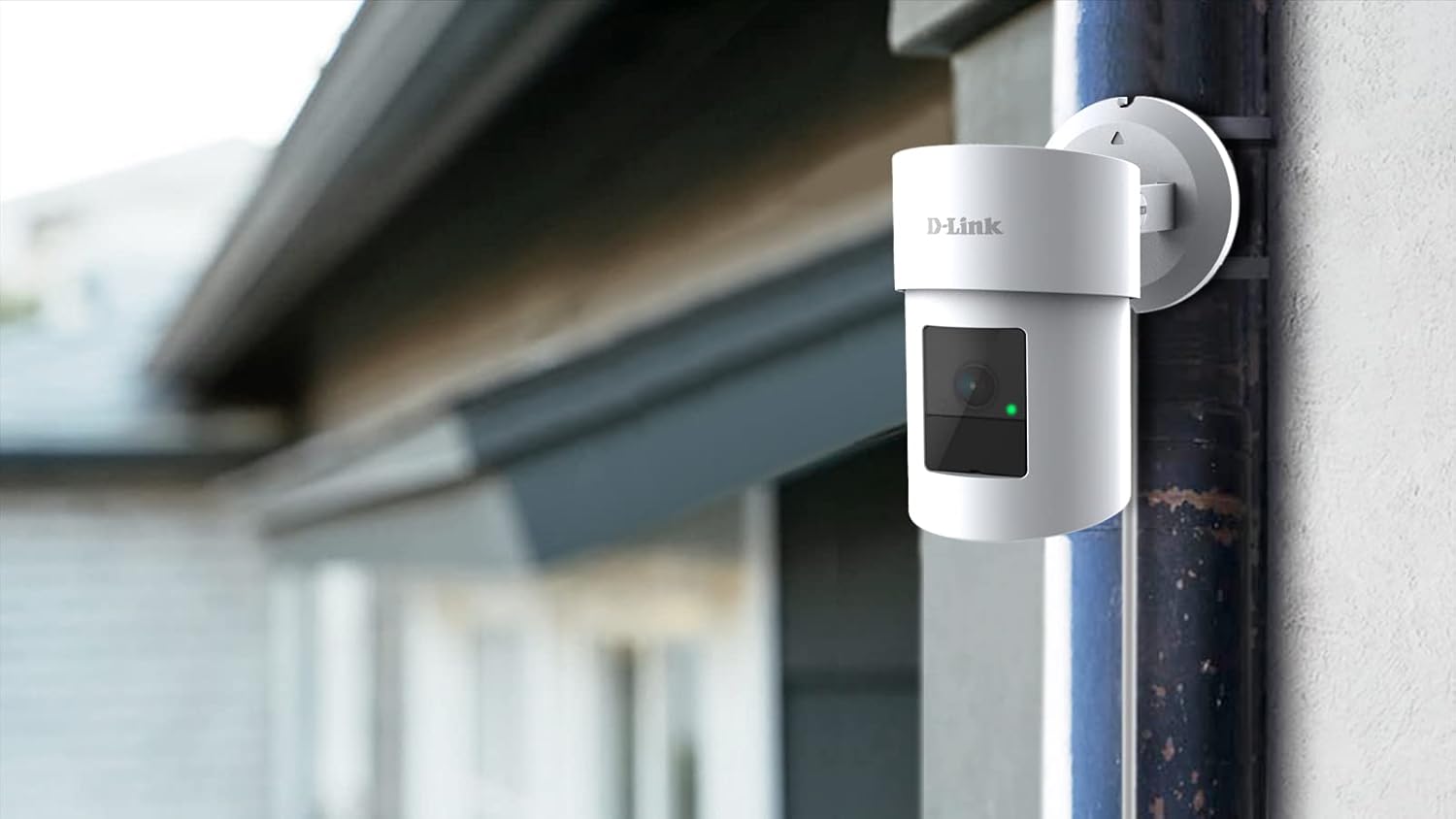
Figure 2: The D-Link DCS-8635LH camera mounted on an exterior wall, demonstrating typical installation.
3. Камераны иштетүү
3.1 Live View and Pan/Zoom Control
Open the mydlink app and select your DCS-8635LH camera to access the live video feed. Use the on-screen controls to pan the camera horizontally and digitally zoom into the image. The camera offers a 360-degree field of view.
3.2 Түнкү көрүнүш
The camera automatically switches to night vision mode in low-light conditions, providing clear surveillance footage even in darkness. The low light technology is Night Color.
3.3 Жаздыруу параметрлери
The DCS-8635LH supports two primary recording methods:
- Булут жаздыруу: Subscribe to a mydlink cloud recording plan for secure off-site storage of video events.
- SD карта жаздыруу: Insert a microSD card (up to 128 GB) into the camera's slot for local storage. The camera will record events directly to the card.

3-сүрөт: Төмөнкү view of the camera showing the microSD card slot and reset button, typically protected by a cover.
3.4 AI-Based Detection and Siren
Configure AI detection settings within the mydlink app. The camera can detect:
- Адамды аныктоо: Адам фигураларын аныктайт.
- Унаа аныктоо: Унааларды тааныйт.
- Glass Break Detection: Alerts you to the sound of breaking glass.
Upon detection, the camera can send notifications to your device and activate its integrated 90 dB siren to deter intruders. Siren activation can be automated or manually triggered via the app.
4. Техникалык тейлөө
4.1 Тазалоо
Periodically clean the camera lens and exterior housing with a soft, damp cloth. Avoid using harsh chemicals or abrasive materials that could damage the camera's finish or lens coating.
4.2 Микропрограмма жаңыртуулары
Ensure your camera's firmware is up to date for optimal performance and security. Firmware updates are typically managed through the mydlink app. Follow the app's prompts to install any available updates.
4.3 SD картаны башкаруу
If using local storage, regularly check the status of your microSD card via the mydlink app. Format the card periodically to maintain performance or replace it if it becomes full or corrupted. The camera supports up to 128 GB flash memory.
5. Кыйынчылыктарды
5.1 Камера Wi-Fiга туташпай жатат
- Ensure your Wi-Fi network is active and the camera is within range of your router.
- Verify that the Wi-Fi password entered in the mydlink app is correct.
- Wi-Fi роутериңизди жана камераңызды өчүрүп-күйгүзүп көрүңүз.
- If the issue persists, perform a factory reset using the reset button (refer to Figure 3) and attempt the setup process again.
5.2 Сүрөттүн сапаты начар
- Камера линзасын кирди же тактарды кетирүү үчүн тазалаңыз.
- Камеранын талаасында эч кандай тоскоолдуктар жок экенин текшериңиз view.
- Интернетке туташуу ылдамдыгын текшерүү; жай байланыш агымдын сапатына таасир этиши мүмкүн.
- Verify that the camera's resolution settings in the mydlink app are set to 2K QHD (1440p).
5.3 False AI Detections
- Adjust the sensitivity settings for person, vehicle, or glass break detection within the mydlink app.
- Define specific detection zones to exclude areas with frequent irrelevant motion (e.g., busy roads, swaying trees).
6. Техникалык шарттар
| Өзгөчөлүк | Деталь |
|---|---|
| Модель номери | DCS-8635LH |
| Видео тартуунун резолюциясы | 2K QHD (1440p) |
| Натыйжалуу Video Resolution | 1440p |
| Натыйжалуу дагы эле чечим | 4 депутат |
| Максималдуу Webcam Image Resolution | 5 депутат |
| Байланыш технологиясы | Зымсыз (Wi-Fi) |
| Power Source | Электр зымдары |
| Монтаж түрү | Дубалга орнотуу |
| Ички/тышкы колдонуу | Сыртта |
| Эл аралык коргоо рейтинги | IP21 |
| Өзгөчөлүктөр | Motion Sensor, Night Vision, Motorized Pan, AI Detection (Person/Vehicle/Glass Break), 90 dB Siren |
| Төмөн жарык технологиясы | Түнкү түс |
| талаасы View | 360 градус |
| Оптикалык масштаб | 3x |
| Flash эстутум орнотулган өлчөмү | 128 GB (for microSD card) |
| Продукциянын өлчөмдөрү (L x W x Y) | 2.76 x 2.8 x 4.4 дюйм |
| Элемент Салмагы | 12.1 унция (342 грамм) |
| Материал | Glass (lens) |
| UPC | 790069461675 |
7. Кепилдик маалыматы
D-Link өнүмдөрү чектелген кепилдик менен жабылат. Аймагыңызга жана өнүмүңүзгө тиешелүү болгон конкреттүү кепилдик шарттары жана шарттары үчүн продуктуңузга камтылган кепилдик картасын караңыз же расмий D-Linkке баш багыңыз. webсайт.
8. Колдоо
For technical assistance, product inquiries, or further support, please visit the official D-Link support website or contact D-Link customer service. Support resources typically include FAQs, troubleshooting guides, and contact information for regional support teams.
D-Link Systems, Inc.
Өндүрүүчү


