1. Киришүү
This manual provides detailed instructions for the installation, operation, and maintenance of your D-Link DCS-8350LH 2K QHD Indoor Wi-Fi Camera. Please read this manual thoroughly before using the product to ensure proper setup and functionality.
The D-Link DCS-8350LH is designed to provide precise and detailed surveillance for your home or small office. It features 2K QHD resolution, color night vision, AI-based detection, and two-way audio for comprehensive monitoring.
2. Коопсуздук маалыматы
- Камера кулап калбашы үчүн, анын туруктуу жерге орнотулгандыгын текшериңиз.
- Камера менен кошо берилген кубат адаптерин гана колдонуңуз.
- Do not expose the camera to water or moisture. This product is for indoor use only.
- Камераны жылуулук булактарынын жанына же тике күн нуруна коюудан качыңыз.
- Do not attempt to open or repair the camera yourself. Refer all servicing to qualified personnel.
- Камераны жана анын аксессуарларын балдар жетпеген жерде сактаңыз.
3. Продукт бүтүп калдыview
Familiarize yourself with the components of your D-Link DCS-8350LH camera.
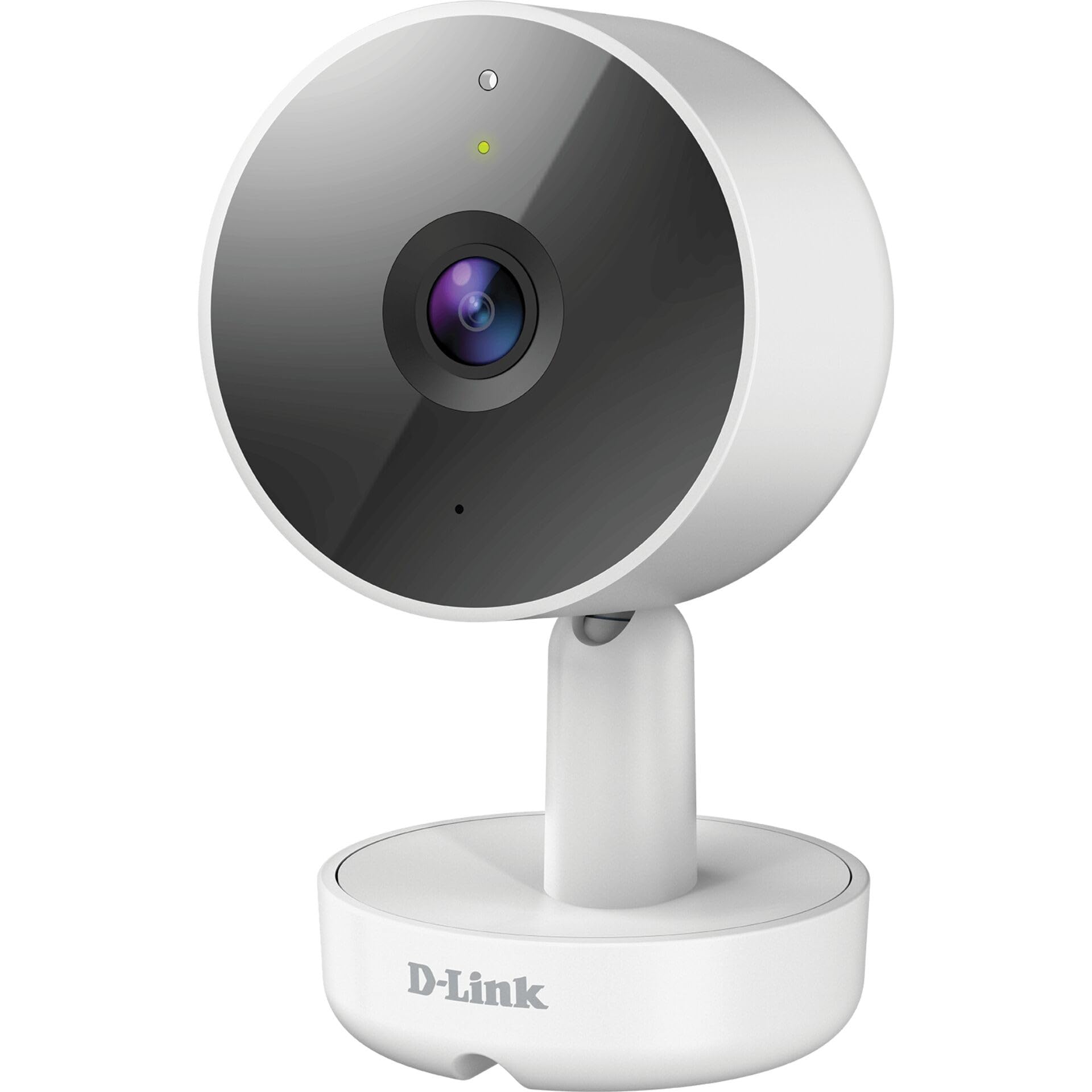
3.1-сүрөт: Фронт View камеранын
- 1. Объектив: Видеону тартып алат.
- 2. Статус LED: Indicates camera status (e.g., power, connection).
- 3. Микрофон: Эки тараптуу байланыш үчүн аудио жаздырат.
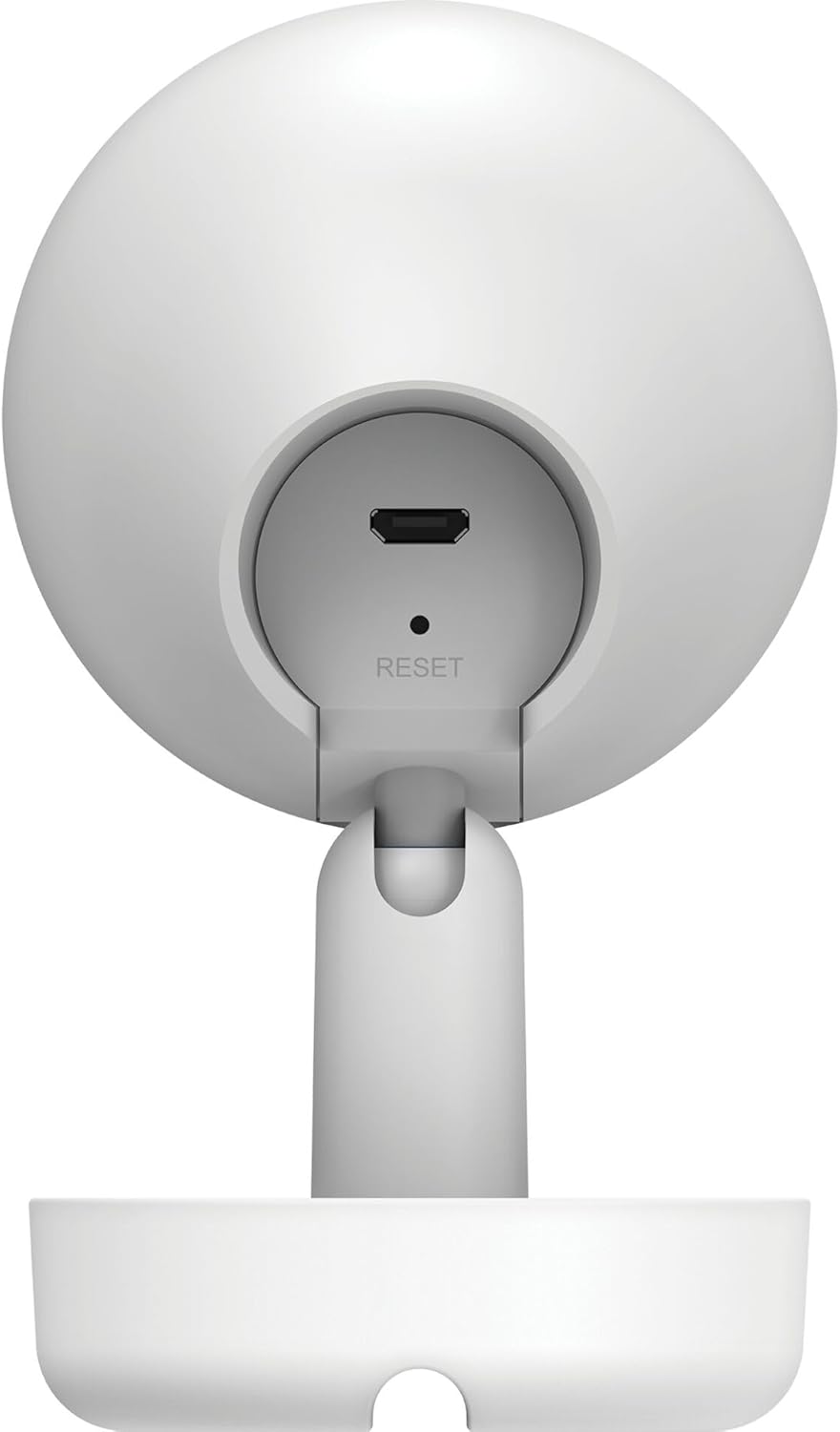
3.2-сүрөт: Арткы View камеранын
- 1. Micro USB Power Port: Кубат адаптерине туташат.
- 2. Калыбына келтирүү баскычы: Заводдун демейки жөндөөлөрүн калыбына келтирүү үчүн колдонулат.
- 3. Баяндамачы: Эки тараптуу байланыш үчүн аудио чыгарат.
- 4. MicroSD Card Slot: For local video storage (located on the side or bottom, not visible in this specific image, but mentioned in features).
4. Орнотуу
D-Link DCS-8350LH камераңызды орнотуу үчүн бул кадамдарды аткарыңыз:
- mydlink колдонмосун жүктөп алыңыз: Издөө "mydlink" on the App Store (iOS) or Google Play (Android) and download the official mydlink app.
- Create a mydlink Account: Open the app and follow the on-screen instructions to create a new mydlink account or log in if you already have one.
- Камераны күйгүзүү: Connect the provided power adapter to the camera's Micro USB port and plug it into a power outlet. The status LED will begin to blink.
- Түзмөк кошуу: In the mydlink app, tap the menu icon (usually three lines) and select "Add a Device". Scan the QR code located on the camera or its packaging.
- Wi-Fi'га туташуу: Follow the app's instructions to connect your camera to your home Wi-Fi network. Ensure your mobile device is connected to the same Wi-Fi network during setup.
- Жайгашкан жери: Position your camera in the desired indoor location.

4.1-сүрөт: Camera and mydlink App Integration
5. Орнотуу
The D-Link DCS-8350LH camera supports wall mounting for optimal placement.
- Жайгашкан жерди тандаңыз: Select an indoor location with a clear view of the area you wish to monitor and within range of your Wi-Fi network.
- Монтаждоо бети: Ensure the wall or surface is strong enough to support the camera.
- Базаны коргоо: Use appropriate screws and anchors (not included) to secure the camera's base to the chosen surface.
- Бурчту тууралоо: Once mounted, adjust the camera's angle to cover the desired viewing area. The camera has a 108-degree viewбурч.
6. Иштөө нускамалары
Once set up, you can access and control your camera using the mydlink app.
6.1. Түз эфир View
Open the mydlink app and select your DCS-8350LH camera from the device list to view the live feed. The camera provides 2K QHD (1440p) resolution for clear images.
6.2. Түнкү көрүнүш
The camera automatically switches to color night vision in low-light conditions, allowing you to see detailed color video even when it's dark.
6.3. AI-based Event Detection
The camera features intelligent detection capabilities:
- Адамды аныктоо: Identifies human presence, reducing false alarms from pets or moving objects.
- Үн аныктоо: Alerts you to specific sounds, including carbon monoxide and smoke alarm sounds.
Configure detection zones and sensitivity settings within the mydlink app to customize alerts.
6.4. Эки тараптуу аудио
Use the built-in microphone and speaker to communicate with people or pets near the camera. Tap the microphone icon in the live view within the mydlink app to speak.
6.5. Видео жазуу жана сактоо
The DCS-8350LH offers multiple recording options:
- MicroSD картасы: Insert a microSD card (not included) into the camera's slot for local storage of recorded video clips.
- mydlink Cloud Recording: Utilize the mydlink Cloud service for secure off-site storage. Free and paid subscription plans are available.
- Smartphone Recording: Capture snapshots and video clips directly to your smartphone via the mydlink app.
7. Техникалык тейлөө
7.1. Тазалоо
To clean the camera, gently wipe the lens and exterior surfaces with a soft, dry cloth. Do not use liquid cleaners or abrasive materials.
7.2. Микропрограмманы жаңыртуу
Regularly check for firmware updates through the mydlink app. Keeping your camera's firmware up-to-date ensures optimal performance, security, and access to new features.
8. Кыйынчылыктарды
D-Link DCS-8350LH камераңызда көйгөйлөргө туш болсоңуз, төмөнкү жалпы чечимдерди караңыз:
- Camera Offline / Wi-Fi Disconnection:
- Камеранын Wi-Fi роутериңиздин чегинде экенин текшериңиз.
- Check your Wi-Fi network status.
- Кубат адаптерин розеткадан сууруп, кайра сайып, камераны өчүрүп-күйгүзүңүз.
- If the issue persists, try resetting the camera to factory defaults (see below) and re-adding it to the mydlink app.
- Видеонун сапаты начар:
- Камера объективинин таза экенин текшериңиз.
- Check your internet connection speed. A stable and fast connection is required for 2K QHD streaming.
- Adjust the camera's position to avoid glare or obstructions.
- Камераны баштапкы абалга келтирүү:
To restore the camera to its factory default settings, use a paperclip or a thin object to press and hold the recessed Калыбына келтирүү button (refer to Figure 3.2) for approximately 10 seconds while the camera is powered on. The status LED will change, indicating a reset. You will then need to reconfigure the camera through the mydlink app.
9. Техникалык шарттар
| Өзгөчөлүк | Деталь |
|---|---|
| Модель аты | DCS-8350LH |
| Видео жаздыруу чечими | 1440p (2K QHD) |
| Viewбурч | 108 градус |
| Connectivity Protocol | Wi-Fi |
| Зымсыз байланыш технологиясы | Bluetooth (баштапкы орнотуу үчүн) |
| Ички/тышкы колдонуу | Indoor |
| Power Source | Электр шнуры |
| Энергияны керектөө | 8 Ватт |
| Форма фактору | Купол |
| Монтаж түрү | Дубалга орнотуу |
| Материал | Пластик |
| Элементтин өлчөмдөрү (L x W x Y) | 6.67 x 6.57 x 11.14 см |
| Салмагы | 320 грамм |
| Камтылган компоненттер | Ички камера |
| Controller Type | Amazon Alexa |
10. Кепилдик жана колдоо
For warranty information, technical support, and further assistance, please visit the official D-Link website or contact D-Link customer service. Keep your purchase receipt as proof of purchase.
You can find the latest support resources, FAQs, and contact details at www.dlink.com.


