Introduction
Thank you for choosing the SoundPEATS Q8 Wireless Bluetooth In-Ear Headphones. These headphones are designed to provide a high-quality audio experience with the convenience of wireless connectivity. Featuring Bluetooth 4.0 and AptX audio coding technology, they offer clear stereo sound and a stable connection. The inline remote control and microphone allow for easy management of music playback and calls.

Image: SoundPEATS Q8 Wireless Bluetooth In-Ear Headphones.
Пакеттин мазмуну
Пакетиңизде бардык буюмдар бар экенин текшериңиз:
- SoundPEATS Q8 Wireless Bluetooth In-Ear Headphones
- USB заряддоо кабели
- Ear Gels (Small, Medium, Large)
- Ear Stabilizers (Small, Medium, Large)
- Ташуу кутусу
- User Manual

Image: Diagram illustrating the SoundPEATS Q8 headphones, various sizes of ear hooks and ear cushions, and the USB charging cable included in the package.
Продукт бүттүview
The SoundPEATS Q8 headphones feature an ergonomic design for a secure and comfortable fit. The inline remote control allows for easy access to various functions without needing to interact directly with your connected device.
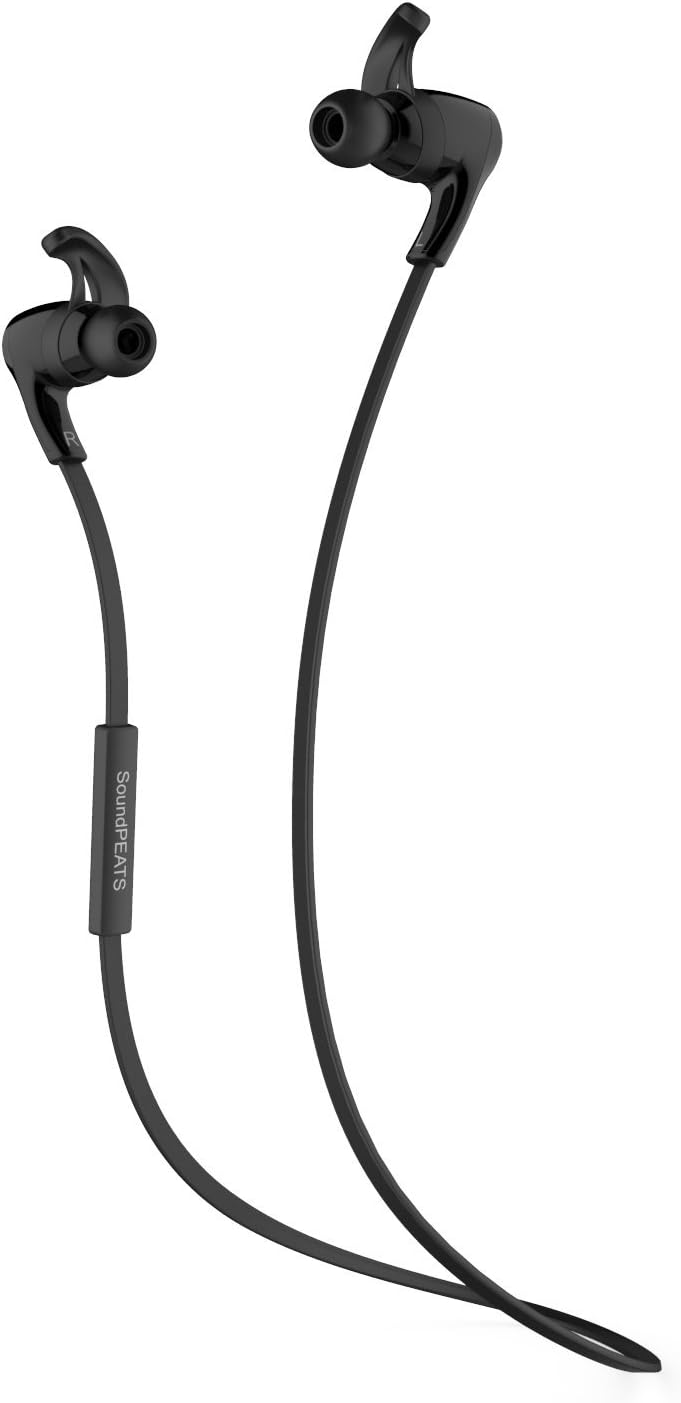
Сүрөт: деталдуу view of the SoundPEATS Q8 headphones, showcasing the earbud design, ear hooks, and the inline control module with buttons.
Жайгашуу
1. Наушниктерди заряддоо
- Connect the micro-USB end of the charging cable to the charging port on the headphone's inline remote.
- Connect the USB-A end of the charging cable to a USB power adapter or a computer's USB port.
- The LED indicator light will turn red during charging and turn blue when fully charged.
- A full charge typically takes approximately 1-2 hours. The headphones offer up to 6 hours of listening/talk time and up to 200 hours of standby time.
2. Bluetooth Жупташтыруу
- Наушниктердин өчүрүлгөнүн текшериңиз.
- Press and hold the multi-function button (usually the center button on the inline remote) for approximately 5-7 seconds until the LED indicator light flashes red and blue alternately. This indicates the headphones are in pairing mode.
- Bluetooth иштетилген түзмөгүңүздө (смартфон, планшет, компьютер) Bluetooth жөндөөлөрүнө өтүп, Bluetooth'ду иштетиңиз.
- Издөө available devices. Select "SoundPEATS Q8" from the list.
- Once successfully paired, the LED indicator light will flash blue slowly, and you may hear an audible confirmation.
- Эгер сырсөз суралса, "0000" киргизиңиз.
3. Наушник тагынуу
For optimal sound quality and comfort, select the appropriate size of ear gels and ear stabilizers. The headphones come with an assortment of three different sized ear gels and three different sized ergonomic ear stabilizers to ensure an excellent fit.
- Choose ear gels that create a good seal in your ear canal.
- Select ear stabilizers that fit snugly into the concha of your ear to keep the headphones secure during activity.
- Place the headphones in your ears, ensuring the ear hooks are positioned over the top of your ears.

Image: A person wearing the SoundPEATS Q8 headphones, viewed from behind, illustrating the secure placement of the earbuds and the cable resting around the neck.

Image: A person wearing the SoundPEATS Q8 headphones, viewed from the side, demonstrating the in-ear fit and the ear hook design.
Иштөө нускамалары
Күйгүзүү/өчүрүү
- Күйгүзүү: Press and hold the multi-function button for approximately 3 seconds until the blue LED indicator flashes.
- Өчүрүү: Press and hold the multi-function button for approximately 3 seconds until the red LED indicator flashes briefly, then turns off.
Музыканы ойнотуу
- Ойнотуу/тындыруу: Көп функциялуу баскычты бир жолу басыңыз.
- Көлөмү: "+" баскычын басыңыз.
- Үнүн азайтуу: "-" баскычын басыңыз.
- Кийинки трек: "+" баскычын көпкө басыңыз.
- Мурунку трек: "-" баскычын көпкө басыңыз.
Чалууларды башкаруу
- Чалууга жооп берүү/аяктоо: Көп функциялуу баскычты бир жолу басыңыз.
- Чакырууну четке кагуу: Long press the multi-function button for approximately 2 seconds.
- Акыркы номерди кайра терүү: Көп функциялуу баскычты эки жолу басыңыз.
Техникалык тейлөө
- Наушниктерди дайыма жумшак, кургак чүпүрөк менен тазалап туруңуз.
- Avoid exposing the headphones to extreme temperatures, humidity, or corrosive substances.
- Store the headphones in the provided carrying case when not in use to protect them from damage.
- Заряддоо портун чаңдан жана таштандылардан таза кармаңыз.
Проблемаларды чечүү
- Кулакчындар күйбөй жатат: Наушниктердин толук заряддалганын текшериңиз.
- Түзмөк менен жупташтыруу мүмкүн эмес:
- Кулакчындар жупташтыруу режиминде экенин текшериңиз (кызыл жана көк LED кезектешип күйүп-өчүп турат).
- Түзмөгүңүздө Bluetooth иштетилгенин текшериңиз.
- Кулакчындарды түзмөгүңүзгө жакыныраак жана мүмкүн болгон тоскоолдук булактарынан алысыраак жылдырыңыз.
- Кулакчындарды да, түзмөгүңүздү да өчүрүп-күйгүзүп көрүңүз.
- Үн жок же үнү төмөн:
- Наушниктердин жана туташкан түзмөгүңүздүн үнүнүн деңгээлин текшериңиз.
- Наушниктердин туура жупташтырылганын жана туташтырылганын текшериңиз.
- Verify that the ear gels provide a good seal in your ear canal.
- Үн сапаты начар:
- Ensure the headphones are within the effective Bluetooth range (up to 10 meters) of your device.
- Avoid physical obstructions between the headphones and your device.
- Башка зымсыз аппараттардын кийлигишүүсүн текшериңиз.
Техникалык шарттар
| Модел | Q8 |
| Байланыш технологиясы | Bluetooth |
| Bluetooth версиясы | 4.0 |
| Чипсет | CSR 8645 |
| Аудио технологиясы | aptx |
| Батареянын иштөө мөөнөтү (Музыка/Баарлашуу) | 6 саатка чейин |
| Күтүү убактысы | 200 саатка чейин |
| Зымсыз диапазон | 10 метрге чейин (33 фут) |
| Башкаруу түрү | Үндү башкаруу, Пульт |
| Микрофон | камтылган |
| Noise Control | Үн изоляциясы |
| Элемент Салмагы | 4.8 унция |
Кепилдик жана колдоо
For warranty information or technical support, please refer to the warranty card included in your package or visit the official SoundPEATS website. You may also contact SoundPEATS customer service directly for assistance with product issues or inquiries.


