1. Киришүү
The Uniden BCD996P2 Digital Mobile TrunkTracker V Scanner is a versatile communication device designed for monitoring various radio transmissions. This scanner provides access to police and fire departments, emergency medical services, NOAA weather broadcasts, business/industrial radio, utilities, marine, amateur (ham radio) bands, and air band transmissions. With 25,000 dynamically allocated channels and advanced features, it offers comprehensive monitoring capabilities for both base and mobile use.
2. Негизги өзгөчөлүктөрү
- TrunkTracker V Operation: Scans APCO 25 Phase 1 and Phase 2, X2-TDMA, Motorola, EDACS, and LTR trunked systems, as well as conventional analog and P25 digital channels.
- 25,000 Dynamically Allocated Channels: Provides extensive capacity for storing and organizing frequencies.
- Close Call RF Capture Technology with DND: Detects and provides information about nearby radio transmissions. The Do-Not-Disturb feature prevents interruptions on active channels during Close Call activity.
- SAME Аба ырайы жөнүндө эскертүү: Offers advanced weather alerts for specific locations, warning of severe weather conditions.
- Жайгашкан жерге негизделген сканерлөө: When connected to a compatible GPS receiver (sold separately), the scanner automatically selects programmed systems based on your exact location, optimizing scanning efficiency.
- 4-Line Alpha Display: Clear and easy-to-read display for channel information and settings.
- Base/Mobile Design: Suitable for both stationary and in-vehicle installations.
3. Орнотуу
3.1. Пакеттен чыгаруу жана компоненттер
Carefully unpack your Uniden BCD996P2 scanner and verify that all components are present:
- Uniden BCD996P2 Scanner Unit
- Телескоптук Антенна
- AC адаптер
- DC Power Cord (with lighter plug)
- Монтаждык кашаа жана жабдуу
- USB кабели
- Колдонуучунун колдонмосу (бул документ)
3.2. Баштапкы байланыштар
- Антеннаны тиркөө: Screw the telescopic antenna firmly into the antenna connector on the top of the scanner.
- Кубат туташуу:
- For base use, connect the AC adapter to the scanner's power input and then to a standard wall outlet.
- For mobile use, connect the DC power cord to the scanner's power input and the lighter plug to your vehicle's 12V accessory outlet.
- Монтаждоо (кошумча): If using as a mobile unit, secure the scanner using the provided mounting bracket and hardware in a safe and accessible location within your vehicle.

Сүрөт 1: Алдыңкы-сол view of the Uniden BCD996P2 scanner with antenna extended.
3.3. Programming and Software
The BCD996P2 can be programmed manually or via computer software. For extensive programming and updates, it is highly recommended to use a computer with compatible software (e.g., FreeSCAN, available from third-party developers). Connect the scanner to your computer using the supplied USB cable.
Frequency information for your local area can often be found on online databases like RadioReference.com. This allows you to input precise frequencies for police, fire, EMS, and other services.

2-сүрөт: Каптал view of the scanner, highlighting the USB port for computer connection.
4. Иштөө нускамалары
4.1. Күйгүзүү/өчүрүү жана Көлөмү
To power on the scanner, rotate the Volume/Squelch knob clockwise. To power off, rotate it counter-clockwise until it clicks. Adjust the volume by rotating the same knob.

3-сүрөт: Толук алдыңкы бети view of the scanner, showing the display and control knobs.
4.2. Сканерлөө режимдери
The BCD996P2 supports various scanning modes, including TrunkTracker V for advanced trunked systems and conventional scanning for analog and digital channels. Use the SCAN/SEARCH knob and keypad to navigate and select desired systems or channels.

Figure 4: Close-up of the scanner's keypad and multi-function control knob.
4.3. Close Call RF Capture
Activate Close Call RF Capture to detect and display frequencies from nearby strong transmissions. This feature is useful for quickly identifying active local signals. The Do-Not-Disturb (DND) function ensures that ongoing scanning is not interrupted by Close Call checks.
4.4. S.A.M.E. Weather Alert
The scanner can receive NOAA Weather Radio broadcasts and issue S.A.M.E. (Specific Area Message Encoding) alerts for severe weather in your designated area. Refer to the full manual for detailed setup of S.A.M.E. alerts.
4.5. Location-Based Scanning
For optimal mobile operation, connect a compatible GPS receiver to the scanner. This enables the scanner to automatically select and activate programmed systems based on your current geographical location, ensuring you only monitor relevant local transmissions.

Figure 5: Scanner display showing active transmission details, including location and frequency.
4.6. Quick Key Navigation
The scanner features Quick Keys for rapid access to programmed systems and groups. You can enable or disable these keys to customize your scanning experience. Consult the full owner's manual for detailed instructions on assigning and managing Quick Keys.
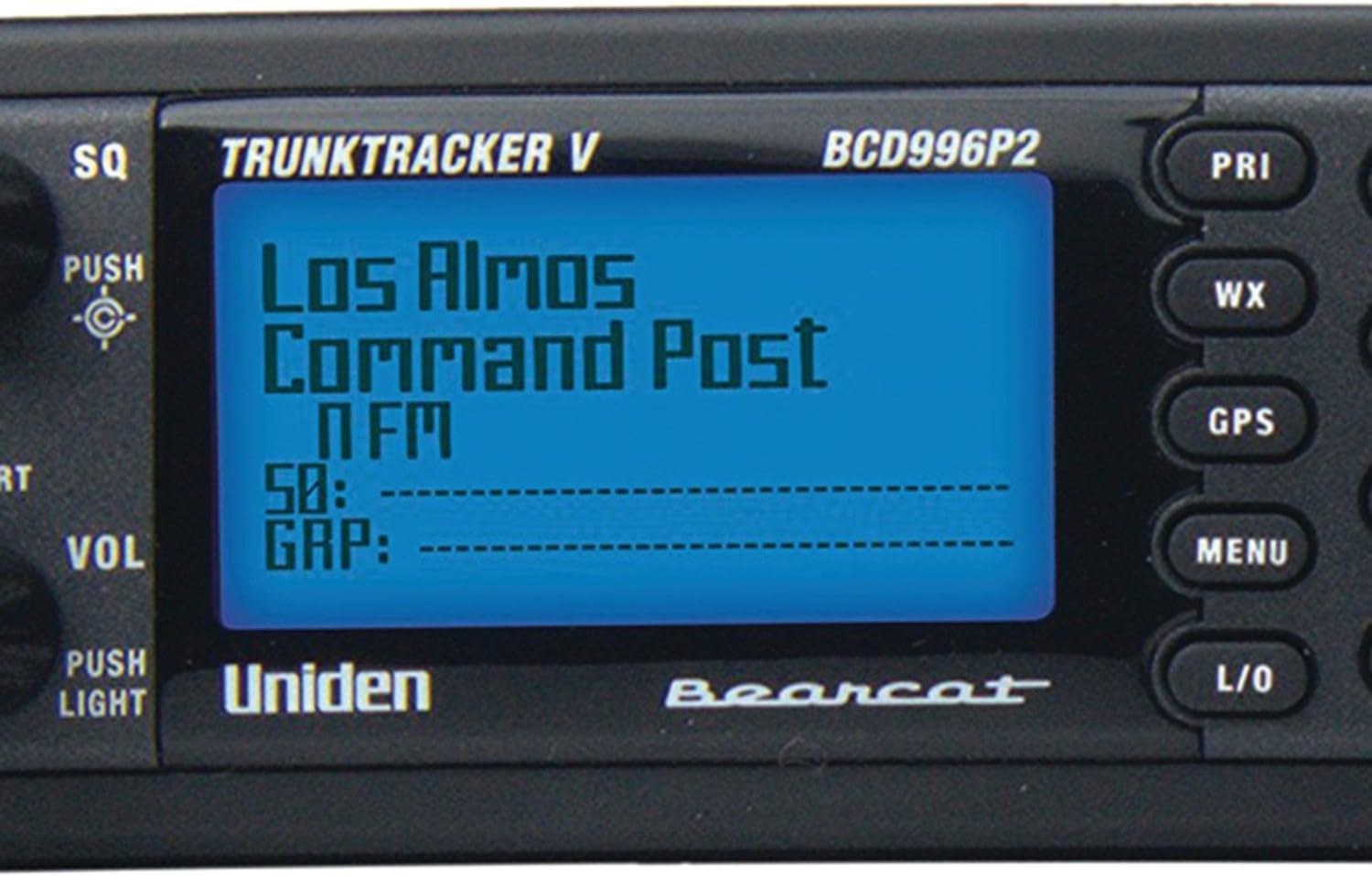
Figure 6: Close-up of the scanner's 4-line alpha display.
5. Окуу видеолору
5.1. Uniden BCD996P2 - Top Scanner for Serious Listeners!
Бул видеодо толук маалымат берилетview of the Uniden BCD996P2 scanner, highlighting its capabilities for serious listeners. It demonstrates the display and general operation.
5.2. How to program your BCD996P2 Scanner
This video offers a step-by-step guide on how to program your Uniden BCD996P2 scanner, covering essential programming techniques.
5.3. BCD996P2 Police Scanner Tips to hear your county a little better
Learn valuable tips and tricks to optimize your BCD996P2 scanner's reception and clarity for local county transmissions.
5.4. Uniden BCD996P2 Digital Mobile TrunkTracker V Scanner
Бул видео жалпы маалымат беретview of the Uniden BCD996P2 Digital Mobile TrunkTracker V Scanner, showcasing анын өзгөчөлүктөрү жана дизайны.
5.5. News Photographer Honest Review - Uniden 996P2 Scanner
A news photographer shares their honest review of the Uniden BCD996P2 scanner, discussing its practical use and performance.
6. Техникалык тейлөө
- Тазалоо: Use a soft, dry cloth to clean the exterior of the scanner. Avoid abrasive cleaners or solvents.
- Антеннага кам көрүү: Ensure the antenna is securely attached and free from damage. Avoid bending or forcing the antenna.
- Программалык камсыздоо жаңыртуулары: Periodically check the Uniden website or relevant third-party forums for firmware and software updates to ensure optimal performance and compatibility with evolving radio systems.
7. Кыйынчылыктарды
| Көйгөй | Мүмкүн себеп | Чечим |
|---|---|---|
| No reception/audio | Incorrect programming, weak signal, antenna issue. | Verify programming, check antenna connection, relocate scanner for better signal. |
| Сканер күйбөй жатат | Power connection issue, faulty adapter/cord. | Ensure power cord is securely connected, test with a different power source if possible. |
| Garbled digital audio | Poor signal quality for digital transmissions, simulcast distortion. | Improve antenna placement, consider external antenna, adjust squelch settings. |
For more detailed troubleshooting, refer to the comprehensive owner's manual or visit the Uniden support webсайт.
8. Техникалык шарттар
- Модель номери: BCD996P2
- Продукциянын өлчөмдөрү: 11 x 3.75 x 8.5 дюйм
- Элемент Салмагы: 2 фунт
- Түсү: Кара
- Кубат булагы: 12 volts Direct Current (DC)
- Батареялар: 1 литий-иондук батарейка талап кылынат (кошулган)
- Байланыш технологиясы: GPS (compatible devices)
- Каналдар: 25,000 Dynamically Allocated
- Дисплей: 4-Line Alpha display
- Trunking Systems Supported: APCO 25 Phase 1 & 2, X2-TDMA, Motorola, EDACS, LTR
9. Кепилдик жана колдоо
For warranty information and technical support, please refer to the warranty card included with your product or visit the official Uniden webсайт. Кепилдик дооматтар үчүн сатып алганыңыздын далилин сактаңыз.
Uniden Customer Support: www.uniden.com/support


