Tekpower YX-360TRe-b Analog Multimeter
User Manual
Model: YX-360TRe-b
1. Киришүү
The Tekpower YX-360TR (also known as YX-360TReb and YX-360TRn) is a versatile analog multimeter designed for general purpose electrical testing. This device allows you to accurately measure AC/DC voltage, DC electric current, resistance, and perform diode and continuity checks. Its compact design, large mirrored scale, and built-in tilt stand make it a practical tool for various applications.
2. Коопсуздук маалыматы
Always observe standard safety precautions when using any electrical testing equipment. Failure to do so may result in injury or damage to the meter or equipment under test.
- Read this manual thoroughly before operation.
- Ensure the test leads are in good condition, free from cracks or damage.
- Always select the correct function and range before connecting the test leads to the circuit.
- Эч качан көлөмдү өлчөөгө аракет кылбаңызtage on a current range setting, or vice versa.
- Эгерде эсептегич бузулгандай көрүнсө же корпусу ачык болсо, аны колдонбоңуз.
- Avoid using the meter in wet or damp шарттар.
- Том менен иштөөдө этият болуңузtag30V AC RMS, 42V пик же 60V DC жогору, анткени булар шок коркунучун жаратат.
- The meter is rated for CAT II installations, meaning it is suitable for measurements performed on circuits directly connected to the low-voltage орнотуу.
3. Продукт бүтүп калдыview
The Tekpower YX-360TRe-b Analog Multimeter consists of several key components:
- Аналогдук дисплей: Features a large, mirrored 80mm scale for precise readings across various measurement types.
- Rotary Function/Range Switch: Used to select the desired measurement function (DCV, ACV, DCA, Resistance, etc.) and the appropriate range.
- Киргизүү уячалары: Includes common (COM), voltage/resistance/mA (VΩmA), and 10A input terminals for connecting test leads.
- Zero Ohm Adjustment Knob: Каршылык өлчөө үчүн эсептегичти нөлгө түшүрүү үчүн колдонулат.
- Tilt Back-Stand: Integrated stand for convenient viewбурч.
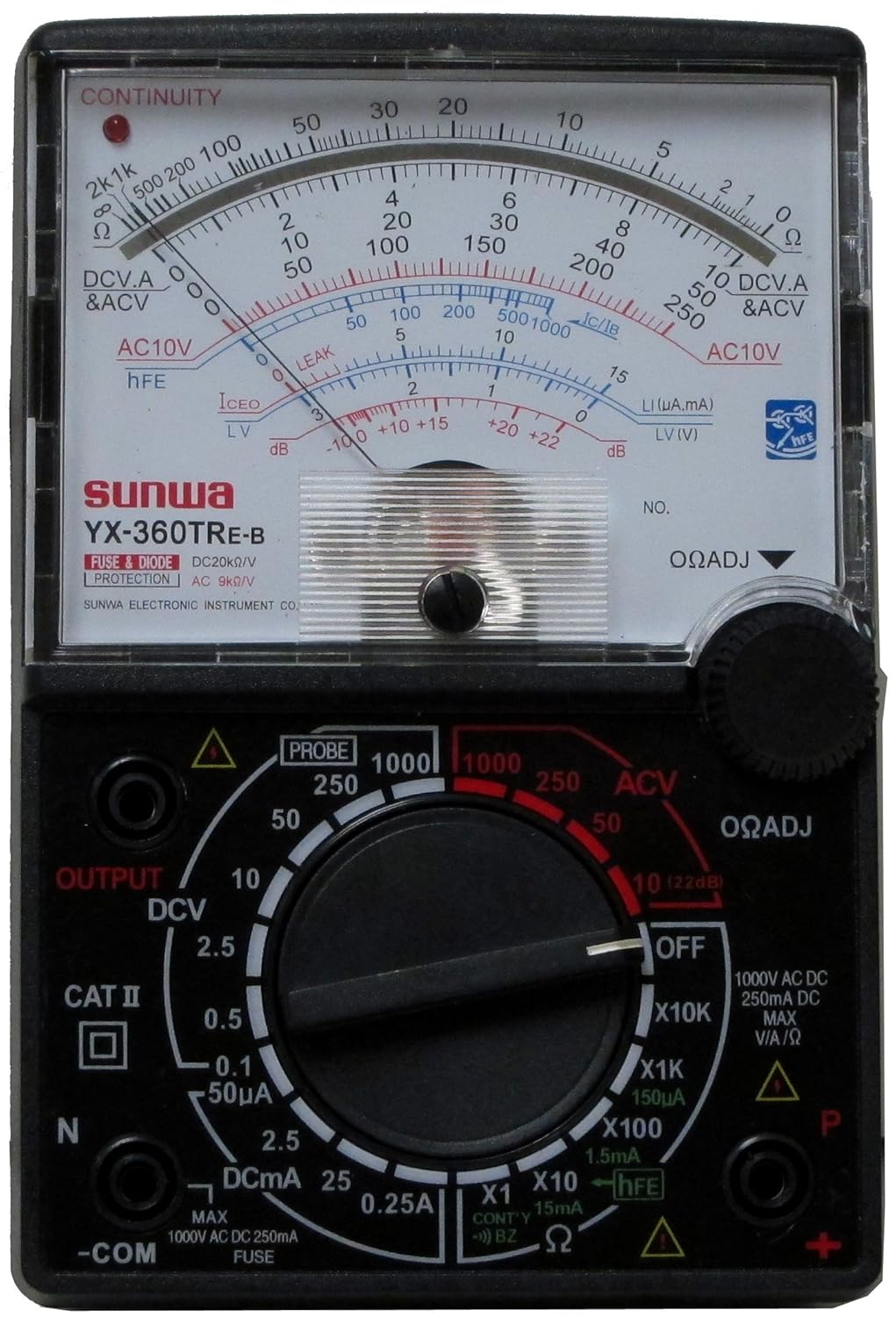
Сүрөт 3.1: Алдыңкы view of the Tekpower YX-360TRe-b Analog Multimeter, showing the analog display, rotary switch, and input jacks.
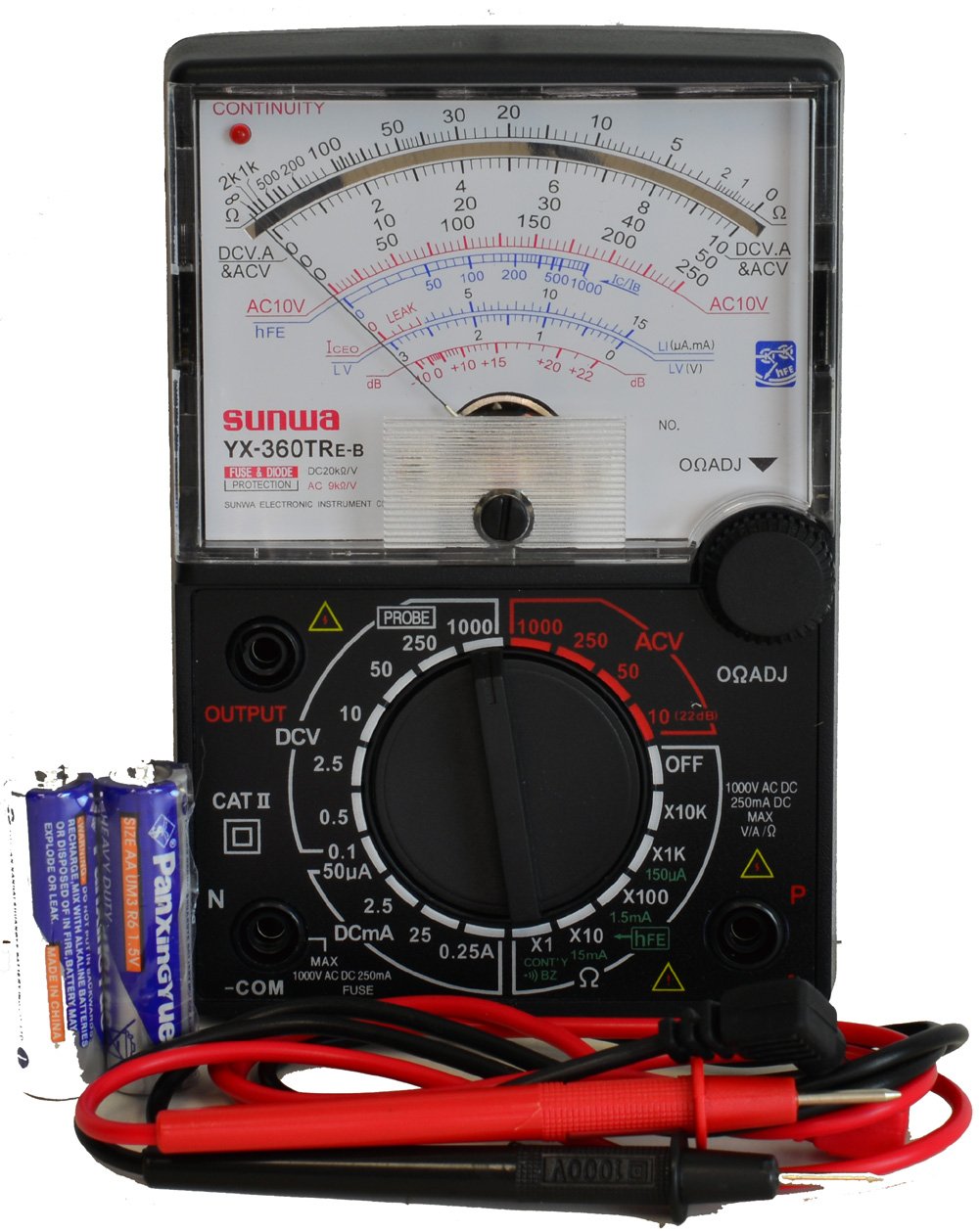
Figure 3.2: The Tekpower YX-360TRe-b Multimeter displayed with its included test leads and AA batteries.
4. Орнотуу
4.1. Батареяны орнотуу
The Tekpower YX-360TRe-b requires two AA batteries for operation. These batteries are typically included with the multimeter.
- Мультиметрдин артындагы батарея бөлүкчөсүнүн капкагын табыңыз.
- Use a screwdriver to remove the screw(s) securing the cover, if present.
- Батарея отсегин кылдаттык менен ачыңыз.
- Insert the two AA batteries, ensuring correct polarity (+ and -) as indicated inside the compartment.
- Батарея уясынын капкагын ордуна коюңуз жана аны бурама(лар) менен бекитиңиз.
4.2. Сыноо линияларын туташтыруу
Connect the red and black test leads to the appropriate input jacks on the multimeter.
- Кара сыноо өткөргүчтү орнотуңуз -COM (Common) jack. This is the negative terminal.
- Кызыл тестирлөө чубалгысына киргизиңиз VΩmA jack for most voltage, resistance, and current measurements (up to 250mA).
- For higher DC current measurements (up to 250mA), ensure the rotary switch is set to the appropriate DCA range.
5. Иштөө нускамалары
Before taking any measurement, ensure the meter is set to the correct function and range. If the value is unknown, start with the highest range and work downwards.
5.1. DC Voltage (DCV) өлчөө
- Set the rotary switch to the desired DCV range (e.g., 0.1V, 0.25V, 2.5V, 10V, 50V, 250V, 1000V).
- Кызыл сыноо зымын чынжырдын оң (+) тарабына, ал эми кара сыноо зымын терс (-) тарабына туташтырыңыз.
- Томду окуңузtage value from the DCV scale on the analog display.
5.2. AC Voltage (ACV) өлчөө
- Set the rotary switch to the desired ACV range (e.g., 10V, 50V, 250V, 1000V).
- Сыноо өткөргүчтөрүн AC том аркылуу туташтырыңызtage булагы.
- Томду окуңузtage value from the ACV scale on the analog display.
5.3. DC Current (DCA) Measurement
- Маанилүү: Ensure the circuit is de-energized before connecting the meter in series.
- Set the rotary switch to the desired DCA range (e.g., 50µA, 2.5mA, 25mA, 250mA).
- Break the circuit and connect the multimeter in series with the load. The current must flow through the meter.
- Apply power to the circuit and read the current value from the DCA scale.
5.4. Resistance (Ω) Measurement
- Маанилүү: Каршылыкты өлчөөдөн мурун чынжыр же тетиктин энергиясы өчүрүлгөнүн текшериңиз.
- Set the rotary switch to the desired Ω range (e.g., X1, X10, X100, X1K, X10K).
- Short the test leads together (touch the red and black probes).
- тууралаңыз ΩADJ (Zero Ohm Adjustment) knob until the needle points exactly to '0' on the Ohms scale.
- Сыноо өткөргүчтөрүн өлчөнө турган компонентке туташтырыңыз.
- Read the value from the Ohms scale and multiply by the range multiplier (e.g., if on X100 range and reading is 50, the resistance is 50 x 100 = 5000 Ω).
5.5. Diode Check
- Айлантуу которгучту Диод or Үзгүлтүксүздүк function (often combined).
- Connect the red lead to the anode and the black lead to the cathode of the diode. The meter should show a low resistance reading.
- Reverse the leads. The meter should show a very high or infinite resistance reading.
- For LEDs, the LED should light up when connected in the forward bias direction.
5.6. Үзгүлтүксүздүк тести
- Айлантуу которгучту Үзгүлтүксүздүк функция.
- Connect the test leads across the circuit or component to be tested.
- If there is continuity (low resistance), the meter will emit an audible buzzer sound and/or illuminate an LED indicator.
5.7. dB Measurement
The meter can measure decibels (dB) within a range of -10 dB to 22 dB. Refer to the specific dB scale on the analog display for readings.
6. Техникалык тейлөө
6.1. Батареяны алмаштыруу
When the meter's readings become erratic or the display dims, it's time to replace the batteries. Follow the steps in Section 4.1 for battery installation.
6.2. Сактагычты алмаштыруу
The multimeter is equipped with fuse protection. If the meter stops functioning on current ranges, the fuse may need replacement. Refer to the meter's internal layout for fuse location and specifications. Always replace with a fuse of the same type and rating.
6.3. Тазалоо жана сактоо
Счетчиктин сasing жарнама мененamp cloth and mild detergent. Do not use abrasives or solvents. Store the meter in a cool, dry place away from direct sunlight and extreme temperatures. If storing for extended periods, remove the batteries to prevent leakage.
7. Кыйынчылыктарды
| Көйгөй | Мүмкүн себеп | Чечим |
|---|---|---|
| No needle deflection / Meter not responding. | Dead or incorrectly installed batteries. Incorrect function/range selected. Blown fuse (for current measurements). Open circuit. | Check and replace batteries. Ensure correct polarity. Select appropriate function and range. Check and replace fuse if necessary. Verify circuit continuity. |
| Туура эмес окуулар. | Incorrect range selected. Poor contact with test leads. Battery low. Zero Ohm adjustment not performed (for resistance). | Select a more appropriate range. Ensure firm contact with test leads. Replace batteries. Perform Zero Ohm adjustment before resistance measurement. |
| Continuity buzzer not working. | Open circuit. Low battery. | Verify continuity of the circuit. Replace batteries. |
8. Техникалык шарттар
| Параметр | Спецификация |
|---|---|
| Модел | YX-360TRe-b (also YX-360TR, YX-360TReb, YX-360TRn) |
| DC Voltage (DCV) Ranges | 0.1V, 0.25V, 2.5V, 10V, 50V, 250V, 1000V |
| DCV тактыгы | ±1% (0.1V), ±3% (0.25V-1000V) |
| AC Voltage (ACV) Ranges | 10В, 50В, 250В, 1000В |
| ACV тактыгы | ±4% |
| DC Current (DCA) Ranges | 50µA, 2.5mA, 25mA, 250mA |
| DCA тактыгы | ±3% |
| Каршылык көрсөтүү чектери | 2KΩ, 20KΩ, 200KΩ, 2MΩ, 20MΩ |
| Каршылык тактыгы | ±3% |
| dB Range | -10 дБдан 22 дБга чейин |
| Диод текшерүү | Yes (including LED) |
| Үзгүлтүксүздүк | Buzzer & LED indicator |
| DC/AC Sensitivity | 20kΩ/V |
| Батарея түрү | 2 x AA батареялары (киргизилген) |
| Өлчөмдөрү (L x W x Y) | 7.7 x 3.6 x 2.2 дюйм |
| Таза Салмак | Болжол менен 12 унция |
| Түс | Кара |
9. Кепилдик жана колдоо
For information regarding the product warranty, please refer to the documentation included with your purchase or contact Tekpower directly. For technical support or inquiries, please visit the official Tekpower webсайтка же кардарларды тейлөө бөлүмүнө кайрылыңыз.
Tekpower Store Link: Visit the Tekpower Store on Amazon


