1. Киришүү
This manual provides detailed instructions for the setup, operation, and maintenance of your EMOS E0114 Digital Thermometer and Hygrometer. This device accurately measures indoor temperature and humidity, and also functions as a quartz clock with an alarm, snooze feature, and date display. Please read this manual thoroughly before using the product to ensure correct operation and to prevent damage.
2. Коопсуздук маалыматы
- Аппаратты экстремалдык температурадан, түз күн нурунан жана жогорку нымдуулуктан алыс кармаңыз.
- Аппаратты сууга же башка суюктуктарга тийгизбеңиз.
- Аппаратты ажыратууга же өзгөртүүгө аракет кылбаңыз. Бул кепилдикти жокко чыгарат.
- Колдонулган батарейкаларды жергиликтүү эрежелерге ылайык таштаңыз.
- Батареяларды балдар жетпеген жерде сактаңыз.
3. Пакеттин мазмуну
Пакеттин мазмунун таңгактан чыгаргандан кийин текшериңиз:
- EMOS E0114 Digital Thermometer and Hygrometer
- User Manual
Note: 1 AA Mignon 1.5 V battery is required and not included in the package.

Figure 3.1: EMOS E0114 device in its retail packaging.
4. Продукт бүтүп калдыview
Familiarize yourself with the components of your EMOS E0114 device.
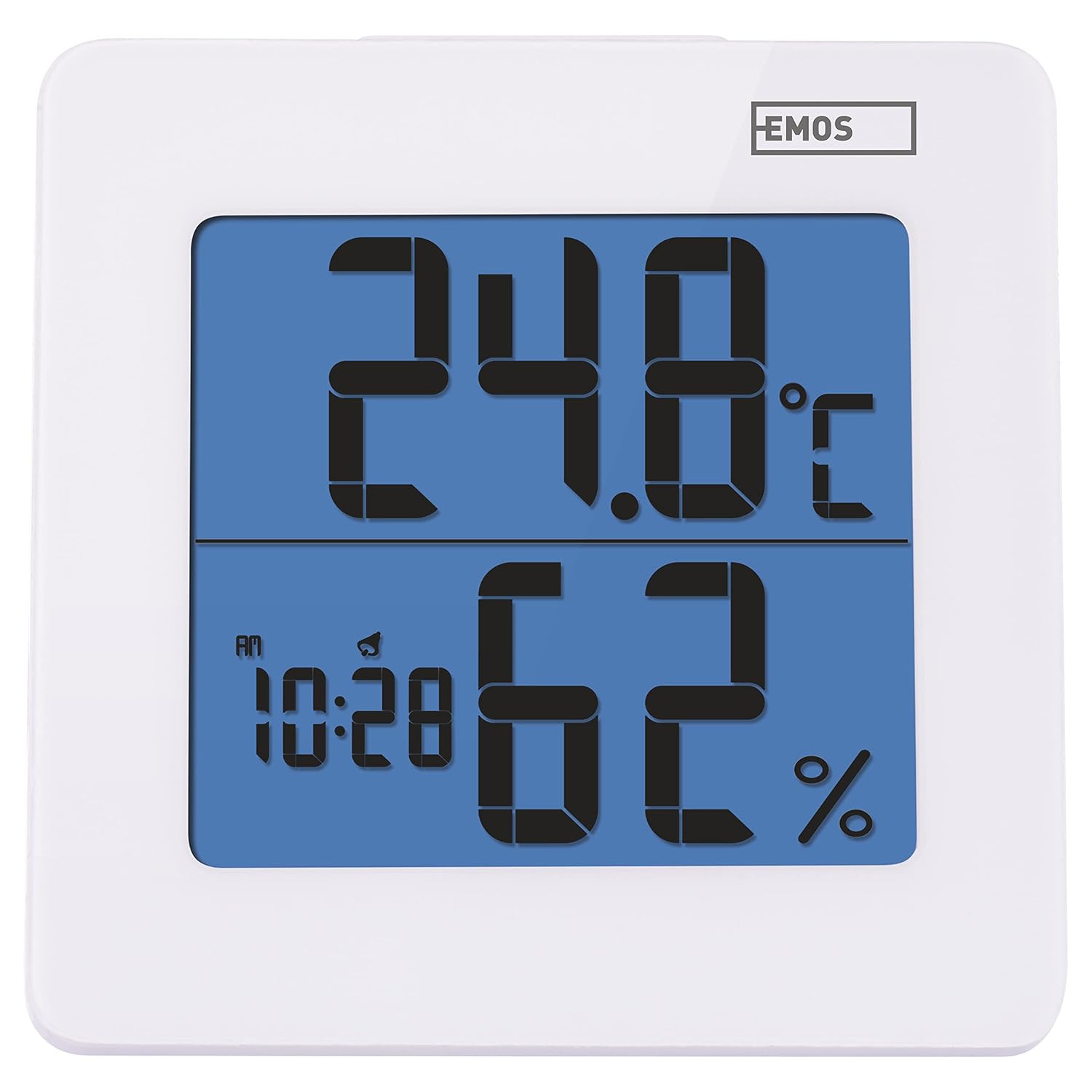
Сүрөт 4.1: Алдыңкы view of the EMOS E0114 display, showing temperature, humidity, and time.

4.2-сүрөт: Артка view of the EMOS E0114, highlighting the control buttons and battery compartment.
Башкаруу баскычтары:
- РЕЖИМ: Switches between time display, alarm setting, and date setting.
- Өйдө: Increases values during setting, activates/deactivates alarm.
- MEM: Displays maximum and minimum temperature/humidity records.
- C/F: Цельсий жана Фаренгейт температура бирдиктери ортосунда которулат.
- КАЛТЫРУУ: Аппаратты баштапкы абалга келтирет.
- SNOOZE/LIGHT (Top Bar): Activates snooze function during alarm, illuminates the display backlight.
5. Орнотуу
5.1 Батареяны орнотуу
- Аппараттын артындагы батарея отсегин табыңыз (4.2-сүрөттү караңыз).
- Батарея уясынын капкагын ачыңыз.
- Insert one (1) AA Mignon 1.5 V battery, ensuring correct polarity (+/-).
- Батарея уясынын капкагын бекем жабыңыз.
5.2 Баштапкы күйгүзүү
Upon battery installation, the device will power on automatically and display the current time (default 12:00 AM), temperature, and humidity. The backlight will briefly illuminate.
6. Иштөө нускамалары
6.1 Убакытты жана датаны орнотуу
- Кадимки убакытты көрсөтүү режиминде басыңыз РЕЖИМ Убакытты орнотуу режимине өтүү үчүн баскычты бир жолу басыңыз. Сааттын сандары күйүп-өчүп турат.
- колдонуу UP саатты жөндөө үчүн баскыч.
- Басыңыз РЕЖИМ again to set the minutes. The minute digits will flash. Use the UP мүнөттөрдү жөндөө үчүн баскычты басыңыз.
- Басыңыз РЕЖИМ again to set the year. The year digits will flash. Use the UP жылды тууралоо үчүн баскыч.
- Басууну улантыңыз РЕЖИМ to set the month and then the day, adjusting each with the UP баскычы.
- Күндү койгондон кийин, баскычын басыңыз РЕЖИМ to exit setting mode and return to normal time display.
6.2 Сигналды коюу
- Кадимки убакытты көрсөтүү режиминде басыңыз РЕЖИМ button twice to enter alarm setting mode. The alarm time will be displayed, and the hour digits will flash.
- колдонуу UP ойготкуч саатын жөндөө үчүн баскыч.
- Басыңыз РЕЖИМ again to set the alarm minutes. The minute digits will flash. Use the UP ойготкуч мүнөттөрдү тууралоо үчүн баскыч.
- Басыңыз РЕЖИМ ойготкучту орнотуу режиминен чыгуу үчүн.
- Ойготкучту иштетүү же өчүрүү үчүн, баскычын басыңыз UP button once in normal time display mode. An alarm icon will appear on the display when activated.
6.3 Using Snooze and Backlight
- Ойготкуч басылганда, басыңыз SNOOZE / LIGHT bar on top of the device to activate the snooze function. The alarm will pause for approximately 5 minutes and then sound again.
- To turn off the alarm completely, press any other button (MODE, UP, MEM, C/F) on the back of the device.
- басыңыз SNOOZE / LIGHT bar at any time to briefly illuminate the display backlight for better visibility in low light conditions.
6.4 Которуу температурасынын бирдиктери (°C/°F)
Кадимки дисплей режиминде басыңыз C / F button on the back of the device to toggle between Celsius (°C) and Fahrenheit (°F) temperature readings.
6.5 Viewing Maximum and Minimum Records
The device stores the maximum and minimum temperature and humidity values recorded since the last reset or battery change.
- басыңыз MEM Максималдуу жаздырылган температураны жана нымдуулукту көрсөтүү үчүн баскычты бир жолу басыңыз.
- басыңыз MEM button again to display the minimum recorded temperature and humidity.
- Басыңыз MEM a third time to return to the current temperature and humidity display.
- To clear the maximum/minimum records, press and hold the MEM баскычын болжол менен 3 секунд басып туруңуз viewжазууларды алуу.
7. Техникалык тейлөө
7.1 Тазалоо
- Аппаратты жумшак, кургак чүпүрөк менен аарчыңыз.
- Do not use abrasive cleaners, solvents, or chemical agents, as these may damage the display or casing.
7.2 Батареяны алмаштыруу
When the display becomes dim or the device stops functioning, it is time to replace the battery.
- Аппараттын артындагы батарея бөлүкчөсүнүн капкагын ачыңыз.
- Эски AA батарейкасын алып салыңыз.
- Insert a new AA Mignon 1.5 V battery, observing correct polarity.
- Батарея уясынын капкагын жабыңыз.
- You may need to reset the time and date after battery replacement.
8. Кыйынчылыктарды
| Көйгөй | Мүмкүн себеп | Чечим |
|---|---|---|
| Дисплей жок же күңүрт дисплей | Батарея аз же түгөндү; батарея туура эмес орнотулган. | Replace the battery with a new AA 1.5V battery. Ensure correct polarity. |
| Туура эмес убакыт/дата | Time/date not set correctly after battery installation or reset. | Follow instructions in Section 6.1 to set the time and date. |
| Temperature/humidity readings seem inaccurate | Device placed in an unsuitable location (e.g., near heat source, vent, direct sunlight). | Relocate the device to a stable indoor environment away from direct influences. Allow 30 minutes for readings to stabilize. |
| Ойготкуч угулбайт | Ойготкуч иштетилген эмес. | Ensure the alarm icon is visible on the display (refer to Section 6.2). |
| Түзмөк жооп бербей жатат | Убактылуу электрондук мүчүлүштүк. | басыңыз RESET button on the back of the device using a thin object (e.g., paperclip). Note: This will clear all settings. |
9. Техникалык шарттар
- Модел: E0114
- Бренд: EMOS
- Температураны өлчөө диапазону: 0 ° Cдан +50 ° C чейин (32 ° F дан 122 ° F чейин)
- Температуранын чечилиши: 0.1 °C / 0.1 °F
- Нымдуулукту өлчөө диапазону: 20% дан 90% га чейин салыштырмалуу нымдуулук (RH)
- Нымдуулуктун чечими: 1% RH
- Саат: Quartz with 12/24 hour format
- Ойготкуч: Yes, with Snooze function
- Дисплей: Арткы жарыктуу LCD
- Эстутум функциясы: Макс/мин температура жана нымдуулук
- Электр камсыздоо: 1 x AA Mignon 1.5 V battery (not included)
- Өлчөмдөрү (L x W x Y): 3.7 x 9.3 x 9.3 см (болжол менен 1.46 x 3.66 x 3.66 дюйм)
- Экрандын өлчөмдөрү: 60 x 65 mm (approximately 2.36 x 2.56 inches)
- Салмагы: 109 грамм (болжол менен 3.84 унция)
- Монтаж түрү: Wall mountable (integrated stand)
- Түсү: White (with blue display backlight)

Figure 9.1: Dimensions of the EMOS E0114 device.
10. Кепилдик жана колдоо
EMOS products are designed for reliability and performance. For warranty information or technical support, please refer to the warranty card included with your purchase or visit the official EMOS webсайт. Сураныч, кепилдик дооматтар үчүн сатып алуу далилиңизди сактап коюңуз.


