Introduction
This manual provides detailed instructions for the Sonnet T-1949 Digital LED Alarm Clock. This device features a clear LED display, an alarm function with snooze, and two integrated USB charging ports for smartphones and tablets. It operates on 110-120 volt AC power at 60 cycles and includes a battery backup feature (battery not included) to maintain time settings during power outages.
Продукт бүттүview
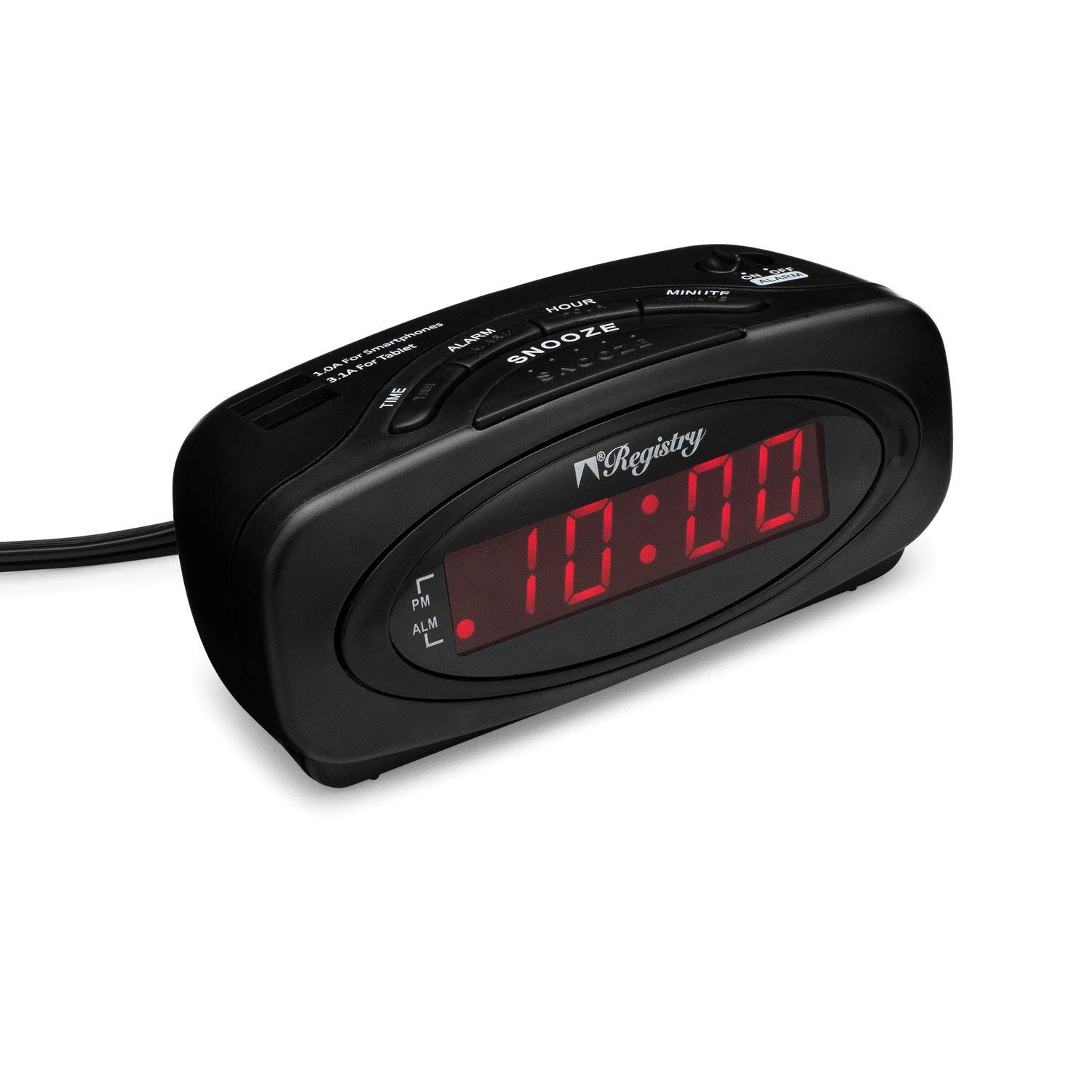
Сүрөт 1: Фронт view of the Sonnet T-1949 Digital LED Alarm Clock. The clock features a matte black finish and a red LED display showing "10:00". Indicators for PM and ALM (alarm) are visible on the left side of the display.
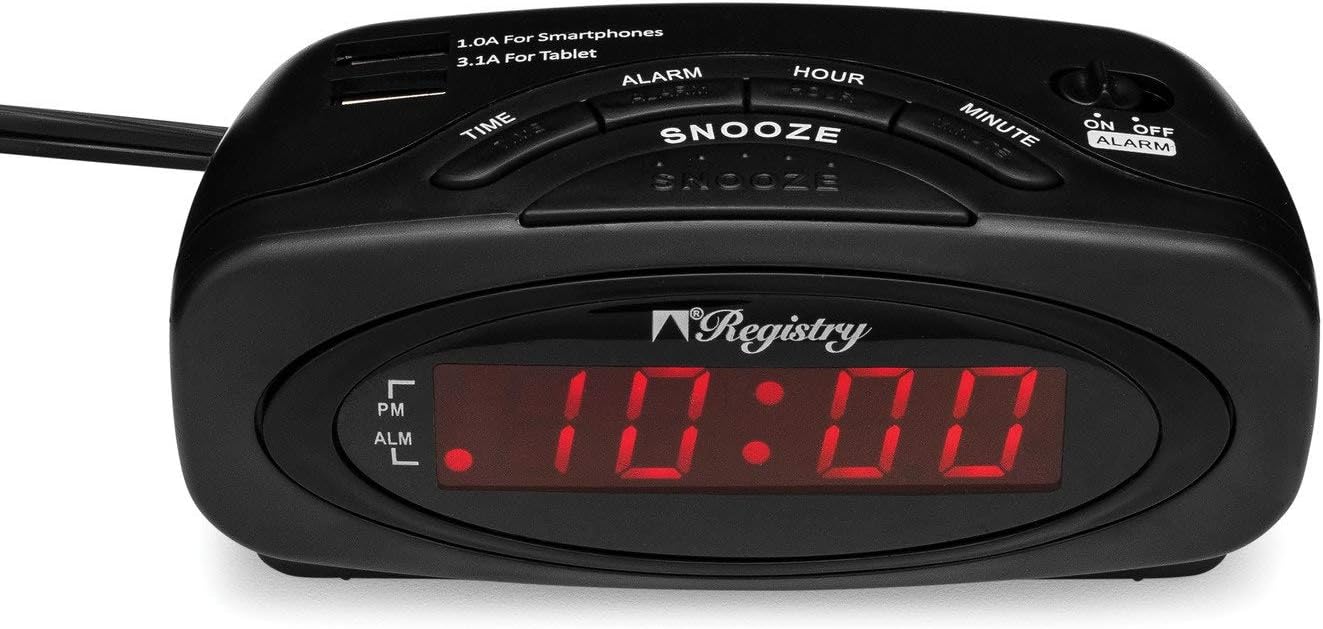
Сүрөт 2: Жогорку view of the Sonnet T-1949 Digital LED Alarm Clock. This image highlights the control buttons for TIME, ALARM, SNOOZE, HOUR, and MINUTE. Two USB charging ports are visible at the top, labeled "1.0A For Smartphones" and "3.1A For Tablet". An ON/OFF ALARM switch is located on the right side.

Сүрөт 3: Артка view of the Sonnet T-1949 Digital LED Alarm Clock. The battery compartment is open, revealing the slot for a button cell battery (CR2032, not included) for backup power. The power cord extends from the back of the unit.
Орнотуу нускамалары
- Кубат туташуу: Plug the alarm clock into a standard 110-120 volt AC, 60 cycle electrical outlet. The LED display will illuminate.
- Батареянын камдык көчүрмөсү (кошумча): For battery backup functionality, open the battery compartment on the back of the unit (refer to Image 3). Insert one CR2032 button cell battery (not included), ensuring correct polarity. This battery preserves time and alarm settings during a power outage.
- Убакытты коюу:
- басып, кармап туруңуз TIME баскычы.
- Кармап жатканда TIME, басыңыз HOUR саатты тууралоо үчүн баскыч. Туура AM/PM жөндөөсү үчүн PM индикаторуна көңүл буруңуз.
- Кармап жатканда TIME, басыңыз MINUTE мүнөттү жөндөө үчүн баскыч.
- бошотуңуз TIME учурдагы убакытты коюу үчүн баскыч.
- Ойготкучту орнотуу:
- басып, кармап туруңуз АЛАРМ баскычы.
- Кармап жатканда АЛАРМ, басыңыз HOUR ойготкуч саатын жөндөө үчүн баскыч.
- Кармап жатканда АЛАРМ, басыңыз MINUTE ойготкуч мүнөтүн жөндөө үчүн баскыч.
- бошотуңуз АЛАРМ button to set the alarm time. The ALM indicator on the display will light up, confirming the alarm is active.
Иштөө нускамалары
- Убакытты көрсөтүү: The .6-inch high LED display continuously shows the current time. The PM indicator illuminates when the time is in the PM hours.
- Alarm Activation/Deactivation: колдонуу ON/OFF ALARM slide switch located on the top right of the clock (refer to Image 2) to turn the alarm function on or off. When the alarm is ON, the ALM indicator will be lit.
- Чырым Function: Сигнал чыкканда чоң баскычты басыңыз СОЮЗ button to temporarily silence the alarm. The alarm will sound again after a short interval (typically 9 minutes).
- Ойготкучту токтотуу: Ойготкуч чыккандан кийин толугу менен өчүрүү үчүн, баскычын жылдырыңыз ON/OFF ALARM OFF абалына которуштуруу.
- USB кубаттоо порттору: The clock is equipped with two USB charging ports on the top surface (refer to Image 2):
- One 1.0A USB port for charging smartphones.
- One 2.1A USB port for charging tablets and other higher-power devices.
Техникалык тейлөө
To maintain your Sonnet T-1949 alarm clock, wipe the exterior with a soft, dry cloth. Avoid using abrasive cleaners or solvents, as these can damage the finish. Ensure the unit is unplugged before cleaning. Keep the clock away from excessive moisture and direct sunlight.
If using the battery backup, check the CR2032 battery periodically and replace it as needed to ensure continuous timekeeping during power interruptions.
Проблемаларды чечүү
| Көйгөй | Мүмкүн чечим |
|---|---|
| Сааттын дисплейи бош. | Кубат шнуру иштеп жаткан электр розеткасына бекем сайылганын текшериңиз. Розеткада электр кубаты бар экенин текшериңиз. |
| Ойготкуч угулбайт. | экендигин текшериңиз ON/OFF ALARM switch is in the ON position (ALM indicator lit). Confirm the alarm time is set correctly. |
| Убакыт/Ойготкуч жөндөөлөрү өчүрүлгөндөн кийин жоголотtage. | The battery backup is not functioning. Install a new CR2032 button cell battery or ensure the existing battery is correctly installed and not depleted. |
| USB devices are not charging. | Ensure the clock is powered on. Check if the USB cable is properly connected to both the clock and the device. Verify the device is compatible with the charging port's amperage (1.0A for smartphones, 2.1A for tablets). |
Техникалык шарттар
- Модел: Т-1949
- Бренд: Сонет
- Дисплей түрү: Digital LED (0.6" high)
- Түсү: Кара
- Кубат булагы: 110-120V AC, 60Hz (Corded Electric)
- Батареянын камдык көчүрмөсү: 1 x CR2032 button cell battery (not included)
- USB кубаттоо порттору:
- 1 x 1.0A (for smartphones)
- 1 x 2.1A (for tablets)
- Өзгөчөлүктөрү: Alarm, Snooze, AM/PM indicator
- Материал: Пластик
- Элемент Салмагы: 8.1 унция
- Пакеттин өлчөмдөрү: 5.63 x 3.9 x 2.64 дюйм
Кепилдик жана колдоо
Specific warranty information for the Sonnet T-1949 Digital LED Alarm Clock is typically provided with the product packaging or available on the manufacturer's official website. For technical support, service, or warranty claims, please refer to the contact information provided by Sonnet or your retailer.


