Introduction
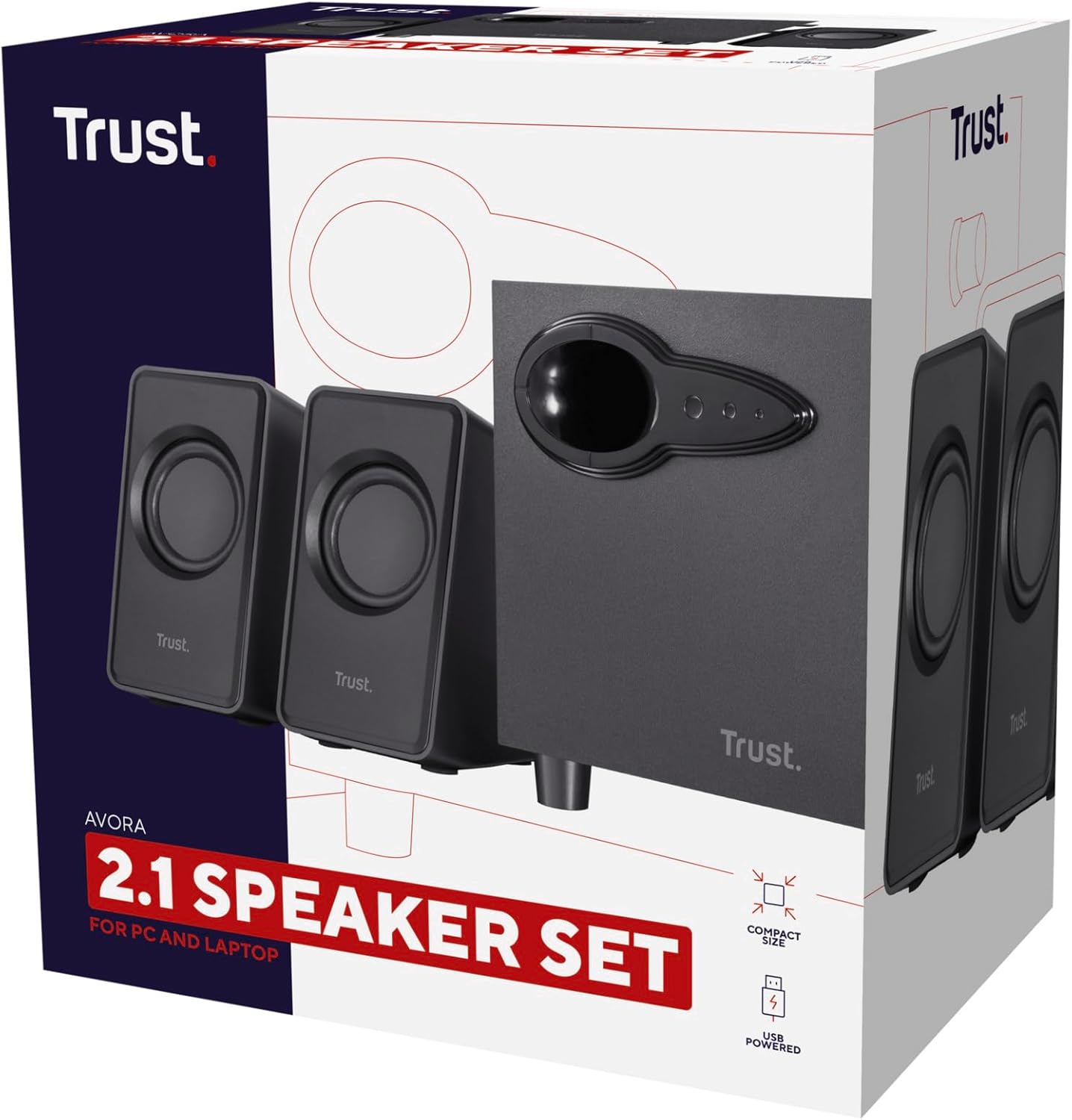
The Trust Avora 2.1 PC Speakers with Subwoofer (Model 20442) provide a compact, USB-powered audio solution for your computer or laptop. This speaker set features a wooden subwoofer for enhanced bass and two satellite speakers, delivering clear and rich sound for various multimedia applications.
This manual provides detailed instructions on setting up, operating, and maintaining your Trust Avora 2.1 PC Speakers, along with troubleshooting tips and product specifications.
Кутуда эмне бар
Upon unpacking your Trust Avora 2.1 PC Speakers, please ensure all the following components are present:
- 2 x Satellite Speakers (with attached cables)
- 1 x Subwoofer (with attached USB power cable)
- 1 x Колдонуучунун колдонмосу

Image: The Trust Avora 2.1 PC Speaker set, showing the central subwoofer unit and two compact satellite speakers.
Жайгашуу
Follow these steps to set up your Trust Avora 2.1 PC Speakers:
- Динамиктерди жайгаштыруу: Place the subwoofer on a flat, stable surface, ideally on the floor or desk near your computer. Position the two satellite speakers on either side of your monitor for optimal stereo sound. The compact design allows for easy placement on most desks.
- Спутниктик динамиктерди туташтыруу: Connect the cables from the two satellite speakers to the "OUTPUT" ports (L for left, R for right) located on the rear panel of the subwoofer. Ensure a firm connection.
- Аудио булагына туташуу: Plug the 3.5mm audio jack from the subwoofer into the audio output port (headphone jack) of your computer, laptop, or other audio device.
- Күйгүзүү: Connect the USB power cable from the subwoofer to an available USB port on your computer or a USB wall adapter (not included). The speakers are USB-powered and do not require a separate wall power outlet.
- Баштапкы үндү тууралоо: Before playing audio, turn the volume knob on the subwoofer to a low setting to avoid sudden loud sounds.

Image: A user's desk setup showing the compact Trust Avora speakers and subwoofer positioned neatly beside a computer monitor.

Image: A visual representation of the USB power cable and 3.5mm audio jack, highlighting the simple connection process for the Trust Avora speakers.

Image: The back panel of the Trust Avora subwoofer, displaying the volume and bass control knobs, and the L/R output ports for the satellite speakers.
Иштөө нускамалары
Once connected, your Trust Avora 2.1 PC Speakers are ready for use. Adjust the sound to your preference using the controls on the subwoofer.
- Үндү көзөмөлдөө: The large knob labeled "VOLUME" on the side panel of the subwoofer controls the overall audio output level. Turn it clockwise to increase volume and counter-clockwise to decrease it.
- Басс башкаруу: The smaller knob labeled "BASS" below the volume control allows you to adjust the intensity of the bass. Turn it clockwise for more pronounced bass and counter-clockwise to reduce it.
Сүрөт: деталдуу view of the volume and bass adjustment knobs located on the side of the Trust Avora subwoofer, indicating their positions.
For optimal sound, experiment with both the volume and bass controls to find the balance that suits your listening environment and content.
Техникалык тейлөө
Proper maintenance ensures the longevity and optimal performance of your speakers:
- Тазалоо: Use a soft, dry cloth to wipe down the surfaces of the speakers and subwoofer. Avoid using abrasive cleaners, solvents, or sprays directly on the units.
- Жайгашкан жери: Динамиктерди түз күн нурунан, жылуулук булактарынан жана ашыкча нымдуулуктан алыс кармаңыз. Сабвуфердин айланасында жетиштүү желдетүүнү камсыз кылыңыз.
- Колдонуу: Avoid dropping or subjecting the speakers to strong impacts. Do not attempt to open the speaker enclosures, as this may damage the components and void the warranty.
Проблемаларды чечүү
If you encounter issues with your Trust Avora 2.1 PC Speakers, refer to the following common problems and solutions:
| Көйгөй | Мүмкүн себеп | Чечим |
|---|---|---|
| Үн жок |
|
|
| Бурмаланган же түшүнүксүз үн |
|
|
| Static or humming noise |
|
|
If the problem persists after trying these solutions, please contact Trust customer support for further assistance.
Техникалык шарттар
| Өзгөчөлүк | Деталь |
|---|---|
| Бренд | Trust |
| Модель аты | 20442 Avora |
| Динамик түрү | Сабвуфер, 2.1 канал |
| Байланыш технологиясы | USB (кубат булагы үчүн), 3.5 мм аудио уяча (аудио киргизүү үчүн) |
| Power Source | USB менен иштейт |
| Динамиктин максималдуу чыгаруу күчү | 18 Watts (Peak Power), 9 Watts (RMS) |
| Frequency Response | 100.2 Гц |
| Материал | Wood (Subwoofer) |
| Продукциянын өлчөмдөрү (сабвуфер) | 7.09"D x 4.72"W x 5.51"H |
| Элемент Салмагы | 2.2 фунт (болжол менен 1000 грамм) |
| Controls | Көлөмү, бас |
| Сунушталган Колдонуулар | For Computers, Gaming, Business |
| Көлөмдүү үн каналынын конфигурациясы | 2.1 |
| Түс | Кара |
| Импеданс | 4 Ом |
Кепилдик жана колдоо
Your Trust Avora 2.1 PC Speakers come with a Чектелген Кепилдик provided by Trust.
For warranty claims, technical support, or further inquiries, please visit the official Trust website or contact their customer service department. You can also find more information and products from Trust by visiting their store on Amazon:


