Introduction
Thank you for choosing the BENGOO Wired Gaming Mouse. This manual provides detailed instructions for setting up, operating, and maintaining your new gaming mouse. Designed for gamers, this ergonomic mouse features 4 adjustable DPI settings (1200-1600-2400-3600), 6 programmable buttons, and vibrant RGB backlighting to enhance your gaming environment.
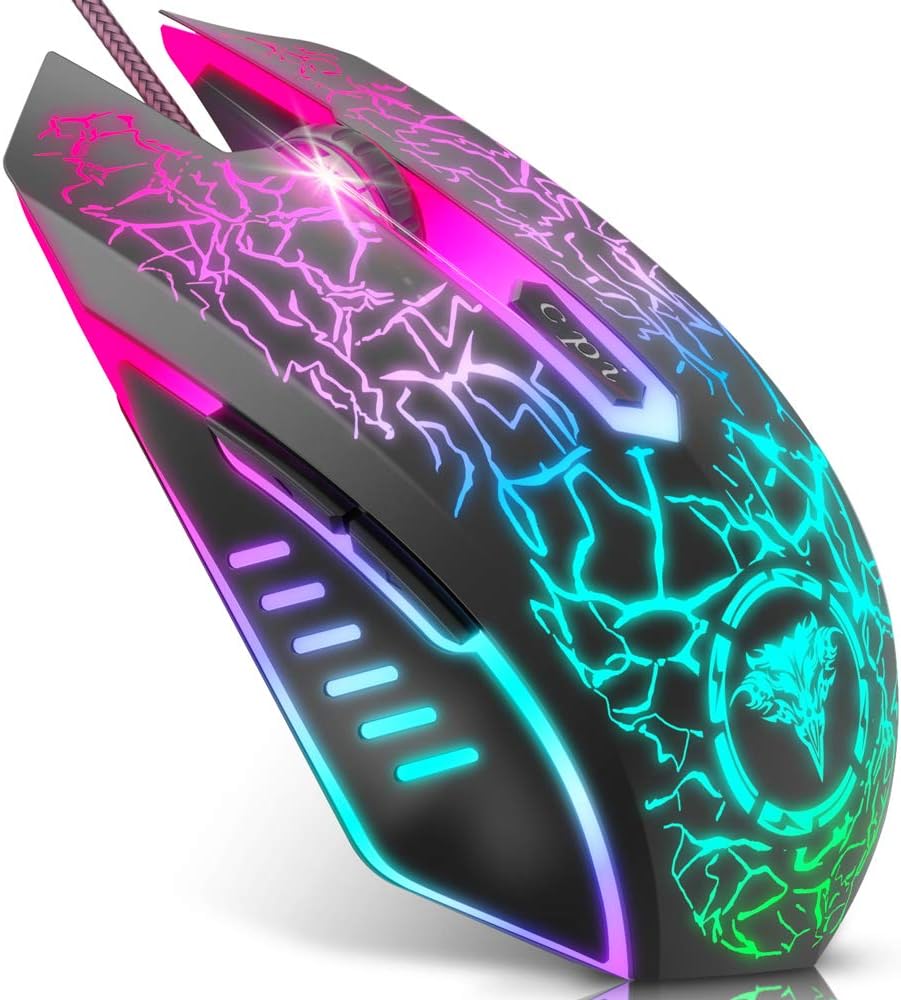
Image: The BENGOO Gaming Mouse showcasinанын эргономикалык дизайны жана жандуу RGB жарыктандыруу.
Орнотуу колдонмосу
The BENGOO Gaming Mouse is designed for simple plug-and-play functionality. No additional drivers are required for basic operation.
- Locate an available USB port on your computer (Desktop PC, Laptop, MacBook, etc.).
- Insert the USB connector of the BENGOO Gaming Mouse into the USB port.
- Wait for your operating system to automatically detect and install the necessary device drivers. This process usually takes a few seconds.
- Once detected, the mouse will be ready for use. The RGB lighting will illuminate automatically.

Image: Illustration of the mouse being plugged into a computer, highlighting its plug-and-play feature.
Иштөө нускамалары
DPI тууралоо
The mouse features a dedicated DPI button to quickly switch between four adjustable DPI settings: 1200, 1600, 2400, and 3600. This allows you to control cursor speed and sensitivity to suit different tasks or gaming scenarios.
- басыңыз DPI баскычы (located behind the scroll wheel) to cycle through the available DPI settings.
- Each press will change the DPI level, allowing you to find the optimal sensitivity for your needs.

Image: Diagram illustrating the 4 adjustable DPI settings (1200, 1600, 2400, 3600) and their impact on mouse sensitivity.
Баскыч функциялары
The BENGOO Gaming Mouse is equipped with six functional buttons to enhance your control and efficiency:
- Сол баскыч: Стандарттык сол чыкылдатуу функциясы.
- Оң баскыч: Стандарттык оң баскычты чыкылдатуу функциясы.
- Жылдыруу дөңгөлөгү: Used for scrolling up and down, and also functions as a clickable middle button.
- Алга баскычы: Алга карай жылдырат web браузерлер же file изилдөөчүлөр.
- Артка баскычы: Артка карай багыт алат web браузерлер же file изилдөөчүлөр.
- DPI баскычы: Adjusts the mouse's sensitivity (DPI) as described above.
These buttons are designed to meet your demands excellently for different games and general computer use, enabling quick switching and actions.

Image: Labeled diagram showing the location and function of each of the six buttons on the gaming mouse.
RGB Lighting Features
The BENGOO Gaming Mouse features dynamic multi-color RGB lighting that greatly matches your style and provides a fancy gaming environment, highlighting your game atmosphere. The lighting effects include 7 RGB breathing lighting effects for an immersive visual experience.

Image: Various color modes of the RGB lighting on the BENGOO Gaming Mouse, showcasing the breathing effects.
Эргономикалык дизайн
The mouse is designed to perfectly fit under your palm, providing a comfortable grip for extended gaming or work sessions. The skin-friendly material ensures a pleasant hand feel, reducing fatigue during prolonged use. This ergonomic design assures a comfortable experience for gamers.

Сүрөт: Жакын план view highlighting the ergonomic contours of the BENGOO Gaming Mouse, designed for comfortable hand placement.

Image: A hand demonstrating the comfortable grip on the BENGOO Gaming Mouse, emphasizing reduced hand fatigue and stable grip.
Системанын шайкештиги
The BENGOO Gaming Mouse offers wide compatibility with various operating systems, making it adaptable for a range of devices.
- Supports Windows XP, Vista, Windows 7, Windows 8, Windows 10, and Windows 11.
- Compatible with Linux.
- Adaptable for Notebook, PC, laptop, Computer, and Macbook.

Image: Visual representation of the mouse's compatibility with different operating systems, including Windows, Mac OS, and Linux.
Кароо жана тейлөө
To ensure the longevity and optimal performance of your BENGOO Gaming Mouse, follow these simple care and maintenance guidelines:
- Тазалоо: Чычканды дайыма сүртүү үчүн жумшак, кургак чүпүрөктү колдонуңуз. өжөр кир үчүн, бир аз гampчүпүрөктү суу же жумшак тазалоо эритмеси менен жууп салыңыз. Катуу химиялык заттардан же абразивдүү материалдардан алыс болуңуз.
- Кабельге кам көрүү: USB кабелин өтө ийбеңиз же тартпаңыз. Чаталып калбашы жана бузулуп калбашы үчүн, аны тыкан сактаңыз.
- Сактагыч: When not in use, store the mouse in a clean, dry place away from extreme temperatures and direct sunlight.
- Суюктуктардан алыс болуңуз: Keep the mouse away from liquids to prevent internal damage.
Проблемаларды чечүү
If you encounter any issues with your BENGOO Gaming Mouse, refer to the following common troubleshooting steps:
- Чычкан жооп бербейт:
- USB кабели компьютериңиздеги иштеген USB портуна бекем сайылганын текшериңиз.
- Чычканды башка USB портуна сайып көрүңүз.
- Компьютериңизди өчүрүп күйгүзүңүз.
- Көйгөй чычкан мененби же сиздин системаңыз мененби, аныктоо үчүн чычканды башка компьютерде сынап көрүңүз.
- DPI/Сезимталдык маселелери:
- Press the DPI button repeatedly to cycle through all available sensitivity settings.
- Check your computer's mouse settings (Control Panel on Windows, System Preferences on Mac) to ensure mouse speed is not set to an extremely low or high value.
- RGB Lights Not Working/Stuck:
- Чычкандын компьютериңизге туура туташканын текшериңиз.
- The RGB lighting is typically automatic and does not have manual controls. If lights are off, try reconnecting the mouse or restarting your computer.
- Баскычтар иштебейт:
- Verify that the buttons are not physically stuck.
- Программанын карама-каршылыктарын жокко чыгаруу үчүн чычканды башка компьютерде сынап көрүңүз.
Эгерде бул кадамдар маселени чечпесе, кошумча жардам алуу үчүн Кепилдик жана колдоо бөлүмүнө кайрылыңыз.
Техникалык мүнөздөмөлөр
| Өзгөчөлүк | Деталь |
|---|---|
| Бренд | BENGOO |
| Модель номери | BX017B |
| Байланыш технологиясы | USB Wired |
| Кыймылды аныктоо технологиясы | Оптикалык |
| Жөнгө салынуучу DPI | 1200 / 1600 / 2400 / 3600 |
| Buttons | 6 (Left, Right, Scroll Wheel, Forward, Back, DPI) |
| Өзгөчөлүктөр | Programmable Buttons, RGB Backlit |
| Продукциянын өлчөмдөрү | 5.8 x 1.8 x 4.5 дюйм |
| Элемент Салмагы | 4.2 унция |
| Түс | Кара |
| Операциялык системаны колдоо | Windows XP/Vista/7/8/10/11, Linux |
| Кутуда эмне бар | 1*BEN-BXO-17B Bengoo Gaming Mouse |
Кепилдик жана колдоо
For warranty information, technical support, or any inquiries regarding your BENGOO Gaming Mouse, please contact BENGOO customer service through the retailer's platform or the official BENGOO website. Please have your product model number (BX017B) and purchase details ready when contacting support.

