Introduction
The Superior Electronics Freedom 2in1 is a universal programmable remote control designed to operate up to two different audio/video devices. This manual provides comprehensive instructions for setup, operation, maintenance, and troubleshooting to ensure optimal performance and longevity of your device.
Коопсуздук маалыматы
- Пультту күндүн түз нуруна, жылуулук булактарына же өтө жогорку температурага дуушар кылбаңыз.
- Алыстан башкаруу пультун түшүрүп алуудан же катуу соккуга кабылтуудан алыс болуңуз.
- Алыстан башкаруу пультун сууга же башка суюктукка салбаңыз.
- Батареяларды балдар жетпеген жерде сактаңыз. Эгер жутуп алса, дароо медициналык жардамга кайрылыңыз.
- Колдонулган батарейкаларды жергиликтүү эрежелерге ылайык жок кылыңыз.
Пакеттин мазмуну
Пакетте бардык буюмдар бар экенин текшериңиз:
- Superior Electronics Freedom 2in1 Universal Remote Control
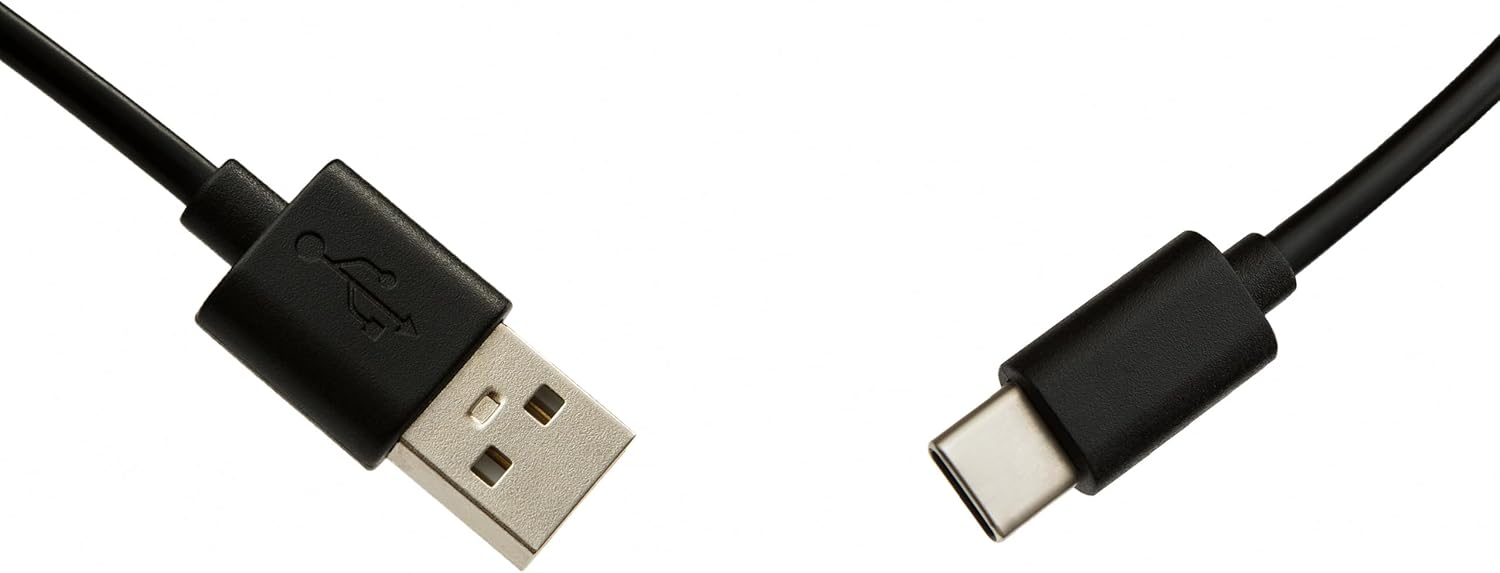
- USB-C Cable for programming
- Колдонуучунун Колдонмосу (бул документ)
Жайгашуу
1. Батареяны орнотуу
Алыстан башкарууга эки AAA батарейкасы керек (киргизилген эмес). Орнотуу үчүн:
- Алыстан башкаруу пультунун артындагы батарея бөлүмүнүн капкагын ачыңыз.
- Туура полярдуулукту (+ жана -) камсыз кылуу менен эки AAA батарейкасын салыңыз.
- Батарея уясынын капкагын бекем жабыңыз.
2. Алыстан башкаруу пультун программалоо
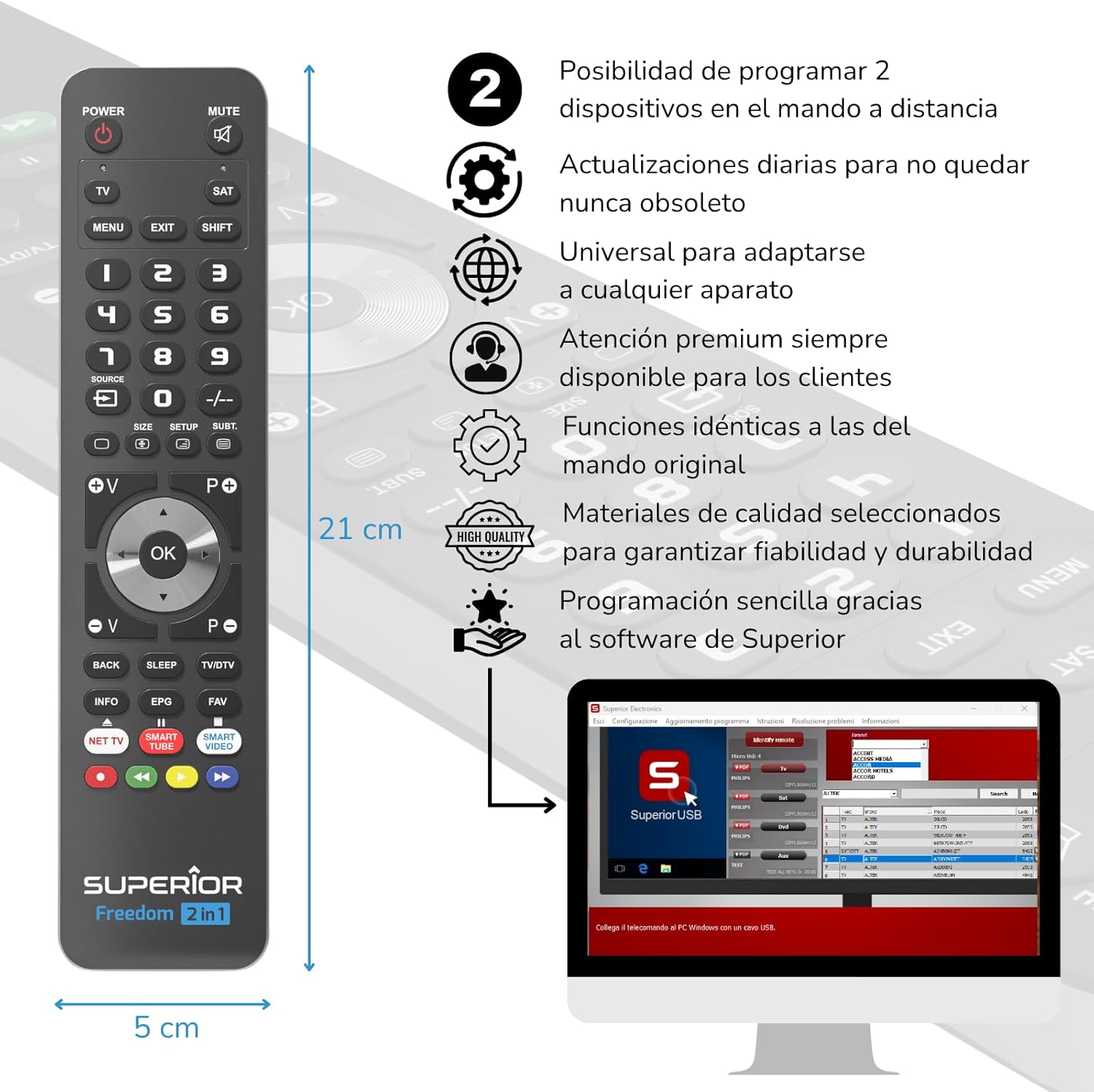
The Superior Electronics Freedom 2in1 remote control is programmable via a computer using the included USB-C cable and Superior's dedicated software. This allows for quick and accurate setup for a wide range of devices.
- Программаны жүктөө: Visit the official Superior Electronics website to download the latest programming software for your Freedom 2in1 remote.
- Пультка туташуу: Connect the remote control to your computer using the provided USB-C cable.
- Программаны ишке киргизүү: Open the Superior programming software on your computer.
- Түзмөктү тандоо: Follow the on-screen instructions to select the brand and model of the device you wish to control (e.g., TV, SAT, DVD, Soundbar). The software utilizes a leading European database with over 260,000 compatible devices.
- Программа: Initiate the programming process. Programming is typically completed in less than one minute by double-clicking the desired brand and model within the software.
- MAP Function: The dedicated MAP function allows you to recover the original remote control functions on the Superior Freedom keypad, ensuring all original functionalities are available.

Иштөө нускамалары
Once programmed, your Superior Electronics Freedom 2in1 remote control is ready for use. It can control up to two devices, such as TVs, Smart TVs, decoders, DVD players, projectors, and soundbars.

Баскычтар бүттүview:
- КҮЧ: Тандалган аппаратты күйгүзөт же өчүрөт.
- Үнсүз: Аудионун үнүн өчүрөт же ачат.
- TV / SAT: Selects the device to be controlled (e.g., TV or Satellite receiver).
- MENU / EXIT: Accesses or exits the device's menu.
- SHIFT: Activates secondary functions of certain buttons.
- 0-9: Number buttons for direct channel input.
- БУЛАК: Сыналгыдагы киргизүү булагын өзгөртөт.
- +/-: Adjusts channel up/down or navigates through menus.
- SIZE / SETUP / SUBT.: Specific functions depending on the device.
- Volume (V+/-) / Channel (P+/-): Үндү тууралайт жана каналдарды өзгөртөт.
- Навигация (Өйдө, Төмөн, Солго, Оңго, ОК): Менюларды кыдырып, тандоолорду ырастайт.
- BACK / SLEEP / TV/DTV: Returns to previous screen, sets sleep timer, or switches between TV/Digital TV modes.
- INFO / EPG / FAV: Displays information, Electronic Program Guide, or Favorite channels.
- NET TV / SMART TUBE / SMART VIDEO: Dedicated buttons for smart TV applications.
- Түс баскычтары (кызыл, жашыл, сары, көк): Used for specific functions within menus or smart TV apps.
The maximum operating range of the remote control is 10 meters.
Техникалык тейлөө
Тазалоо
To clean the remote control, use a soft, dry cloth. Do not use abrasive cleaners, solvents, or chemical agents, as these may damage the surface or internal components.
Батареяны алмаштыруу
When the remote control's performance diminishes or it stops responding, it is likely time to replace the batteries. Follow the battery installation steps outlined in the Setup section.
Проблемаларды чечүү
- Пульт жооп бербей жатат: Ensure batteries are correctly inserted and not depleted. Replace batteries if necessary.
- Device not controlling: Verify that the remote is pointed directly at the device's IR receiver. Ensure there are no obstructions between the remote and the device.
- Incorrect functions: The remote may not be programmed correctly for your specific device model. Re-program the remote using the Superior Electronics software and ensure you select the correct brand and model.
- Чектелген функциялар: If some functions are missing, use the MAP function in the programming software to ensure all original remote functions are mapped to the Freedom 2in1.
If issues persist after following these steps, please contact Superior Electronics customer support.
Техникалык шарттар
| Модель номери | SUPTUB002 |
| Бренд | Superior Electronics |
| Өлчөмдөр | 23 x 5 x 1.5 см |
| Салмагы | 80 г |
| Батареялар талап кылынат | 2 x AAA (киргизилген эмес) |
| Байланыш | USB-C (for programming) |
| Maximum Devices Supported | 2 |
| Максималдуу диапазон | 10 метр |
| Шайкеш түзмөктөр | TVs, Smart TVs, Decoders, DVD players, Projectors, Soundbars, Hi-Fi systems |
Кепилдик жана колдоо
Superior Electronics is committed to providing high-quality products and excellent customer service.
- Программалык камсыздоо жаңыртуулары: Enjoy free and constant updates for your remote control's programming database, ensuring compatibility with new devices.
- Кардарга жардам: Premium customer assistance is available 7 days a week to address any questions or issues you may encounter.
For further assistance, please visit the official Superior Electronics webсайтка же түздөн-түз кардарларды колдоо менен байланышыңыз.


