1. Киришүү
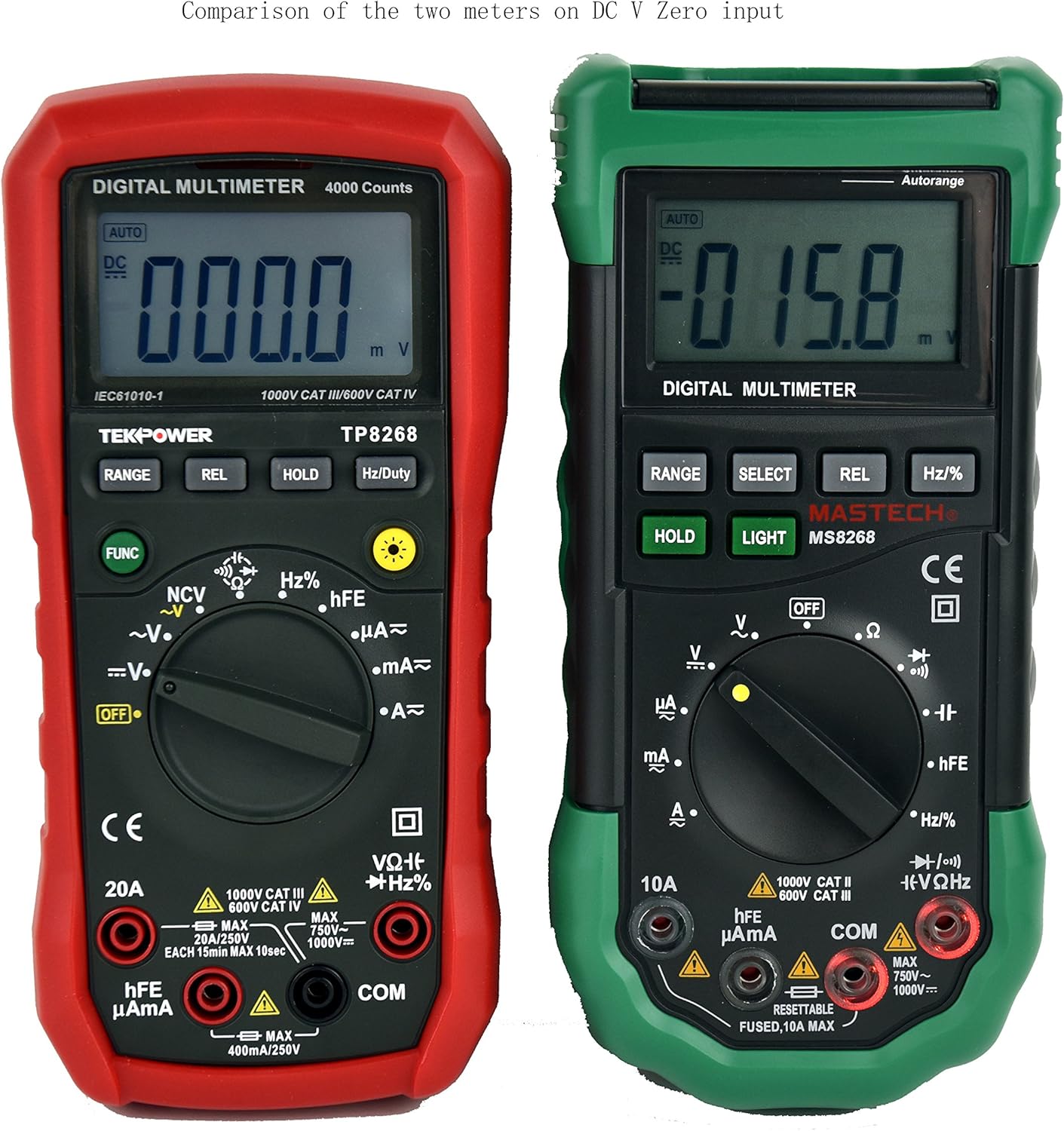
This manual provides detailed instructions for the safe and effective operation of your Tekpower TP8268 Digital Multimeter. The TP8268 is an advanced auto/manual ranging digital multimeter, featuring improved accuracy and additional functionalities compared to its predecessor, the MS8268. Key features include Non-Contact Voltage (NCV) detection and a blue LED back-lit LCD display. Please read this manual thoroughly before use.
2. Коопсуздук маалыматы
Электрдик сыноо жабдууларын колдонууда ар дайым коопсуздук чараларын сактаңыз. Муну аткарбоо жаракат алууга же текшерилип жаткан эсептегичке же жабдууларга зыян келтирүүгө алып келиши мүмкүн.
- Өлчөөлөрдү жүргүзүүдөн мурун, эсептегич туура функцияга жана диапазонго коюлганын текшериңиз.
- Көлөмдү өлчөөгө аракет кылбаңызtages же эсептегич үчүн максималдуу номиналдык маанилерден ашкан токтар.
- Сыноочу зымдарды туташтыруудан же ажыратуудан мурун, айрыкча токту өлчөөдө, ар дайым чынжырдын кубатын өчүрүңүз.
- Том менен иштөөдө этият болуңузtag30V AC RMS, 42V пик же 60V DC жогору, анткени булар шок коркунучун жаратат.
- Inspect test leads for damage before each use. Replace damaged leads immediately.
- Эгерде эсептегич бузулуп калса же корпусу ачык болсо иштетпеңиз.
- Бардык жергиликтүү жана улуттук коопсуздук эрежелерин сактаңыз.
3. Пакеттин мазмуну
Пакетиңизде бардык буюмдар бар экенин текшериңиз:
- 1x Tekpower TP8268 Digital Multimeter
- 1x Pair of High Quality Test Leads (Red and Black)
- 1x Multi-function Adapter for hFE and Capacitance Test
- 1x 9V Battery (pre-installed or included separately)
- 1x Колдонуучунун колдонмосу

4. Продукт бүтүп калдыview жана өзгөчөлүктөрү
The Tekpower TP8268 is designed for precision and ease of use in various electrical measurement tasks. Its robust design and comprehensive features make it suitable for both hobbyists and professionals.
- Автоматтык/Кол менен башкаруу: Automatically selects the appropriate measurement range or allows manual selection for specific applications.
- Байланышсыз томtage (NCV) Feature: AC томун аныктайтtage above 110V RMS without direct contact, useful for identifying live wires.
- Blue LED Back-lit LCD Display: Provides clear readings in low-light conditions.
- Салыштырмалуу өлчөө: Allows for comparison measurements against a stored reference value.
- Дайындарды кармоо: Ыңгайлуу жаздыруу үчүн көрсөтүлгөн окууну токтотот.
- Diode Check: Tests the functionality of diodes.
- Үзгүлтүксүздүк тести: Audible indication for circuit continuity (less than 60 ohms).
- hFE тести: Measures the DC current gain of transistors.
- Авто өчүрүү: Conserves battery life (can be disabled).

5. Орнотуу
5.1. Батареяны орнотуу
- Мультиметр өчүрүлгөнүн текшериңиз.
- Эсептегичтин артындагы батарея отсегин табыңыз.
- Батареянын капкагын ачуу үчүн бурагычты колдонуңуз.
- Insert the 9V battery, observing the correct polarity (+/-).
- Батареянын капкагын ордуна коюп, аны бурама менен бекитиңиз.
5.2. Сыноо линияларын туташтыруу
- Кара сыноо өткөргүчтү "COM" (жалпы) уячасына салыңыз.
- Көпчүлүк үчүн томtage, resistance, and continuity measurements, insert the red test lead into the "VΩHz" jack.
- For current measurements up to 400mA, insert the red test lead into the "µAmA" jack.
- 20А чейинки токту өлчөө үчүн кызыл сыноочу зымын "20А" розеткасына киргизиңиз.
6. Иштөө нускамалары
6.1. Turning On/Off and Function Selection
Rotate the central rotary switch to the desired measurement function to turn the meter ON. Turn the switch to "OFF" to power down the meter.
6.2. AC/DC Voltage Өлчөө
- Кара сымды COMго, кызылды VΩHzге туташтырыңыз.
- Rotate the switch to the "V~" (AC Voltagд) же "V-" (ТК көлөмүtagд) кызмат орду.
- The meter will automatically select the range. For manual ranging, press the RANGE баскычы.
- Сыноочу зонддорду чынжырдын чекиттерине тийгизиңиз, анда тtagе өлчөө керек.

6.3. AC/DC Ток өлчөө
- МААНИЛҮҮ: Эсептегичти катарлаш туташтыруудан мурун чынжырга электр энергиясын өчүрүңүз.
- Connect the black lead to COM. Connect the red lead to "µAmA" for small currents or "20A" for larger currents.
- Rotate the switch to the "A~" (AC Current) or "A-" (DC Current) position.
- Схеманы бузуп, эсептегичти жүк менен катар туташтырыңыз.
- Apply power to the circuit and read the current.
6.4. Каршылык Өлчөө
- Кара сымды COMго, кызылды VΩHzге туташтырыңыз.
- Rotate the switch to the "Ω" (Resistance) position.
- Каршылыкты өлчөөдөн мурун чынжырдын токтун өчүрүлгөнүн текшериңиз.
- Touch the probes across the component to measure its resistance.
6.5. Контактсыз томtage (NCV) аныктоо
- Rotate the switch to the "NCV" position.
- Move the top tip of the meter near the conductor or outlet.
- The meter will emit an audible beep and the NCV indicator will light up if AC voltagе аныкталат.

6.6. Other Functions (Diode, Continuity, hFE, Capacitance, Frequency)
Refer to the specific symbols on the rotary switch and the detailed specifications table for instructions on using Diode Check, Continuity, hFE, Capacitance, and Frequency/Duty Cycle measurements. Use the multi-function adapter for hFE and capacitance tests as needed.
7. Техникалык тейлөө
7.1. Жалпы кам көрүү
- Keep the meter dry. If it gets wet, wipe it dry immediately.
- Эсептегичти кадимки температура чөйрөсүндө колдонуңуз жана сактаңыз. Ашыкча температура электрондук аппараттардын иштөө мөөнөтүн кыскартат.
- Handle the meter gently and carefully. Dropping it can damage circuit boards and cases.
- Эсептегичти чаңдан жана кирден алыс кармаңыз, бул тетиктердин эрте эскиришине алып келет.
- Жарнама менен эсептегичти сүртүңүзamp жаңы көрүнүшүн сактоо үчүн маал-маалы менен кездеме. Катуу химиялык заттарды, тазалоочу эриткичтерди же күчтүү жуучу каражаттарды колдонбоңуз.
7.2. Батареяны алмаштыруу
When the battery symbol appears on the display, replace the 9V battery as described in the Setup section (5.1). Always remove batteries if the meter is not going to be used for an extended period.
8. Кыйынчылыктарды
8.1. Display Shows "OL" (Overload)
If the display shows "OL" during a measurement, it indicates that the input value exceeds the selected range or the maximum measurement capability of the meter. Try selecting a higher range if available, or ensure the measured value is within the meter's specifications.
8.2. No Reading or Incorrect Reading
- Батареянын деңгээлин текшерип, аз болсо алмаштырыңыз.
- Ensure test leads are securely connected to the correct jacks.
- Verify the rotary switch is set to the appropriate function and range for the measurement.
- Inspect test leads for damage or breaks.
- Ensure proper contact between probes and the circuit under test.
9. Техникалык шарттар
The following table outlines the key specifications for the Tekpower TP8268 Digital Multimeter:
| Өлчөө түрү | Диапазон | Тактык |
|---|---|---|
| DC Voltage | 400mV/4V/40V/400V/1000V | ±(0.5%+3) |
| AC Voltage | 4V/40V/400V/750V | ±(1.2%+20) |
| Туруктуу ток | 400µA/4000µA/40mA/400mA/10A/20A | ±(1.2%+3) (up to 400mA), ±(1.5%+8) (10A), ±(2.0%+10) (20A) |
| AC тогу | 400µA/4000µA/40mA/400mA/10A/20A | ±(1.5%+5) (up to 400mA), ±(2.0%+10) (10A), ±(2.0%+12) (20A) |
| Каршылык | 400Ω/4kΩ/40kΩ/400kΩ/4MΩ/40MΩ | ±(1.0%+3) |
| Сыйымдуулук | 4nF/40nF/400nF/4µF/40µF/200µF | ±(5.0%+5) (up to 400nF), ±(4.0%+15) (4µF-200µF) |
| Жыштык | 10Гц-200КГц | ±(1.5%+15) |
| Милдеттик цикл | 1%-99% | ±(2.0%+2) |
| Дисплей | 4000 саны | - |
| Электр камсыздоо | 9V Батарея | - |
| Өлчөмдөр | 188мм x 92мм x 50мм | - |
| Салмагы | Болжол менен 370г | - |
| Коопсуздук рейтинги | CE CAT.III 1000V CAT.IV 600V RoHS | - |

10. Кепилдик жана колдоо
The Tekpower TP8268 Digital Multimeter comes with a 1-year warranty in the USA. For technical support, warranty claims, or service inquiries, please contact Tekpower customer service through their official webпродукт сатылып алынган сайт же сатуучу.
Кошумча ресурстар жана продукт маалыматы үчүн, баш багыңыз Tekpower Store on Amazon.
11. Продукт видеолору
Digital Multimeter 6000 Count by PROSTER US
Бул видеодо толук маалымат берилетview of a digital multimeter, demonstrating its features and basic operation, including NCV and continuity tests. While not specific to the TP8268, it illustrates general multimeter usage.