1. Киришүү
This manual provides essential information for setting up, operating, and maintaining your Acer R240HY bidx 23.8-inch Full HD IPS monitor. Please read this manual thoroughly before using your new monitor to ensure proper functionality and safety.
2. Коопсуздук маалыматы
- Мониторду ар дайым туруктуу, тегиз бетке коюңуз.
- Желдетүүчү тешиктерди жаппаңыз.
- Use only the power adapter and cables provided by Acer.
- Мониторду суудан, нымдуулуктан жана өтө жогорку температурадан алыс кармаңыз.
- Тазалоодон мурун мониторду розеткадан сууруп алыңыз.
- Бардык тейлөөлөрдү квалификациялуу тейлөө кызматкерлерине тапшырыңыз.
3. Пакеттин мазмуну
Пакетиңизде бардык буюмдар бар экенин текшериңиз:
- Acer R240HY bidx 23.8-inch Monitor
- Монитор стенд (негизги жана моюн)
- Кубат адаптери жана электр шнуры
- HDMI кабели
- DVI кабели
- VGA кабели
- Колдонуучунун Колдонмосу (бул документ)
4. Орнотуу
4.1 Монитордун стендди чогултуу
- Мониторду жана стенд компоненттерин таңгактан этияттык менен алып салыңыз.
- Өтмөктөрдү тегиздөө жана ал чыкылдагыча түртүп, монитордун мойнуна бекитиңиз.
- Стенд негизин стенд мойнуна бекитиңиз. Аны негиздин астыңкы жагында жайгашкан туткун бурама менен бекитиңиз.
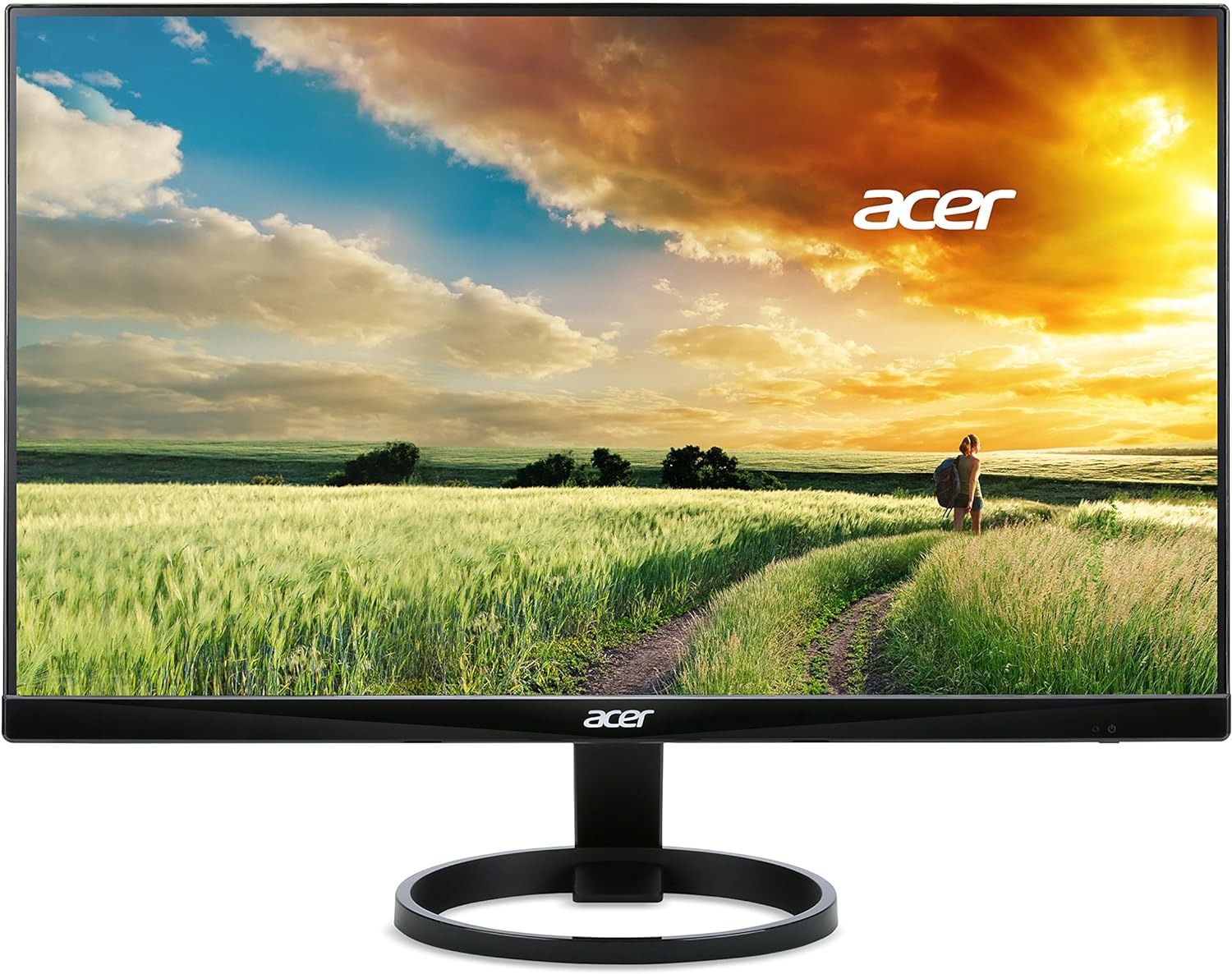
1-сүрөт: Фронт view of the Acer R240HY bidx monitor, showcasing its zero-frame design and circular stand base.

2-сүрөт: Бурчтуу view of the monitor highlights its slim profile and the elegant circular stand.
4.2 Мониторду туташтыруу
- Ensure your computer and monitor are powered off.
- Connect one end of the appropriate video cable (HDMI, DVI, or VGA) to the corresponding port on your computer's graphics card.
- Connect the other end of the video cable to the matching input port on the back of your Acer R240HY bidx monitor.
- Кубат адаптерин монитордун кубат кирүүчүсүнө туташтырыңыз, андан кийин кубат шнурын розеткага сайыңыз.

3-сүрөт: The back of the monitor is shown, detailing the available input ports: HDMI, DVI, and VGA, along with the power input.
4.3 Баштапкы күйгүзүү
- Компьютериңизди күйгүзүңүз.
- Press the power button on the monitor (located on the bottom right bezel) to turn it on.
- The monitor should automatically detect the active input signal. If not, use the OSD menu to manually select the input source.
Видео 1: Official product video demonstrating the features and connectivity options of the Acer R240HY bidx 23.8-inch monitor, including its IPS display, HDMI, DVI, and VGA ports.
5. Мониторду иштетүү
5.1 Экрандагы дисплей (OSD) менюсу
The OSD menu allows you to adjust various monitor settings. The control buttons are located on the bottom right bezel of the monitor.
- Кубат баскычы: Мониторду күйгүзөт же өчүрөт.
- Меню баскычы: Негизги OSD менюсуна кирет.
- Чабыттоо баскычтары: Меню параметрлери боюнча чабыттоо жана маанилерди тууралоо үчүн колдонулат.
- Киргизүү Тандоо баскычы: Quickly switches between available input sources (HDMI, DVI, VGA).
5.2 Дисплей орнотууларын тууралоо
OSD менюсунда сиз төмөнкү жөндөөлөрдү өзгөртө аласыз:
- Жарыктык/Контраст: Жалпы жарыктыктын жана контрасттын деңгээлин тууралаңыз.
- Түс жөндөөлөрү: Fine-tune color temperature, gamma, and saturation.
- Киргизүү булагы: Manually select the video input (HDMI, DVI, VGA).
- Сүрөт жөндөөлөрү: Сүрөттүн курчтугун, пропорциясын жана башка касиеттерин тууралаңыз.
- OSD Орнотуулары: Customize OSD language, timeout, and transparency.
6. Негизги өзгөчөлүктөрү
- 23.8 дюймдук Full HD IPS дисплей: Enjoy vibrant colors and consistent image quality from wide viewing angles with 1920 x 1080 resolution.
- Zero Frame Design: Maximizes screen visibility from edge to edge, ideal for multi-monitor setups.
- Тез жооп берүү убактысы: A 4ms response time ensures smooth transitions and reduced ghosting for fast-paced content.
- Wide Viewбурч: 178° горизонталдуу жана вертикалдуу viewing angles provide clear visuals from almost any perspective.
- Бир нече туташуу параметрлери: Includes 1 x HDMI, 1 x DVI (with HDCP 1.4), and 1 x VGA inputs for broad compatibility.
- Төмөн көк жарык: Узак колдонууда көздүн чыңалуусун азайтуу үчүн көк жарыктын чыгарылышын азайтат.
7. Техникалык тейлөө
7.1 Мониторду тазалоо
To clean your monitor:
- Тазалоодон мурун мониторду дайыма электр розеткасынан сууруп алыңыз.
- Бир аз жумшак, түксүз кездемени колдонуңуз dampсуу же жумшак, абразивдүү эмес экран тазалагыч менен иштетиңиз.
- Тазалоочу каражатты түз экранга чачпаңыз.
- Катуу химиялык заттарды, абразивдүү тазалагычтарды же эриткичтерди колдонуудан алыс болуңуз.
7.2 Жалпы кам көрүү
- Монитор же анын кабелдерине оор нерселерди коюудан алыс болуңуз.
- Do not expose the monitor to direct sunlight or heat sources.
- Монитордун айланасында жетиштүү желдетүүнү камсыз кылыңыз.
8. Кыйынчылыктарды
8.1 No Picture Visible
- Монитордун күйгүзүлгөнүн жана кубат индикаторунун жарыгы күйүк экенин текшериңиз.
- Check that the video cable is securely connected to both the monitor and the computer.
- Verify that the correct input source is selected via the OSD menu.
- If the screen is too dark, adjust brightness and contrast settings in the OSD menu or reset them to default.
- Мүмкүн болсо, мониторду башка компьютер же видео булагы менен текшериңиз.
8.2 Сүрөттүн сапаты маселелери
- OSD менюсунда жарыктыкты, контрастты жана түс жөндөөлөрүн тууралаңыз.
- Ensure the display resolution on your computer matches the monitor's native resolution (1920 x 1080).
- Check for any physical damage to the video cable or ports.
8.3 Monitor Not Responding to Controls
- Unplug the monitor's power cord, wait for 30 seconds, then plug it back in and try again.
- Ensure no buttons are stuck or obstructed.
9. Техникалык шарттар
| Өзгөчөлүк | Спецификация |
|---|---|
| Туруктуу экранды көрсөтүү өлчөмү | 23.8 дюйм |
| Screen Resolution | 1920x1080 (Full HD) |
| Max Screen Resolution | 1920 x 1080 пиксел |
| Бренд | Acer |
| Сериялар | R240HY bidx |
| Элементтин моделинин номери | R240HY bidx |
| Элемент Салмагы | 6.4 фунт |
| Продукциянын өлчөмдөрү | 21.3 x 7.3 x 16 дюйм |
| Түс | Кара |
| Өндүрүүчү | Acer |
| Screen Size | 23.8 дюйм |
| Резолюция | FHD 1080p |
| Аспект катышы | 16:9 |
| Screen Surface Description | Мт |
10. Кепилдик жана колдоо
Your Acer R240HY bidx monitor comes with a standard manufacturer's warranty. For specific warranty terms and conditions, please refer to the warranty card included in your product packaging or visit the official Acer support webсайт.
For technical support, troubleshooting assistance, or to inquire about service, please contact Acer Customer Service through their official channels. Have your monitor's model number and serial number ready when contacting support.


