1. Киришүү
This manual provides detailed instructions for the setup, operation, maintenance, and troubleshooting of your Royal Alpha 7000ml Cash Register. Designed for efficient transaction processing and record-keeping, this system features dual alphanumeric thermal printers, a large LCD user display, and an alpha keyboard for streamlined programming. An integrated SD card slot facilitates data transfer for accounting purposes.
The Royal Alpha 7000ml supports up to 200 departments, 10,000 Price Look-Ups (PLUs), and 40 clerk IDs, making it suitable for various retail environments.
2. Кутуда эмне бар
Таңгактан чыгаргандан кийин, бардык буюмдар бар экенин жана жакшы абалда экендигин текшериңиз:
- Royal Alpha 7000ml Cash Register unit
- Кубаттуу адаптер
- Starter Roll of Thermal Paper
- Cash Drawer Key
- Колдонуучунун Колдонмосу (бул документ)
3. Орнотуу
Follow these steps for initial setup of your cash register.
3.1 Пакеттен чыгаруу жана жайгаштыруу
Carefully remove the cash register from its packaging. Place the unit on a stable, flat surface with adequate ventilation. Ensure the power outlet is easily accessible.
3.2 Электр энергиясына туташуу жана батареяны орнотуу
Connect the power adapter to the cash register and then to a wall outlet. For uninterrupted operation and to retain settings during power outages, install backup batteries (not included, typically AA or AAA depending on model, refer to the battery compartment for specifics). It is recommended to install batteries мурун plugging in the unit to prevent potential error messages during initial power-up.
3.3 Термикалык кагазды жүктөө
The Royal Alpha 7000ml uses thermal paper for both receipt and journal printing. Open the printer cover, insert the thermal paper roll with the leading edge feeding from the bottom, and close the cover. Ensure the paper is properly aligned to avoid jams.

Сүрөт 3.3.1: Алдыңкы view of the Royal Alpha 7000ml Cash Register, showing the main unit, display, keyboard, and receipt printer area.
3.4 Initial Power-On and Date/Time Setting
After connecting power and installing paper/batteries, turn on the cash register. The unit may prompt you to set the current date and time. Use the alpha keyboard and navigation keys to enter the correct information. Refer to the detailed programming section for specific key functions.
4. Иштөө нускамалары
This section covers the basic operation and programming of your cash register.
4.1 General Operation (Making a Sale)
To process a sale:
- Enter the price of the item using the numeric keypad.
- Тийиштүү баскычты басыңыз Бөлүм ачкыч.
- Repeat for additional items.
- басыңыз Аралык сумма ачкычы view the current total.
- Enter the amount received from the customer.
- басыңыз Накталай акча key to finalize the transaction and calculate change.

4.1.1-сүрөт: Бурчтуу view of the cash register, highlighting the keyboard layout and the LCD display.
4.2 Programming Departments and PLUs
The Alpha 7000ml allows for extensive programming of departments and Price Look-Ups (PLUs) to categorize sales and manage inventory. Use the alpha keyboard and the 10-line LCD user display for programming. Specific steps for entering department names, prices, and tax settings are detailed in the full PDF manual.
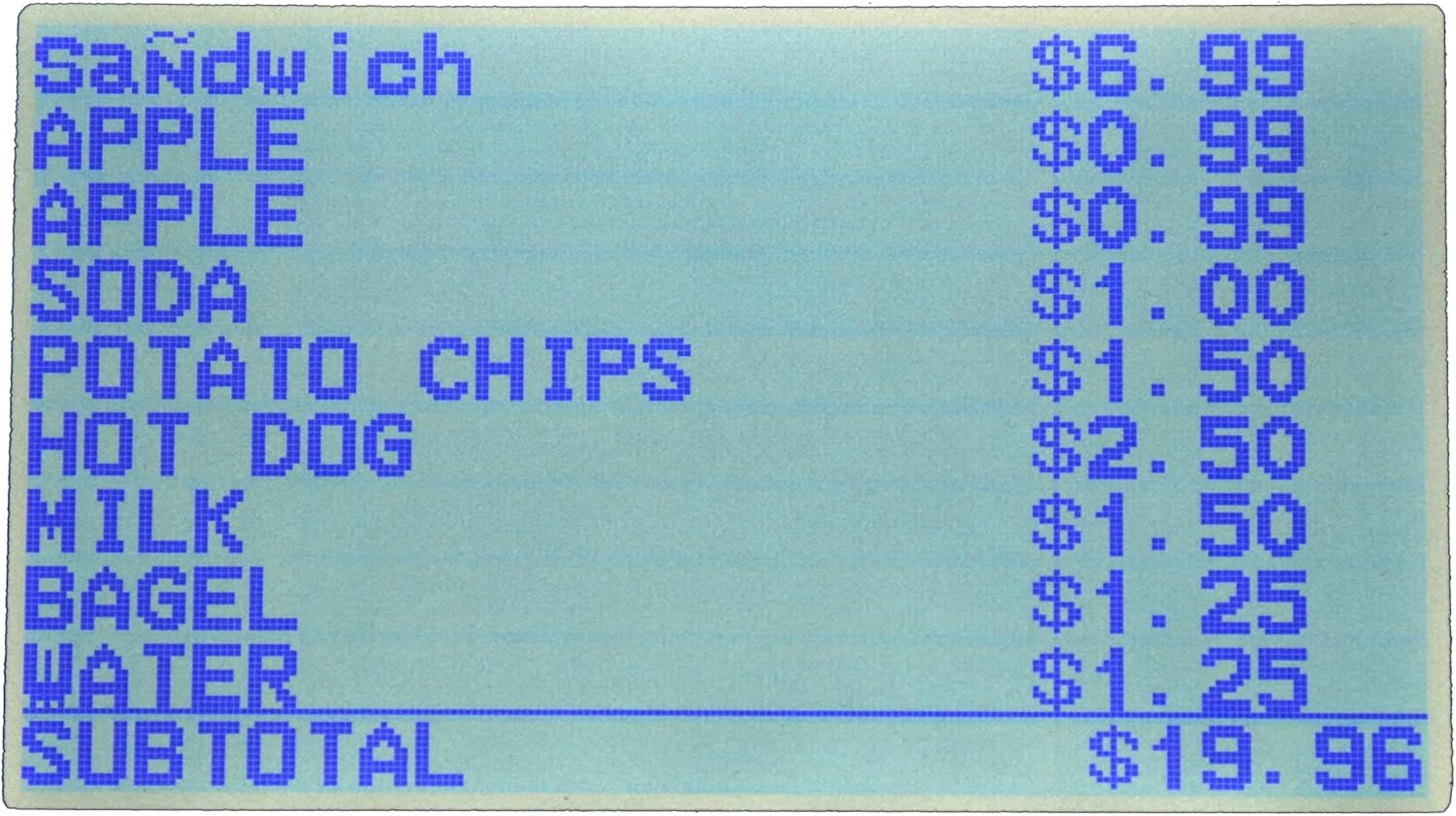
Figure 4.2.1: Close-up of the cash register's LCD display, showing a list of items and their prices, with a subtotal at the bottom.
4.3 SD Card Data Transfer
The cash register is equipped with an SD card slot for transferring accounting data to a PC. This feature allows for efficient record management and analysis. Insert a compatible SD card into the slot located on the side of the unit. Follow the on-screen prompts or refer to the manual for specific data export procedures.

Figure 4.3.1: Detail of the SD card slot, used for transferring sales and programming data.
4.4 Customer Display
The integrated customer display shows transaction details to the customer, enhancing transparency during sales. This display typically shows the item price and total amount.

Figure 4.4.1: The external customer display, showing a numerical value during a transaction.
5. Техникалык тейлөө
Regular maintenance ensures the longevity and optimal performance of your cash register.
5.1 Тазалоо
Агрегаттын сыртын жумшак менен сүртүңүз, гamp cloth. Avoid using abrasive cleaners or solvents. Regularly clean the printer area to prevent dust and paper residue buildup, which can affect print quality.
5.2 Кагазды алмаштыруу
Replace thermal paper rolls as they run low. Ensure the correct size and type of thermal paper are used to prevent damage to the printer mechanism.
5.3 Cash Drawer
The cash drawer is designed for secure storage of currency. Keep the drawer free of debris to ensure smooth operation. Use the provided key for manual opening or locking.

Figure 5.3.1: The cash drawer, open to show compartments for bills and coins.
6. Кыйынчылыктарды
This section addresses common issues you might encounter with your Royal Alpha 7000ml Cash Register.
- Printer Error Message: If a printer error occurs, ensure thermal paper is correctly loaded and the printer cover is closed. If the error persists, power cycle the unit (unplug, wait 10 seconds, plug back in). Ensure backup batteries are installed.
- Ачкычтар жооп бербейт: Check for any debris lodged under the keys. If specific keys are unresponsive, a factory reset might be necessary (refer to the full manual for instructions), or contact support.
- Дисплей маселелери: If the LCD display is blank or unreadable, check the power connection. If the issue persists, power cycle the unit.
- Маалыматтарды өткөрүү көйгөйлөрү: Ensure the SD card is properly inserted and formatted correctly. Verify the data export procedure in the manual.
For more complex issues, refer to the comprehensive troubleshooting guide in the full PDF manual or contact customer support.
7. Техникалык шарттар
| Өзгөчөлүк | Спецификация |
|---|---|
| Модель номери | 69163Y |
| Бренд | Royal |
| Элемент Салмагы | 19.8 фунт |
| Продукциянын өлчөмдөрү | 16.5 x 12.75 x 11.75 дюйм |
| Түс | Кара |
| Элементтердин саны | 1 |
| Өндүрүүчү | ROYAL CONSUMER PRODUCTS |
| Бөлүмдөр | 200ге чейин |
| Price Look-Ups (PLUs) | 10,000ге чейин |
| Clerk IDs | 40ге чейин |
| принтер түрү | Dual Alphanumeric Thermal |
| Дисплей түрү | 10-line LCD User Display |
| Маалыматтарды өткөрүү | SD карта уячасы |
8. Кепилдик жана колдоо
The Royal Alpha 7000ml Cash Register typically comes with a 1-year manufacturer's warranty from the date of purchase. Please retain your proof of purchase for warranty claims.
For technical assistance, programming support, or warranty inquiries, please contact Royal Consumer Products customer service:
- Телефон: 800-272-6229 (Option #4 for technical support)
- Онлайн: Visit the official Royal Consumer Products webколдоо булактары жана байланыш түрлөрү үчүн сайт.
When contacting support, please have your model number (69163Y) and purchase date readily available.
9. Кошумча ресурстар
For a more detailed and comprehensive guide, including advanced programming features and in-depth troubleshooting, please refer to the official PDF user manual:


