Introduction
Welcome to the world of Paw Patrol! This digital watch is designed to make learning to tell time an exciting adventure for young fans. Featuring beloved characters like Chase, Marshall, Rubble, and Rocky, this watch is equipped with an easy-to-read LCD display and a comfortable Velcro strap, perfect for active kids. Please read this manual carefully to ensure proper use and care of the watch.

Сүрөт: алдыңкы view of the Nickelodeon Paw Patrol Kids Digital Watch, showcasing the red watch face with Paw Patrol characters and a red Velcro strap.
Жайгашуу
1. Убакытты белгилөө
Your Paw Patrol digital watch comes with two buttons on the side. These buttons are used to adjust the time and date. The exact function of each button may vary slightly, but typically:
- басыңыз Mode button (usually the top or left button) repeatedly until the time display starts flashing.
- колдонуу коюу button (usually the bottom or right button) to adjust the hours.
- басыңыз Mode button again to move to minutes, then use the коюу тууралоо үчүн баскыч.
- Continue this process for setting the month, day, and year if applicable.
- Бардык орнотуулар туура болгондон кийин, басыңыз Mode button one last time to exit the setting mode.

Сүрөт: каптал view of the Paw Patrol watch, highlighting the two yellow control buttons on the right side of the red watch case.
2. Саат тагынуу
The watch features a soft and durable red Velcro strap for a secure and adjustable fit. Simply wrap the strap around your child's wrist and press the Velcro ends together to fasten. Ensure it is snug but comfortable.

Image: A young child smiling and wearing the red Paw Patrol digital watch on their left wrist, demonstrating the comfortable fit.
Саатты иштетүү
The watch is designed for simple operation, making it easy for children to use.
1. Убакытты окуу
The time is displayed clearly on the LCD screen in a digital format. The large numbers are easy for young learners to read.

Сүрөт: жакын план view of the Paw Patrol watch face, showing the digital LCD display with the time clearly visible, surrounded by Paw Patrol characters.
2. Баскыч функциялары
Beyond setting the time, the buttons may also allow you to:
- Display Date: A quick press of a button (often the Mode button) might cycle through time and date displays.
- Жарыкты иштетүү: Some models include a backlight feature. Pressing a specific button (refer to the watch's specific button layout) may illuminate the display for easier reading in low light conditions.
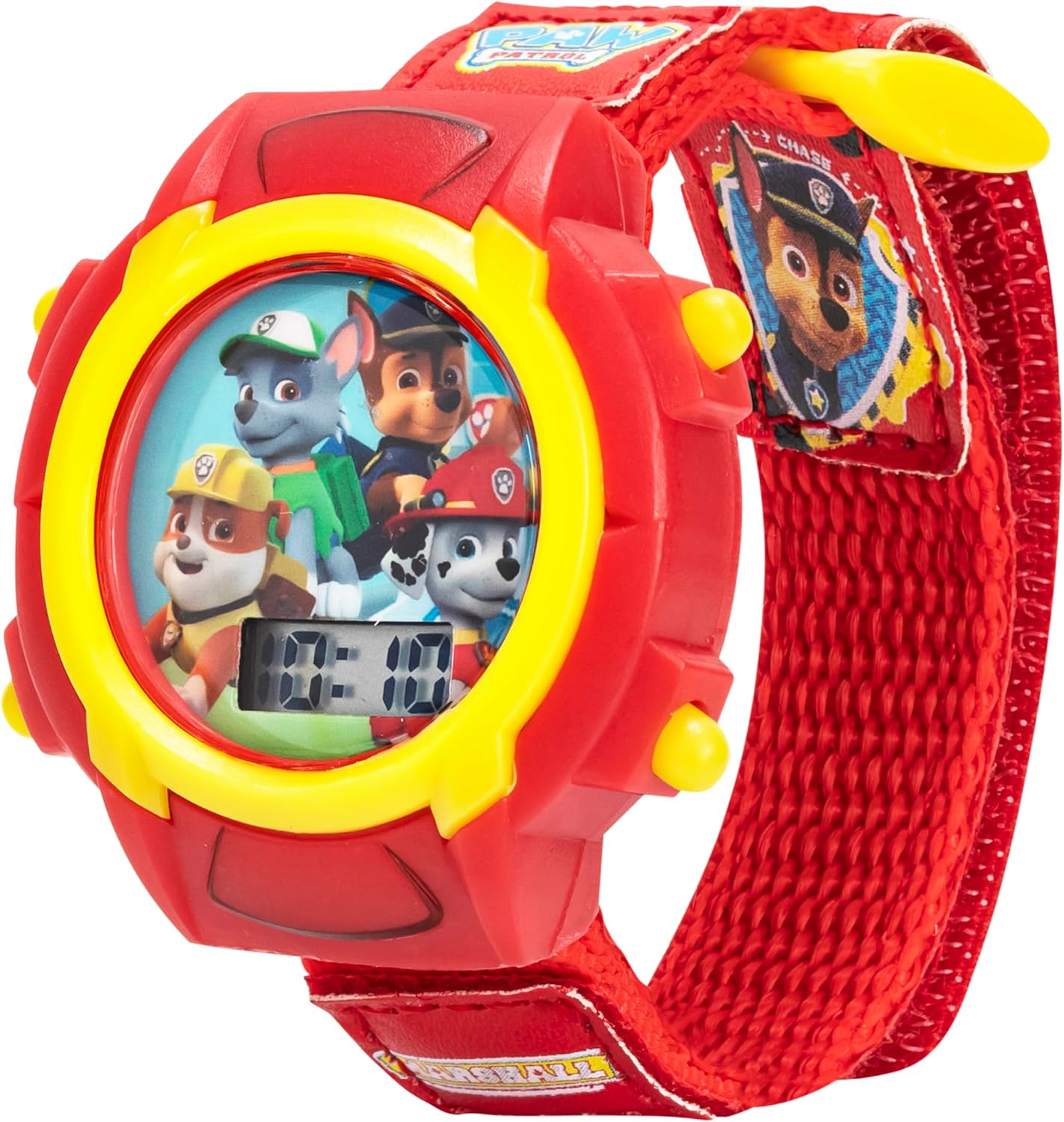
Image: A promotional image of the Paw Patrol watch, with text overlays highlighting features such as "LED Light Show," "Comfy Velcro Strap," and "Kid Tough Design."
3. Продукт бүтүп калдыview Video
Көрүү үчүн бул кыска видеону көрүңүзview of the Nickelodeon Paw Patrol Kids Digital Watch.
Video: A 21-second video showcasing the Nickelodeon Paw Patrol Kids Digital Watch from various angles, highlighting its design and features.
Техникалык тейлөө
1. Тазалоо
To clean your watch, gently wipe the watch face and strap with a soft, slightly damp cloth. Avoid using harsh chemicals or abrasive materials, as these can damage the watch's finish or display.
2. Сууга туруктуулук
This watch is designed for everyday wear and light splashes. It is not recommended for swimming, showering, or submersion in water. Exposure to excessive moisture may damage the internal components.
3. Батареяны алмаштыруу
The watch operates on a product-specific battery (included). When the display becomes dim or stops working, it may be time to replace the battery. Battery replacement should ideally be performed by a qualified technician to avoid damaging the watch's internal mechanisms. Refer to the manufacturer's guidelines or contact customer support for assistance.
Проблемаларды чечүү
| Көйгөй | Мүмкүн себеп | Чечим |
|---|---|---|
| Дисплей бош же күңүрт. | Батарея аз же өлүк. | Батареяны алмаштырыңыз. |
| Убакыт туура эмес. | Time was not set correctly or reset accidentally. | Орнотуулар бөлүмүндөгү "Убакытты коюу" көрсөтмөлөрүн аткарыңыз. |
| Баскычтар жооп бербейт. | Debris lodged in buttons or internal malfunction. | Gently clean around the buttons. If the issue persists, contact customer support. |
Техникалык шарттар
| Өзгөчөлүк | Деталь |
|---|---|
| Модель номери | PAW5003 |
| Бренд | Accutime |
| Дисплей түрү | Санарип LCD |
| Боо материалы | Velcro |
| Сунушталган Жаш | 3+ years (Manufacturer recommended age: 6 - 6 years) |
| Продукциянын өлчөмдөрү | 10 x 6 x 0.75 дюйм |
| Элемент Салмагы | 0.8 унция |
| Батарея | 1 Продукттун өзгөчө батареясы (кошулган) |
| Материал | Пластик |
| Келип чыккан өлкө | Кытай |
Кепилдик жана колдоо
For warranty information or technical support, please refer to the product packaging or contact Accutime customer service. You can also visit the official Accutime Store on Amazon for more product details and support resources: Аккумайт дүкөнү.


