Introduction
Сатып алганыңыз үчүн рахматasing the Capello Self-Setting Atomic Clock with Calendar & Indoor Temperature. This clock is designed to provide accurate timekeeping, date display, and indoor temperature readings, all within a sleek, contemporary design. Its self-setting atomic feature ensures precise time synchronization.
Негизги өзгөчөлүктөрү
- Self-Setting Atomic Time: Automatically synchronizes with the WWVB radio signal for precise time.
- Санариптик дисплей: Bright and easy-to-read digital readout.
- Календар функциясы: Displays month, date, and day of the week.
- Ички температура: Provides current indoor temperature in Fahrenheit or Celsius.
- Кош ойготкучтар: Two independent alarm settings for versatile use.
- Жагымдуу дизайн: Durable polyurethane frame with a black plastic face, suitable for any room decor.
- Батарея менен иштейт: Operates on AAA batteries (not included).
Пакеттин мазмуну
- Capello Self-Setting Atomic Clock
- Колдонуучунун Колдонмосу (бул документ)
Жайгашуу
1. Батареяны орнотуу
Locate the battery compartment on the back of the clock. Insert 3 AAA batteries (not included) according to the polarity indicators (+ and -). Ensure the battery compartment cover is securely closed.
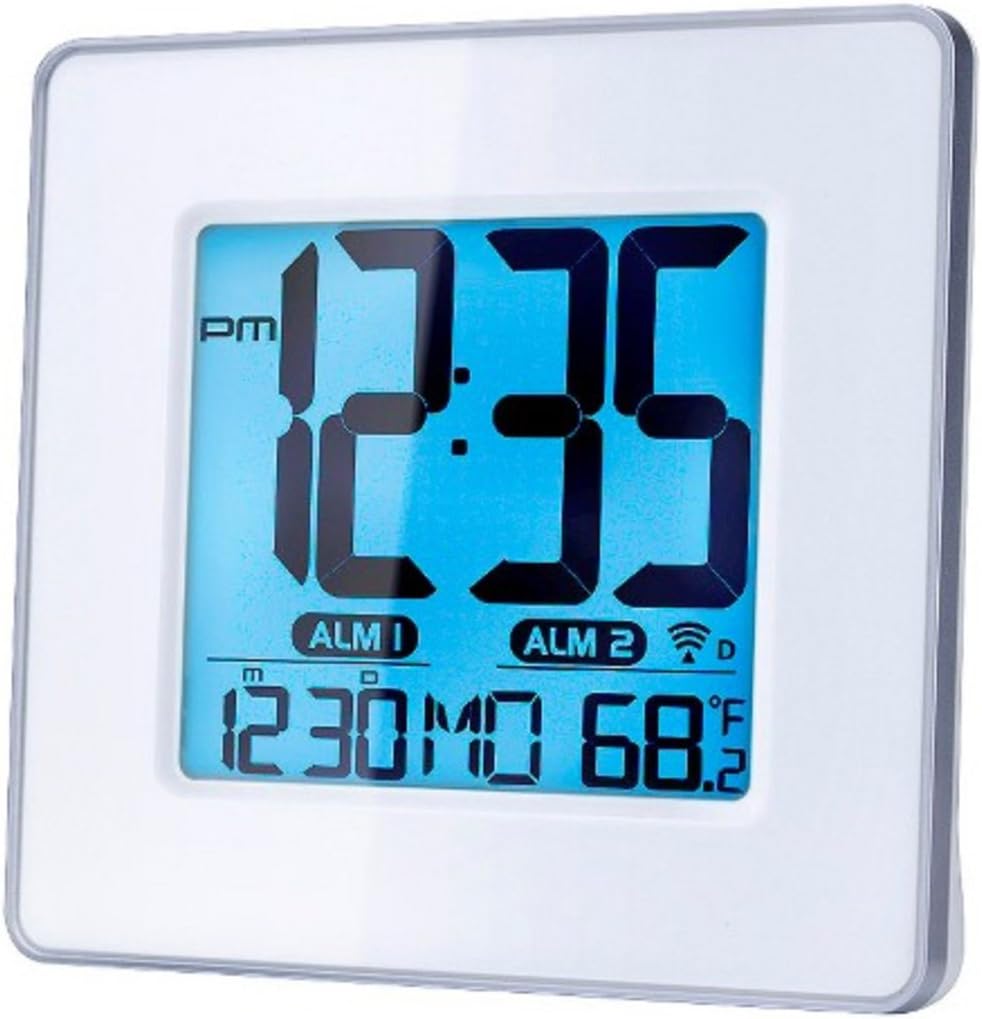
1-сүрөт: Фронт view of the Capello Self-Setting Atomic Clock. This image displays the clock's digital screen, showing the time (12:35 PM), two alarm indicators (ALM 1, ALM 2), the date (12:30 MO), and the indoor temperature (68.2°F). The clock has a white frame and a blue-tinted digital display.
2. Initial Power-On and Atomic Signal Reception
Upon battery installation, the clock will automatically attempt to receive the WWVB atomic time signal. This process may take several minutes to several hours, especially during initial setup. For best reception, place the clock near a window and away from electronic devices that may cause interference. The atomic signal is typically stronger at night.

2-сүрөт: Жакынкы план view of the Capello Self-Setting Atomic Clock. This image highlights the clear digital display, which shows the time, date, and temperature. The white frame of the clock is visible, emphasizing its clean design.
A signal strength indicator (often a tower icon with waves) will appear on the display once a successful signal is received. If the signal is not received immediately, the clock will default to a manual time setting. You can manually initiate a signal search by holding the "WAVE" button (if present) on the back of the clock for a few seconds.
Иштөө нускамалары
1. Manual Time and Date Setting
In case the atomic signal is not available or for manual adjustment:
- басып, кармап туруңуз SET button (or similar, refer to back panel buttons) for a few seconds until the display flashes.
- колдонуу UP жана ылдый жаркылдаган маанини тууралоо үчүн баскычтарды басыңыз (мисалы, саат, мүнөт, жыл, ай, күн).
- Басыңыз SET again to confirm the selection and move to the next setting.
- Бардык керектүү жөндөөлөр конфигурацияланганга чейин кайталаңыз.
2. Ойготкуч орнотуулары
The clock features two independent alarms (ALM 1 and ALM 2).
- басыңыз АЛАРМ button (or ALM 1/ALM 2 button) to select the alarm you wish to set.
- басып, кармап туруңуз Сигналды орнотуу button (or similar) until the alarm time flashes.
- колдонуу UP жана ылдый buttons to adjust the alarm hour and minute.
- Басыңыз Сигналды орнотуу ырастоо үчүн.
- To activate/deactivate an alarm, press the corresponding КҮЙГҮЗҮҮ / КҮЧҮРҮҮ баскычы. Иштеп турганда дисплейде сигналдын сөлөкөтү пайда болот.
3. Температураны чагылдыруу
The clock displays indoor temperature. To switch between Fahrenheit (°F) and Celsius (°C), locate the °F/°C button on the back of the unit and press it.

3-сүрөт: Бурчтуу view of the Capello Self-Setting Atomic Clock. This perspective shows the clock's depth and the sleek design of its white frame, along with the clear digital display from a side angle.
Техникалык тейлөө
Тазалоо
Wipe the clock with a soft, dry cloth. Do not use abrasive cleaners or solvents, as they may damage the display or casing.
Батареяны алмаштыруу
When the display dims or the clock stops functioning, replace the AAA batteries. Always replace all batteries at the same time with new ones. Dispose of old batteries responsibly according to local regulations.
Проблемаларды чечүү
| Көйгөй | Мүмкүн себеп | Чечим |
|---|---|---|
| Clock not setting automatically. | Weak or no atomic signal reception. Interference from other electronics. Incorrect time zone setting. | Relocate the clock closer to a window, away from electronic devices (TVs, computers, microwaves). Try initiating a manual signal search (WAVE button). Ensure correct time zone is set if applicable. Note that the signal is often stronger at night. |
| Дисплей күңүрт же бош. | Батареялары аз. | Replace all AAA batteries with new ones. |
| Time is incorrect after Daylight Saving Time change. | Atomic clock may take up to 24 hours to adjust or requires manual adjustment for DST. | Allow up to 24 hours for automatic adjustment. If it doesn't adjust, manually set the time. Some atomic clocks may not automatically adjust for DST and require manual intervention. |
| Сигнал угулбай жатат. | Alarm not activated. Alarm volume too low (if adjustable). | Ensure the alarm icon is visible on the display. Check alarm settings and ensure the time is correctly set. |
Техникалык шарттар
| Өзгөчөлүк | Деталь |
|---|---|
| Бренд | Капелло |
| Модел | B0170ZSMGG |
| Дисплей түрү | Санарип |
| Power Source | Батарея менен иштейт (3 x AAA, кошулган эмес) |
| Өзгөчө өзгөчөлүк | Atomic, Alarm, Calendar, Indoor Temperature |
| Монтаж түрү | Стол үстү |
| Продукциянын өлчөмдөрү | 0.71 x 5.79 x 5.35 дюйм |
| Элемент Салмагы | 9.6 унция |
| Frame Material | Полиуретан |
| Түс | White (Frame), Black (Dial) |
Кепилдик жана колдоо
For warranty information or technical support, please refer to the contact details provided with your purchase or visit the official Capello webсайт. Сатып алганыңыздын далили катары сатып алуу дүмүрчөгүңүздү сактаңыз.
For further assistance, you may contact Capello customer service through their official channels. Please have your model number (B0170ZSMGG) ready when contacting support.


