Introduction
This manual provides comprehensive instructions for the installation, operation, and maintenance of your Chacon 34548 Outdoor Wi-Fi IP Camera. This device allows for remote monitoring of your property, day and night, through the dedicated Chacon application. Please read this manual thoroughly before using the product to ensure proper function and safety.
Коопсуздук маалыматы
- Ensure the camera is installed in a secure location, out of reach of unauthorized individuals.
- Камера менен кошо берилген кубат адаптерин гана колдонуңуз.
- Do not expose the camera to extreme temperatures, humidity, or direct water immersion (beyond its IP66 rating).
- Камераны күчтүү электромагниттик талаалардын жанына коюудан качыңыз.
- Тазалоодон же тейлөөдөн мурун электр энергиясын өчүрүңүз.
Пакеттин мазмуну
Пакетте бардык буюмдар бар экенин текшериңиз:
- Chacon 34548 Outdoor Wi-Fi IP Camera
- Кубаттуу адаптер
- Орнотуу комплекти (бурамалар, дубалга бекиткичтер)
- Колдонуучунун Колдонмосу (бул документ)
Продукт бүттүview
The Chacon 34548 is an outdoor-rated Wi-Fi IP camera designed for robust surveillance. It features a durable housing, integrated night vision, and Wi-Fi connectivity for remote access.

1-сүрөт: Фронт view of the Chacon 34548 Outdoor Wi-Fi IP Camera, showing the lens, IR illuminator, and mounting bracket.

2-сүрөт: Frontal perspective of the camera, highlighting the main lens, infrared sensor, and external Wi-Fi antenna for improved signal reception.

3-сүрөт: Side view of the Chacon 34548 camera, illustrating its compact design and the position of the Wi-Fi antenna.

4-сүрөт: Арткы view of the camera, displaying the model number (34548), regulatory marks, and a QR code for easy setup.
Жайгашуу
1. Физикалык орнотуу
- Жайгашкан жерди тандаңыз: Каалаган нерсени камсыз кылган ачык жерди тандаңыз viewing angle and is within range of your Wi-Fi network. Ensure the location offers protection from direct impact and allows for proper cable management.
- Камераны орнотуу:
- Mark the drilling points on the wall or ceiling using the camera's mounting bracket as a template.
- Тешиктерди бургулап, берилген дубал тыгындарын киргизиңиз.
- Монтаждык кронштейнди бурамалар менен бекитиңиз.
- Камераны кронштейнге бекитип, зарылчылыкка жараша бурчту тууралаңыз.
2. Power Connection
Connect the supplied power adapter to the camera's power input port. Plug the adapter into a suitable outdoor power outlet. Ensure the connection is secure and protected from weather elements.
3. Колдонмону орнотуу
Download the official Chacon application from the App Store (for iOS devices) or Google Play Store (for Android devices). Издөө "Chacon" and install the application.
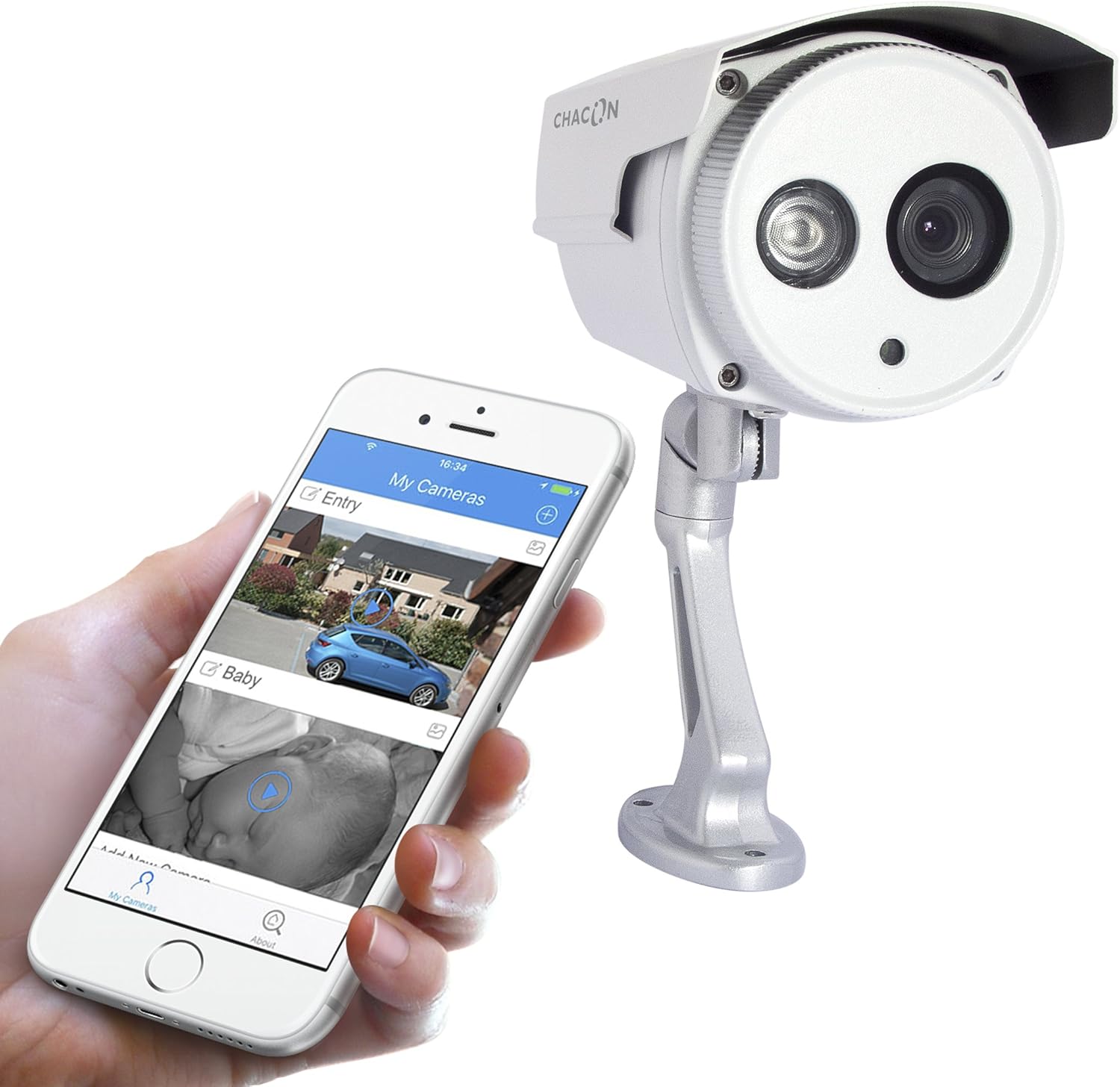
5-сүрөт: The Chacon 34548 camera shown alongside a smartphone running the Chacon application, demonstrating remote viewжөндөмдүүлүктөрүн.
4. Тармактык туташуу (Wi-Fi)
- Open the Chacon app and create an account or log in.
- Follow the in-app instructions to add a new device. This typically involves scanning a QR code on the camera (refer to Figure 4) or manually entering the device ID.
- Select your Wi-Fi network and enter the password. Ensure your camera is within range of your Wi-Fi router.
- Wait for the camera to connect to the network. The app will indicate successful connection.
Иштөө нускамалары
1. ViewLive Feed
Once connected, open the Chacon app and select your camera from the device list to view the live video feed. You can monitor your property in real-time.
2. Түнкү көрүнүш
The camera is equipped with automatic night vision, providing clear images up to 20 meters in low-light conditions. This feature activates automatically when ambient light levels are insufficient.
3. Remote Access and Control
The Chacon app allows you to access your camera feed from anywhere with an internet connection. You can also adjust settings, such as video resolution (720p), and monitor the horizontal viewing angle of 70 degrees and diagonal viewбурч 75 градус.
4. Жазуу жана ойнотуу
Refer to the Chacon app's specific features for information on motion detection recording, cloud storage options, or local storage (if a microSD card slot is present, which is not explicitly mentioned in specifications but common). Instructions for playback of recorded footage will be available within the app.
Техникалык тейлөө
- Тазалоо: Gently wipe the camera lens and housing with a soft, damp кездеме. Катуу химиялык заттарды же абразивдүү тазалагычтарды колдонбоңуз.
- Программалык камсыздоонун жаңыртуулары: Periodically check the Chacon app for available firmware updates. Keeping your camera's firmware updated ensures optimal performance and security.
- Кабелдик текшерүү: Regularly inspect power and network cables for any signs of wear or damage, especially in outdoor installations.
Проблемаларды чечүү
| Көйгөй | Мүмкүн себеп | Чечим |
|---|---|---|
| Камера күйбөй жатат | No power, faulty adapter, loose connection | Розетканы текшериңиз, адаптер бекем туташтырылганын текшериңиз, башка розетканы колдонуп көрүңүз. |
| Wi-Fi'га туташпай жатат | Incorrect Wi-Fi password, camera out of range, network interference | Verify Wi-Fi password, move camera closer to router, restart router, check for 2.4GHz network compatibility. |
| Жандуу видео түрмөгү жок | Network issue, camera offline, app malfunction | Check internet connection, restart camera, restart Chacon app, ensure camera is connected to Wi-Fi. |
| Сүрөттүн сапаты начар | Dirty lens, low light, network bandwidth | Clean the camera lens, ensure adequate lighting or check night vision activation, check network speed. |
Техникалык шарттар
| Өзгөчөлүк | Деталь |
|---|---|
| Модель номери | 34548 |
| Бренд | Чакон |
| Байланыш технологиясы | Зымсыз (Wi-Fi) |
| Видео жаздыруу чечими | 720p |
| Натыйжалуу Video Resolution | 720 пиксел |
| Өзгөчөлүктөр | Түнкү көрүнүш |
| Түнкү көрүү диапазону | 20 метр |
| Viewбурч (горизонталдуу) | 70 градус |
| Viewбурч (диагональ) | 75 градус |
| Сууга туруктуулук деңгээли | Water-repellent (IP66 rating implied by "voor buiten" and common for outdoor cameras) |
| Шайкеш түзмөктөр | Смартфон (iOS, Android) |
| Power Source | Электр кабели |
| Монтаж түрү | Дубалга орнотуу |
| Түс | Ак |
| Материал | PVC |
| Камтылган компоненттер | Wi-Fi IP Camera for outdoor use |
Кепилдик маалымат
For detailed warranty information, please refer to the warranty card included with your product packaging or consult your purchase documentation. Warranty terms and conditions may vary by region and retailer.
Кардарларды колдоо
If you encounter any issues or have questions not covered in this manual, please contact Chacon customer support. Visit the official Chacon webбайланыш маалыматтары, көп берилүүчү суроолор жана кошумча ресурстар үчүн сайт.


