1. Киришүү
The VTech Count and Learn Turtle is an interactive educational toy designed to introduce children aged 2 to 5 years to numbers, counting, basic math, shapes, colors, and instruments. It features light-up buttons, engaging sounds, melodies, and a bilingual mode to enhance learning and development.
2. Пакеттин мазмуну
- One VTech Count and Learn Turtle electronic learning toy
- 2 AA batteries (for demo purposes only; new batteries recommended for regular use)
3. Орнотуу
3.1 Батареяны орнотуу
- Locate the battery compartment on the underside of the turtle.
- Бурагычты колдонуп, бураманы бошотуп, батарея бөлүмүнүн капкагын ачыңыз.
- Insert 2 new 'AA' (LR6) batteries, ensuring correct polarity (+/-) as indicated inside the compartment.
- Батарея бөлүмүнүн капкагын кайра ордуна коюп, бураманы бекем бекитиңиз.
Эскертүү: The included batteries are for demonstration purposes only. For optimal performance, replace them with new alkaline batteries.
3.2 Күйгүзүү/өчүрүү
To turn the toy ON, slide the power switch, located on the top of the turtle's shell, to the 'ON' position. To turn the toy OFF, slide the switch to the 'OFF' position.
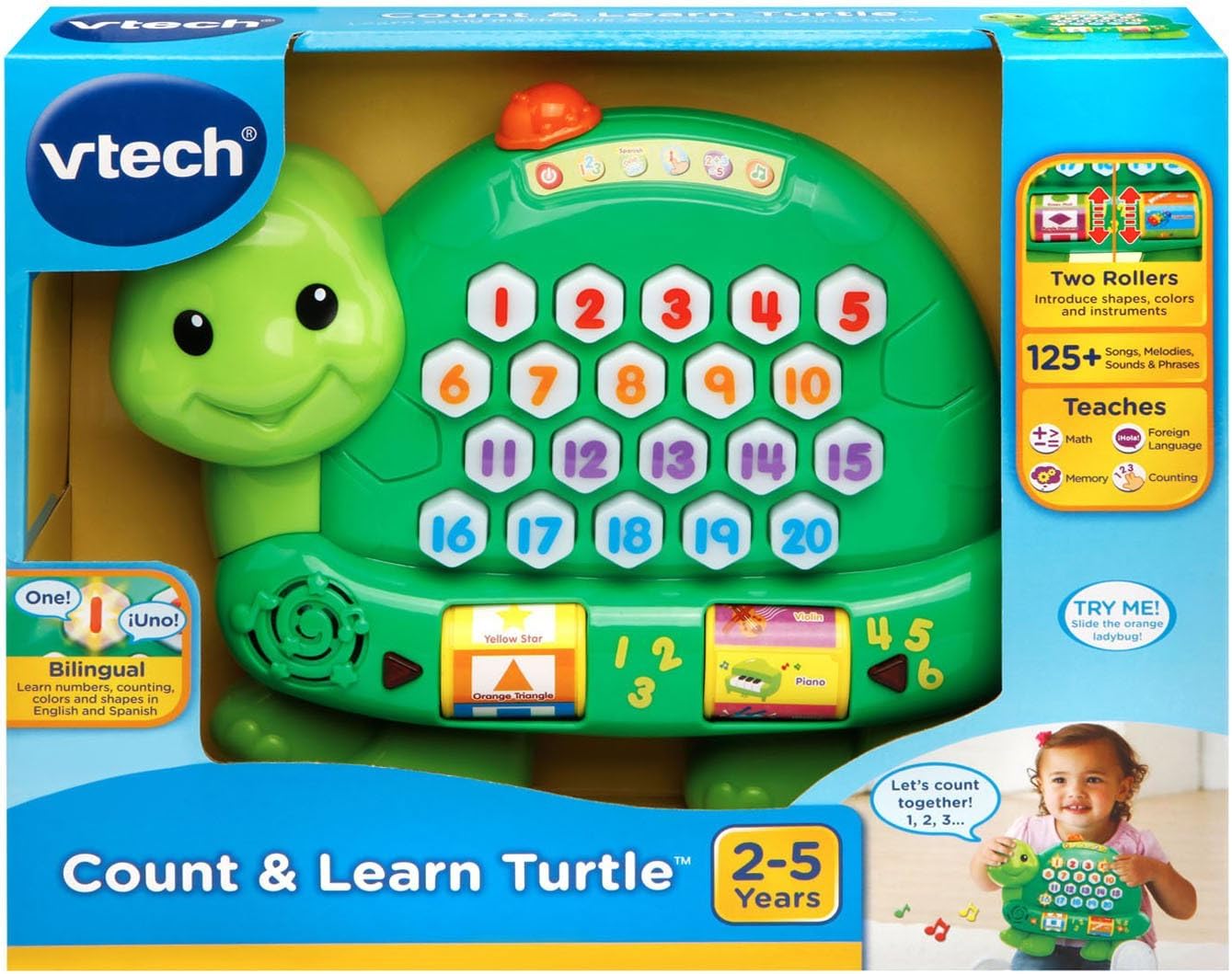
Image: The VTech Count and Learn Turtle, illustrating its overall design and the location of the power switch on its shell.
4. Иштөө нускамалары
4.1 Number Buttons and Counting
Press any of the light-up number buttons (1-20) on the turtle's shell to hear the number spoken aloud. The turtle will also count along with your child.
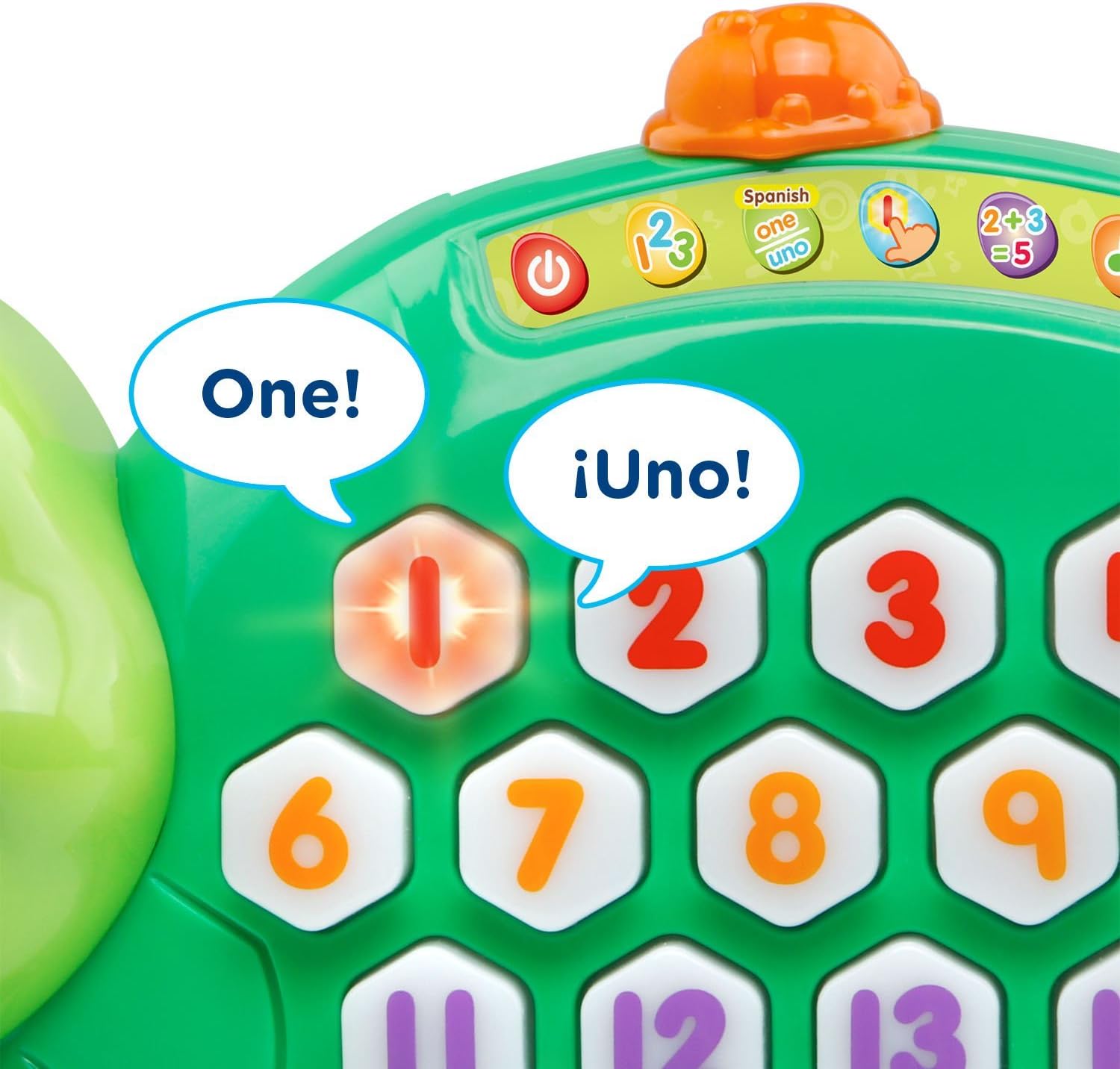
Сүрөт: жакын план view of the turtle's shell, highlighting the interactive light-up number buttons.
4.2 Addition Activity
Select the addition activity mode (indicated by a '2+3=5' icon on the shell). The turtle will guide your child through simple addition problems, lighting up the correct number of buttons to represent the sum.
4.3 Roller Functions: Shapes, Colors, and Instruments
Spin the two rollers located on the sides of the turtle. Each roller introduces different shapes, colors, and musical instruments with corresponding sounds and phrases.

Сүрөт: деталдуу view of the interactive rollers on the side of the turtle, displaying various shapes and instruments.
4.4 Music Activity
Engage with the music activity mode to hear various sing-along songs and melodies. The sounds from the rollers will integrate into the music for an enriched experience.
4.5 Spanish Mode
Switch to Spanish mode to learn numbers, counting, colors, shapes, and instruments in Spanish. This feature supports bilingual development.
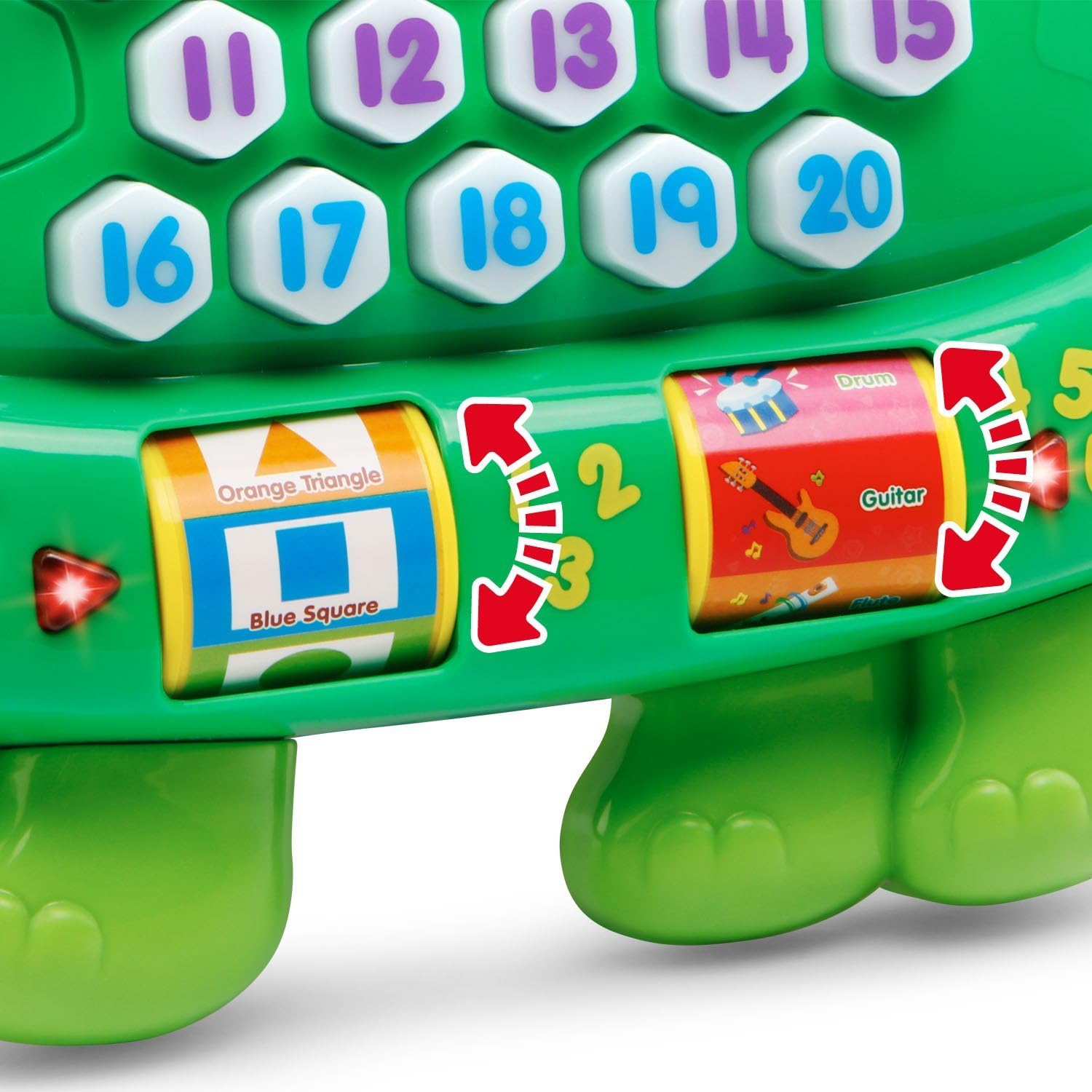
Image: The turtle's number buttons, demonstrating the bilingual feature with English and Spanish words for 'one'.
4.6 Memory Game
Activate the memory game mode. Watch the buttons light up in a sequence and then repeat the sequence by pressing the buttons in the correct order. This helps develop memory and hand-eye coordination.
Video: An official VTech demonstration of the Count and Learn Turtle's features, including counting, music, and interactive play modes.
5. Кароо жана тейлөө
- Бир аз d менен сүртүп, аппаратты таза кармаңызamp кездеме. Катуу химиялык заттарды же абразивдүү материалдарды колдонбоңуз.
- Агрегатты күн нурунан жана түз жылуулук булактарынан алыс кармаңыз.
- Бирдик узак убакыт бою колдонулбай турган болсо, батарейкаларды алып салыңыз.
- Do not drop the unit on a hard surface or expose it to moisture or water.
6. Кыйынчылыктарды
6.1 No Power or Intermittent Operation
- Ensure the batteries are installed correctly with the proper polarity.
- Replace old batteries with new alkaline batteries.
- If the toy is still not functioning, try turning it off and then on again.
6.2 Үн маселелери
- Check the volume setting.
- Ensure the toy is not in a quiet mode or muted.
7. Техникалык шарттар
| Өзгөчөлүк | Деталь |
|---|---|
| Продукциянын өлчөмдөрү | 2.34 x 9.8 x 8.31 дюйм |
| Элемент Салмагы | 15.8 унция |
| Элемент моделинин номери | 80-178100 |
| Өндүрүүчүнүн сунуш кылган курагы | 24 ай - 5 жыл |
| Батареялар | 2 AA батарейкасы талап кылынат (демо үчүн кошулган) |
| Чыгарылган күнү | 1-февраль, 2016-жыл |
| Өндүрүүчү | VTech |
8. Кепилдик жана колдоо
For warranty information or technical support, please refer to the official VTech webсайтына кириңиз же VTech кардарларды тейлөө кызматына түз кайрылыңыз. Сатып алуунун далили катары сатып алуу дүмүрчөгүңүздү сактап коюңуз.
You can visit the VTech store for more information: Amazon'догу VTech дүкөнү


