1. Киришүү
This manual provides detailed instructions for the setup, operation, and maintenance of your Cobra ACXT360 Water Resistant Walkie Talkies. These two-way radios are designed for reliable communication in various environments, featuring water resistance, multiple channels, and NOAA weather alerts.

Сүрөт: алдыңкы view of a Cobra ACXT360 Walkie Talkie, displaying its screen and control buttons.
2. Пакеттин мазмуну
Төмөндө тизмеленген нерселердин баары пакетиңизге камтылганын текшериңиз:
- 3 x Cobra ACXT360 Walkie Talkies
- 9 x AAA Rechargeable NiMH Batteries
- 3 x Белдик клиптер
- 1 x USB-Y Cable for charging
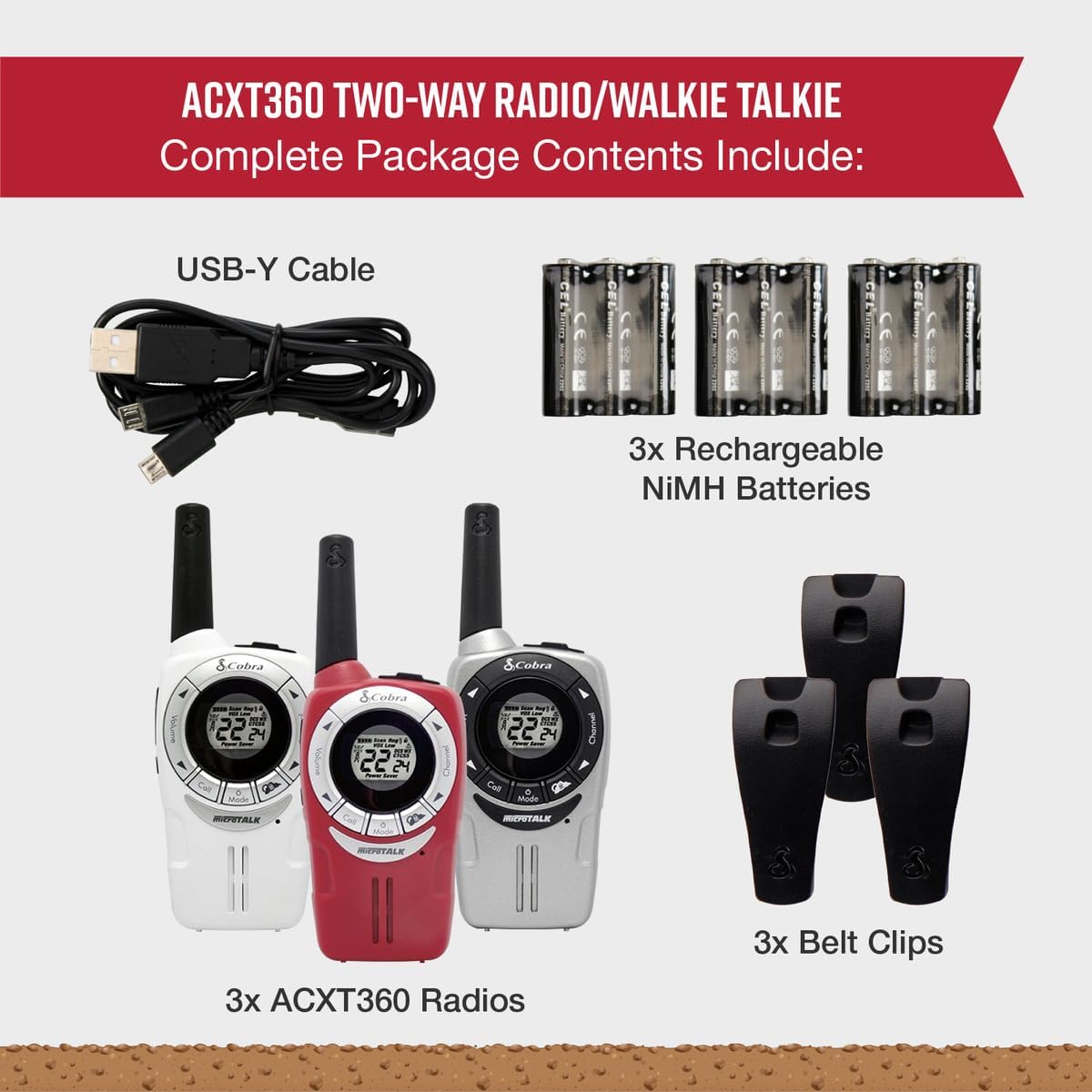
Image: A visual representation of the Cobra ACXT360 package contents, showing three radios, batteries, belt clips, and the charging cable.
3. Орнотуу
3.1 Батареяны орнотуу
- Радио өчүрүлгөнүн текшериңиз.
- Радионун артындагы батарея бөлүкчөсүнүн капкагын табыңыз.
- Кулпуну басып, капкакты жылдырып ачыңыз.
- Insert 3 AAA rechargeable NiMH batteries into each radio, observing the polarity markings (+/-).
- Батарея уясынын капкагын ордуна коюңуз, анын ордуна бекем чыкылдатыңыз.
3.2 Батареяларды заряддоо
The included NiMH batteries are rechargeable. For optimal performance, fully charge the batteries before first use.
- Connect the USB-Y cable to the charging port on the radio.
- Connect the other end of the USB-Y cable to a compatible USB power source (e.g., computer USB port, USB wall adapter).
- Радио дисплейдеги батареянын индикатору заряддоо абалын көрсөтөт.
- Заряддоо убактысы ар кандай болушу мүмкүн. Заряддоо аяктагандан кийин кабелди ажыратыңыз.
4. Иштөө нускамалары
4.1 Күйгүзүү/өчүрүү
- Күйгүзүү үчүн: басып, кармап туруңуз Күч/Меню баскычын дисплей күйгүчө басыңыз.
- Өчүрүү үчүн: басып, кармап туруңуз Күч/Меню баскычын дисплей өчмөйүнчө басыңыз.
4.2 Үндү тууралоо
- колдонуу Үндү көтөрүү жана Үндү төмөндөтүү buttons (typically located on the side or front) to adjust the listening volume.
4.3 Канал тандоо
Your ACXT360 radios operate on 22 FRS/GMRS channels.
- басыңыз Канал Өйдө or Канал ылдый buttons to cycle through available channels.
- The selected channel number will be displayed on the screen.
4.4 Берүү жана кабыл алуу
- Өткөрүш үчүн: басып, кармап туруңуз Push-to-Talk (PTT) баскычы. Микрофонго так сүйлөңүз. Өткөрүүнү токтотуу үчүн PTT баскычын коё бериңиз.
- To receive: Ensure the PTT button is not pressed. The radio will automatically receive transmissions on the selected channel.
4.5 Купуялык коддору (CTCSS/DCS)
The radios support 121 privacy codes (38 CTCSS and 83 DCS) to help reduce interference from other users on the same channel.
- To set a privacy code: With the radio on, press the Меню button until the privacy code setting flashes. Use the Канал өйдө/төмөн кодду тандоо үчүн баскычтар. Басыңыз Меню ырастоо үчүн дагы.
- Both radios must be set to the same channel and privacy code to communicate.
4.6 VOX (Voice-Activated Transmission)
VOX allows for hands-free operation, transmitting automatically when you speak.
- To enable/disable VOX: Press the Меню button until the VOX icon flashes. Use the Канал өйдө/төмөн buttons to select a VOX sensitivity level (1-5) or turn it off. Press Меню ырастоо үчүн.
4.7 Чакыруу обондору
You can select from 5 different call tones to alert other users.
- To select a call tone: Press the Меню button until the call tone setting flashes. Use the Канал өйдө/төмөн алдын ала баскычтарview and select a tone. Press Меню ырастоо үчүн.
- To send a call tone: Briefly press the Чалуу баскычы.
4.8 NOAA Аба ырайы каналдары
Access 24/7 NOAA weather channels for alerts and updates.
- To access NOAA channels: Refer to your radio's specific menu options for weather channel access. This is typically a dedicated button or a menu option.
4.9 Каналды сканерлөө
The scan feature allows you to automatically scan all 22 channels for activity.
- To activate scan: Press the Скандоо button (often labeled 'S' or integrated with another button). The radio will scan channels until activity is detected.
- To stop scan: Press the Скандоо button again or the PTT button.
5. Features Overview
The Cobra ACXT360 radios offer several features for enhanced communication:
- Weather-Resistant (IPX2): Designed to withstand light splashes and rain, ensuring reliable operation in various outdoor conditions.
- 22 канал жана 121 купуялык коддору: камсыз кылат ample communication options and helps minimize interference.
- NOAA аба ырайы боюнча эскертүүлөр: Keeps you informed of changing weather conditions.
- VOX Transmission: Колсуз байланышты камсыз кылат.
- Customizable Call Tones: Allows for distinct alerts from different callers.
- Каналды сканерлөө: Quickly finds active channels.
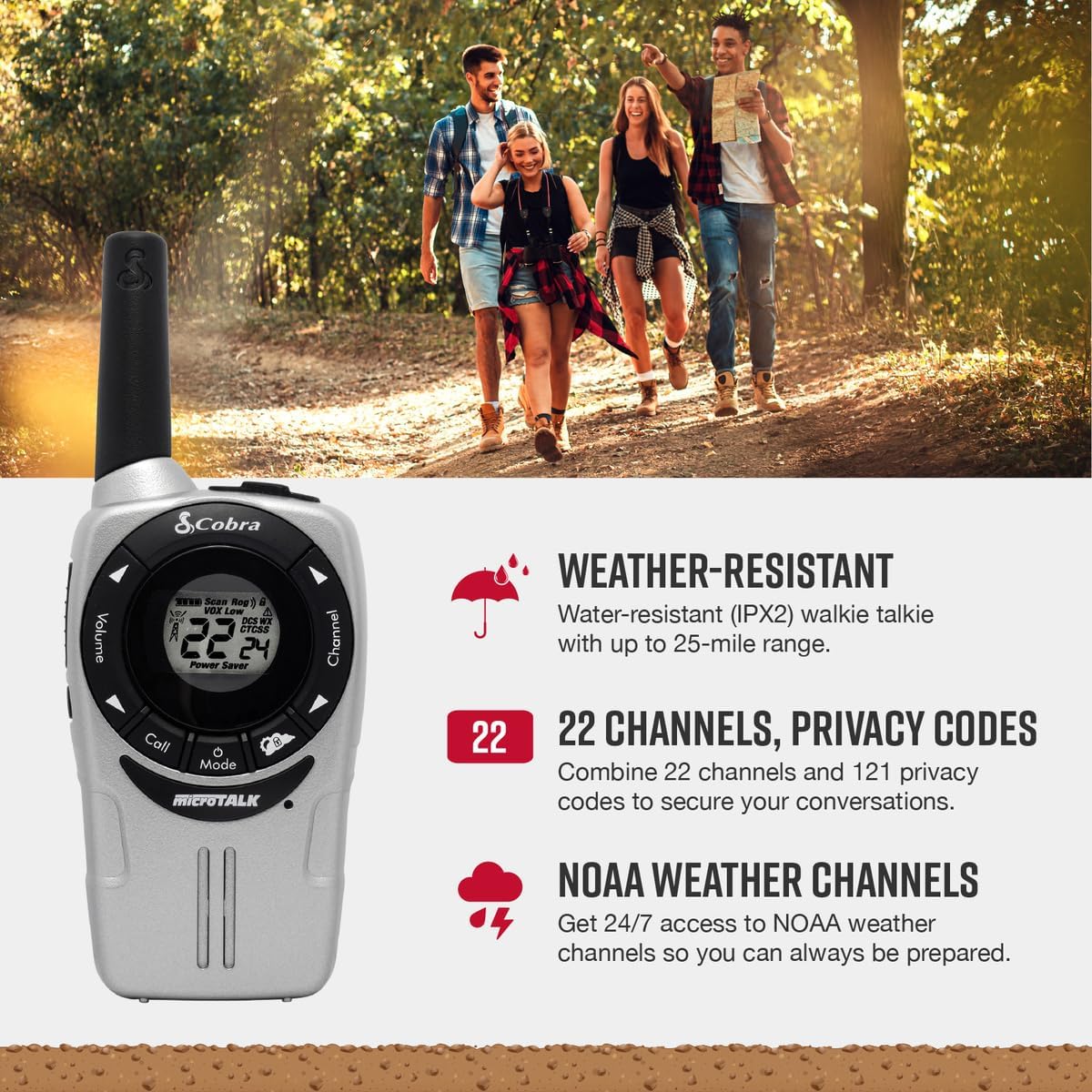
Image: A Cobra ACXT360 radio with icons indicating weather resistance, 22 channels, and NOAA weather alerts.

Image: A Cobra ACXT360 radio with icons indicating VOX transmission, call tones, and channel scan features.
5.1 Understanding Range
The maximum range of a walkie talkie is tested under ideal conditions, such as flat, open terrain with a clear line of sight and no obstructions. The actual usable range can be significantly affected by environmental factors.
- Max колому: Achieved in optimal conditions with no obstructions.
- Usable Range: Influenced by weather, landscape (hills, valleys), radio signals, elevation, and physical obstructions like trees, foliage, buildings, and mountains.

Image: An illustration explaining the difference between maximum theoretical range and actual usable range for walkie talkies, listing influencing factors.
6. Техникалык тейлөө
6.1 Жалпы кам көрүү
- Avoid exposing the radios to extreme temperatures, direct sunlight for prolonged periods, or excessive moisture beyond their IPX2 rating.
- Do not drop or subject the radios to severe impacts.
6.2 Тазалоо
- Радионун беттерин жумшак, d менен сүртүңүзamp кездеме. Абразивдүү тазалагычтарды же эриткичтерди колдонбоңуз.
- Заряддоо порту таза жана таштандылардан таза экенин текшериңиз.
6.3 Батареяга кам көрүү
- Use only the specified AAA rechargeable NiMH batteries.
- If storing the radios for an extended period, remove the batteries to prevent leakage.
- Эски батареяларды жергиликтүү эрежелерге ылайык жок кылыңыз.
7. Кыйынчылыктарды
| Көйгөй | Мүмкүн чечим |
|---|---|
| Радио күйбөйт. | Check battery installation and ensure batteries are charged. Replace batteries if necessary. |
| Өткөрүп же кабыл албайт. | Ensure both radios are on the same channel and privacy code. Check battery level. Verify PTT button is functioning. |
| Аудио сапаты начар же статикалык. | Move closer to the other radio. Check for obstructions. Adjust volume. Ensure antenna is not obstructed. |
| Чектелген диапазон. | Range is affected by terrain, weather, and obstructions. Try moving to a higher or more open area. |
| VOX not activating. | Adjust VOX sensitivity level in the menu. Speak louder or closer to the microphone. |
8. Техникалык шарттар
| Өзгөчөлүк | Деталь |
|---|---|
| Модель номери | ACXT360 |
| Продукциянын өлчөмдөрү | 1.25 x 2 x 5 дюйм (3.18 x 5.08 x 12.7 см) |
| Элемент Салмагы | 3.76 унция (106.6 грамм) |
| Батареялар | 6 AAA NiMH rechargeable batteries (3 per radio) |
| Каналдардын саны | 22 FRS/GMRS каналдары |
| Купуялык коддору | 121 (38 CTCSS, 83 DCS) |
| Жыштык диапазону | 400-512 MHz (estimated) |
| Сүйлөшүү диапазону максималдуу | Up to 25 Miles (under ideal conditions) |
| Сууга туруктуулук деңгээли | IPX2 (Сууга туруктуу) |
| Өзгөчөлүктөр | Battery Strength Indicator, Dust Proof, Long Range, Rechargeable |
9. Кепилдик маалыматы
Cobra products are designed and manufactured to high standards. For specific warranty details, including coverage period and terms, please refer to the warranty card included with your product or visit the official Cobra webсайт. Кепилдик дооматтар үчүн сатып алганыңыздын далилин сактаңыз.
10. Колдоо
Эгерде сизде кандайдыр бир көйгөйлөр пайда болсо же ушул колдонмодо камтылбаган суроолоруңуз болсо, төмөнкү ресурстарды караңыз:
- Онлайн колдоо: Visit the official Cobra website for FAQs, product registration, and additional support documentation.
- Кардарларды тейлөө: Contact Cobra customer service directly for technical assistance. Contact information can typically be found on the manufacturer's webсайт же продукт таңгак.


