Introduction
The Master & Dynamic MW60 Wireless Bluetooth Foldable Headphones are designed to deliver a high-quality audio experience with effective sound isolation. They feature 45mm neodymium drivers for clear audio reproduction across various music genres. Equipped with Bluetooth 4.1, these headphones offer wireless connectivity and up to 16 hours of battery life. Constructed with lightweight stainless steel and aluminum, and featuring leather ear pads, the MW60 headphones are designed for comfort and durability, with a foldable design for portability.
Кутуда эмне бар
- Master & Dynamic MW60 Wireless Headphones
- Аудио кабель (3.5мм)
- Аудио адаптер
- Micro USB - USB заряддоо кабели
- Carry Case for Headphones
- Carry Pouch for Accessories
Продукт бүттүview
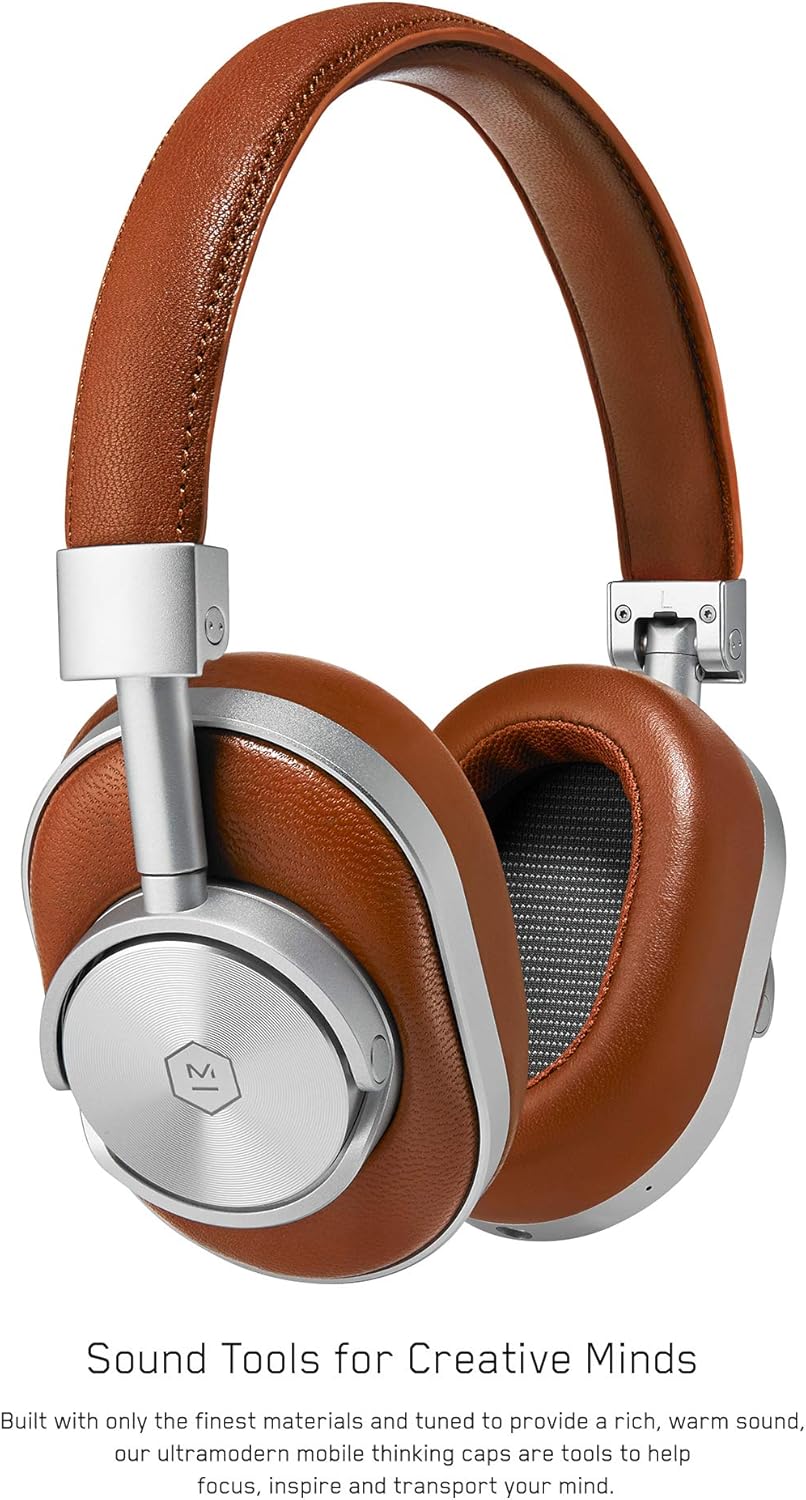
1-сүрөт: Фронт view of the Master & Dynamic MW60 Wireless Headphones. This image displays the over-ear design with silver metal accents and brown leather earcups and headband.

2-сүрөт: Close-up of the right earcup showing the control buttons and ports. Visible controls include volume up/down, a multi-function button, and the power/pairing switch. A 3.5mm audio jack and micro USB charging port are also present.
Башкаруу каражаттары жана порттор
- Power/Pairing Switch: Located on the earcup, used to turn the headphones on/off and initiate Bluetooth pairing.
- Көп функциялуу баскыч: Controls playback (play/pause), call management, and voice assistant activation.
- Көлөмдү өйдө / ылдый баскычтары: Adjusts audio volume. Can also be used for track skipping (hold for next/previous track).
- 3.5 мм аудио уячасы: Камтылган аудио кабелин колдонуу менен зымдуу туташуу үчүн.
- Микро USB порту: Ички батареяны заряддоо үчүн.
- Микрофон: Колсуз чалуулар үчүн интеграцияланган.
Жайгашуу
Наушниктерди заряддоо
- Connect the Micro USB end of the charging cable to the Micro USB port on the headphone earcup.
- Connect the USB-A end of the charging cable to a powered USB port (e.g., computer, wall adapter).
- Индикатор кубаттоо абалын көрсөтөт. Толук кубаттоо, адатта, болжол менен 2 саатка созулат.
Bluetooth Жупташтыруу
- Наушниктердин толук заряддалганын текшериңиз.
- Slide the Power/Pairing switch to the ON position.
- To enter pairing mode, slide and hold the Power/Pairing switch to the far right (pairing icon) until the indicator light begins to flash.
- Түзмөгүңүздө (смартфон, планшет, компьютер) Bluetooth иштетип, жеткиликтүү түзмөктөрдү издеңиз.
- Select "MW60" from the list of detected devices.
- Once paired, the indicator light will turn solid blue or white, depending on the model.
Иштөө нускамалары
Негизги функциялар
- Күйгүзүү/өчүрүү: Slide the Power/Pairing switch to the ON or OFF position.
- Ойнотуу/тындыруу: Көп функциялуу баскычты бир жолу басыңыз.
- Үндү көзөмөлдөө: Үндү жогорулатуу (+) же үндү азайтуу (-) баскычтарын басыңыз.
- Кийинки трек: Үндү жогорулатуу (+) баскычын басып, кармап туруңуз.
- Мурунку трек: Үндү азайтуу (-) баскычын басып, кармап туруңуз.
Чалууларды башкаруу
- Чалууга жооп берүү/аяктоо: Көп функциялуу баскычты бир жолу басыңыз.
- Чакырууну четке кагуу: Көп функциялуу баскычты басып, кармап туруңуз.
- Үн Жардамчысын жандыруу: Көп функциялуу баскычты эки жолу басыңыз.
Зымдуу туташуу
To use the headphones with a wired connection, plug the included 3.5mm audio cable into the audio jack on the earcup and the other end into your audio source. The headphones will automatically switch to wired mode, conserving battery life.
Техникалык тейлөө
Тазалоо
- Наушниктерди жумшак, кургак чүпүрөк менен сүртүңүз.
- Катуу химиялык заттарды же абразивдүү материалдарды колдонбоңуз.
- For leather parts, use a specialized leather cleaner if necessary, following product instructions.
Сактагыч

3-сүрөт: The MW60 headphones folded into a compact form, demonstrating their portability and ease of storage in the included carry case.
- When not in use, fold the headphones and store them in the provided carry case to protect them from dust and damage.
- Ашыкча температурада же жогорку нымдуулукта сактоодон алыс болуңуз.
Проблемаларды чечүү
| Көйгөй | Мүмкүн чечим |
|---|---|
| Кулакчындар күйбөйт | Ensure the headphones are fully charged. Connect to a power source using the Micro USB cable. |
| Bluetooth аркылуу жупташтыруу мүмкүн эмес | Ensure headphones are in pairing mode (flashing indicator light). Turn off and on Bluetooth on your device. Try forgetting the device on your phone and re-pairing. Ensure no other devices are actively connected. |
| Intermittent audio or connection drops | Ensure your device is within the Bluetooth range. Avoid physical obstructions between the headphones and your device. Minimize interference from other wireless devices. |
| Зымдуу режимде үн жок | Ensure the 3.5mm audio cable is securely connected to both the headphones and the audio source. Check the volume levels on both the headphones and the audio source. |
| Earcups detach easily | Ensure earcups are properly aligned and securely attached to the magnetic mounts. |
Техникалык шарттар
| Өзгөчөлүк | Деталь |
|---|---|
| Модель аты | MW60S2 |
| Байланыш технологиясы | Зымсыз (Bluetooth 4.1) |
| Аудио драйвер түрү | 45 мм неодим динамикалык драйверлери |
| Батареянын иштөө мөөнөтү | 16 саатка чейин |
| Материалдар | Aluminum, Stainless Steel, Leather |
| Элемент Салмагы | 3 фунт (болжол менен 1.36 кг) |
| Продукциянын өлчөмдөрү | 10 x 3.75 x 8 дюйм (25.4 x 9.5 x 20.3 см) |
| Импеданс | 32 Ом |
| Noise Control | Үн изоляциясы (пассивдүү) |
| Наушник уясы | 3.5 мм Джек |
Кепилдик жана колдоо
Warranty information for your Master & Dynamic MW60 Wireless Headphones is typically provided with your purchase. Please refer to the documentation included in your product packaging for specific warranty terms and conditions.
For technical support, service, or further inquiries, please contact Master & Dynamic customer service directly. Contact details can usually be found on the manufacturer's official webсайтында же продукт документациясында.


