1. Продукт бүтүп калдыview
The NETGEAR Powerline 1000 Adapter Kit (PL1000-100PES) provides a simple solution to extend your internet network using your home's existing electrical wiring. This kit includes two Powerline 1000 adapters, enabling you to connect devices like smart TVs, gaming consoles, and computers to the internet in areas where Wi-Fi signals may be weak or unreliable.
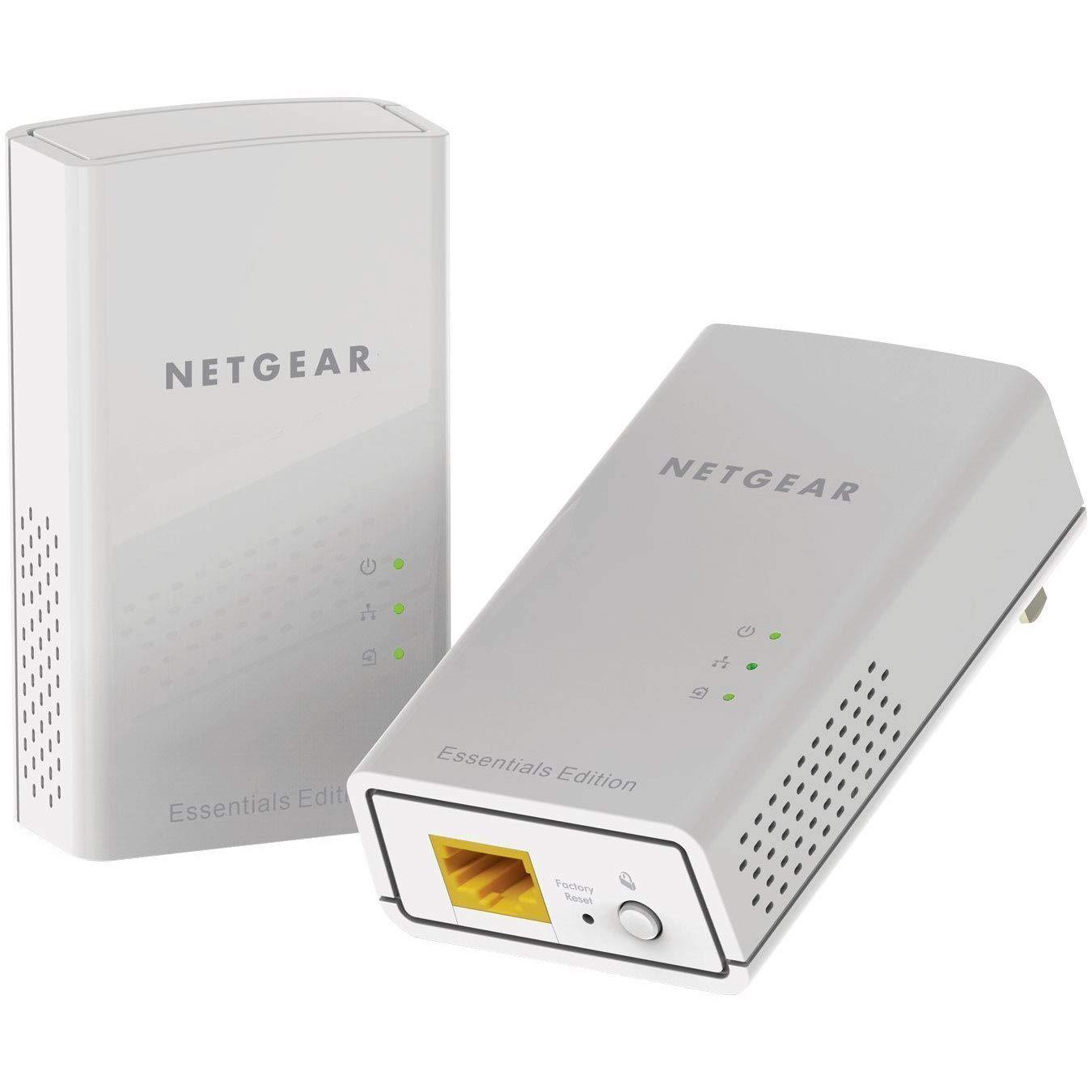
Сүрөт: алдыңкы view of the NETGEAR Powerline 1000 Adapter.
2. Орнотуу
2.1 Пакеттин мазмуну
Пакетиңизде төмөнкү заттар бар экенин текшериңиз:
- Two (2) NETGEAR Powerline 1000 Adapters (PL1000)
- Two (2) Ethernet cables
- Ыкчам баштоо колдонмосу (бул колдонмодо камтылган эмес)
2.2 Орнотуу кадамдары
Powerline тармагыңызды орнотуу үчүн төмөнкү кадамдарды аткарыңыз:
- Биринчи адаптерди туташтыруу: Plug one Powerline adapter directly into an electrical outlet near your internet router or modem. Do not use a power strip or extension cord, as this can degrade performance.
- Роутерге/модемге туташуу: Use one of the provided Ethernet cables to connect the Powerline adapter to an available LAN port on your router or modem.
- Экинчи адаптерди туташтыруу: Plug the second Powerline adapter directly into an electrical outlet in the room where you want to extend your network.
- Түзмөгүңүздү туташтыруу: Use the second Ethernet cable to connect your network-enabled device (e.g., computer, smart TV, gaming console) to the second Powerline adapter.
- Байланышты текшерүү: Ийгиликтүү туташууну көрсөткөн Powerline LED индикатору жашыл түскө күйгөнчө күтө туруңуз.

Image: A NETGEAR Powerline 1000 Adapter plugged into a wall outlet, ready for connection.

Image: Diagram illustrating how two Powerline adapters connect to a router and an Ethernet-enabled device in different rooms, utilizing the home's electrical wiring.
3. Иштөө
3.1 LED индикаторлорун түшүнүү
The Powerline adapters feature LED indicators to show their status:
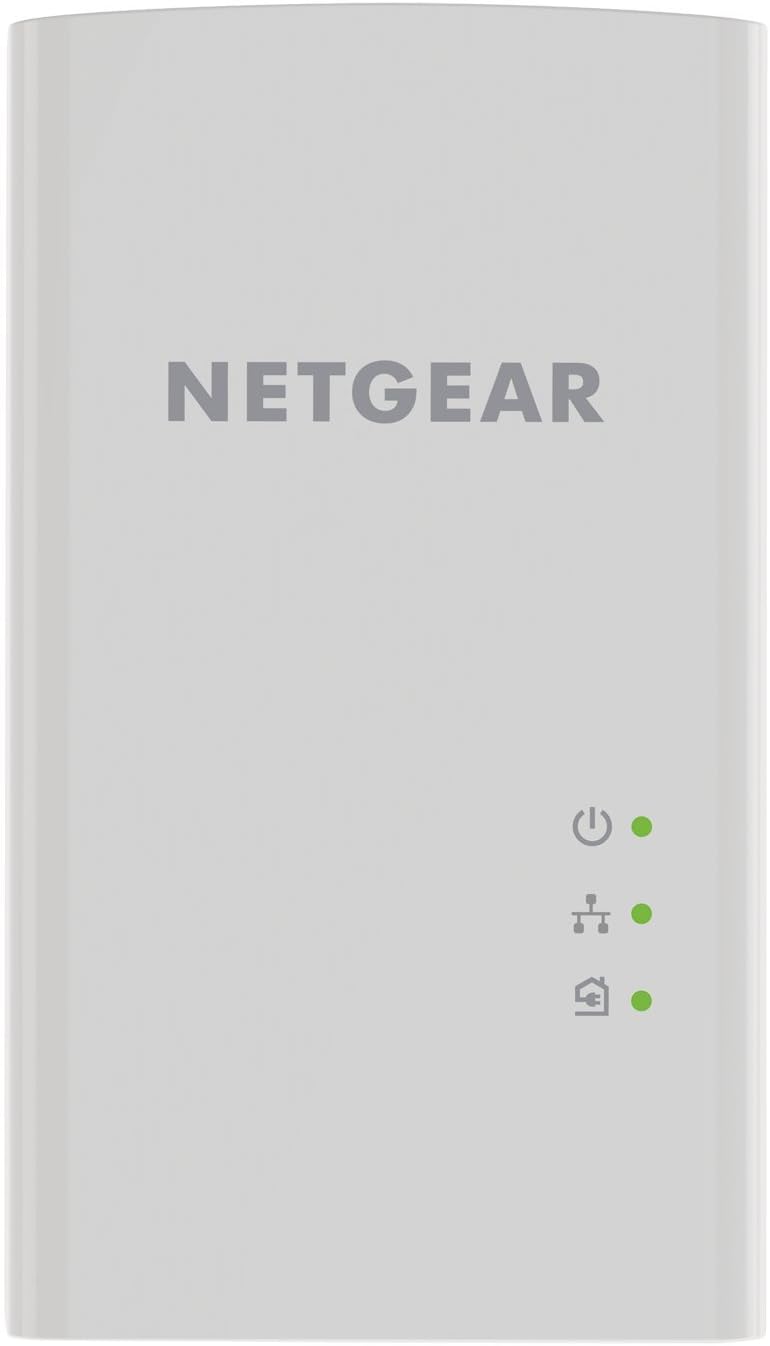
Сүрөт: алдыңкы view of the Powerline 1000 Adapter showing the Power, Powerline, and Ethernet LED indicators.
| LED көрсөткүч | Статус | Description |
|---|---|---|
| Power LED | Катуу жашыл | The Powerline adapter is powered on. |
| Power LED | Өчүк | The Powerline adapter is off. |
| Powerline LED | Катуу жашыл | The Powerline adapter is connected to a Powerline network. |
| Powerline LED | Былкылдаган жашыл | The Powerline adapter is in pairing mode. |
| Powerline LED | Өчүк | The Powerline adapter is not connected to a Powerline network. |
| Ethernet LED | Катуу жашыл | An Ethernet device is connected to the adapter's Ethernet port. |
| Ethernet LED | Былкылдаган жашыл | Data is being transmitted or received through the Ethernet port. |
| Ethernet LED | Өчүк | No Ethernet device is connected. |
3.2 Pairing Powerline Adapters
Your Powerline adapters are typically pre-paired from the factory. If they do not connect automatically (Powerline LED is off or blinking), you may need to pair them manually:
- Plug both Powerline adapters into electrical outlets in the same room.
- Press the Security button (often labeled 'Pair' or 'Security') on the side or bottom of the first adapter for 2 seconds. The Powerline LED will start blinking.
- Within two minutes, press the Security button on the second adapter for 2 seconds. Its Powerline LED will also start blinking.
- After a short period, the Powerline LEDs on both adapters should turn solid green, indicating a successful secure connection.
4. Техникалык тейлөө
4.1 Кам көрүү жана тазалоо
- Keep the adapters in a dry environment, away from excessive heat or moisture.
- Адаптерлердеги желдетүү тешиктерин жаппаңыз.
- To clean, gently wipe the surface with a soft, dry cloth. Do not use liquid or aerosol cleaners.
4.2 Заводдук абалга кайтаруу
If you experience persistent issues or wish to clear all settings, you can perform a factory reset:

Сүрөт: Төмөнкү view of the Powerline 1000 Adapter, highlighting the Ethernet port and the recessed Factory Reset button.
- With the adapter plugged into an electrical outlet, use a paperclip or similar pointed object to press and hold the recessed Заводдук абалга кайтаруу баскычын болжол менен 10 секунд басып туруңуз.
- Release the button when the LEDs briefly flash. The adapter will restart with factory default settings.
5. Кыйынчылыктарды
5.1 Жалпы маселелер жана чечимдер
- Электр линиясына туташуу жок (электр линиясынын LED индикатору өчүк):
Ensure both adapters are plugged directly into wall outlets, not power strips. Try different outlets. Perform manual pairing as described in Section 3.2. - Жай туташуу ылдамдыгы:
Avoid plugging adapters into outlets on different electrical circuits if possible. Remove any high-power electrical appliances (e.g., washing machines, refrigerators) from outlets near the adapters, as they can cause interference. - Интернетке кирүү жок:
Verify that your router/modem is working correctly and has an active internet connection. Ensure the Ethernet cable between the first adapter and the router is securely connected. Check the Ethernet LED on both adapters. - Адаптер жооп бербей жатат:
Unplug the adapter from the wall outlet, wait 10 seconds, and plug it back in. If the issue persists, perform a factory reset (Section 4.2).
6. Техникалык шарттар
6.1 Техникалык мүнөздөмөлөр
| Өзгөчөлүк | Деталь |
|---|---|
| Бренд | NETGEAR |
| Модель номери | PL1000-100PES |
| Өлчөмдөрү (LxWxH) | 2.32 x 1.41 x 3.94 дюйм (5.89 x 3.58 x 10.01 см) |
| Элемент Салмагы | 4.4 унция (126 грамм) |
| Түс | Ак |
| Маалыматтарды өткөрүү ылдамдыгы | Up to 1000 Mbps (Megabytes Per Second) |
| Data Link Protocol | Gigabit Ethernet, IEEE 802.3 |
| Аппараттык интерфейс | Ethernet порту (RJ-45) |
| Шайкеш түзмөктөр | Desktop, Laptop, Smart TV, Gaming Console, Smartphone, Tablet (via Ethernet connection to adapter) |
| Тtage | 15.0V (Internal) |
| UPC | 606449109825 |
7. Кепилдик жана колдоо
7.1 Кепилдик маалыматы
NETGEAR products typically come with a limited hardware warranty. For specific warranty terms and conditions applicable to your region and product, please refer to the warranty card included with your purchase or visit the official NETGEAR webсайт.
7.2 Кардарларды колдоо
For further assistance, technical support, or to download the latest firmware and documentation, please visit the official NETGEAR support webсайт. Кардарларды тейлөө кызматы үчүн кеңири берилүүчү суроолорду, көйгөйлөрдү чечүү боюнча көрсөтмөлөрдү жана байланыш маалыматын ал жерден таба аласыз.


