1. Киришүү
This manual provides detailed instructions for the installation, operation, and maintenance of your Pyle PLDNAND621 In-Dash GPS Navigation System. Please read this manual thoroughly before using the product to ensure proper functionality and to prevent damage.
1.1 Продукт бүттүview
The Pyle PLDNAND621 is an advanced in-dash audio/video system featuring a 6-inch multi-touch capacitive display. It integrates GPS navigation with preloaded maps, Bluetooth connectivity, and multimedia playback capabilities, including CD/DVD, USB, and microSD. The system is designed to enhance your driving experience with turn-by-turn navigation and various entertainment options.
1.2 Негизги өзгөчөлүктөрү
- 6-inch Multi-Touch Capacitive Display (800 x 480 resolution)
- Integrated GPS Navigation with Preloaded Maps
- Үнсүз чалуулар жана аудио агымы үчүн Bluetooth
- CD/DVD ойноткуч
- AM/FM Tuner with 30 Station Memory
- USB and MicroSD Card Slots for Media Playback
- Support for various audio, video, and image file formats (MP3, MP4, AVI, WAV, JPEG)
- Арткыview Камдык камераны колдоо
- Steering Wheel Button Control Support
- Anti-Shock Mechanism (ESP Function)
- Internet connectivity via Wi-Fi (tethering or hotspot)
- Access to Android applications
2. Коопсуздук маалыматы
Observe the following safety guidelines to prevent injury or damage to the unit:
- Системаны айдоодон алаксытпай иштетпеңиз. Жол коопсуздугун ар дайым биринчи орунга коюңуз.
- Ensure proper installation by a qualified professional to avoid electrical hazards or vehicle damage.
- Түзмөктү бөлүктөргө бөлбөңүз же өзгөртпөңүз. Бул бузулууга же электр тогуна урунууга алып келиши мүмкүн.
- Үндүн катуулугун сырттагы жол кыймылынын үндөрүн угууга мүмкүндүк берген деңгээлде кармаңыз.
- Clean the screen with a soft, dry cloth. Avoid abrasive cleaners.
- Ensure the parking brake is engaged when watching videos or accessing certain features to comply with safety regulations.
3. Пакеттин мазмуну
Бардык элементтер кутучада бар экенин текшериңиз:

3.1-сүрөт: Components included in the Pyle PLDNAND621 package.
This image displays the Pyle PLDNAND621 Android Stereo Receiver (rear view shown), power and wiring harness, Bluetooth microphone, two USB extension cables, mounting brackets and hardware, and a remote control.
- Pyle PLDNAND621 Android Stereo Receiver
- Электр кубаты жана зымдары
- Bluetooth микрофону
- (2) USB Extension Cables
- Монтаждоо кронштейндери жана аппараттык
- Алыстан башкаруу
- GPS антеннасы
- Колдонуучунун Колдонмосу (бул документ)
4. Орнотуу
Installation of the Pyle PLDNAND621 requires technical knowledge and should ideally be performed by a professional installer. Incorrect installation can lead to damage to the unit or your vehicle.
4.1 Электр өткөргүч схемасы
Refer to the detailed wiring diagram provided with the unit's physical manual for specific connections. Key connections typically include:
- Күч: Туруктуу 12V (Сары), Кошумча 12V (Кызыл), Жерге туташтыруу (Кара).
- Баяндамачылар: Connect to vehicle's speaker wires (Front Left, Front Right, Rear Left, Rear Right).
- Антенна: Connect the radio antenna and GPS antenna.
- Көмөкчү киргизүүлөр/чыгаруулар: RCA connections for external audio/video devices, subwoofer output.
- Арткы камеранын киргизүүсү: Connect to a rearview camera for automatic display when reversing.
- Руль башкаруусу: Connect to vehicle's steering wheel control interface (if applicable).
- USB порттору: USB түзмөктөрү жана кубаттоо үчүн.
4.2 Монтаждоо
Use the provided mounting brackets and hardware to secure the unit into your vehicle's dashboard. Ensure the unit is firmly seated and does not obstruct any vehicle controls or airbags.
5. Баштапкы орнотуу
After installation, power on the unit and follow the on-screen prompts for initial configuration.
5.1 Тил жана убакыт жөндөөлөрү
Navigate to the system settings to select your preferred language, set the correct time zone, and adjust the date and time.
5.2 Wi-Fi туташуусу
To access online features and download applications, connect the unit to a Wi-Fi network. This can be done via a mobile hotspot from your smartphone or a local Wi-Fi network.
- барыңыз Орнотуулар.
- Тандоо Wi-Fi.
- Wi-Fi'ды күйгүзүү On.
- Каалаган тармакты тандап, суралса сырсөздү киргизиңиз.
5.3 GPS калибрлөө
GPS антеннасынын туура орнотулганын жана ачык экенин текшериңиз view of the sky. The system will automatically acquire satellite signals. For optimal navigation, allow the system to calibrate its position upon first use.
6. Иштөө нускамалары
This section details the primary functions and how to operate your Pyle PLDNAND621 system.
6.1 Сенсордук экран интерфейси

6.1-сүрөт: Main interface of the Pyle PLDNAND621 with touch interaction.
This image displays the 6-inch touch screen display of the Pyle PLDNAND621, featuring various application icons such as DVR, Downloads, DVD, Email, Music, Explorer, YouTube, Bluetooth, and Video. A hand is shown interacting with the screen, demonstrating its touch functionality.
The unit features a responsive multi-touch capacitive display. Navigate through menus and applications by tapping, swiping, and pinching gestures, similar to a smartphone or tablet.
6.2 GPS навигациясы

6.2-сүрөт: Pyle PLDNAND621 highlighting key features including GPS.
This image displays the Pyle PLDNAND621 unit with graphical icons representing its core functionalities: USB connectivity, CD/DVD playback, GPS navigation, Radio tuner, Android operating system, and Full HD 1080 video support.
The system comes with preloaded maps and supports turn-by-turn navigation. Access the navigation application from the main screen.
- басыңыз Навигация үй экранындагы сөлөкөтү.
- Экрандагы баскычтоп аркылуу көздөгөн жериңизди киргизиңиз.
- Каалаган маршрутту тандап, навигацияны баштаңыз.
- Үн буйруктарын жана экрандагы көрсөтмөлөрдү аткарыңыз.
6.3 Bluetooth байланышы
Колсуз чалуулар жана аудио агымы үчүн смартфонуңузду же башка Bluetooth иштетилген түзмөктөрүңүздү туташтырыңыз.
- барыңыз Орнотуулар жана тандаңыз Bluetooth.
- Bluetooth'ду күйгүзүңүз On.
- On your mobile device, search for available Bluetooth devices and select "Pyle PLDNAND621".
- Жупташтыруу кодун эки түзмөктө тең ырастаңыз.
- Once paired, you can make/receive calls and stream audio through the unit.
6.4 Multimedia Playback (CD/DVD, USB, MicroSD)
The unit supports various media sources for audio and video playback.
- CD/DVD: Insert a disc into the slot. The system will automatically switch to the CD/DVD player mode.
- USB: Connect a USB flash drive to one of the USB ports. Access media fileс аркылуу Музыка or Video колдонмолор.
- MicroSD: Insert a microSD card into the designated slot. Media files can be accessed similarly to USB.
6.5 Radio Tuner (AM/FM)
кирүү Радио application to listen to AM/FM broadcasts.
- Станцияларды издөө, кол менен жөндөө же сакталган алдын ала коюлган жөндөөлөрдөн тандоо үчүн экрандагы башкаруу элементтерин колдонуңуз.
- The unit has memory for up to 30 stations.
6.6 Applications and Internet Access

6.3-сүрөт: Pyle PLDNAND621 demonstrating app download and web browsing capabilities.
This image illustrates the Pyle PLDNAND621's ability to "Surf the WEB & download Apps." It shows the unit's display with various app icons and mentions compatibility with both Apple App Store and Google Play for downloading applications.
The PLDNAND621 operates on an Android platform, allowing you to download and use various applications. Connect to Wi-Fi to access the internet and the Google Play Store.
- ачыңыз Google Play дүкөнү колдонмо.
- Каалаган тиркемелерди карап чыгыңыз же издеңиз.
- Download and install apps as you would on an Android smartphone.
6.7 Mirror Link / Air Play
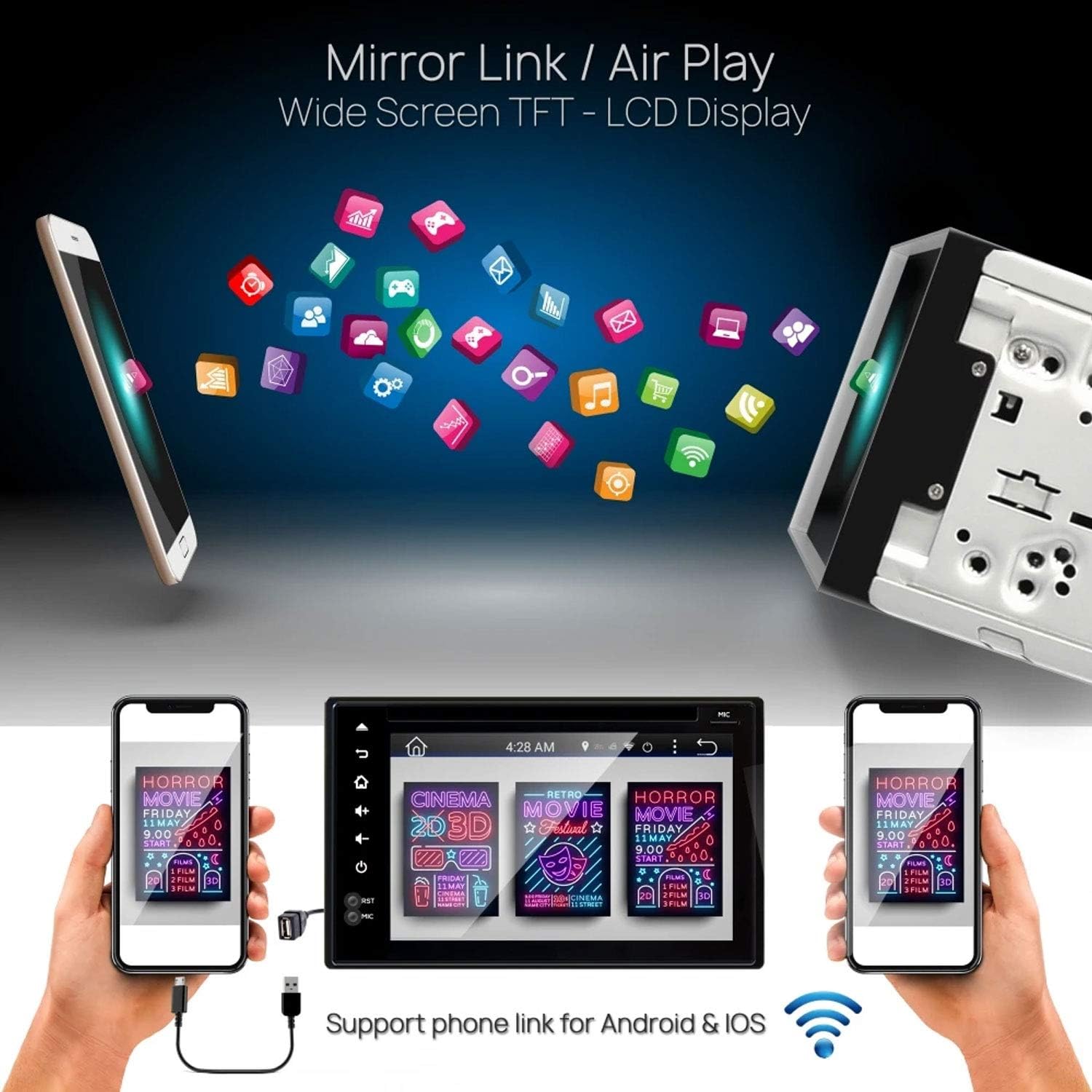
6.4-сүрөт: Pyle PLDNAND621 supporting Mirror Link / Air Play functionality.
The image shows the Pyle PLDNAND621 unit connected to both Android and iOS smartphones, illustrating its "Mirror Link / Air Play" feature. This allows content from the phone to be displayed on the unit's wide-screen TFT-LCD display.
The unit supports Mirror Link (for Android) and Air Play (for iOS) to mirror your smartphone's screen onto the unit's display. This feature allows you to view compatible apps and content from your phone on the larger screen.
- Connect your smartphone to the unit via USB or Wi-Fi (refer to specific app instructions on your phone).
- Activate the Mirror Link or Air Play function on the unit.
- Туташуу орнотуу үчүн экрандагы көрсөтмөлөрдү аткарыңыз.
6.8 Арткыview Камдык камераны колдоо

6.5-сүрөт: Pyle PLDNAND621 with active rearview backup camera display.
This image shows the Pyle PLDNAND621 unit installed in a car dashboard, displaying a live feed from a rearview backup camera. Green and red guidelines are visible on the screen, assisting with parking and maneuvering.
Арткы шайкеш болсоview camera is connected, the display will automatically switch to the camera feed when the vehicle is put into reverse gear. This feature aids in safe parking and maneuvering.
6.9 Steering Wheel Button Control

6.6-сүрөт: Pyle PLDNAND621 highlighting Steering Wheel Button Control and Anti-Shock features.
The image depicts the Pyle PLDNAND621 unit alongside an icon representing steering wheel controls, indicating compatibility. Below, an illustration shows the unit with a cracked ground effect, emphasizing its "Anti-Shock Mechanism-ESP Function" for durability.
The unit supports connection to your vehicle's existing steering wheel controls. This allows you to operate basic functions like volume, track change, and mode selection without taking your hands off the steering wheel. Configuration may be required in the system settings.
7. Техникалык тейлөө
Proper maintenance ensures the longevity and optimal performance of your Pyle PLDNAND621.
- Экранды тазалоо: Экранды акырын сүртүү үчүн жумшак, түксүз чүпүрөктү колдонуңуз. өжөр тактар үчүн, бир аз гampчүпүрөккө суу же экранды тазалоочу каражат. Катуу химиялык заттардан же абразивдүү материалдардан алыс болуңуз.
- Агрегатты тазалоо: Аппараттын сыртын жумшак, кургак чүпүрөк менен сүртүңүз.
- Программалык камсыздоо жаңыртуулары: Periodically check for software updates through the system settings or Pyle's official webакыркы функцияларды жана каталарды оңдоону камсыз кылуу үчүн сайт.
- Дискке кам көрүү: Handle CDs/DVDs by their edges to avoid fingerprints and scratches. Keep discs clean and store them in their cases when not in use.
8. Кыйынчылыктарды
If you encounter issues with your Pyle PLDNAND621, refer to the following common problems and solutions:
| Көйгөй | Мүмкүн себеп | Чечим |
|---|---|---|
| Түзмөк күйбөйт. | Туура эмес зымдар, күйгүзүлгөн сактагыч, унаанын аккумулятору маселеси. | Check power connections (Yellow, Red, Black wires). Inspect vehicle fuses. Ensure vehicle battery is charged. |
| Динамиктерден үн жок. | Incorrect speaker wiring, volume too low, mute activated, incorrect audio source. | Verify speaker connections. Increase volume. Check if mute is active. Select correct audio source. |
| GPS сигналы жоголду же так эмес. | GPS antenna obstructed or improperly connected. | GPS антеннасынын таза болушун текшериңиз view асмандын. Антенна байланышын текшериңиз. |
| Bluetooth жупташуусу болбой жатат. | Device not in pairing mode, incorrect password, interference. | Ensure both devices are in pairing mode. Re-enter password. Move closer to the unit. Restart Bluetooth on both devices. |
| Сенсордук экран жооп бербейт. | Системанын катып калышы, программалык камсыздоонун убактылуу катасы. | Perform a soft reset (refer to manual for reset button location, often a small pinhole). If persistent, consult support. |
| DVD/CD not playing. | Disc dirty, scratched, or incompatible format. | Дискти тазалаңыз. Башка дискти колдонуп көрүңүз. Дисктин форматы колдоого алынганын текшериңиз. |
9. Техникалык шарттар
Detailed technical specifications for the Pyle PLDNAND621:
- Модель номери: PLDNAND621
- Дисплей түрү: LCD, Multi-Touch Capacitive
- Экрандын өлчөмү: 6 дюйм
- Чечим: 800 x 480 пиксель
- Байланыш технологиясы: Bluetooth, USB, Wi-Fi, Micro SD, Auxiliary Input
- Медиа ойнотуу: CD, DVD, USB Flash Drive, Micro SD Card
- Радио тюнер: AM/FM with 30 station memory
- Өзгөчөлүктөр: GPS Navigation, Touchscreen, Bluetooth, Rearview Camera Support, Steering Wheel Control Support, Anti-Shock Mechanism (ESP)
- Өлчөмдөрү (Продукт): 25.4 x 18.42 x 31.12 см (10 x 7.25 x 12.25 дюйм)
- Салмагы (продукт): 2.27 кг (5 фунт)
- Өндүрүүчү: PYLE-CAR AUDIO/VIDEO
10. Кепилдик жана колдоо
For warranty information and technical support, please refer to the warranty card included with your product or visit the official Pyle webсайт. Сатып алганыңыздын далили катары сатып алуу дүмүрчөгүңүздү сактаңыз.
Pyle Official Webсайт: www.pyleusa.com
Contact customer service for assistance with installation, troubleshooting, or product inquiries not covered in this manual.


