1. Киришүү
The AULA F2010 Unicorn Backlit Mechanical Gaming Keyboard is designed for an enhanced gaming and typing experience. It features a durable construction, multi-color LED illumination, and responsive mechanical switches. This manual provides detailed instructions for setting up, operating, and maintaining your keyboard.
2. Пакеттин мазмуну
- AULA F2010 Mechanical Gaming Keyboard
- User Manual
- Баскыч капкагын тарткыч
3. Орнотуу колдонмосу
3.1 Системалык талаптар
- Operating System: Windows Vista / 7 / 8 / 10 / Mac OS
- Жеткиликтүү USB порт
3.2 Баскычтопту туташтыруу
- Компьютериңизден жеткиликтүү USB портун табыңыз.
- Plug the USB connector of the AULA F2010 keyboard into the USB port.
- The keyboard will automatically install the necessary drivers. This may take a few moments.
- Орнотуу аяктагандан кийин, клавиатуранын арткы жарыгы күйүп, ал колдонууга даяр экенин билдирет.
4. Иштөө нускамалары
4.1 Жарыкты башкаруу
The AULA F2010 features multi-color LED backlighting with adjustable brightness and various lighting effects.
- Жарыктыкты жөндөө: Басыңыз FN + PGUP to increase brightness. Press FN + PGDN жарыктыгын азайтуу үчүн.
- Жеңилдетилген режимдерди өзгөртүү: Басыңыз FN + INS to cycle through different lighting effects (e.g., strobe, glow, pulse).
- Жарыкты ыңгайлаштыруу: Колдонуу FN + ҮЙ to enter custom lighting mode. Specific keys can be lit according to user preference.
- Adjusting Effect Speed: Колдонуу FN + Left Arrow or FN + Right Arrow to adjust the speed of dynamic lighting effects.
4.2 Anti-Ghosting and Key Rollover
The keyboard features 100% Anti-Ghosting with 104 Key Roll-over on USB, ensuring that every key press is registered accurately, even during rapid, simultaneous inputs common in gaming.
4.3 Уйку режими
To conserve energy, the keyboard will enter sleep mode and turn off all LEDs after 10 minutes of inactivity. Press any key to resume the LED backlight and normal operation.
4.4 Мультимедиялык кыска жол баскычтары
The keyboard includes user-friendly shortcut function keys that can be activated in conjunction with the FN key for quick access to multimedia controls and other functions.
5. Продукциянын өзгөчөлүктөрү
- Elegant дизайн: Minimalist styled mechanical gaming keyboard with 6-color backlighting.
- Туруктуу курулуш: Features a brushed aluminum chassis for rugged, lifelong durability.
- Advanced Keycaps: AULA Armor Technology with highly durable Double-shot injection molding keycaps, suitable for all gaming circumstances.
- Курчап турган чөйрөгө каршылык: Water resistant, dust-proof, and static-free design.
- Механикалык өчүргүчтөр: Equipped with Blue mechanical switches for a tactile and audible typing experience.

Сүрөт: жогорудан төмөнгө view of the AULA F2010 keyboard, showcasing its full layout and vibrant multi-color backlighting.

Сүрөт: бурчтуу view of the AULA F2010 keyboard, displaying the multi-color LED backlighting across the keys.
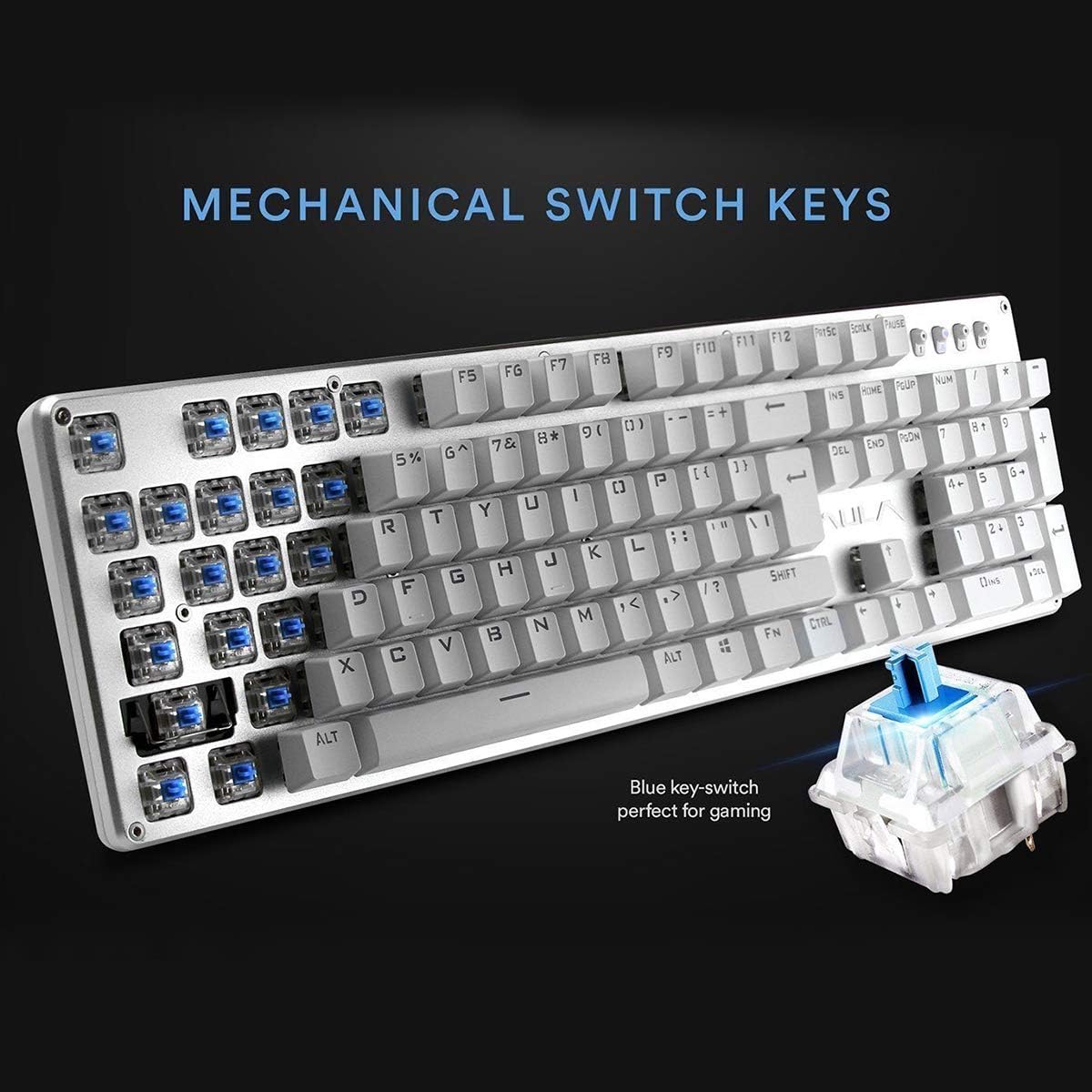
Сүрөт: жакын план view highlighting the mechanical blue switches, which provide tactile feedback and a distinct click sound.
6. Техникалык тейлөө жана кам көрүү
Proper maintenance ensures the longevity and optimal performance of your AULA F2010 keyboard.
- Тазалоо: Regularly clean the keyboard with a soft, dry cloth. For deeper cleaning, use a keycap puller to remove keycaps and clean dust and debris with compressed air or a small brush.
- Суюктуктар: Due to its water-resistant design, minor spills may not cause damage. However, it is recommended to immediately unplug the keyboard, dry it thoroughly, and allow it to air dry completely before reconnecting.
- Сактагыч: Клавиатураны күн нурунан жана экстремалдык температурадан алыс, салкын, кургак жерде сактаңыз.
7. Кыйынчылыктарды
Эгер клавиатураңызда көйгөйлөргө туш болсоңуз, төмөнкү жалпы чечимдерди караңыз:
- Баскычтоп жооп бербейт:
- USB кабели клавиатурага жана компьютерге бекем сайылганын текшериңиз.
- Баскычтопту башка USB портуна сайып көрүңүз.
- Компьютериңизди өчүрүп күйгүзүңүз.
- Check if the keyboard is in sleep mode (press any key to wake it).
- Арткы жарык иштебей жатат:
- Ensure the brightness is not set to the lowest level (use FN + PGUP to increase).
- Verify that the keyboard is not in sleep mode.
- Keys Not Registering or Doubling:
- Clean around and under the affected keycaps for any debris.
- If the issue persists, it may indicate a switch malfunction. Contact customer support if the product is under warranty.
8. Техникалык шарттар
| Өзгөчөлүк | Деталь |
|---|---|
| Бренд | AULA |
| Модель номери | F2010 |
| Байланыш технологиясы | Зымдуу (USB) |
| Ачкычтардын саны | 104 |
| Ачкычтын которуштуруу түрү | Mechanical (Blue Switch) |
| Арткы жарыктандыруу | Multi-color LED (RGB) with adjustable brightness and modes |
| Anti-Ghosting | 100% Anti-Ghosting with 104 Key Roll-over |
| Материал | Brushed Aluminum Chassis, Double-shot Injection Molding Keycaps |
| Операциялык системанын шайкештиги | Windows Vista / 7 / 8 / 10 / Mac OS |
| Элемент Салмагы | 2.87 фунт (1.3 кг) |
| Продукциянын өлчөмдөрү (L x W x Y) | 17.2 x 5.1 x 0.83 дюйм (43.7 x 13 x 2.1 см) |
| Өзгөчөлүктөр | Water Resistant, Dust-proof, Static-free, Sleep Mode |
9. Кепилдик жана колдоо
For warranty information, technical support, or service inquiries, please refer to the warranty card included with your product or visit the official AULA webсайт. Сатып алуу квитанциясын кепилдик дооматтары үчүн сатып алуунун далили катары сактаңыз.


