1. Киришүү
This manual provides essential instructions for the safe and efficient operation of your InFocus IN128HDx 1080p DLP Professional Network Projector. Please read this manual thoroughly before using the projector and retain it for future reference. The InFocus IN128HDx is designed to deliver high-definition content with clarity and brightness, suitable for various professional and educational environments.
2. Продукт бүтүп калдыview
2.1 Негизги өзгөчөлүктөрү
- Native 1080p resolution for high-definition content display without scaling.
- 4000 lumens brightness and 15,000:1 contrast ratio for clear, readable images in various lighting conditions.
- Integrated 10-watt speaker for audio output.
- Common throw ratio (1.3:1) for flexible installation and replacement.
- Multiple connectivity options: HDMI, VGA, composite, S-video, and LAN port for network management.
2.2 Projector Components

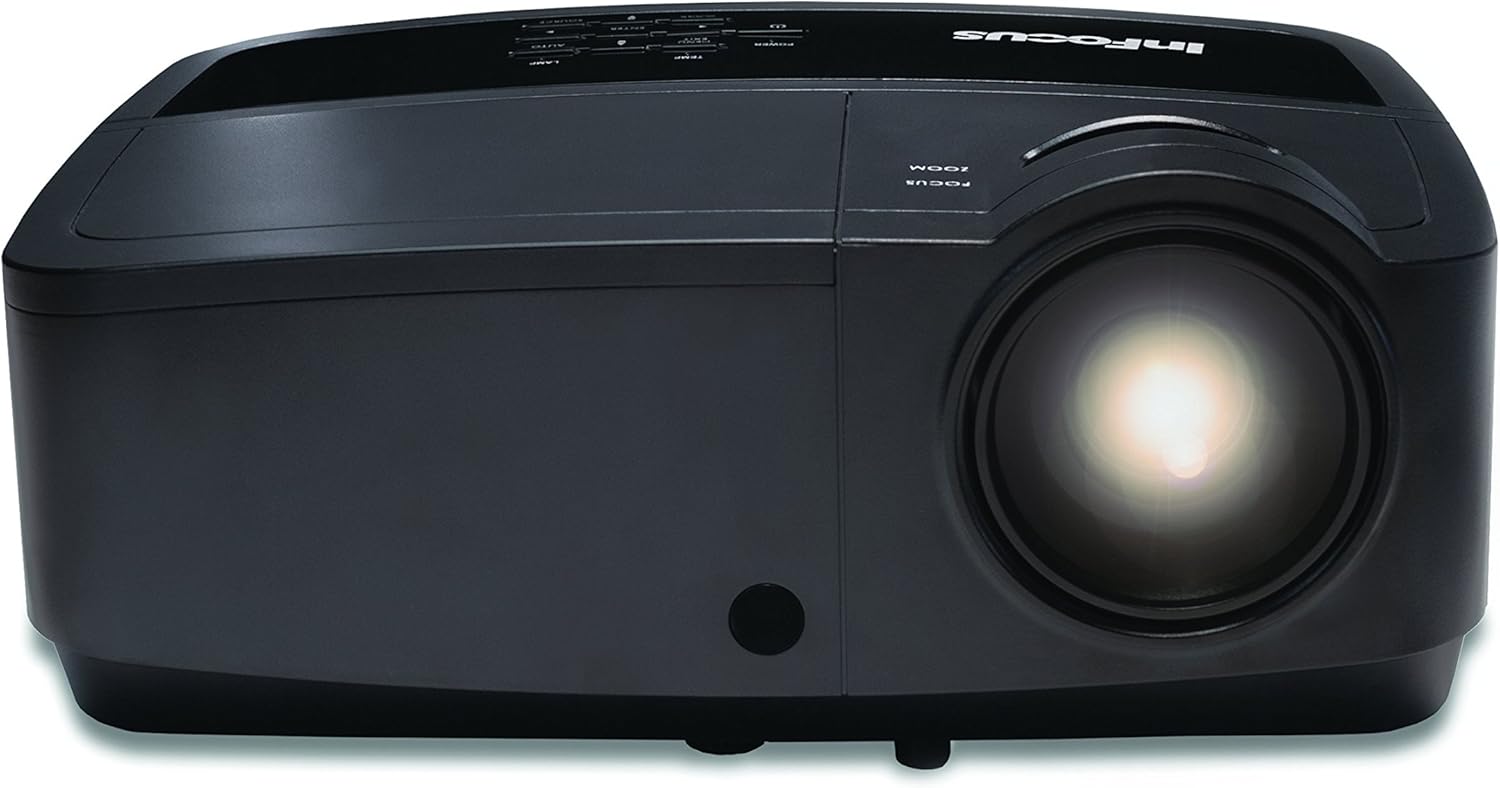
2.1-сүрөт: Фронт view of the InFocus IN128HDx projector. This image shows the main lens and the overall compact design of the unit.

2.2-сүрөт: Жогорку view of the InFocus IN128HDx projector, highlighting the control panel with buttons for power, menu, source selection, and navigation. Also visible are the focus and zoom rings near the lens.

2.3-сүрөт: Side view of the InFocus IN128HDx projector, illustrating the ventilation grilles for heat dissipation and the overall profile аппараттын.
3. Орнотуу
3.1 Пакеттен чыгаруу жана жайгаштыруу
- Carefully remove the projector from its packaging.
- Place the projector on a stable, flat surface or mount it securely according to installation guidelines. Ensure adequate ventilation around the unit.
- Position the projector at the desired distance from the screen. Refer to the specifications for throw ratio details.
3.2 Кубатка туташуу
- Кубат шнурунун проектордун кубат розеткасына туташтырыңыз.
- Электр шнурунун экинчи учун жерге туташтырылган электр розеткасына сайыңыз.
3.3 Видео булактарын туташтыруу
The IN128HDx supports multiple input sources:
- HDMI: For high-definition digital video and audio. Connect an HDMI cable from your source device to the projector's HDMI port.
- VGA: For analog video signals from computers. Connect a VGA cable from your computer to the projector's VGA port.
- Композиттик видео: For standard definition video. Connect a composite video cable (yellow RCA) to the corresponding port.
- S-Video: For improved standard definition video. Connect an S-Video cable to the S-Video port.
- LAN: For network control and management. Connect an Ethernet cable to the LAN port.
4. Иштөө нускамалары
4.1 Күйгүзүү/өчүрүү
- Күйгүзүү: басыңыз Күч button on the projector's control panel or remote control. The power indicator light will illuminate.
- Өчүрүү: басыңыз Күч button again. A confirmation message may appear; press Күч a second time to confirm shutdown. Allow the projector to cool down before unplugging.
4.2 Фокусту жана масштабды тууралоо
4.1-сүрөт: Жакын план view of the projector lens, showing the manual focus and zoom adjustment rings. These rings are used to sharpen the image and adjust its size on the screen.
- Фокус: айлантыңыз Фокус ring around the lens until the image appears sharp and clear on the screen.
- Чоңойтуу: айлантыңыз Чоңойтуу ring to adjust the size of the projected image.
4.3 Киргизүү булагын тандоо
басыңыз Булак button on the control panel or remote control to cycle through available input sources (HDMI, VGA, Composite, S-Video). Alternatively, use the menu to select the desired source.
4.4 Меню Навигациясы
басыңыз Меню button to access the on-screen display (OSD) menu. Use the arrow buttons to navigate and the Кириңиз параметрлерди тандоо үчүн баскычын басыңыз. Меню or Чыгыңыз менюну жабуу үчүн.
5. Техникалык тейлөө
5.1 Лamp Алмаштыруу
Проектор лamp чектүү өмүрү бар. Качан лamp индикатор күйөт же сүрөттүн жарыктыгы бир топ төмөндөйт, lamp алмаштыруу керек болушу мүмкүн. Толук маалымат алуу үчүн толук тейлөө колдонмосун караңызamp replacement procedures. Always use genuine InFocus replacement lamps.
5.2 Проекторду тазалоо
- Сырткы: Жумшак, түксүз кездемени колдонуңуз dampened with a mild cleaning solution to wipe the exterior casinг. Абразивдүү тазалагычтарды же эриткичтерди колдонбоңуз.
- Объектив: Gently clean the projector lens with a lens cleaning cloth or lens paper. Avoid touching the lens surface with your fingers.
- Аба чыпкалары: Regularly check and clean the air filters to ensure proper ventilation and prevent overheating. Refer to the full service manual for filter access and cleaning instructions.
6. Кыйынчылыктарды
| Көйгөй | Мүмкүн себеп | Чечим |
|---|---|---|
| Сүрөт көрсөтүлгөн жок |
|
|
| Сүрөт бүдөмүк |
|
|
| Аудио жок |
|
|
For more detailed troubleshooting, please consult the comprehensive user manual available on the InFocus support webсайт.
7. Техникалык шарттар
| Өзгөчөлүк | Деталь |
|---|---|
| Модель номери | IN128HDX |
| Дисплей түрү | DLP |
| Native Resolution | 1920 x 1080 (1080p) |
| Жарыктык | 4000 Lumens |
| Контраст катышы | 15,000:1 |
| Байланыш | HDMI, VGA, Composite, S-Video, LAN |
| Камтылган динамик | 10 ватт |
| Элемент Салмагы | 5.06 фунт (2.29 кг) |
| Продукциянын өлчөмдөрү | 8.66 x 11.5 x 3.86 дюйм (22 x 29.2 x 9.8 см) |

7.1-сүрөт: InFocus IN128HDx projector illustrating its physical dimensions: approximately 29.2 cm (11.5 inches) in length, 22 cm (8.66 inches) in width, and 12.1 cm (4.76 inches) in height.
8. Кепилдик жана колдоо
For information regarding the product warranty, please refer to the warranty card included with your projector or visit the official InFocus website. For technical support, service, or to purchase replacement parts, please contact InFocus customer service or visit their support portal online.
InFocus Official Webсайт: www.infocus.com


