1. Киришүү
This manual provides comprehensive instructions for the safe and effective use of your Celly GHOSTPLUS Magnetic Vent Holder. Please read this manual thoroughly before installation and operation to ensure optimal performance and safety. This product is designed to securely hold your smartphone in a vehicle using a magnetic mount attached to an air vent.
2. Пакеттин мазмуну
Төмөндө тизмеленген нерселердин баары пакетиңизде бар экенин текшериңиз:
- Celly Magnetic Holder Ghost Plus Black (Main Unit)
- 2 x Mounting Plates (for smartphone attachment)
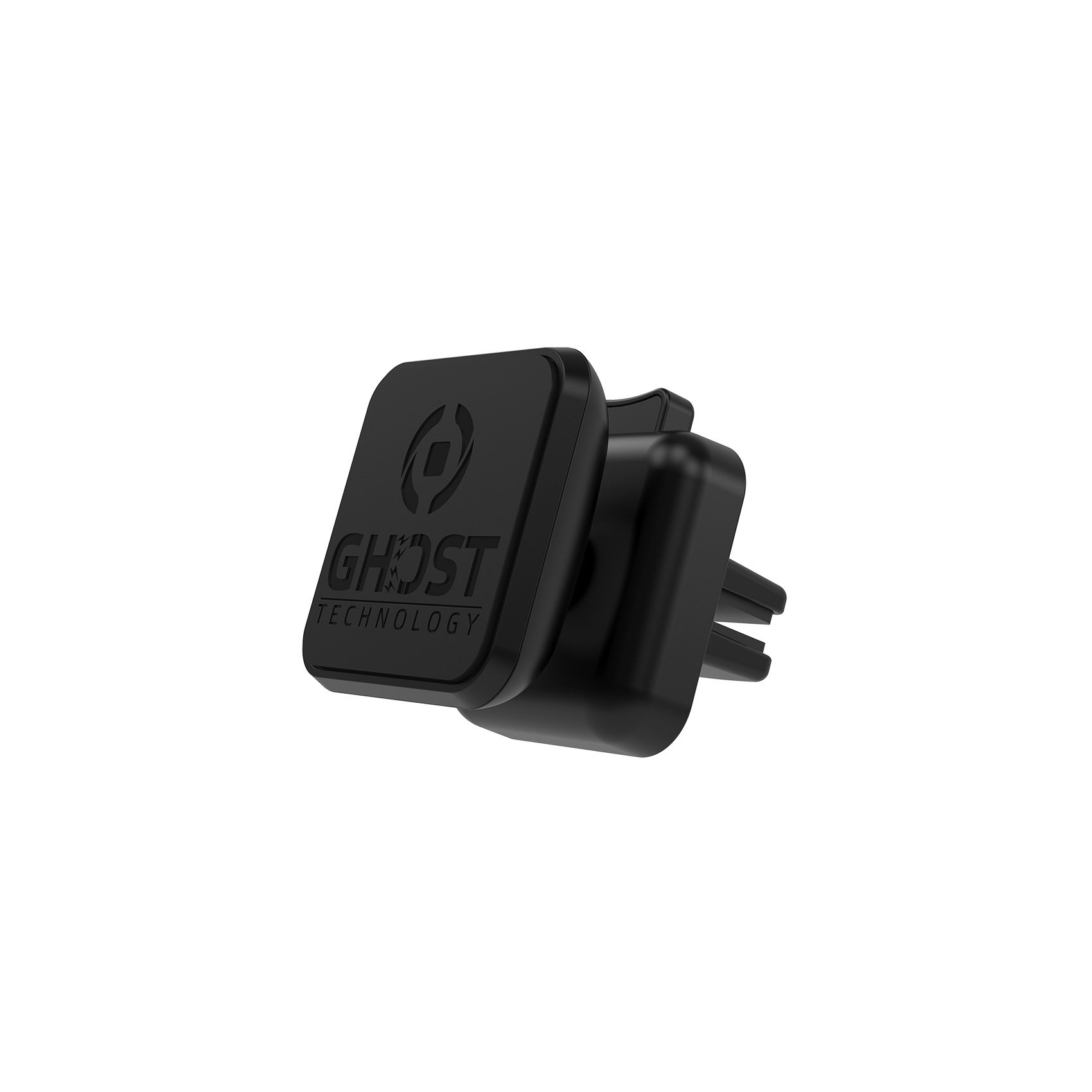
Image 1: Contents of the Celly GHOSTPLUS package, showing the magnetic holder and two metal mounting plates.
3. Коопсуздук маалыматы
- Айдоо коопсуздугу: Always ensure the holder is securely mounted and your device is stable before driving. Do not adjust the holder or your device while the vehicle is in motion.
- Airbag Clearance: Do not mount the holder in a location that obstructs the deployment of airbags.
- Көрүнүш: Ensure the holder and your device do not obstruct your view жолдун же унаа башкаруунун.
- Магниттик талаалар: Keep the magnetic holder away from sensitive electronic devices, credit cards, pacemakers, or other items that may be affected by strong magnetic fields.
- Температура: Avoid prolonged exposure to extreme temperatures, which can affect the adhesive of the mounting plates or the integrity of the holder.
- Балдар: Балдар жетпеген жерде сактаңыз.
4. Орнотуу жана орнотуу
4.1 Attaching the Mounting Plate to Your Device
- Таза бети: Ensure the back of your smartphone or phone case is clean and dry.
- Жайгаштыруу тандоо: Decide on the optimal placement for the metal mounting plate on the back of your device or inside your phone case. For best results, place it centrally.
- Apply Plate: Remove the protective film from the adhesive side of one of the provided mounting plates. Carefully press the plate firmly onto the chosen surface for at least 30 seconds. Allow the adhesive to cure for a few hours before use for maximum strength.
- Эскертүү: If using a phone case, you can place the metal plate between your phone and the case without using the adhesive. Ensure the case is thin enough for the magnetic connection to be strong.
4.2 Installing the Holder onto the Air Vent
- Select Vent: Choose a suitable air vent in your vehicle that does not obstruct your view же айдоону башкаруу элементтерине тоскоолдук кылбаңыз.
- Open Clamp: Press the push button on the back of the Celly GHOSTPLUS holder to open the vent clamp.
- Insert into Vent: Carefully insert the clamp onto one of the vent blades.
- Secure Clamp: Release the push button to allow the clamp to grip the vent blade securely. Gently tug on the holder to ensure it is firmly attached.
- Бурчту тууралоо: The holder can be rotated 360 degrees. Adjust the angle for optimal viewing before attaching your device.
5. Иштөө нускамалары
5.1 Смартфонуңузду тиркөө
Once the metal mounting plate is attached to your smartphone (or case) and the holder is installed on the vent:
- Bring your smartphone close to the magnetic surface of the holder.
- The strong magnets will automatically attract and secure your device in place.
- Adjust the angle of your phone as needed by rotating the holder.
5.2 Removing Your Smartphone
Смартфонуңузду кармагычтан алып салуу үчүн:
- Grasp your smartphone firmly.
- Gently pull your smartphone away from the magnetic surface of the holder. Avoid excessive force to prevent dislodging the holder from the vent.
6. Техникалык тейлөө
- Тазалоо: Картуучуну жумшак менен сүртүңүз, гamp кездеме. Катуу химиялык заттарды же абразивдүү тазалагычтарды колдонбоңуз.
- Текшерүү: Periodically check the vent clamp for secure attachment and ensure the magnetic surface is free from debris.
- Клей: If the adhesive on the metal plate weakens over time, replace the plate with a new one or use a stronger adhesive.
7. Кыйынчылыктарды
| Көйгөй | Мүмкүн себеп | Чечим |
|---|---|---|
| Phone does not hold securely. | Metal plate not properly attached or too far from the magnet (e.g., thick phone case). | Ensure the metal plate is firmly attached to your phone or case. If using a thick case, try placing the plate on the outside of the case or using a thinner case. |
| Holder is loose on the vent. | Vent clamp not fully engaged or vent blade is too thin/thick. | Re-engage the vent clamp by pressing and releasing the button. Try a different vent blade if the current one is not providing a secure grip. |
| Holder rotates too easily. | The rotating mechanism may be loose. | Ensure the ball joint is tightened if applicable (some models have a tightening ring). If not, ensure the vent clamp is very secure. |
8. Техникалык шарттар
- Продукт аты: Celly Magnetic Holder Ghost Plus Black
- Модель номери: GHOSTPLUS
- Бренд: Селли
- Монтаж түрү: Vent
- Шайкеш түзмөктөр: Smartphones (Universal)
- Өзгөчөлүктөр: Magnetic, 360-degree rotation
- Продукциянын өлчөмдөрү: 6.69 x 3.94 x 1.77 дюйм
- Элемент Салмагы: 0.002 унция
- Түсү: Кара
- Өндүрүүчү: Селли
- Биринчи жеткиликтүү болгон күнү: 28-март, 2016-жыл
9. Кепилдик жана колдоо
For warranty information, technical support, or customer service inquiries regarding your Celly GHOSTPLUS Magnetic Vent Holder, please contact Celly customer support directly. Refer to the product packaging or the official Celly webбайланыш маалыматтары жана сиздин аймагыңызга тиешелүү кепилдиктин белгилүү бир шарттары үчүн сайтты караңыз.


