1. Киришүү
This manual provides detailed instructions for the safe and efficient operation of your Optoma EH416 Full HD 3D DLP Projector. Please read this manual thoroughly before using the projector and retain it for future reference. Proper use and maintenance will ensure optimal performance and longevity of your device.
Коопсуздук маалыматы
- l болгондо проектордун объективине тике карабаamp күйүк. Күчтүү жарык көзгө зыян келтириши мүмкүн.
- Проектордун айланасында жетиштүү желдетүүнү камсыз кылыңыз. Желдетүүчү тешиктерди жаппаңыз.
- Use only the power cord supplied with the projector. Connect to a properly grounded outlet.
- Проекторду жамгырдын, нымдуулуктун же ашыкча нымдуулуктун таасирине дуушар кылбаңыз.
- Бардык тейлөөлөрдү квалификациялуу тейлөө кызматкерлерине тапшырыңыз. Проекторду өзүңүз ачууга же оңдоого аракет кылбаңыз.
2. Кутуда эмне бар
Please verify that all items listed below are present in your package. If any items are missing or damaged, contact your dealer immediately.
- Optoma EH416 Projector
- Электр кабели
- VGA-VGA кабели
- Алыстан башкаруу
- Ташуу сумкасы
- Алыстан башкаруу үчүн батареялар
- Multilingual CD-ROM User’s Manual
- Quick Start Card
- Кепилдик картасы
3. Продукт бүтүп калдыview
Негизги өзгөчөлүктөрү
- Жогорку жарыктык: Ар кандай жарык шарттарында так сүрөттөр үчүн 4200 люмен.
- Жогорку контраст: 20,000:1 contrast ratio for sharp, luminous images with deep blacks.
- Full HD токтому: Native 1080p (1920x1080) resolution, supporting up to WUXGA (1920x1200).
- Advanced Optical Lens: Features a 1.6x zoom and vertical lens shift for flexible installation.
- Кеңири байланыш: Dual HDMI (one with MHL support), dual audio-in, VGA, and more.
- sRGB Color Profile: Enables vibrant and highly accurate colors based on Rec. 709 HDTV specification.
- Дубал түсүн тууралоо: Compensates for brightness loss when projecting on non-white surfaces.
- Четтеги маска: Eliminates soft edges and jaggedness on the projection border for a smooth image.
- Интегралдык аудио: Камтылган 10W динамик.
Проектор компоненттери
The image below illustrates the main components of the Optoma EH416 projector, including the lens, control panel, and various ports.
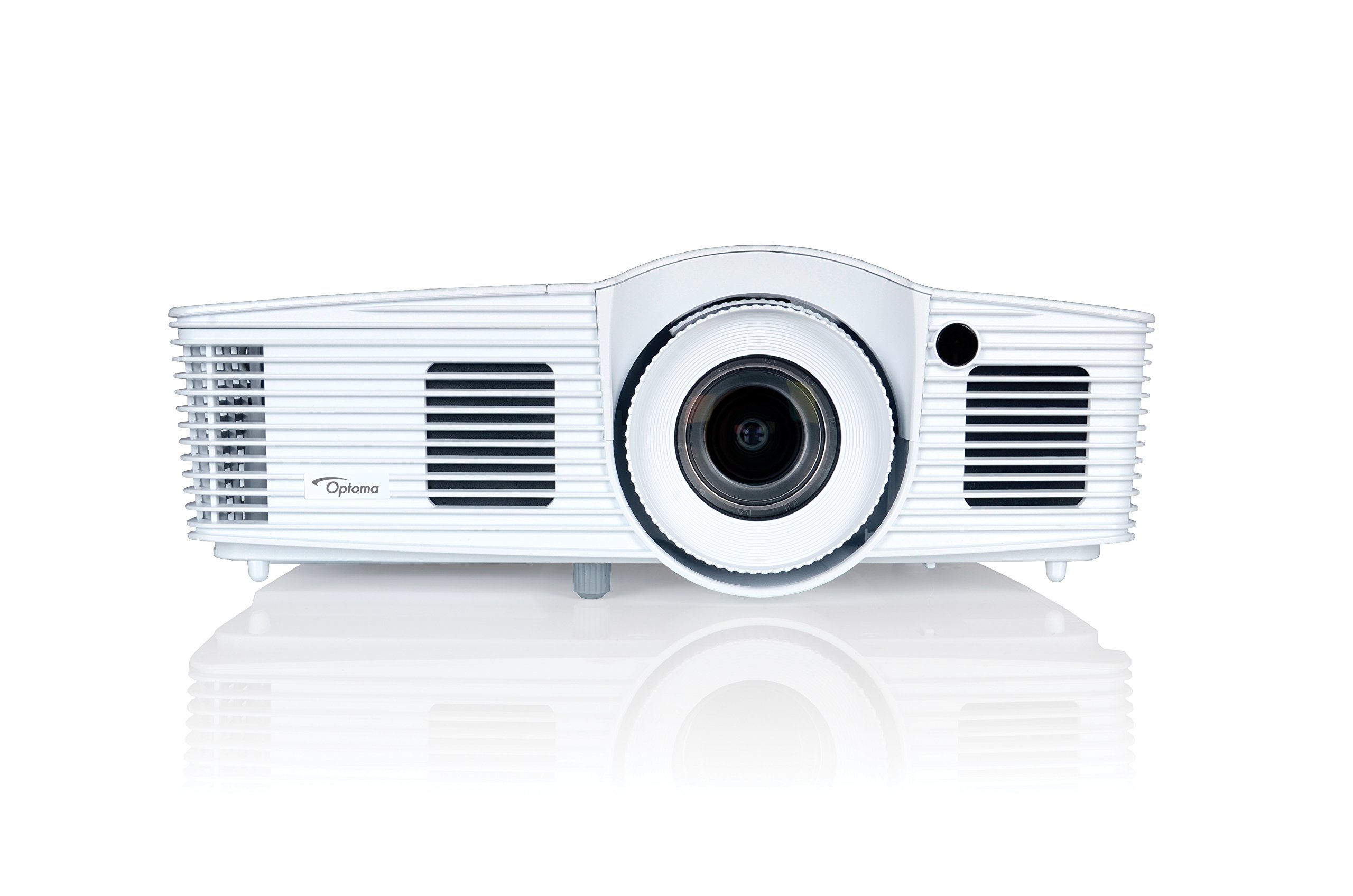
Сүрөт 1: Алдыңкы view of the Optoma EH416 Projector, showing the lens and primary controls.
Байланыш порттору
The Optoma EH416 projector offers a wide range of connectivity options located on the rear panel for versatile integration with various devices.
- HDMI (x2): Digital input for high-definition video and audio. One port supports MHL for mobile devices.
- VGA (x2): Analog input for computer connections.
- Audio In (x2): 3.5mm stereo jack for analog audio input.
- Аудио чыгышы: 3.5mm stereo jack for connecting external speakers.
- USB-A: For power output or service.
- 232: Компьютер же башкаруу системасы аркылуу проекторду башкаруу үчүн.
- RJ45 (Ethernet): Тармакты башкаруу жана башкаруу үчүн.
4. Орнотуу
Проекторду жайгаштыруу
The Optoma EH416 offers flexibility in placement due to its 1.6x zoom and vertical lens shift capabilities. Position the projector on a stable surface or mount it securely. Adjust the distance from the screen to achieve the desired image size. The 1.6x zoom allows for a larger image from a shorter distance or a smaller image from a longer distance without moving the projector.
Түзмөктөрдү туташтыруу
- Кубат туташуу: Connect the power cord to the projector's power inlet and then to a grounded electrical outlet.
- Видео булагы:
- For HDMI devices (e.g., Blu-ray player, laptop): Connect an HDMI cable from your device to one of the HDMI ports on the projector.
- For VGA devices (e.g., older laptops): Connect a VGA cable from your device to a VGA port on the projector. If audio is also required, connect a separate 3.5mm audio cable from your device to an Audio In port on the projector.
- For MHL compatible mobile devices: Connect an MHL cable to the designated HDMI/MHL port.
- Аудио чыгаруу (милдеттүү эмес): If using external speakers, connect an audio cable from the projector's Audio Out port to your sound system.
Күйгүзүү/өчүрүү
- Күйгүзүү үчүн: Проектордун башкаруу панелиндеги же пульттагы кубат баскычын басыңыз. Кубат индикаторунун жарыгы көк түскө айланат.
- Өчүрүү үчүн: Press the power button twice. The projector will enter a cooling down cycle before completely shutting off. Do not unplug the projector during the cooling cycle.
5. Проекторду иштетүү
Негизги операция
- Булак тандоо: Use the 'Source' button on the remote or control panel to cycle through available input sources (HDMI1, HDMI2/MHL, VGA1, VGA2).
- Меню навигациясы: Press the 'Menu' button to access the On-Screen Display (OSD). Use the arrow keys to navigate and 'Enter' to select options.
- Үндү көзөмөлдөө: Use the volume buttons on the remote control to adjust the audio output from the built-in speaker or Audio Out port.
Сүрөттү тууралоо
- Фокус жана масштаб: Rotate the focus and zoom rings on the projector lens to achieve a sharp and appropriately sized image.
- Негизги ташты оңдоо: If the image appears trapezoidal, use the 'Keystone' function in the OSD menu or the dedicated button on the remote to correct the image shape. The EH416 supports ±40° vertical keystone correction.
- Линзанын вертикалдуу жылышы: This feature allows you to physically move the image up or down without tilting the projector, minimizing keystone distortion. Adjust the lens shift dial located near the lens.
- Дубал түсүн тууралоо: Access this feature in the OSD menu to compensate for the color of your projection surface (e.g., blackboard, light yellow wall). This helps maintain accurate color reproduction even on non-white walls.
- sRGB Color Profile: For the most accurate and vibrant colors, especially when connecting to a PC, Mac, or sRGB compatible source, select the sRGB picture mode in the OSD. This profile adheres to the Rec. 709 HDTV specification.
- Четтеги маска: This function, found in the OSD, helps to refine the edges of the projected image, eliminating any soft or jagged appearance on the border.
6. Техникалык тейлөө
Проекторду тазалоо
- Объектив: Оптикалык линзалар үчүн атайын жасалган жумшак, түксүз кездемени колдонуңуз. Абразивдүү тазалагычтарды колдонбоңуз.
- Casing: Проекторду сүртүңүз casing жумшак, кургак чүпүрөк менен. өжөр кир үчүн, бир аз d колдонууamp жумшак жуугуч менен чүпүрөк, андан кийин кургатып сүртүңүз.
- Аба желдеткичтери: Regularly check and clean the air vents to prevent dust buildup, which can lead to overheating. Use a soft brush or compressed air.
Lamp Care
Проектор лamp чектүү өмүрү бар. Качан лamp life is nearing its end, a warning message may appear on the screen. Refer to the full user manual on the included CD-ROM for detailed instructions on lamp replacement. Always use genuine Optoma replacement lamps оптималдуу иштөөсүн жана коопсуздугун камсыз кылуу үчүн.
7. Кыйынчылыктарды
This section addresses common issues you might encounter. For more detailed troubleshooting, refer to the comprehensive user manual on the included CD-ROM.
- Экранда сүрөт жок:
- Check if the projector is powered on and the lamp күйүп турат.
- Verify that the video source device is powered on and functioning correctly.
- Ensure the video cable (HDMI, VGA) is securely connected to both the projector and the source device.
- Пульттагы же проектордогу "Булак" баскычын колдонуп, туура киргизүү булагын тандаңыз.
- бүдөмүк же бурмаланган сүрөт:
- Проектор объективиндеги фокус шакегин тууралаңыз.
- If the image is trapezoidal, use the keystone correction function.
- Ensure the projector is perpendicular to the screen or use vertical lens shift.
- Үн жок:
- Проектордогу жана булак түзмөгүндөгү үн деңгээлин текшериңиз.
- If using an analog VGA connection, ensure a separate audio cable is connected.
- Аудио чыгаруу үнсүз эместигин текшериңиз.
- Алыстан башкаруу иштебейт:
- Текшерип, батарейкаларды алмаштырыңыз.
- Пульт менен проектордун IR ресиверинин ортосунда эч кандай тоскоолдуктар жок экенин текшериңиз.
8. Техникалык шарттар
| Өзгөчөлүк | Деталь |
|---|---|
| Модель номери | EH416 |
| Display Resolution | 1920 x 1080 (Full HD) |
| Жарыктык | 4200 Lumens |
| Контраст катышы | 20,000:1 |
| Байланыш технологиясы | Wireless, HDMI, MHL, VGA |
| Продукциянын өлчөмдөрү | 8.81 x 12.36 x 4.48 дюйм |
| Элемент Салмагы | 6.6 фунт |
| Сунушталган Колдонуулар | Бизнес, билим берүү |
| Өндүрүүчү | OPTOMA TECHNOLOGY |
| Дата биринчи жеткиликтүү | 5-апрель, 2016-жыл |
9. Кепилдик жана колдоо
Your Optoma EH416 projector comes with a manufacturer's warranty. Please refer to the included warranty card for specific terms, conditions, and registration information. For technical support, product registration, or to download the latest drivers and firmware, please visit the official Optoma website or contact Optoma customer service.


