Introduction
This manual provides essential instructions for setting up, operating, maintaining, and troubleshooting your Philips BDM4350UC 43-inch 4K UHD IPS monitor. Please read this manual thoroughly before using your monitor to ensure proper functionality and to maximize your viewтажрыйбасы.
1. Орнотуу
1.1 Пакеттен чыгаруу
Carefully remove all components from the packaging. The box should contain the following items:
- Philips BDM4350UC 43-inch Class IPS-LED Monitor
- Монитор стенд
- D-sub Cable
- DisplayPort (DP) кабели
- HDMI кабели
- USB Cable (for USB 3.0 hub upstream connection)
- Аудио кабель
- Электр кабели
- Колдонуучунун документтери
1.2 Физикалык орнотуу
Attach the monitor stand to the display panel according to the instructions in the included user documentation. Ensure all connections are secure. Alternatively, the monitor supports VESA mounting (200mm x 200mm) for wall or arm installation.
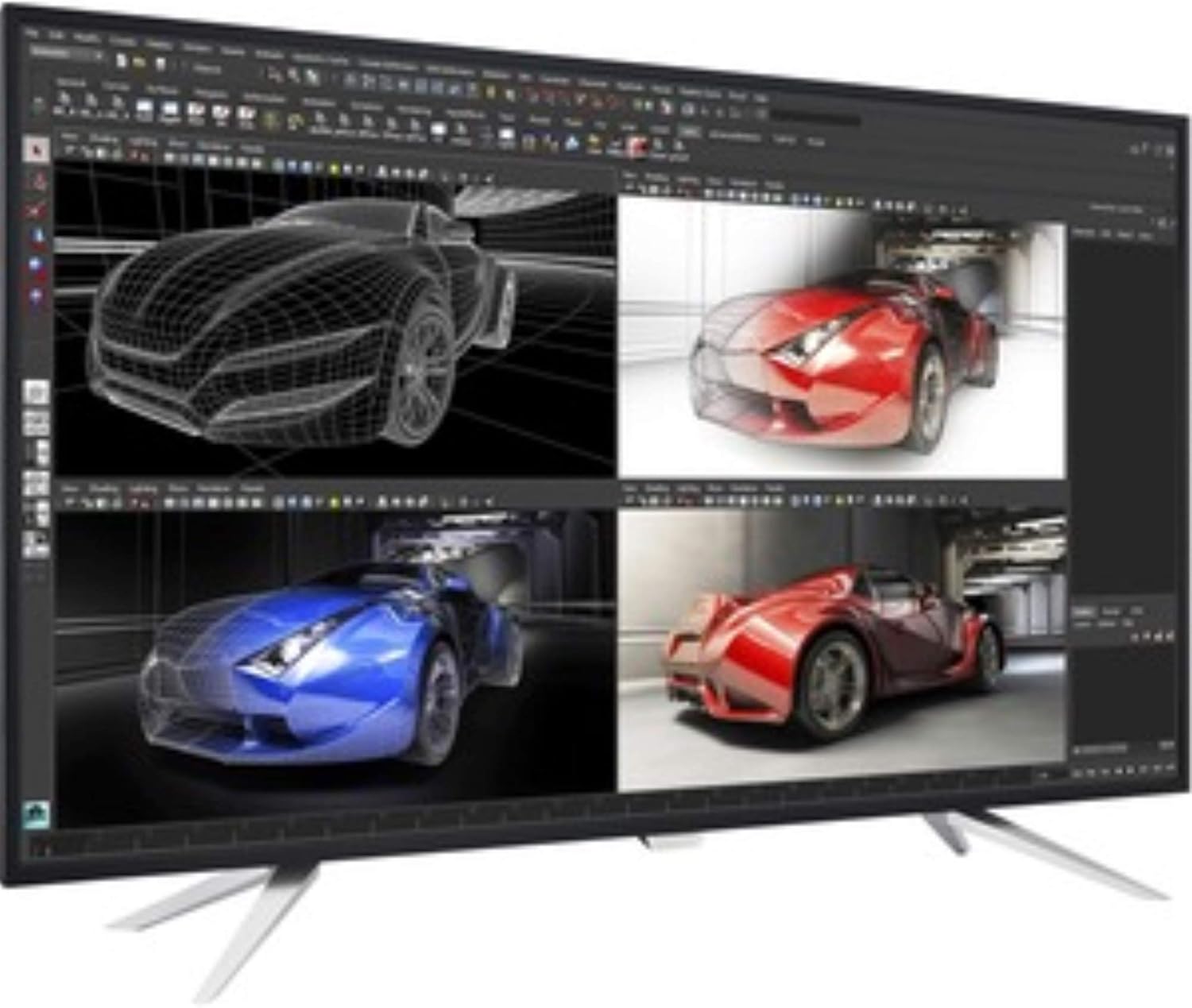
Figure 1: Philips BDM4350UC monitor showcasing its MultiView Picture-by-Picture (PBP) feature, displaying four distinct inputs simultaneously. This setup is beneficial for professional tasks requiring multiple data sources or applications to be viewбир эле учурда ed.
1.3 Байланыш
Connect your computer or other devices to the monitor using the appropriate cables. The monitor offers a variety of input options:
- Видео киргизүү: 2x HDMI 2.0, 2x DisplayPort 1.2, 1x VGA (D-sub).
- USB хабы: 1x USB 3.0 upstream port (connects to your computer to enable the downstream ports), 4x USB 3.0 downstream ports (one with fast charging capability).
- Аудио: Audio In, Audio Out.
Ensure the USB 3.0 upstream cable is connected to your computer to utilize the monitor's integrated USB hub and SmartControl software features.
2. Мониторду иштетүү
2.1 Күйгүзүү/өчүрүү
The monitor features a single toggle button located on the back for power control and OSD menu navigation. Press this button to power the monitor on or off.
2.2 Экрандагы дисплей (OSD) менюсунун навигациясы
The single toggle button on the back of the monitor also serves as a joystick for navigating the OSD menu. Press the button to open the main menu, then use the directional movements (up, down, left, right) to select and adjust settings.
- Оңго басыңыз: Accesses the main OSD menu.
- Солго түртүңүз: Activates SmartImage modes.
- Push Up: Toggles MultiView режимдери.
- Push Down: Аудио булагын тандайт.
2.3 МультиView (PIP/PBP)
The Philips MultiView technology allows for Picture-by-Picture (PBP) with up to four inputs or Picture-in-Picture (PIP) with two inputs. This enhances productivity by enabling simultaneous viewing of multiple sources. Access MultiView settings via the OSD menu.
2.4 SmartImage
SmartImage provides optimized display settings for various content types, such as Office, Photo, Movie, and Game modes. Select the appropriate mode via the OSD menu or by pushing the OSD button to the left.
2.5 Аудио орнотуулары
The monitor includes built-in 7W stereo speakers. You can adjust volume and select audio input sources (e.g., HDMI, DisplayPort, Audio In) through the OSD menu. Note that when switching between MultiView modes, the audio source may need to be manually reselected.
3. Техникалык тейлөө
Мониторуңуздун узак иштөөсүн жана оптималдуу иштешин камсыз кылуу үчүн төмөнкү тейлөө көрсөтмөлөрүн аткарыңыз:
- Экранды тазалоо: Экранды жумшак, түксүз чүпүрөк менен акырын сүртүңүз. Кежир тактар үчүн, экранга түз эмес, кездемеге колдонулган монитор үчүн атайын тазалоочу эритмени колдонуңуз.
- Тазалоо Casing: Мониторду тазалоо үчүн жумшак, кургак чүпүрөктү колдонуңуз casinг. Абразивдүү тазалагычтардан же эриткичтерден качыңыз.
- Вентиляция: Ашыкча ысып кетүүнүн алдын алуу үчүн монитордун желдетүү тешиктери жабылбагандыгын текшериңиз.
4. Кыйынчылыктарды
Эгерде сиз мониторуңузда көйгөйлөргө туш болсоңуз, төмөнкү жалпы көйгөйлөрдү чечүү кадамдарын караңыз:
- Экранда сүрөт жок:
- Электр кабели мониторго да, электр розеткасына да бекем туташтырылганын текшериңиз.
- Verify that the video cable (HDMI, DisplayPort, or VGA) is properly connected to both the monitor and your computer.
- Ensure the correct input source is selected via the OSD menu.
- Confirm your computer's video output is active and configured correctly.
- OSD менюсу көрүнбөй жатат:
- If the OSD button only turns the monitor on/off, try resetting the monitor settings using the SmartControl software on your PC (if connected via USB upstream).
- Монитор күйгүзүлгөнүн текшериңиз.
- Image Too Bright/Dim:
- Adjust the brightness and contrast settings through the OSD menu. The default brightness may be set high.
- Check SmartImage settings; some modes may alter brightness levels.
- SmartControl Software Issues:
- Ensure the USB 3.0 upstream cable is connected between the monitor and your PC.
- Download the latest SmartControl software from the Philips support webсайт.
- SmartControl software is typically available for Windows 7, 8, and 10. Mac/Linux versions may not be available.
- Аудио көйгөйлөр:
- Verify the audio cable is connected or that the HDMI/DisplayPort cable is carrying audio.
- Check the audio source selection in the OSD menu.
- Adjust the volume settings on both the monitor and your computer.
5. Техникалык шарттар
| Өзгөчөлүк | Спецификация |
|---|---|
| Модель номери | BDM4350UC |
| Screen Size | 43 дюйм (42.51 дюйм) viewжөндөмдүү) |
| Панел түрү | IPS диоддору |
| Резолюция | 4K UHD (3840 x 2160 пиксел) |
| Аспект катышы | 16:9 |
| Contrast Ratio (SmartContrast) | 50,000,000:1 |
| Video Inputs | 2x HDMI 2.0, 2x DisplayPort 1.2, 1x VGA |
| USB хабы | 1x USB 3.0 Upstream, 4x USB 3.0 Downstream (1 with fast charging) |
| Аудио | Audio In, Audio Out, 2x 7W Stereo Speakers |
| VESA тоосунун шайкештиги | 200мм x 200мм |
| Өлчөмдөрү (LxWxH) | 38.11 x 3.22 x 22.12 дюйм (тактагычсыз) |
| Салмагы | 20.7 pounds (without stand) |
6. Кепилдик жана колдоо
6.1 Кепилдик маалыматы
Philips monitors come with a 4-year advance replacement warranty in the United States. This warranty minimizes downtime by providing a replacement unit in advance should a covered issue arise.
6.2 Техникалык колдоо
For further assistance, updated drivers, software (such as SmartControl), or detailed troubleshooting guides, please visit the official Philips support website for your region. Ensure you have your monitor's model number (BDM4350UC) ready when seeking support.


