1. Киришүү
This manual provides detailed instructions for the safe and effective operation of the OWON XDS3102 Digital Oscilloscope. The XDS3102 is a versatile 4-in-1 instrument, combining the functions of a digital storage oscilloscope, datalogger, multimeter, and waveform generator. It features a 100 MHz bandwidth, 1 GS/s sample rate, and an 8-bit resolution ADC for precise waveform analysis.
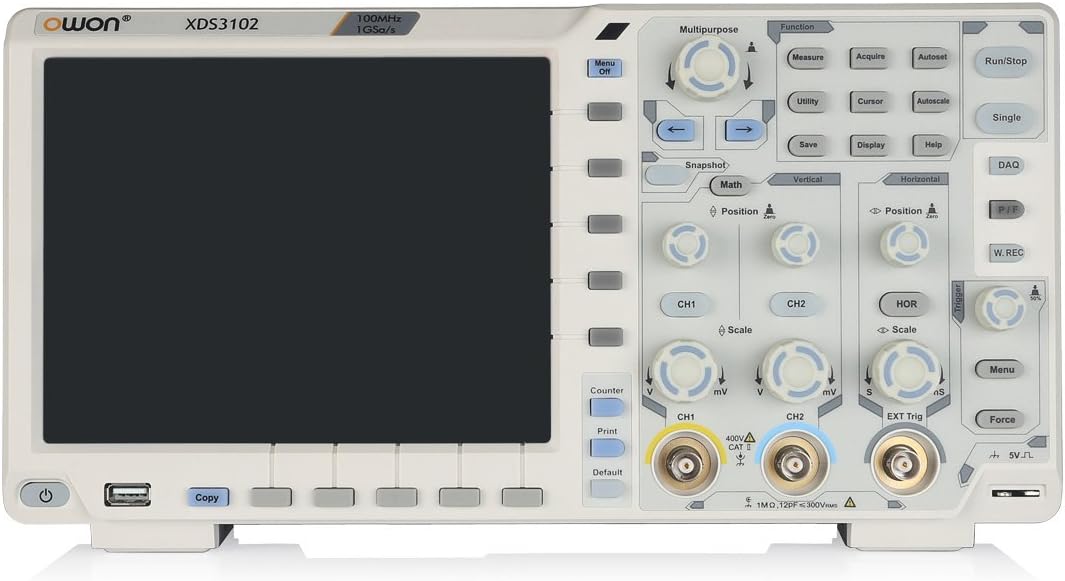
Сүрөт 1: Алдыңкы view of the OWON XDS3102 Digital Oscilloscope, showing the display, control panel, and input connectors.
2. Негизги өзгөчөлүктөрү
- өткөрүү жөндөмдүүлүгү: 100 МГц
- Sample Rate: 1 GS/s
- Чечим: 8-bit ADC for detailed waveform restoration
- Каналдар: 2
- Vertical Sensitivity: 1 mV/div - 10 V/div with low background noise
- Дисплей: 8-inch 800 x 600 high-resolution LCD
- Көп функциялуулугу: Digital Storage Oscilloscope, Datalogger, Multimeter, Waveform Generator
- Advanced Triggering: Xvisual multi-trigger functions
- Bus Decoding: Supports various bus decoding functions (optional: RS232, SPI, I2C, CAN)
3. Пакеттин мазмуну
Төмөндө тизмеленген нерселердин бардыгы пакетте бар экенин текшериңиз:

Figure 2: OWON XDS3102 Oscilloscope with its standard accessories, including probes, power cord, USB cable, and software CD.
- OWON XDS3102 Digital Oscilloscope Unit
- Электр кабели
- Программа CD
- USB кабели
- Probe (1x)
- Probe Adjust Tool
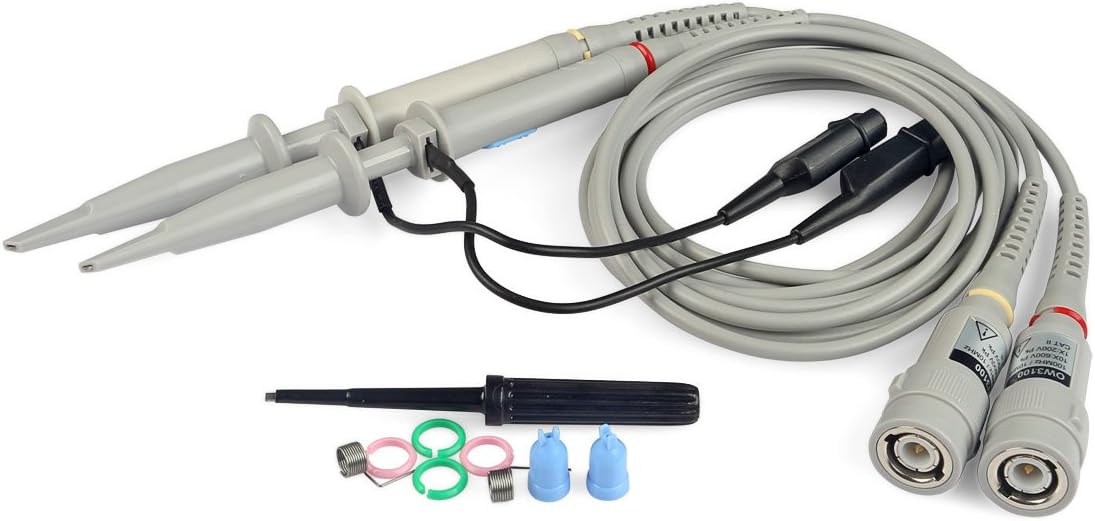
Figure 3: Close-up of the included oscilloscope probes and adjustment tool.
4. Орнотуу
4.1 Кубат туташтыруу
- Ensure the oscilloscope is placed on a stable, level surface with adequate ventilation.
- Connect the provided power cord to the AC power inlet on the rear panel of the oscilloscope.
- Plug the other end of the power cord into a grounded AC power outlet. The device supports 100V-240V, 50/60Hz.
- Түзмөктү иштетүү үчүн алдыңкы панелде жайгашкан кубат баскычын басыңыз.

Figure 4: Rear panel of the oscilloscope, highlighting the power input, USB device port, and LAN port.
4.2 Зонд туташуусу
- Connect the BNC connector of the oscilloscope probe to the desired input channel (CH1 or CH2) on the front panel.
- Туташуу коопсуз экенин текшериңиз.
- Attach the probe tip to the circuit point you wish to measure.
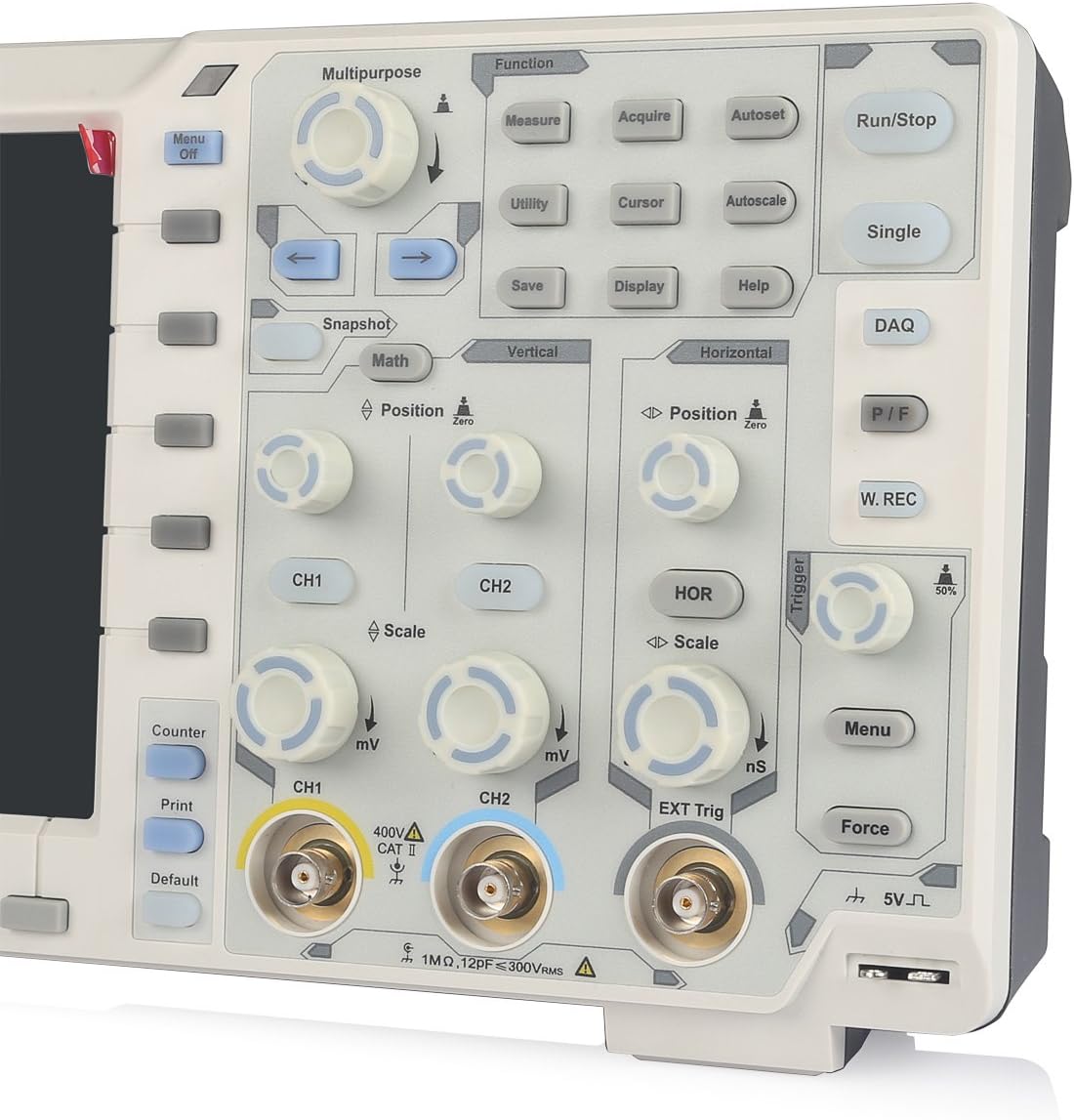
5-сүрөт: Детальдуу view of the front panel, showing CH1 and CH2 BNC input connectors and associated controls.
5. Иштөө нускамалары
5.1 Basic Oscilloscope Operation
- Күйгүзүү/өчүрүү: Use the power button on the lower left of the front panel.
- Autoset: басыңыз Autoset button to automatically adjust vertical, horizontal, and trigger settings for a stable waveform display.
- Vertical Controls (CH1/CH2): колдонуу Позиция knob to adjust vertical position and the Масштаб knob to adjust vertical sensitivity (V/div).
- Горизонталдык башкаруу элементтери: колдонуу Позиция knob to adjust horizontal position and the Масштаб knob to adjust time base (s/div).
- Trigger Controls: Adjust the trigger level using the dedicated knob. Press the Меню button in the trigger section to access trigger settings.
- Өлчөө: басыңыз өлчөө button to display automatic measurements of waveform parameters.
- Сактоо: колдонуу Сактоо button to store waveforms or settings.
5.2 Multi-functionality (Datalogger, Multimeter, Waveform Generator)
The XDS3102 can function as a Datalogger, Multimeter, and Waveform Generator. Access these functions via the Көп максаттуу or Функция buttons on the control panel. Specific instructions for each mode are detailed in the full software manual provided on the included CD.
Кошумча функциялар: The device supports various optional functions such as VGA+AV output, Wi-Fi connectivity, 1CH 25M waveform generator, DMM digital multimeter, capacitive touch screen, and decoding kits (RS232, SPI, I2C, CAN). These functions require additional modules or software and are not included in the standard package.
6. Техникалык тейлөө
- Тазалоо: Use a soft, dry cloth to clean the exterior of the oscilloscope. For stubborn dirt, a lightly dampened cloth with mild detergent can be used. Avoid abrasive cleaners or solvents.
- Сактагыч: When not in use, store the oscilloscope in a clean, dry environment, away from direct sunlight and extreme temperatures.
- Пробка кам көрүү: Handle probes carefully. Avoid bending or stressing the cables. Regularly check for damage to the probe tips and connectors.
- Ички компоненттери: The device contains no user-serviceable components inside. Do not attempt to open the casinг. Тейлөө боюнча квалификациялуу кызматкерлерге кайрылыңыз.

Figure 6: Close-up of the rear warning label, emphasizing not to open the device and to refer servicing to qualified personnel.
7. Кыйынчылыктарды
| Көйгөй | Мүмкүн себеп | Чечим |
|---|---|---|
| Түзмөк күйбөйт. | Power cord not connected; power outlet faulty; internal fuse blown. | Check power cord connection. Test power outlet. If problem persists, contact support. |
| No waveform displayed. | Probe not connected; input signal too small/large; trigger settings incorrect. | Ensure probe is connected to input and circuit. Use Autoset. Adjust vertical scale (V/div) and trigger level. |
| Unstable waveform. | Incorrect trigger settings; noisy signal. | Adjust trigger level and mode. Ensure proper grounding of the circuit and oscilloscope. |
| Display issues (e.g., flickering, no image). | Software glitch; hardware malfunction. | Restart the device. If problem persists, contact support. |
8. Техникалык шарттар
| Спецификация | Нарк |
|---|---|
| Өндүрүүчү | OWON |
| Модель номери | XDS3102 |
| Элемент Салмагы | 7.38 фунт |
| Пакеттин өлчөмдөрү | 16.14 x 11.18 x 7.01 дюйм |
| Материал | Пластик |
| Элементтин пакетинин саны | 1 |
| Батареялар камтылган | Жок |
| Батареялар талап кылынат | Жок |
| Тtage Диапазон | 100V - 240V, 50/60Hz |
| Max Power | 15 Вт |
| Кошумча батарея | 4.2V |
9. Кепилдик жана колдоо
OWON products are designed for reliability and performance. For warranty information, please refer to the warranty card included with your product or visit the official OWON website. For technical support, troubleshooting assistance, or inquiries regarding optional features, please contact OWON customer service or your authorized dealer.
OWON расмий Webсайт: www.owon.com.cn


