Introduction
The Interphone Tour Dual Pack is a high-performance Bluetooth intercom system designed for motorcycle riders. It enables communication between up to four riders over a distance of 1.5 km, offers extended battery life, and supports fast charging. This device is compatible with all helmet types and Bluetooth-enabled smartphones, allowing for calls, music playback, and GPS navigation. This manual provides detailed instructions for installation, operation, maintenance, and troubleshooting to ensure optimal performance and user experience.
Пакеттин мазмуну

Figure 1: Included components of the Interphone Tour Dual Pack.
The Interphone Tour Dual Pack includes the following items:
- 2 Control Units
- 2 Complete Audio Kits (speakers)
- 2 Microphones for full-face helmets
- 2 Microphones for jet or modular helmets
- 2 Sets of Sponge Covers (for microphones)
- 2 Sets of Spacers (for speakers)
- 2 Charging and Data Cables
- 2 Adhesive Bases (for mounting)
- 2 Clip Bases (for mounting)
- Ыкчам баштоо колдонмосу жана кепилдик маалыматы
Орнотуу жана орнотуу
Proper installation ensures optimal audio quality and secure attachment of the intercom unit to your helmet.
Mounting the Intercom Unit

Figure 2: Interphone Tour unit securely mounted on a helmet.
Choose between the adhesive base or the clip base for mounting. The adhesive base provides a permanent attachment, while the clip base allows for easier removal. Ensure the mounting location on the helmet is clean and dry before installation.
- Select Mounting Base: Decide whether to use the adhesive base or the clip base.
- Позициялоо: Identify a flat, suitable area on the left side of your helmet, near the bottom edge, where the unit will not obstruct vision or movement.
- Орнотуу базасы:
- Клей база: Peel off the protective film and firmly press the base onto the helmet surface for at least 30 seconds. Allow 24 hours for the adhesive to cure before attaching the intercom unit.
- Clip Base: Slide the clip base between the helmet shell and the inner padding. Ensure it is securely fastened and does not move.
- Домофон блогун туташтырыңыз: Slide the Interphone Tour control unit onto the installed base until it clicks into place.
Installing Speakers and Microphones
The audio kit includes speakers and two types of microphones to suit different helmet designs.
- Спикердин жайгашуусу: Locate the ear pockets inside your helmet. Attach the speakers using the provided adhesive pads, ensuring they are centered over your ears for optimal sound. Use spacers if needed to bring the speakers closer to your ears.
- Микрофон тандоо:
- Full-Face Helmet Microphone: This is a flexible boom microphone. Attach it to the inside of the helmet, positioning the microphone capsule directly in front of your mouth, ensuring it does not touch your lips.
- Jet/Modular Helmet Microphone: This is a wired microphone designed for open-face or modular helmets. Secure it inside the helmet, ensuring it is close to your mouth and protected from wind noise.
- Кабелдик башкаруу: Route all cables neatly under the helmet padding to prevent discomfort and ensure they are not snagged. Connect the speaker and microphone cables to the corresponding ports on the intercom unit.
Иштөө нускамалары
The Interphone Tour features intuitive controls for various functions.

Сүрөт 3: Алдыңкы view of two Interphone Tour units, highlighting the control buttons.
Негизги функциялар
- Күйгүзүү/өчүрүү: басып, кармап туруңуз Кубат/Интерком баскычы (usually the large central button with a phone icon or power symbol) for approximately 3 seconds.
- Үндү көзөмөлдөө: колдонуу Музыка жана FM buttons (or up/down arrows) to adjust the volume.
- Bluetooth жупташууда:
- Ensure the Interphone Tour is off.
- басып, кармап туруңуз Кубат/Интерком баскычы until the LED indicator flashes rapidly (pairing mode).
- On your smartphone or GPS device, search for Bluetooth devices and select "Interphone Tour".
- Once paired, the LED will change to a steady blue light.
Домофондук байланыш
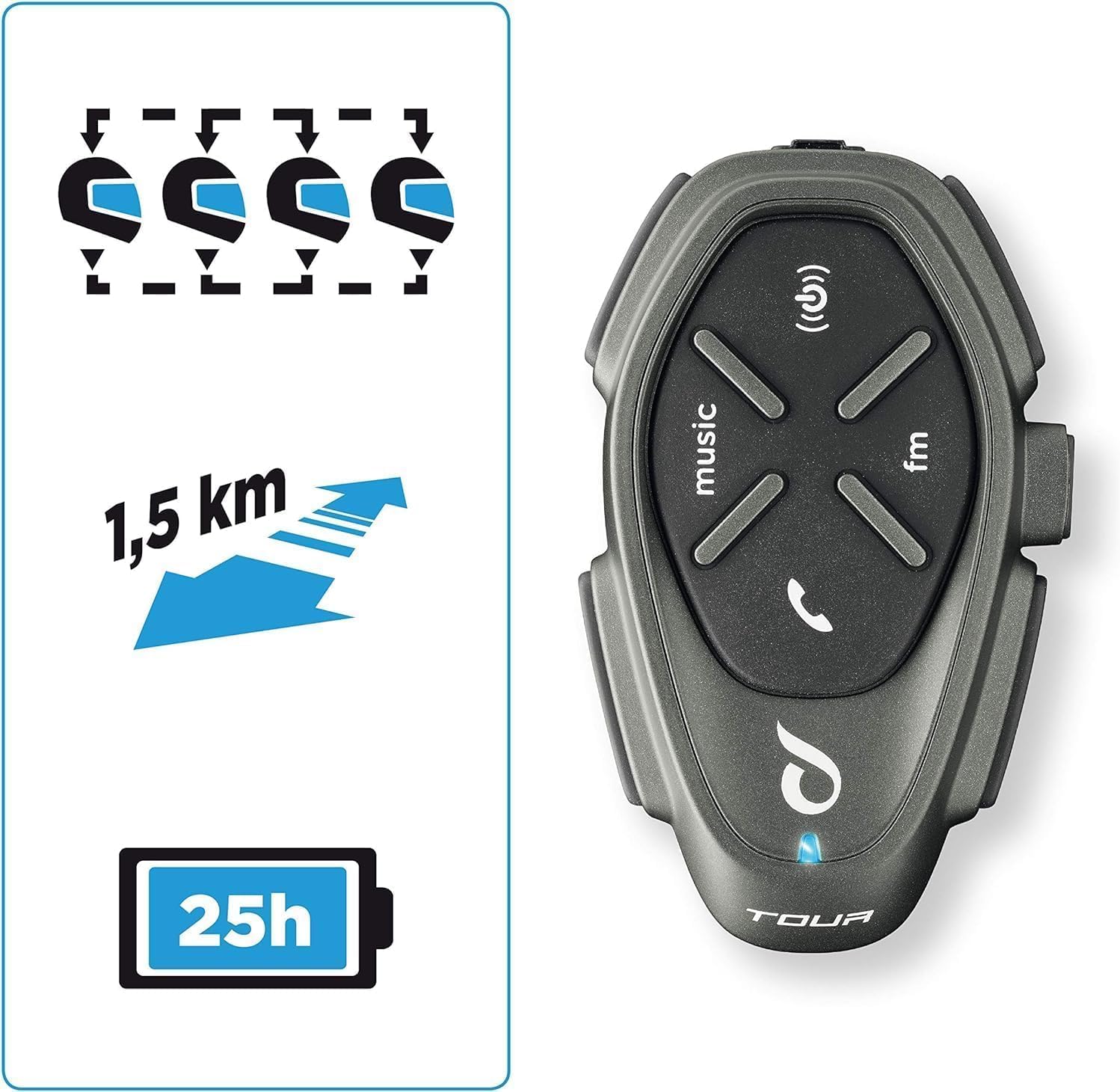
Figure 4: Key features including multi-rider communication and range.
The Interphone Tour supports communication for up to 4 riders over a distance of 1.5 km.
- Домофонду иштетүү: баскычын кыскача басыңыз Кубат/Интерком баскычы to start an intercom conversation with a paired unit.
- Multi-Rider Intercom: Follow the specific pairing instructions in the quick start guide for multi-unit connections (e.g., 3-way or 4-way intercom).
- Anycom Function: The Anycom feature allows communication with other intercom devices, regardless of brand. Refer to the full manual for detailed Anycom pairing procedures.
Media and Navigation

Figure 5: Connectivity options including music, phone calls, and FM radio.
- Музыка ойнотуу: Once paired with your smartphone, use the Музыка баскычы to play/pause music. Use volume buttons to adjust. Music sharing between rider and passenger is supported.
- FM радиосу: басыңыз FM баскычы to activate the built-in FM radio. Use the music/FM buttons to scan for stations.
- GPS навигациясы: When paired with a Bluetooth-enabled GPS device, voice instructions will be transmitted directly to your helmet speakers.
- Телефон чалуулар:
- Чакырууга жооп берүү: баскычын кыскача басыңыз Телефон баскычы (or central button).
- Чакырууну аяктоо: баскычын кыскача басыңыз Телефон баскычы.
- Үн менен терүү: If supported by your phone, long-press the Телефон баскычы үн жардамчысын иштетүү үчүн.
Батарея жана заряддоо
The Interphone Tour boasts a battery life of over 20 hours and features fast charging technology.
- Заряддоо: Connect the provided USB charging cable to the intercom unit and a compatible USB power source. The LED indicator will show charging status.
- Fast Төлөм: Utilize the fast charge feature for quick power replenishment.
- Батареянын иштөө мөөнөтү: A fully charged unit provides approximately 25 hours of talk time.
Суу өткөрбөйт дизайн
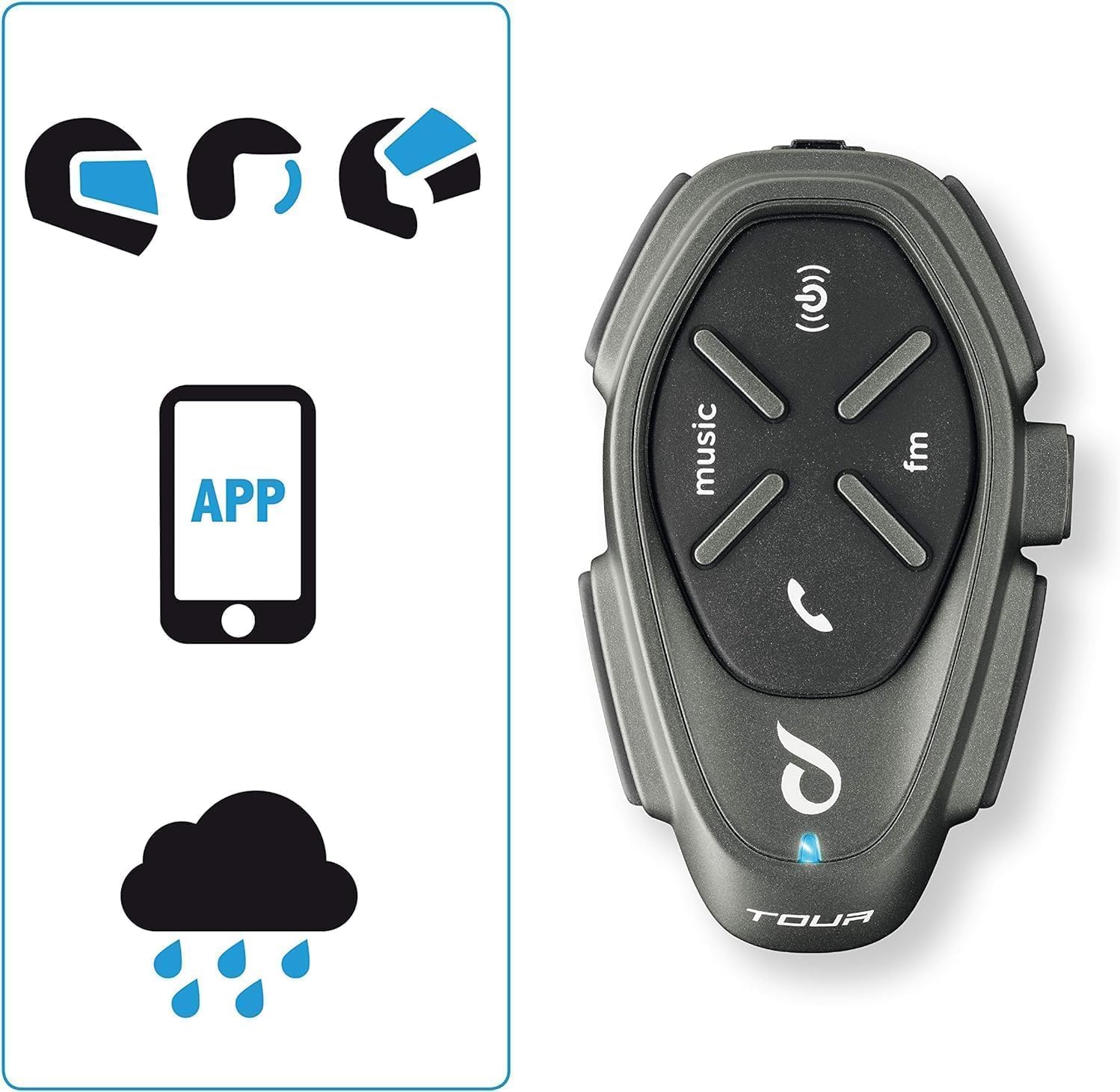
Figure 6: The intercom is compatible with various helmet types and is waterproof.
The Interphone Tour is designed to be fully waterproof, ensuring reliable operation in various weather conditions.
Техникалык тейлөө
To ensure the longevity and optimal performance of your Interphone Tour, follow these maintenance guidelines:
- Тазалоо: жумшак колдонуу, damp cloth to clean the exterior of the intercom unit. Avoid using abrasive cleaners or solvents, as they may damage the finish or internal components.
- Сактагыч: When not in use for extended periods, store the unit in a cool, dry place. Ensure the battery is partially charged (around 50%) before storage to prolong its lifespan.
- Кабельге кам көрүү: Зымдарды бузубаш үчүн этият кармаңыз. Курч ийилүүлөрдү же ашыкча тартууларды болтурбоо керек.
- Суу таасири: While waterproof, it is recommended to wipe the unit dry after exposure to heavy rain to prevent water spots or mineral buildup.
Проблемаларды чечүү
This section addresses common issues you might encounter with your Interphone Tour.
| Көйгөй | Мүмкүн себеп | Чечим |
|---|---|---|
| Түзмөк күйбөйт. | Батарея аз же түгөнүп калган. | Charge the unit using the provided cable. Ensure the charging indicator lights up. |
| Cannot pair with smartphone/GPS. | Unit not in pairing mode; Bluetooth off on device; interference. | Ensure the Interphone Tour is in pairing mode (rapid flashing LED). Check Bluetooth settings on your device. Move away from other electronic devices. |
| Intercom communication is poor or drops. | Out of range; obstacles; low battery. | Ensure units are within 1.5 km range and have a clear line of sight. Charge units. Re-pair if necessary. |
| Динамиктерден үн жок. | Speakers not connected; volume too low; faulty speakers. | Check speaker connections to the unit. Increase volume. Test with another audio source if possible. |
| Микрофон үндү кабыл албай жатат. | Microphone not connected; incorrect microphone type; faulty microphone. | Ensure microphone is securely connected. Verify correct microphone type for your helmet. Check microphone position. |
If the problem persists, consult the full user manual or contact Interphone customer support.
Техникалык шарттар
| Өзгөчөлүк | Деталь |
|---|---|
| Модель аты | INTERPHOTOURTP |
| Бренд | Интерфон |
| Байланыш технологиясы | Bluetooth |
| Домофон диапазону | Up to 1.5 km (for 4 riders) |
| Батареянын иштөө мөөнөтү | Approx. 25 hours talk time (over 20 hours) |
| Заряддоо | Fast Charge technology |
| Сууга туруктуулук деңгээли | Суу өткөрбөйт |
| Шайкеш түзмөктөр | Bluetooth devices (smartphones, GPS) |
| Башкаруу түрү | Noise Control, Touch Control, Volume Control, Voice Control |
| Өзгөчөлүктөр | Anycom (inter-brand compatibility), Music Sharing, Noise Cancellation |
| Жыштык диапазону | 20 Гц - 20 000 Гц |
| Материал | Пластик |
| Батареянын курамы | Lithium-ion (1 Lithium-polymer included) |
| Форма фактору | Earbuds (Auricolari) |
| Импеданс | 25 Ом |
| Ызы-чуу изоляциясы | Активдүү ызы-чууну басуу |
Кепилдик жана колдоо
The Interphone Tour comes with a manufacturer's warranty and support resources.
- Өндүрүүчүнүн Кепилдиги: The product is covered by a 2-year manufacturer's warranty. Please retain your proof of purchase for warranty claims.
- Запастык бөлүктөрдүн болушу: Information regarding spare parts availability is not provided.
- Программалык камсыздоо жаңыртуулары: Information regarding guaranteed software updates is not provided.
- Кардарларды колдоо: For further assistance, technical support, or warranty claims, please refer to the contact information provided in your Quick Start Guide or visit the official Interphone webсайт.


