Introduction
This user manual provides comprehensive instructions for the MI Redmi 4A smartphone. It covers essential information regarding device setup, operation, maintenance, and troubleshooting to ensure optimal performance and user experience. Please read this manual carefully before using your device.
Түзмөк бүттүview
The MI Redmi 4A is a compact and lightweight smartphone designed for everyday use. It features a touchscreen display, front and rear cameras, and essential connectivity options.

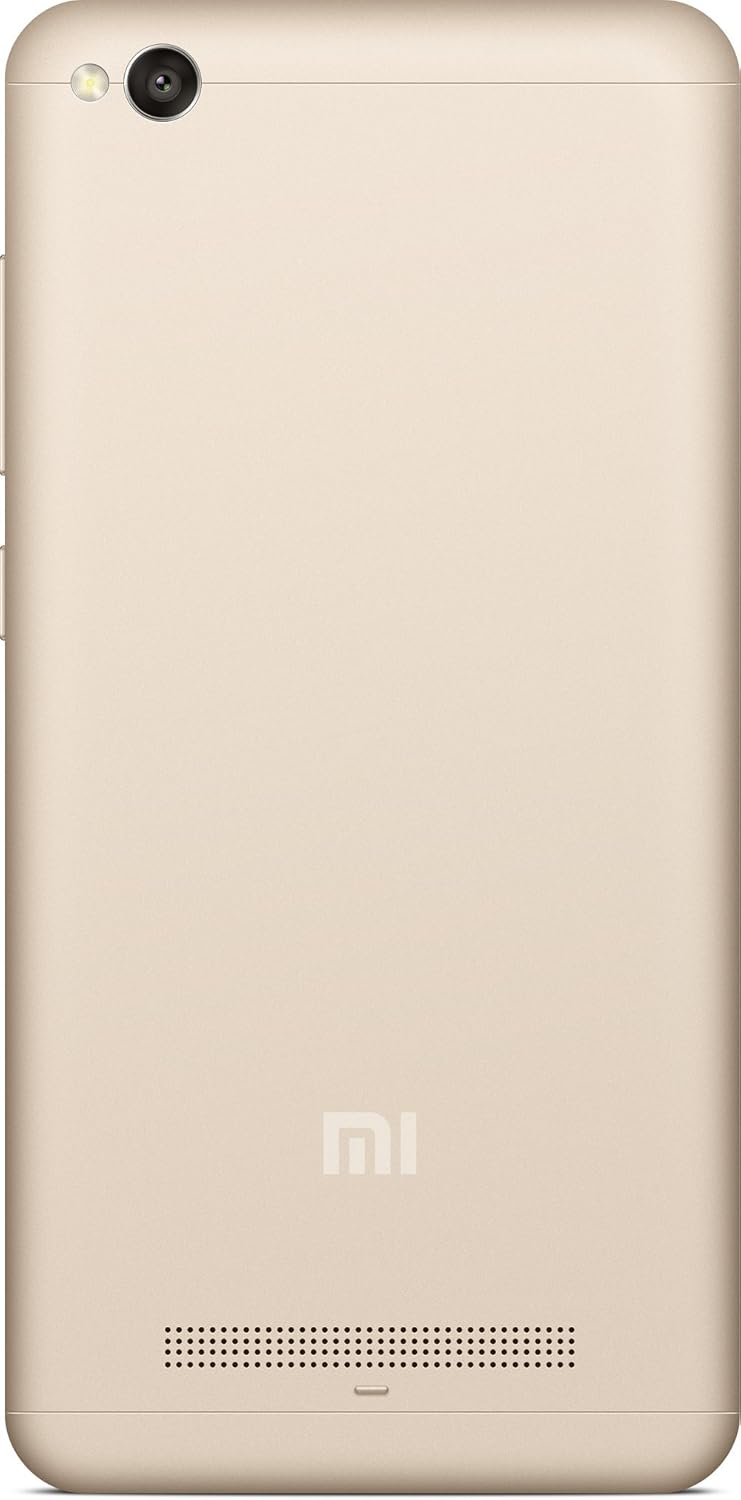


Орнотуу колдонмосу
1. Кутудан чыгаруу жана баштапкы төлөм
Carefully remove the MI Redmi 4A and all accessories from the packaging. Before first use, it is recommended to fully charge the device using the provided charger and USB cable.
- USB кабелин телефондун заряддоо портуна туташтырыңыз.
- USB кабелинин экинчи учун кубат адаптерине туташтырыңыз.
- Кубат адаптерин розеткага сайыңыз.
- Экранда заряддоо индикатору пайда болот.
2. SIM картаны жана MicroSD картаны салуу
The MI Redmi 4A supports dual SIM cards and a microSD card for expandable storage.
- Locate the SIM tray on the left side of the device (refer to Figure 4).
- SIM чыгаруучу аспапты ачуу үчүн SIM лотоктогу кичинекей тешикке киргизиңиз.
- Nano-SIM картаңызды(ларыңызды) жана/же microSD картаңызды туура багытты камсыз кылуу үчүн лотоктун белгиленген уячаларына салыңыз.
- Табаны телефондун ичине акырын түртүңүз, ал чыкылдагыча.
3. Күйгүзүү жана баштапкы конфигурация
Түзмөгүңүздү биринчи жолу күйгүзүү үчүн:
- Press and hold the Power button (located on the right side, refer to Figure 3) until the MI logo appears.
- Тилди, аймакты тандоо, Wi-Fi'га туташуу жана Google аккаунтуңузду орнотуу үчүн экрандагы көрсөтмөлөрдү аткарыңыз.
Иштөө нускамалары
Негизги навигация
- Сенсордук экран: Дисплейде таптоо, серпүү, чымчып жана жайуу аркылуу түзмөк менен өз ара аракеттениңиз.
- Үй баскычы: Башкы экранга кайтып келет.
- Recents Button: Жакында ачылган тиркемелерди көрсөтөт.
- Артка баскычы: Мурунку экранга кайтат.
- Үн баскычтары: Медиа үнүн, чалуунун үнүн жана эскертме үнүн тууралаңыз.
- Кубат баскычы: Экранды күйгүзүү/өчүрүү үчүн басыңыз, өчүрүү же өчүрүү үчүн басып туруңуз.
Камераны колдонуу
The MI Redmi 4A is equipped with a 13MP primary camera and a front camera.
- Үй экранынан же колдонмо суурмасынан Камера тиркемесин ачыңыз.
- Камераны которуштуруу сүрөтчөсүн колдонуп, алдыңкы жана арткы камераларды которуштуруу.
- Белгилүү бир объектке көңүл буруу үчүн экранды таптаңыз.
- Сүрөткө тартуу үчүн жапкычты басыңыз.
- Explore various modes like Panorama, Manual, and Beautify for enhanced photography.
Байланыш
- Wi-Fi: Жеткиликтүү зымсыз тармактарга туташуу үчүн Орнотуулар > Wi-Fi бөлүмүнө өтүңүз.
- Bluetooth: Наушник же динамиктер сыяктуу Bluetooth түзмөктөрү менен жупташтыруу үчүн Орнотуулар > Bluetooth бөлүмүнө өтүңүз.
- USB: Connect the phone to a computer using a USB cable for file которуу же заряддоо.
Техникалык тейлөө
- Программалык камсыздоо жаңыртуулары: Regularly check for system updates to ensure your device has the latest features and security patches. Go to Settings > About phone > System update.
- Тазалоо: Телефондун экранын жана корпусун тазалоо үчүн жумшак, түксүз чүпүрөктү колдонуңуз. Катуу химиялык заттарды же абразивдүү материалдарды колдонуудан алыс болуңуз.
- Батареяга кам көрүү: To prolong battery life, avoid extreme temperatures and do not let the battery drain completely before recharging frequently.
- Сактагычты башкаруу: Мезгил-мезгили менен кэшти тазалап, колдонулбаган колдонмолорду чыгарып, чоң көлөмдөгү файлдарды өткөрүп берип туруңуз files to external storage or cloud services to free up internal memory.
Проблемаларды чечүү
| Көйгөй | Мүмкүн себеп | Чечим |
|---|---|---|
| Түзмөк күйбөй жатат | Аз батарея; Системанын бузулушу | Аппаратты жок эле дегенде 30 мүнөткө кубаттаңыз. Күчтүү түрдө кайра иштетүү үчүн кубат баскычын 10-15 секунд басып туруңуз. |
| Колдонмолор бузулуп же катып калууда | RAM жетишсиз; Колдонмонун карама-каршылыгы; Эскирген колдонмо | Close background apps. Clear app cache (Settings > Apps > [App Name] > Storage > Clear cache). Update the app from Google Play Store. Restart the device. |
| Батареянын иштөө мөөнөтү начар | High screen brightness; Many background apps; Weak signal | Reduce screen brightness. Close unused apps. Enable battery saver mode. Check network signal strength. |
| Wi-Fi'га туташпай жатат | Incorrect password; Router issue; Wi-Fi module error | Verify Wi-Fi password. Restart your router. Toggle Wi-Fi off and on on the phone. Forget the network and reconnect. |
Техникалык шарттар
| Өзгөчөлүк | Деталь |
|---|---|
| Модел | MI Redmi 4A |
| Операция системасы | Android 9.0 |
| RAM | 2 ГБ |
| Ички сактагыч | 16 ГБ |
| CPU модели | Snapdragon |
| CPU ылдамдыгы | 1.4 ГГц |
| Дисплей технологиясы | LCD |
| Резолюция | 1280 x 720 |
| Негизги камера | 13 депутат |
| Алдыңкы камера | Ооба |
| Аудио Jack | 3.5 мм |
| Байланыш | Bluetooth, Wi-Fi, USB, Cellular |
| GPS | AGPS |
| Түс | Алтын |
| Элемент Салмагы | 240 г |
| Пакеттин өлчөмдөрү | 14.8 x 8 x 3.6 см |
| Дата биринчи жеткиликтүү | 13 май 2016 жыл |
Кепилдик жана колдоо
For warranty information and customer support, please refer to the official MI webсайтына же алардын ыйгарым укуктуу тейлөө борборлоруна кайрылыңыз. Сатып алуу квитанциясын кепилдик дооматтары үчүн сатып алуунун далили катары сактаңыз.
Эскертүү: Кепилдиктин конкреттүү шарттары жана шарттары аймакка жана сатып алуу күнүнө жараша өзгөрүшү мүмкүн.