Introduction
Thank you for choosing the Divoom Onbeat 500 Portable Wireless Bluetooth Speaker. This device is designed to deliver powerful sound with convenient wireless connectivity. This manual will guide you through the setup, operation, and maintenance of your speaker to ensure optimal performance and longevity.
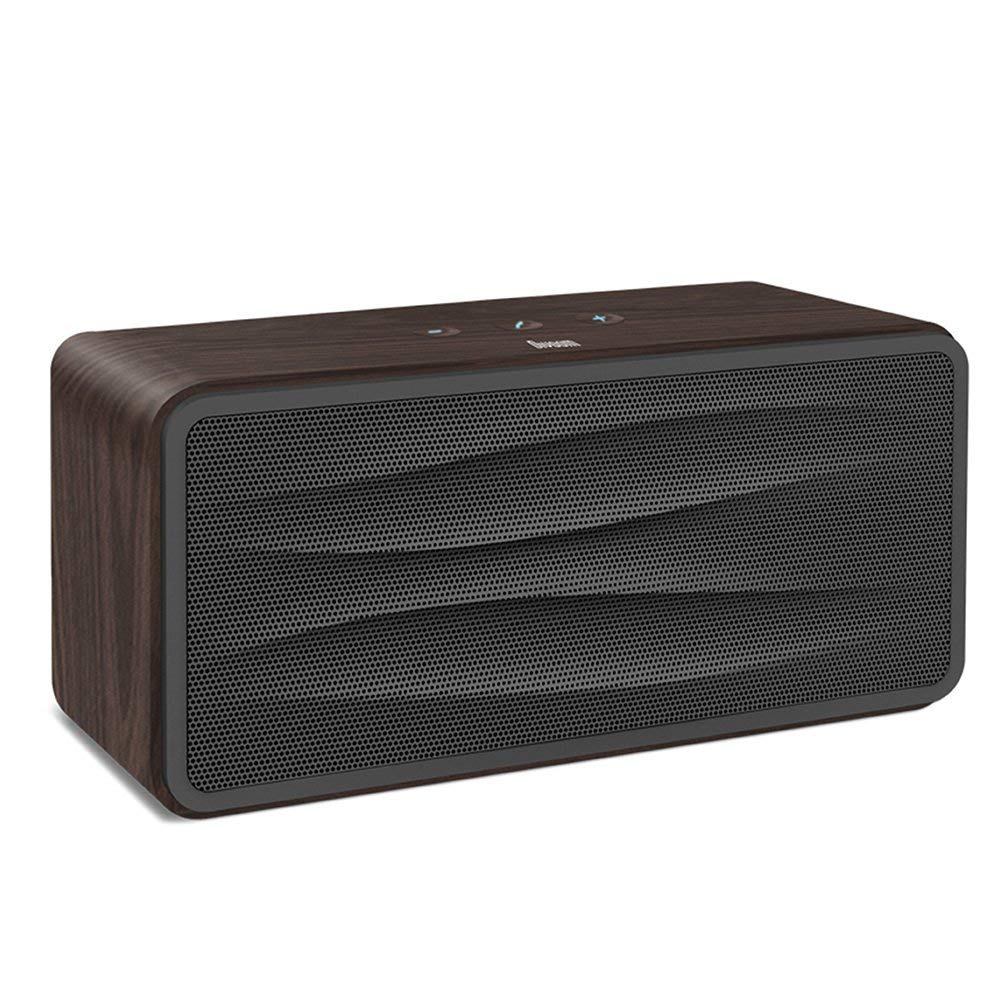
1-сүрөт: Фронт view of the Divoom Onbeat 500 speaker. This image displays the speaker's main grille and overall design.
Пакеттин мазмуну
Сураныч, пакетте төмөнкү нерселерди текшериңиз:
- Divoom Onbeat 500 Speaker
- Микро USB заряддоо кабели
- Көмөкчү кабель
- Колдонуучунун Колдонмосу (бул документ)
- Кепилдик картасы
Продукт өзгөчөлүктөрү
The Divoom Onbeat 500 speaker offers a range of features for an enhanced audio experience:
- Күчтүү үн: 2.1 channel design with a proprietary passive bass radiator for rich audio.
- NFC технологиясы: Tap-to-pair functionality for quick and easy Bluetooth connection.
- Bluetooth байланышы: Wirelessly play and control music from up to 33 feet (10 meters) away.
- Камтылган динамик: Allows you to make and take calls directly from the speaker.
- Узак мөөнөттүү батарея: Integrated 5000mAh battery provides extended playback time.
- Көмөкчү киргизүү: Bluetooth эмес түзмөктөргө зымдуу туташуу үчүн.
Жайгашуу
1. Динамикти кубаттоо
Before initial use, fully charge your Divoom Onbeat 500 speaker. Use the provided Micro USB charging cable to connect the speaker to a USB power source (e.g., computer USB port, USB wall adapter). The charging indicator light will illuminate during charging and turn off or change color when fully charged. A full charge typically provides 8-10 hours of playback.
2. Күйгүзүү / Өчүрүү
- Күйгүзүү үчүн: Press and hold the Power button for a few seconds until you hear an audible prompt or see the indicator light illuminate.
- Өчүрүү үчүн: Динамик өчкөнгө чейин Кубат баскычын кайра бир нече секунд басып туруңуз.
3. Bluetooth Жупташтыруу
The Onbeat 500 offers two methods for wireless connection:
NFC (Near Field Communication) Pairing:
If your device supports NFC, you can pair quickly:
- Смартфонуңузда же планшетиңизде NFC иштетилгенин текшериңиз.
- With the Onbeat 500 powered on, gently tap your NFC-enabled device against the NFC area on the speaker.
- Confirm the pairing request on your device. The speaker will indicate a successful connection.
Стандарттык Bluetooth жупташтыруу:
For devices without NFC or for manual pairing:
- Power on the Divoom Onbeat 500 speaker. It will automatically enter Bluetooth pairing mode if no device is connected, or you may need to press a dedicated Bluetooth button (refer to speaker controls).
- On your audio device (smartphone, tablet, computer), go to the Bluetooth settings and enable Bluetooth.
- Издөө available devices. You should see "Divoom Onbeat 500" in the list.
- Select "Divoom Onbeat 500" to connect. The speaker will confirm the connection with an audible prompt.
4. AUX туташуу
To connect a device using the auxiliary cable:
- Connect one end of the provided auxiliary cable to the AUX-in port on the Divoom Onbeat 500.
- Connect the other end of the auxiliary cable to the headphone jack or audio output of your device.
- The speaker will automatically switch to AUX mode, or you may need to select it manually (refer to speaker controls).

2-сүрөт: Side view of the Divoom Onbeat 500, illustrating the location of the charging port, AUX input, and control buttons.
Спикерди иштетүү
1. Музыканы ойнотуу
Once connected via Bluetooth or AUX, you can control music playback from your connected device. The speaker may also have integrated controls for volume adjustment, play/pause, and track skipping. Refer to the speaker's physical buttons for these functions.
2. Динамиктин функциясы
When connected to a smartphone via Bluetooth, the Divoom Onbeat 500 can be used as a speakerphone:
- Чалууга жооп берүү: Press the Call button (often indicated by a phone icon) on the speaker.
- Чалууну аяктоо: Чакыруу баскычын кайра басыңыз.
- Чалуудан баш тартуу: Чакыруу баскычын басып, кармап туруңуз.

3-сүрөт: Арткы view of the Divoom Onbeat 500, highlighting the passive bass radiator for enhanced low-frequency sound.
Техникалык тейлөө
1. Тазалоо
Динамикиңиздин сырткы көрүнүшүн жана иштешин сактоо үчүн:
- Сыртын жумшак, кургак, түксүз чүпүрөк менен сүртүңүз.
- Абразивдүү тазалоочу каражаттарды, спиртти, бензолду же башка химиялык эриткичтерди колдонбоңуз, анткени алар каптамага зыян келтириши мүмкүн.
- Ар кандай тешиктерге ным кирүүдөн сактаңыз.
2. Батареяга кам көрүү
Орнотулган литий-иондук батареянын иштөө мөөнөтүн узартуу үчүн:
- Батареяны бат-баттан толук кубаттап калуудан алыс болуңуз.
- Динамикти узак убакытка колдонбогондо салкын, кургак жерде сактаңыз.
- Charge the speaker at least once every three months if stored for a long time to prevent deep discharge.
Проблемаларды чечүү
If you encounter issues with your Divoom Onbeat 500, please refer to the following common solutions:
| Көйгөй | Мүмкүн чечим |
|---|---|
| Динамик күйбөйт | Ensure the battery is charged. Connect the speaker to a power source using the Micro USB cable and try again. |
| Динамиктен үн жок | Check the volume level on both the speaker and your connected device. Ensure the speaker is correctly paired via Bluetooth or connected via AUX. Try re-pairing the Bluetooth device. |
| Bluetooth жупташтыруу ишке ашпай калды | Динамик жупташтыруу режиминде экенин текшериңиз. Түзмөгүңүздөгү Bluetooth'ду өчүрүп жана күйгүзүңүз. Түзмөгүңүздү динамикке жакындатыңыз. Түзмөгүңүздөгү мурунку Bluetooth туташууларын тазалап, кайра аракет кылыңыз. |
| Үн сапаты начар | Ensure the speaker and connected device are within range (for Bluetooth). Check for interference from other wireless devices. Try a different audio source or cable. |
Техникалык шарттар
Detailed technical specifications for the Divoom Onbeat 500 speaker:
- Модель аты: Divoom Onbeat 500
- Динамик түрү: Компьютер динамиги
- Байланыш технологиясы: Bluetooth
- Зымсыз байланыш технологиясы: Bluetooth
- Башкаруу ыкмасы: тийүү
- Кубат булагы: Батарея менен иштейт
- Батарея: 1 литий-иондук батарея (5000 мАч)
- Аудио Wattage: 20 Ватт
- Динамиктин максималдуу чыгаруу күчү: 100 Ватт
- Көлөмдүү үн каналынын конфигурациясы: 2.1
- Шайкеш түзмөктөр: Android, Windows, iPhone (iOS)
- Туташтыргыч түрү: USB (заряддоо үчүн)
- Продукциянын өлчөмдөрү: 22.5 x 7.49 x 10.49 см (LxWxH)
- Элемент Салмагы: 1.55 кг
- Түсү: Көмүр
- Өзгөчөлүктөр: NFC, Built-in Speakerphone, Passive Bass Radiator
Кепилдик жана колдоо
Your Divoom Onbeat 500 speaker comes with a limited warranty. Please refer to the included Warranty Card for detailed terms and conditions, including warranty period and coverage.
For technical support, service inquiries, or further assistance, please visit the official Divoom website or contact their customer service department using the information provided on your Warranty Card or product packaging. Please have your model number (Onbeat 500) and purchase details ready when contacting support.


