1. Киришүү
This manual provides essential information for the setup, operation, and maintenance of your TomTom GO 620 GPS navigation device. Please read these instructions carefully to ensure proper use and to maximize the device's features.
2. Орнотуу
2.1. Кутуда эмне бар
- TomTom GO 620 device
- Active magnetic mount
- USB кабели
- Унаа заряддагыч
- Документация
2.2. Аппаратты орнотуу
The TomTom GO 620 comes with an active magnetic mount for easy attachment to your vehicle's windshield or dashboard.
- Clean the chosen area on your windshield or dashboard.
- Attach the suction cup of the mount firmly to the surface. Ensure it is securely fixed.
- Connect the TomTom GO 620 device to the magnetic mount. The device will click into place.
- Оптималдуу болушу үчүн аппараттын бурчун тууралаңыз viewing without obstructing your view жолдун.

Сүрөт 1: Арткы view of the TomTom GO 620 device showing the magnetic mount connection point. This illustrates how the device attaches to its active mount.

Сүрөт 2: Side profile of the TomTom GO 620 with the magnetic mount. This view highlights the compact design and the secure attachment mechanism.
2.3. Күйгүзүү жана баштапкы конфигурация
- Connect the USB cable to the device and the car charger, then plug the charger into your vehicle's 12V power outlet.
- The device will power on automatically or by pressing the power button located on the back.
- Тилди, аймакты тандоо үчүн экрандагы көрсөтмөлөрдү аткарыңыз жана жоболор менен шарттарга макул болуңуз.
- Connect to a Wi-Fi network to download the latest map updates and software. This is crucial for optimal performance.
3. Operating Your TomTom GO 620
3.1. Негизги навигация
To plan a route, tap the screen and select 'Search'. You can enter an address, point of interest, or coordinates. The device will calculate the fastest route and provide clear voice-guided instructions.

Сүрөт 3: The TomTom GO 620 display showing an active navigation route, current speed, estimated arrival time, and a hands-free message notification. This illustrates the primary user interface during navigation.
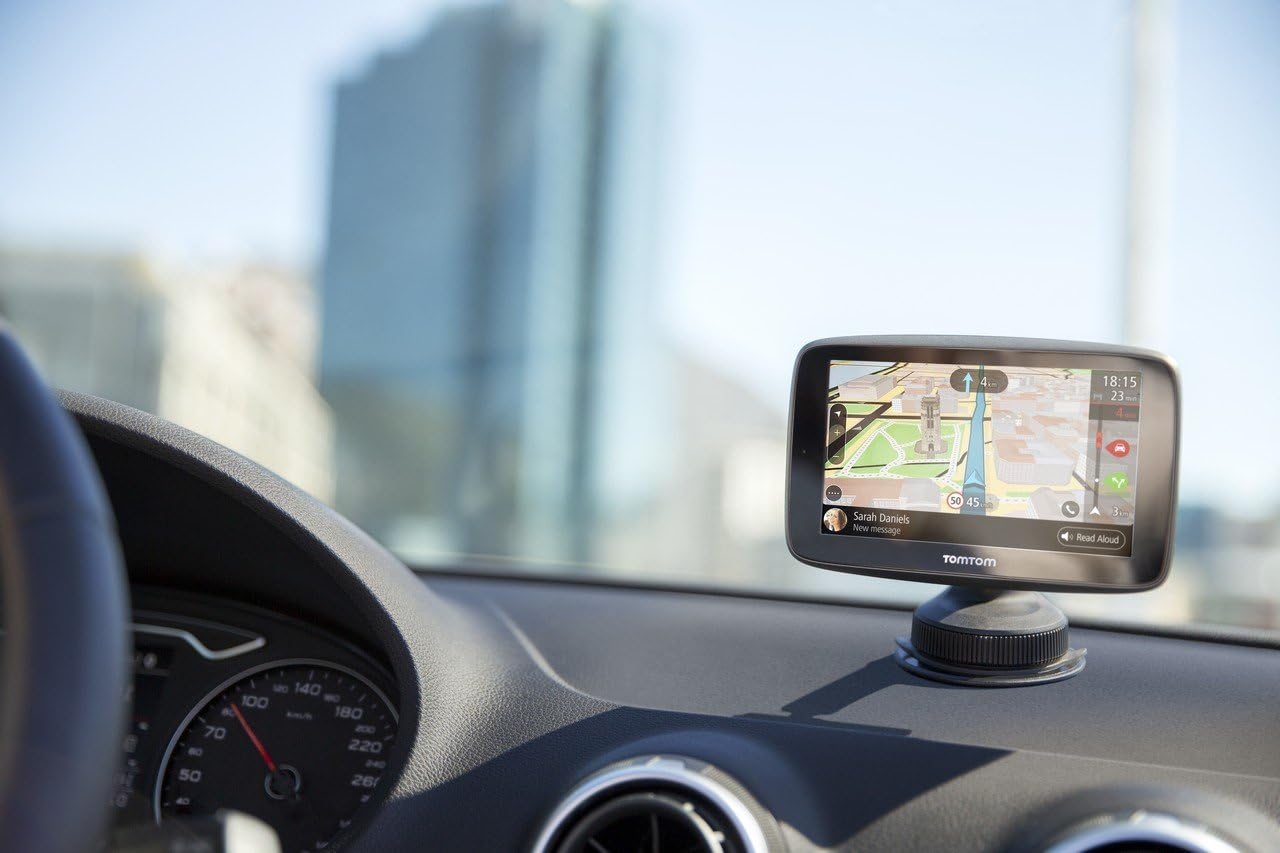
Сүрөт 4: Жакын план view of the TomTom GO 620 mounted on a car dashboard, displaying navigation. This image emphasizes the device's integration into a vehicle's interior.
3.2. TomTom Traffic
The TomTom GO 620 provides real-time traffic information via a smartphone connection. This feature helps you avoid delays by suggesting alternative routes.
- Ensure your smartphone is paired with the GO 620 via Bluetooth.
- Open the TomTom MyDrive app on your smartphone to enable traffic data sharing.
- Traffic incidents and delays will be displayed on your device's map, and the device will automatically reroute if a faster alternative is available.

Сүрөт 5: A smartphone screen showing notifications from the TomTom Traffic Checker app, indicating traffic conditions and estimated travel times to common destinations. This illustrates the smartphone integration for traffic services.
3.3. Danger Zones and Speed Camera Alerts
Your device includes regular updates for fixed and mobile danger zones (speed cameras). These alerts help you maintain awareness of your surroundings and adhere to speed limits.
- Alerts are automatically provided as you approach a known danger zone.
- Ensure your device software and danger zone database are up to date via Wi-Fi.
3.4. Hands Free Чалуу
Connect your smartphone to the TomTom GO 620 via Bluetooth to make and receive calls safely while driving.
- On your TomTom device, go to the main menu and select 'Phone'.
- Смартфонуңузда Bluetooth'ду иштетип, аны көрүнүктүү кылыңыз.
- Select your phone from the list of available devices on the TomTom screen and follow the pairing instructions.
- Once paired, you can manage calls directly from your GO 620 screen.

Сүрөт 6: The TomTom GO 620 mounted on a car dashboard, viewed from the driver's seat. This perspective shows the device's placement for easy access and visibility during driving.

Сүрөт 7: The TomTom GO 620 mounted on a car dashboard, viewed from the passenger's seat. This image demonstrates the device's visibility for both driver and passenger.
4. Техникалык тейлөө
4.1. Программалык камсыздоону жана картаны жаңыртуу
Regularly update your device's software and maps via Wi-Fi to ensure you have the most accurate navigation data and the latest features.
- Түзмөгүңүздү туруктуу Wi-Fi тармагына туташтырыңыз.
- Go to the main menu, select 'Settings', then 'Updates & New Items'.
- Жеткиликтүү жаңыртууларды жүктөп алуу жана орнотуу үчүн экрандагы көрсөтмөлөрдү аткарыңыз.
4.2. Аспапты тазалоо
жумшак колдонуу, damp cloth to clean the screen and exterior of your TomTom GO 620. Avoid abrasive cleaners or solvents.
5. Кыйынчылыктарды
5.1. Түзмөк күйбөй жатат
- Ensure the device is properly connected to a power source using the provided car charger and USB cable.
- Унаанын 12V розеткасынын иштеп жатканын текшериңиз.
- Press and hold the power button for at least 10 seconds to perform a soft reset.
5.2. GPS сигналы жок
- Аппараттын таза болушун текшериңиз view of the sky. Obstructions like tall buildings or tunnels can interfere with the GPS signal.
- Move to an open area and allow the device a few minutes to acquire a signal.
- Түзмөктүн программалык камсыздоосу жаңыртылганын текшериңиз.
5.3. Map or Software Update Issues
- Ensure a strong and stable Wi-Fi connection during updates.
- Free up storage space on the device if necessary by deleting old maps you no longer use.
- Try restarting the device and attempting the update again.
5.4. Bluetooth Connectivity Problems
- Ensure Bluetooth is enabled on both your TomTom device and your smartphone.
- Make sure your smartphone is discoverable.
- Эки түзмөктөгү мурунку жупташтырууларды өчүрүп, кайра жупташтырууга аракет кылыңыз.
- Эки түзмөктү тең өчүрүп күйгүзүңүз.
6. Техникалык шарттар
| Өзгөчөлүк | Деталь |
|---|---|
| Бренд | TomTom |
| Модель аты | GO 620 |
| Унаа кызматынын түрү | Truck, Motorcycle, Car |
| Screen Size | 6 дюйм |
| Өзгөчөлүктөр | Voice Control, Voice Guidance, Pedestrian Mode |
| Байланыш технологиясы | USB |
| Карта түрү | World |
| Камтылган компоненттер | Батареялар |
| Аудио чыгаруу режими | Hands-free |
| Батареянын иштөө мөөнөтү | 1 саат |
7. Кепилдик жана колдоо
Your TomTom GO 620 device is covered by a manufacturer's warranty. For detailed warranty information, please refer to the documentation included with your product or visit the official TomTom support webсайт.
For technical assistance, software updates, or further inquiries, please visit the TomTom support portal at www.tomtom.com/support.


