1. Киришүү
Сатып алганыңыз үчүн рахматasing the ADE CK2112 Radio-Controlled Digital Alarm Clock. This compact and versatile device features a clear LCD display, real bamboo casing, and provides time, date, day of the week, and indoor temperature. It is designed for ease of use with automatic time setting via DCF signal and dual alarm functions. Please read this manual carefully to ensure proper operation and maintenance of your new alarm clock.
2. Негизги өзгөчөлүктөрү
- Compact wireless alarm clock with clear LCD display (5.2 x 5.2 cm).
- Displays time, ambient temperature, date, and day of the week.
- White backlight activated by button press.
- Real bamboo casing with high-quality white ABS plastic.
- Dimensions: 8.2 x 8.2 x 3.4 cm; Weight: 0.15 kg.
- DCF radio-controlled time signal for automatic time setting.
- Automatic summer/winter time adjustment.
- Manually adjustable time.
- Dual alarm with adjustable settings and snooze function.
- Integrated calendar.
- Built-in thermometer for indoor temperature display in °C or °F (-10 to 50 °C).
3. Пакеттин мазмуну
Сураныч, пакетте төмөнкү нерселерди текшериңиз:
- ADE CK2112 Digital Alarm Clock
- 2 х 1.5 В АА батарейкалар
- Колдонуучунун Колдонмосу (бул документ)

Image: ADE CK2112 Alarm Clock with its packaging, showing the clock, batteries, and manual icon.
4. Орнотуу
4.1 Батареяны орнотуу
- Ойготкуч сааттын артындагы батарея бөлүкчөсүн табыңыз.
- Батарея уясынын капкагын ачыңыз.
- Insert two (2) 1.5V AA batteries, ensuring correct polarity (+/-).
- Батарея уясынын капкагын бекем жабыңыз.
4.2 Initial Time Synchronization (DCF Signal)
Upon battery installation, the clock will automatically attempt to synchronize with the DCF radio signal. This process may take a few minutes. Ensure the clock is placed in an area with good signal reception, away from electronic interference.
- The radio signal icon will flash during synchronization.
- Once synchronized, the icon will become steady, and the time will be set automatically.
- The clock will also automatically adjust for Daylight Saving Time (summer/winter time).
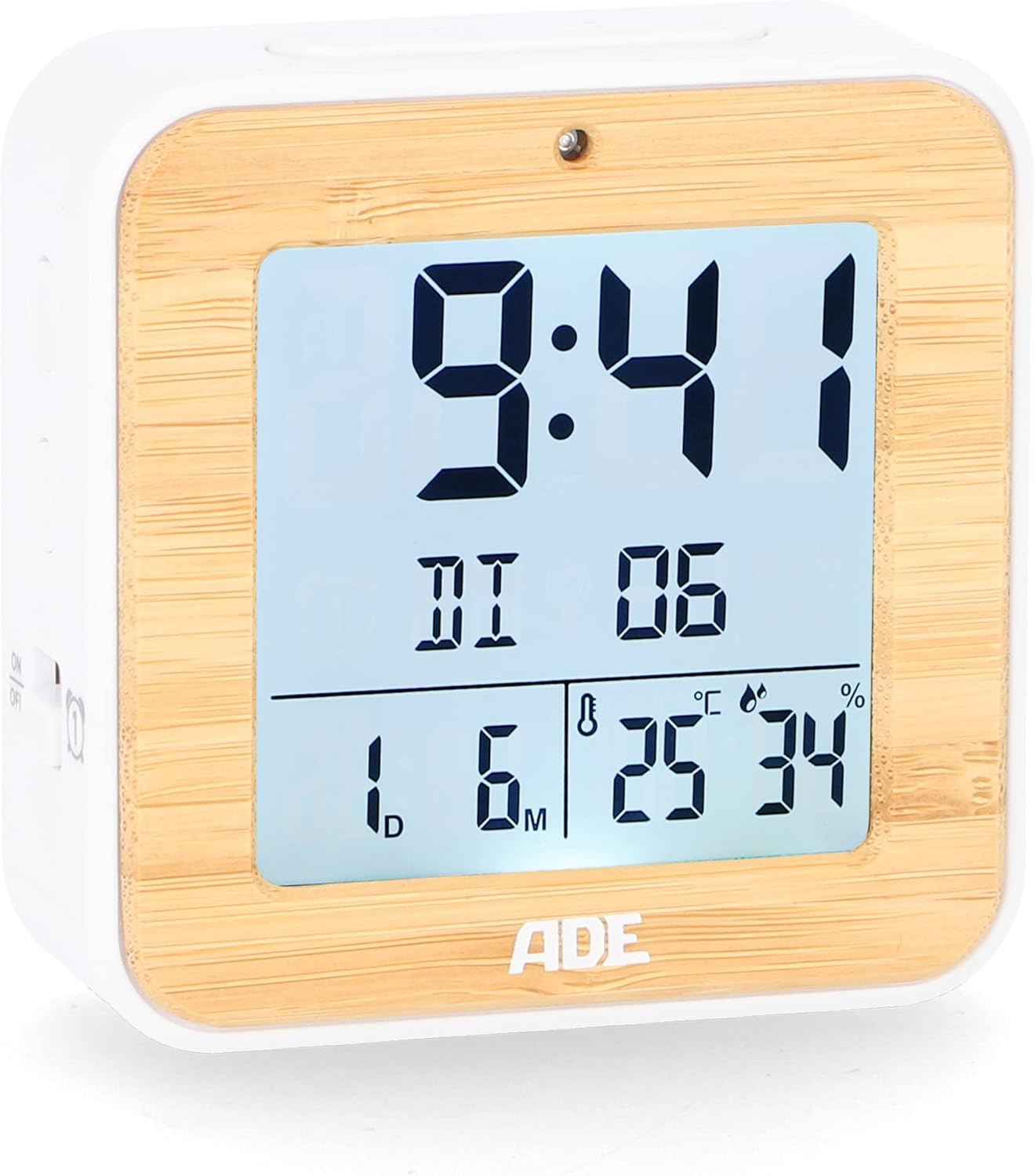
Сүрөт: алдыңкы view of the ADE CK2112 Digital Alarm Clock, showing the clear LCD display with time, date, and temperature.
5. Иштөө нускамалары
5.1 Кол менен убакыт коюу
If the DCF signal is not available or you prefer to set the time manually:
- Press and hold the "SET" button (location usually on the back or side).
- Use the "+" or "-" buttons to adjust the hour, then press "SET" to confirm.
- Мүнөт, жыл, ай жана күн үчүн кайталаңыз.
5.2 Ойготкучтарды орнотуу (ойготкуч 1 & Ойготкуч 2)
Саат эки көз карандысыз ойготкуч менен жабдылган.
- Press the "ALARM 1" or "ALARM 2" button (usually on the side). The alarm time will flash.
- Use the "+" or "-" buttons to set the desired alarm hour, then press the respective alarm button to confirm.
- мүнөткө кайталаъыз.
- To activate/deactivate an alarm, slide the corresponding ON/OFF switch (e.g., "ON/OFF 1" or "ON/OFF 2") on the side of the clock. An alarm icon will appear on the display when active.

Сүрөт: каптал view of the ADE CK2112 Digital Alarm Clock, highlighting the ON/OFF switches for Alarm 1 and Alarm 2.
5.3 Тындыруу функциясы
When the alarm sounds, press the "SNOOZE/LIGHT" button (usually on top) to temporarily silence the alarm. The alarm will sound again after approximately 5-10 minutes (check specific model for exact duration).
5.4 Арткы жарыкты иштетүү
Press the "SNOOZE/LIGHT" button to activate the white backlight for a few seconds, improving visibility in low light conditions.

Image: Illustration showing the automatic backlight via light sensor and manual backlight activation by button press.
5.5 Температура дисплейи
The clock displays the indoor temperature. You can switch between Celsius (°C) and Fahrenheit (°F) by pressing a dedicated button (often labeled "°C/°F" or integrated with another setting button).

Image: Close-up of the ADE CK2112 display, indicating the sections for time, alarm, date, humidity, and temperature.
6. Техникалык тейлөө
6.1 Тазалоо
Wipe the clock with a soft, dry cloth. Do not use abrasive cleaners or immerse the device in water.
6.2 Батареяны алмаштыруу
When the display dims or the clock stops functioning, replace the batteries. Always use new 1.5V AA batteries and dispose of old batteries responsibly according to local regulations.
7. Кыйынчылыктарды
| Көйгөй | Мүмкүн себеп | Чечим |
|---|---|---|
| Дисплей бош же күңүрт. | Төмөн же өлүп калган батарейкалар. | Replace with new 1.5V AA batteries. |
| Саат убакытты автоматтык түрдө койбойт. | DCF сигналын начар кабыл алуу; кийлигишүү. | Move the clock to a different location, away from electronic devices or metal objects. Try manual time setting. |
| Ойготкуч угулбайт. | Alarm not activated; incorrect alarm time set. | Ensure the alarm ON/OFF switch is in the "ON" position and the alarm time is correctly set. |
8. Техникалык шарттар
- Модел: CK2112
- Бренд: ADE
- Дисплей түрү: Санарип LCD
- Өлчөмдөрү (L x W x Y): 8.2 x 3.81 x 3.5 см (болжол менен 3.23 x 1.5 x 1.38 дюйм)
- Салмагы: 110 грамм (болжол менен 0.24 фунт)
- Материал: Bamboo, ABS Plastic
- Кубат булагы: 2 x 1.5V AA Batteries (included)
- Температура диапазону: -10…50°C (14…122°F)
- Убакытты синхрондоштуруу: DCF Radio Controlled
- Ойготкуч функциялары: Dual Alarm, Snooze
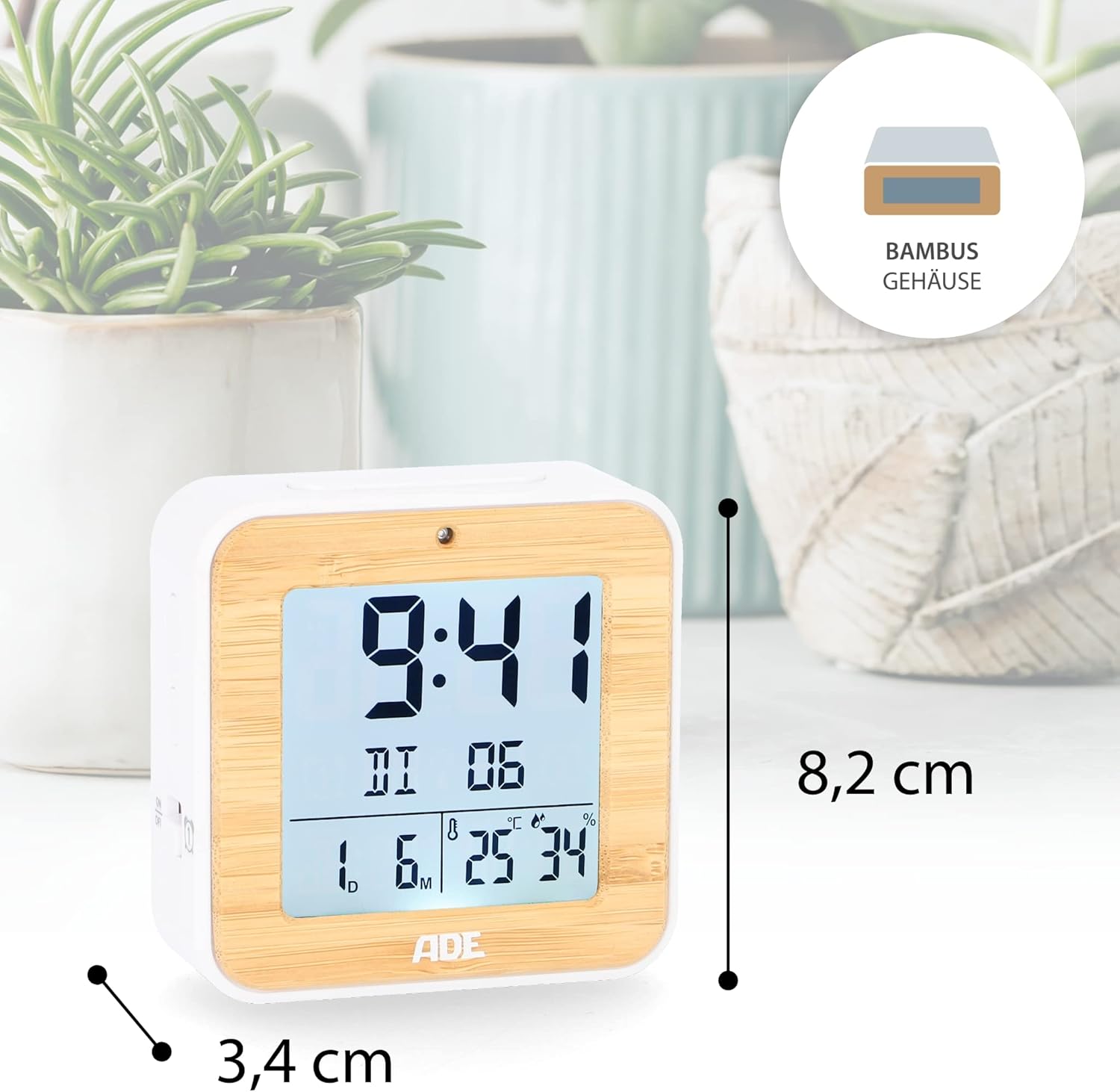
Image: The ADE CK2112 Digital Alarm Clock with its dimensions (8.2 cm height, 3.4 cm depth) clearly marked.
9. Кепилдик жана колдоо
For warranty information and customer support, please refer to the contact details provided by your retailer or visit the official ADE webсайт. Сатып алганыңыздын далили катары сатып алуу дүмүрчөгүңүздү сактаңыз.
For frequently asked questions, you may also refer to the brand's FAQ section:
- Q: I received my item but it did not come with instructions in Spanish. What should I do now?
- A: All our items are printed in German, English, and French. Other languages, including Spanish, can be downloaded directly here, on the Amazon website. Or you can scan the QR code on the printed instructions.
- Q: I am very satisfied with my purchase. How can I rate them?
- A: We are very happy that you are satisfied. Feedback is very important to us. You can easily rate us and your purchased item through your Amazon account under orders. Thank you for taking the time to do so!
- Q: I am not satisfied with my purchase. What can I do?
- A: We are sorry that you are not satisfied with your item. We invite you to request a return through your account and you will receive your money back.


