1. Киришүү
The Safescan TP-230 is a compact and efficient thermal receipt printer designed to integrate seamlessly with compatible Safescan money counters. It enables instant, detailed cash reporting by printing a comprehensive report for each denomination and the total sum counted. This printer utilizes modern thermal technology, ensuring quick, quiet, and clear printing of results in less than a minute. It is an essential accessory for maintaining accurate records and streamlining daily cash reporting processes.
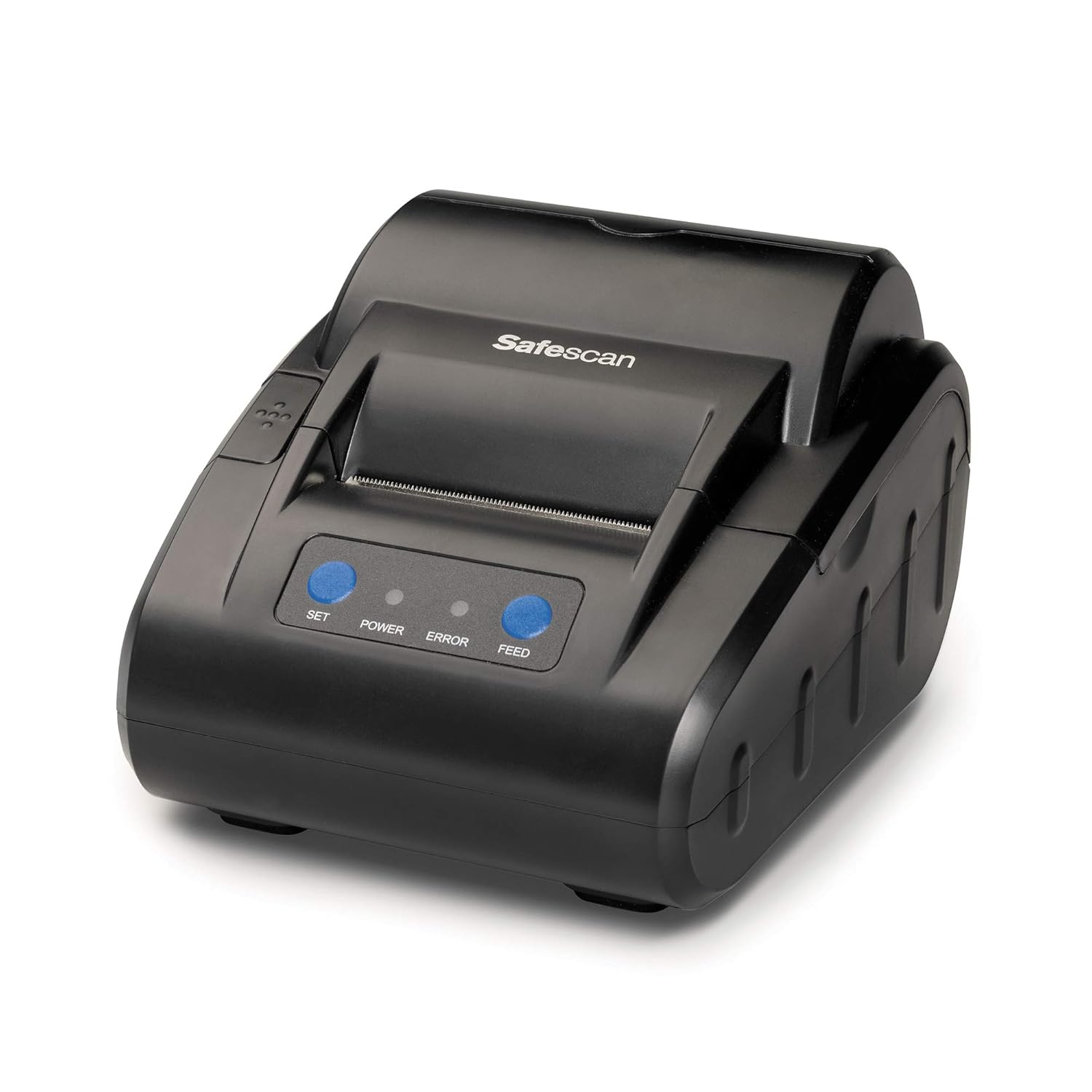
Сүрөт 1: Алдыңкы view of the Safescan TP-230 Thermal Receipt Printer, showcasing анын компакттуу дизайны жана башкаруу баскычтары.
2. Кутуда эмне бар
Upon unpacking your Safescan TP-230 Thermal Receipt Printer, please ensure all the following items are present:
- Safescan TP-230 термикалык дүмүрчөк принтери
- Кубаттуу адаптер
- USB принтер кабели
- Serial Printer Cable
- Thermal Paper Roll (starter roll)
- Колдонуучунун Колдонмосу (бул документ)

Image 2: All components included with the Safescan TP-230 printer: the printer unit, power adapter, USB cable, serial cable, a roll of thermal paper, and the instruction manual.
3. Орнотуу
3.1 Принтерди туташтыруу
- Ensure the Safescan TP-230 printer and your Safescan money counter are both powered off.
- Locate the appropriate port on the back of your Safescan money counter (either USB or Serial).
- Connect one end of the provided USB or Serial printer cable to the corresponding port on the back of the TP-230 printer.
- Connect the other end of the cable to your Safescan money counter.
- Connect the power adapter to the printer's power input port and then plug it into a suitable power outlet.
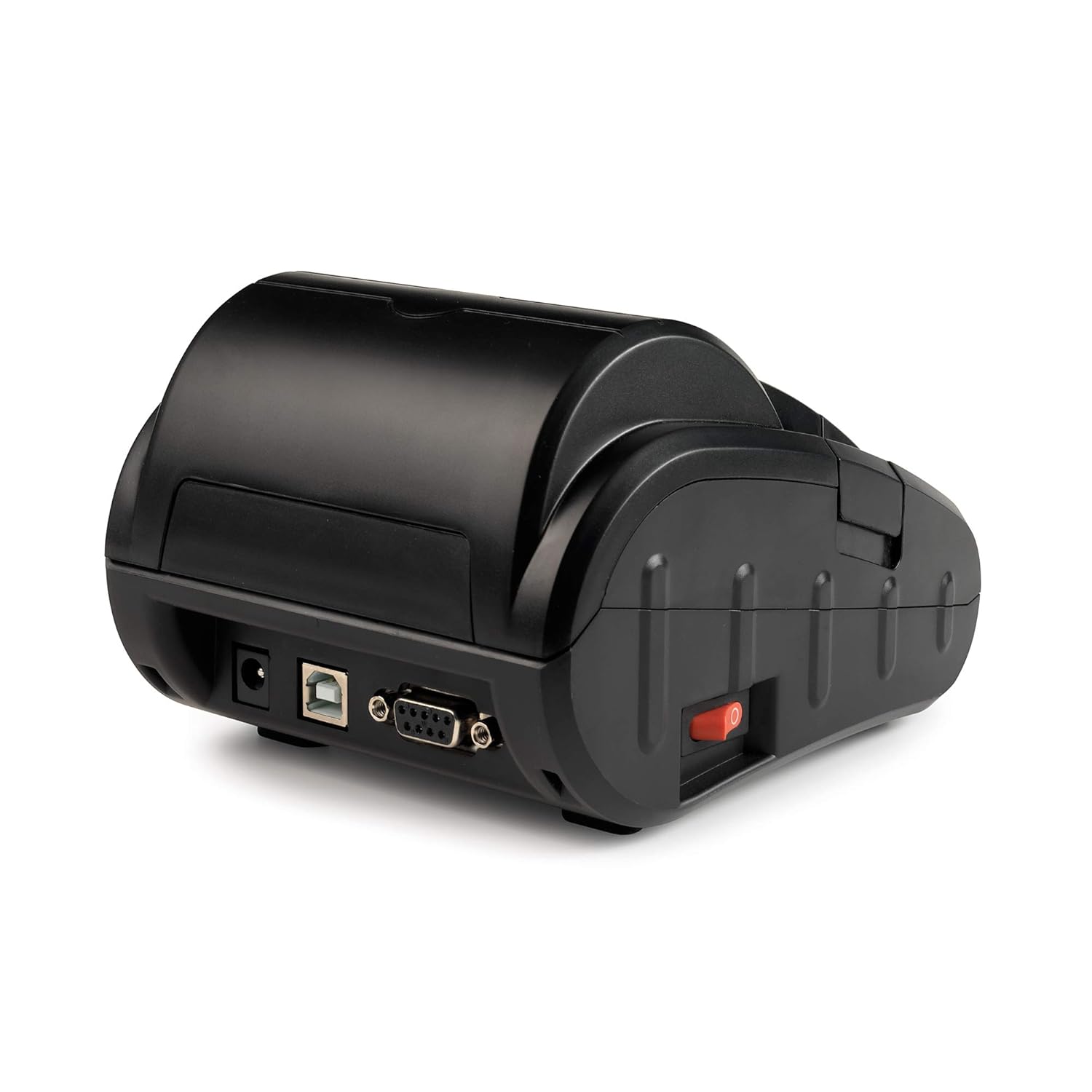
Сүрөт 3: Арткы view of the Safescan TP-230 printer, showing the power input, USB port, and serial port for connection to a money counter.
3.2 Термикалык кагазды жүктөө
- Gently press the lid release button or lift the lid cover of the printer.
- Insert the thermal paper roll into the compartment with the paper feeding from the bottom and exiting towards the front. Ensure the paper is aligned correctly.
- Кесүүчү четинен бир аз кагазды тартып чыгарыңыз.
- Капкакты бекем жабыңыз, ал ордунан чыккыча.
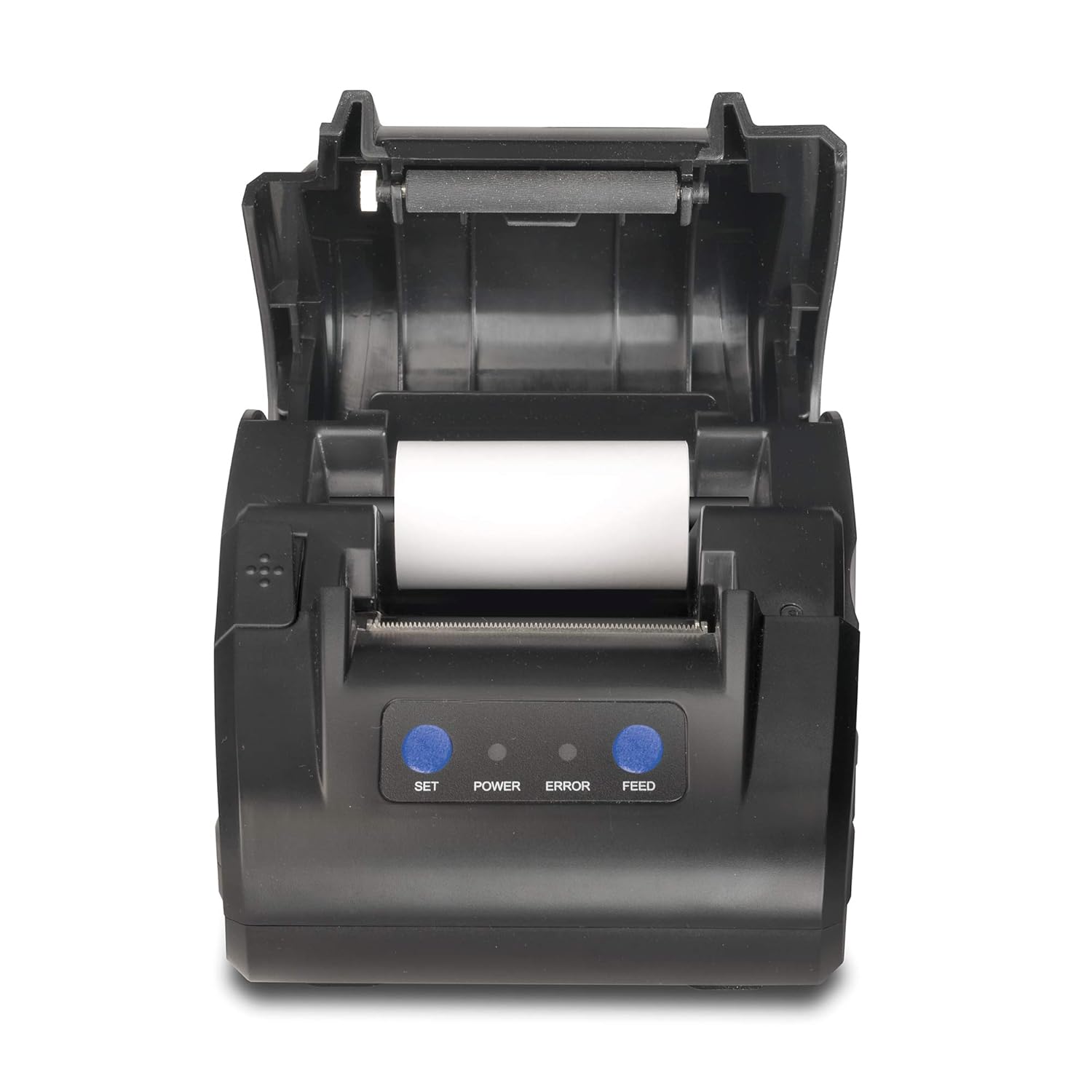
Сүрөт 4: Жогорку view of the Safescan TP-230 printer with the lid open, illustrating the correct placement of a thermal paper roll for printing.
4. Иштөө нускамалары
4.1 Шайкештик
The Safescan TP-230 Thermal Receipt Printer is compatible with the following Safescan money counters:
- Safescan 6165
- Safescan 6185
- Safescan 2885-S
- Safescan 2985-SX

Image 5: The Safescan TP-230 printer positioned next to a Safescan 6185 money counter, demonstrating a typical setup.
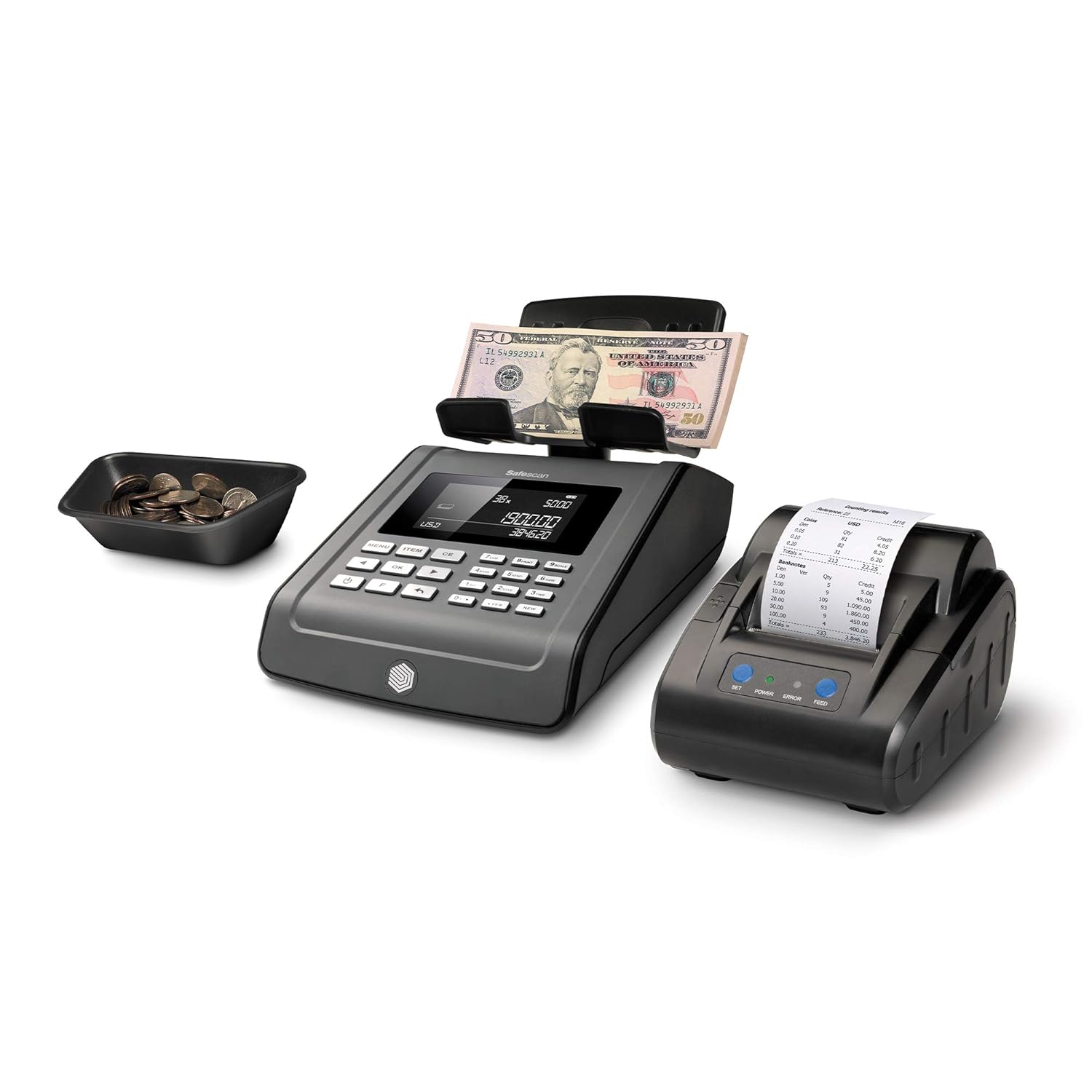
Image 6: The Safescan TP-230 printer alongside a Safescan 2250 money counter, illustrating another compatible configuration.
4.2 Отчетторду басып чыгаруу
Once the printer is connected and powered on, and your money counter is also on, you can initiate printing directly from your Safescan money counter. Refer to your specific money counter's user manual for detailed instructions on how to generate and print reports. The TP-230 will automatically print a detailed report showing the total counting result per denomination.
4.3 Индикатордук жарыктар жана баскычтар
The front panel of the TP-230 features indicator lights and buttons:
- КҮЧТҮҮ Чырак: Принтердин күйүп турганын көрсөтөт.
- КАТА жарыгы: Illuminates to indicate a printer error (e.g., out of paper, lid open).
- SET баскычы: Used for specific printer settings or diagnostics (refer to advanced manual if applicable).
- FEED баскычы: Press to manually advance the paper.
5. Техникалык тейлөө
5.1 Термикалык кагазды алмаштыруу
When the printer runs out of paper, the ERROR light will illuminate. Follow the steps in Section 3.2 to load a new standard thermal paper roll.
5.2 Тазалоо
To ensure optimal performance and longevity of your printer:
- Regularly wipe the exterior of the printer with a soft, dry cloth.
- Абразивдүү тазалагычтарды же эриткичтерди колдонуудан алыс болуңуз.
- Periodically clean the thermal print head with a specialized thermal printer cleaning pen or isopropyl alcohol on a cotton swab. Ensure the printer is off and cooled down before cleaning the print head.
6. Кыйынчылыктарды
If you encounter issues with your Safescan TP-230 printer, refer to the following common problems and solutions:
| Көйгөй | Мүмкүн себеп | Чечим |
|---|---|---|
| Принтер күйбөйт | Электр кабели туташкан эмес; розетка туура эмес | Электр кабелинин туташуусун текшерүү; Башка электр розеткасын колдонуп көрүңүз. |
| ERROR light is on | Out of paper; Lid not closed properly | Replace thermal paper roll; Ensure lid is firmly closed. |
| Басып чыгаруу жок | Incorrect cable connection; Printer not selected on money counter; Paper loaded incorrectly | Verify USB/Serial cable connection; Check money counter settings; Re-load paper as per Section 3.2. |
| Faint or blank print | Thermal paper loaded upside down; Print head dirty | Flip the paper roll; Clean the thermal print head (Section 5.2). |
If the problem persists after attempting these solutions, please contact Safescan customer support.
7. Техникалык шарттар
| Өзгөчөлүк | Деталь |
|---|---|
| Модель номери | 134-0535 |
| Басма технологиясы | Термикалык |
| Байланыш | USB, Сериялык |
| Принтердин чыгышы | Монохромдуу |
| Максималдуу басып чыгаруу ылдамдыгы | Up to 60 units/second (Monochrome) |
| Продукциянын өлчөмдөрү (D x W x Y) | 6.4" x 4.6" x 3.5" (16.26 см x 11.68 см x 8.89 см) |
| Продукт Салмагы | 2.34 фунт (1.06 кг) |
| Түс | Кара |
| Өзгөчө өзгөчөлүк | Жеңил дизайн |
8. Кепилдик маалыматы
For detailed warranty terms and conditions applicable to your Safescan TP-230 Thermal Receipt Printer, please refer to the warranty card included with your product packaging or visit the official Safescan website. Warranty coverage typically includes manufacturing defects for a specified period from the date of purchase.
9. Колдоо
Should you require further assistance, technical support, or have questions not covered in this manual, please contact Safescan customer support. You can find contact information and additional resources on the official Safescan webсайт:


