Introduction
This manual provides instructions for the proper setup, operation, and maintenance of your Targus W600 Wireless Optical Mouse. Please read this manual thoroughly before using the device to ensure optimal performance and longevity.
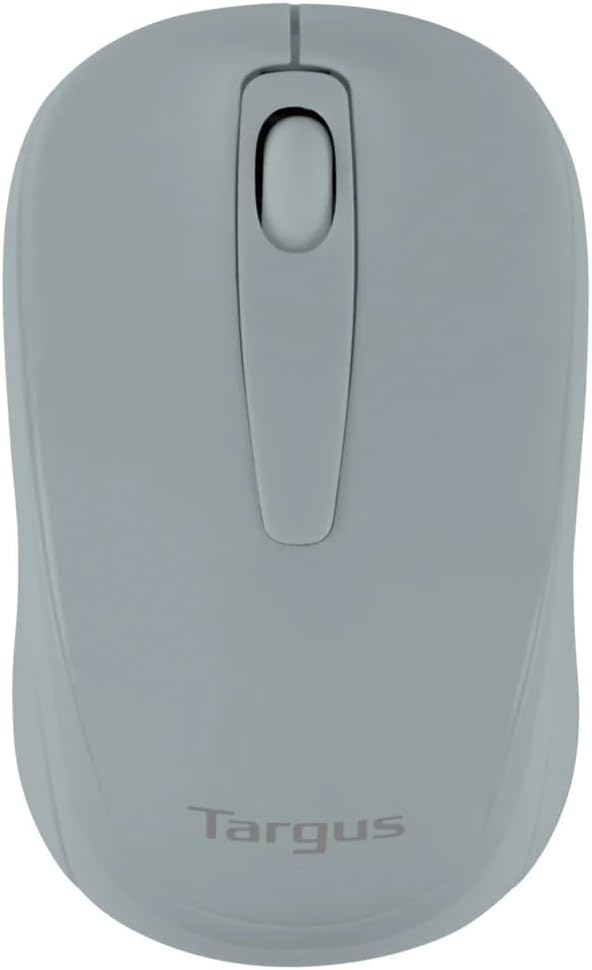
Figure 1: Targus W600 Wireless Optical Mouse (Quarry Gray)
Пакеттин мазмуну
Пакетте бардык буюмдар бар экенин текшериңиз:
- Targus W600 Wireless Optical Mouse
- USB кабыл алгыч
- Колдонуучунун Колдонмосу (бул документ)
Note: 1 AA battery is required and sold separately.
Продукт өзгөчөлүктөрү
- 2.4 GHz Wireless Technology for reliable connection
- 1600 DPI Optical Sensor for precise tracking
- Ыңгайлуу колдонуу үчүн эргономикалык дизайн
- Windows жана Mac иштетүү тутумдарына шайкеш келет
- Integrated USB receiver storage compartment
Жайгашуу
1. Батареяны орнотуу
- Turn the mouse over to locate the battery compartment cover.
- Gently slide the cover off.
- Туура полярдуулукту (+/-) текшерип, бир (1) AA батарейкасын салыңыз.
- Батарея бөлүгүнүн капкагын ордуна коюңуз.
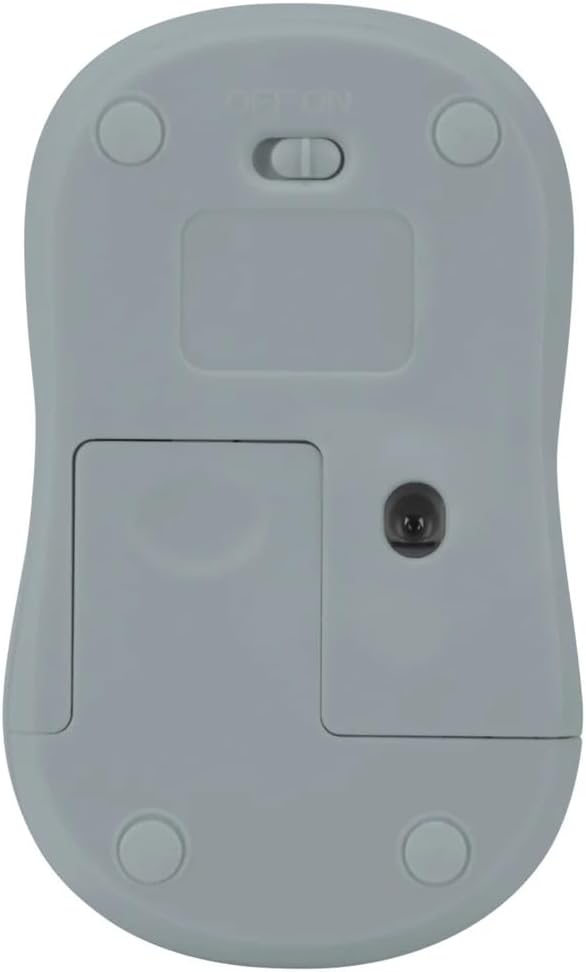
2-сүрөт: Төмөнкү view of the mouse with battery compartment and power switch.
2. USB кабылдагычты туташтыруу
- Locate the USB receiver, typically stored inside the mouse's battery compartment or a dedicated slot.
- USB ресиверди компьютериңиздеги жеткиликтүү USB портуна сайыңыз.
- Компьютериңиз керектүү драйверлерди автоматтык түрдө таап, орнотуп алышы керек. Бул бир нече мүнөткө созулушу мүмкүн.
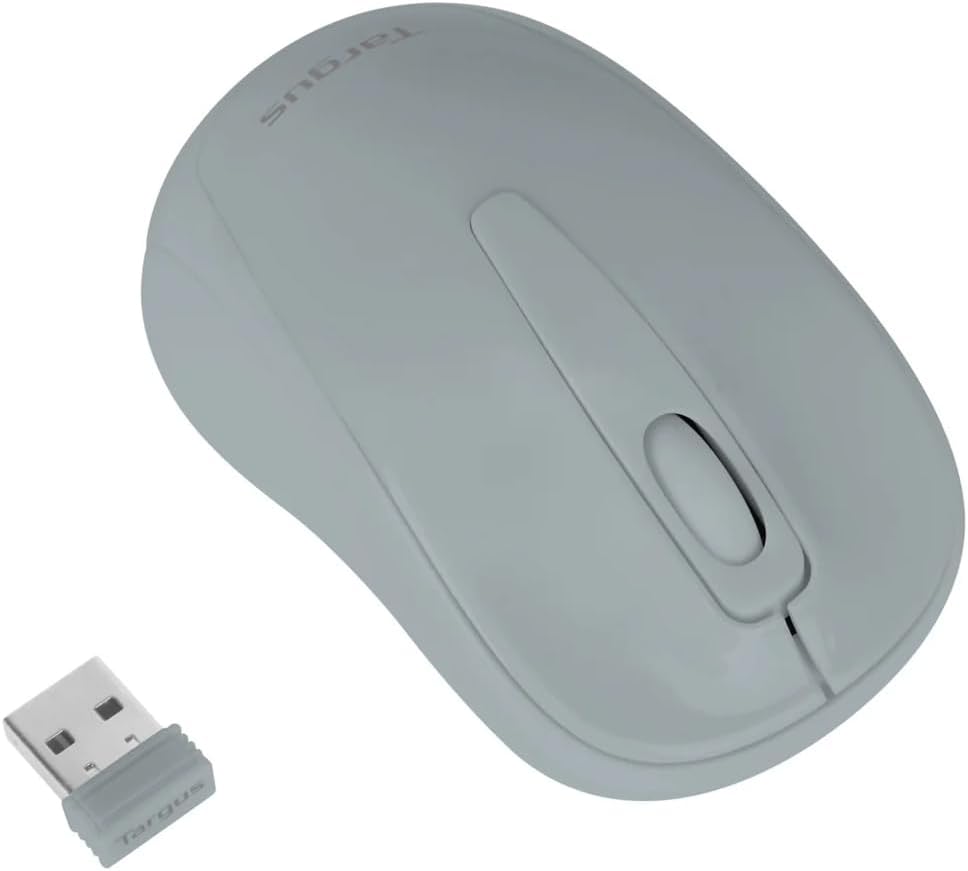
Figure 3: Targus W600 mouse and its USB receiver.

Figure 4: USB receiver plugged into a laptop, with the mouse nearby.
3. Чычканды күйгүзүү
On the bottom of the mouse, slide the ON/OFF switch to the "ON" position. The mouse is now ready for use.
Чычканды иштетүү
The Targus W600 Wireless Optical Mouse functions like a standard 3-button mouse. It features a left button, a right button, and a scroll wheel that also acts as a middle button.
- Сол чыкылдатуу: Негизги аракет, тандоо, ачылыш элементтери.
- Оң чыкылдатуу: Контексттик менюларды ачат.
- Жылдыруу дөңгөлөгү: Документтерди жылдырат жана web pages vertically. Pressing the scroll wheel acts as a middle click, often used for opening links in new tabs or specific application functions.
The 1600 DPI optical sensor provides smooth and accurate cursor control on most surfaces. For best performance, use on a mouse pad or a non-reflective, uniform surface.
Техникалык тейлөө
Тазалоо
Чычканыңызды тазалоо үчүн, анын бетин жумшак, d менен акырын сүртүңүзamp cloth. Avoid using harsh chemicals or abrasive cleaners, as these can damage the finish or internal components. Ensure no liquid enters the mouse.
Батареяны алмаштыруу
When the mouse performance degrades or stops responding, it may be time to replace the battery. Follow the steps outlined in the "Installing the Battery" section to replace the AA battery. Dispose of used batteries responsibly according to local regulations.
Проблемаларды чечүү
| Көйгөй | Чечим |
|---|---|
| Чычкан жооп бербей жатат |
|
| Курсордун туура эмес кыймылы |
|
| Кыска зымсыз диапазон |
|
Техникалык шарттар
| Модель номери | AMW60006AP-55 |
| Байланыш | 2.4 ГГц зымсыз (USB кабыл алуучу) |
| Sensor Technology | Оптикалык |
| DPI | 1600 DPI |
| баскычтардын саны | 3 (Left, Right, Scroll Wheel/Middle Click) |
| Power Source | 1 x AA Батарея (киргизилген эмес) |
| Шайкеш операциялык системалар | Windows, Mac |
Эскертүү: Техникалык мүнөздөмөлөр эскертүүсүз өзгөртүлүшү мүмкүн.
Кепилдик жана колдоо
For warranty information and technical support, please refer to the official Targus webсайтка же кардарларды тейлөөгө кайрылыңыз. Сатып алуу квитанциясын кепилдик дооматтары үчүн сатып алуунун далили катары сактаңыз.
Targus Official Webсайт: www.targus.com


